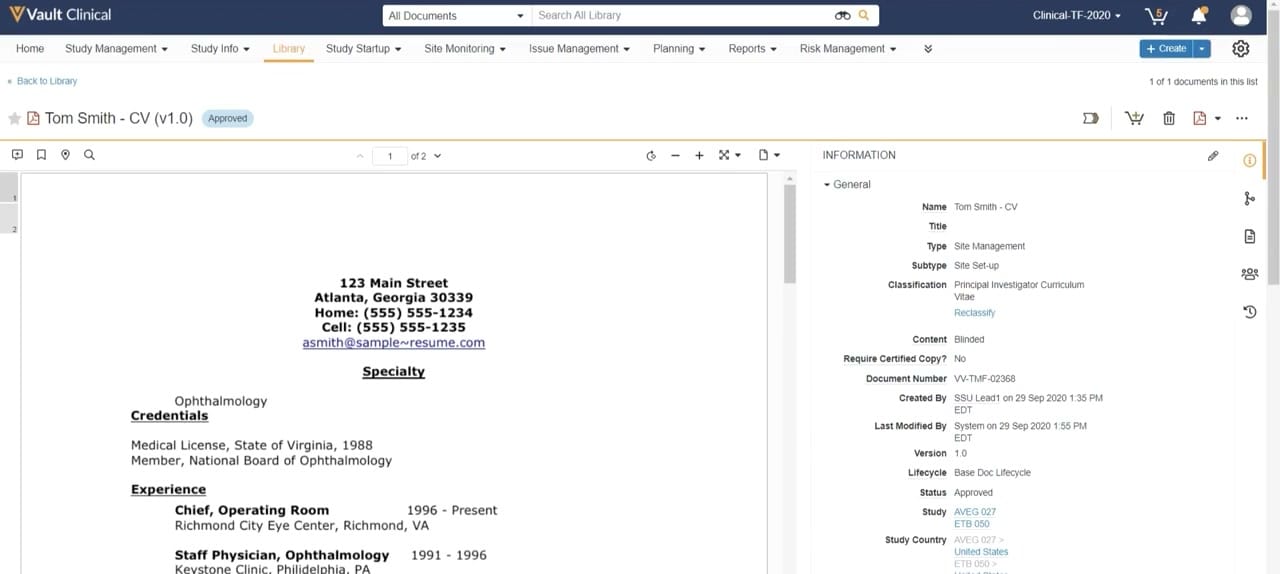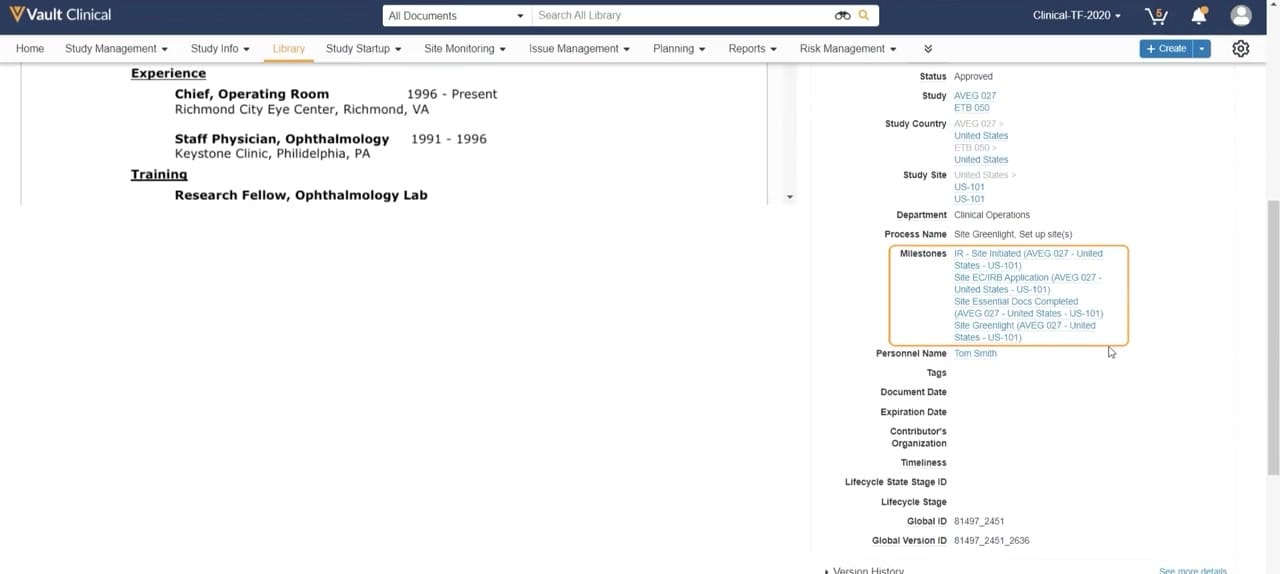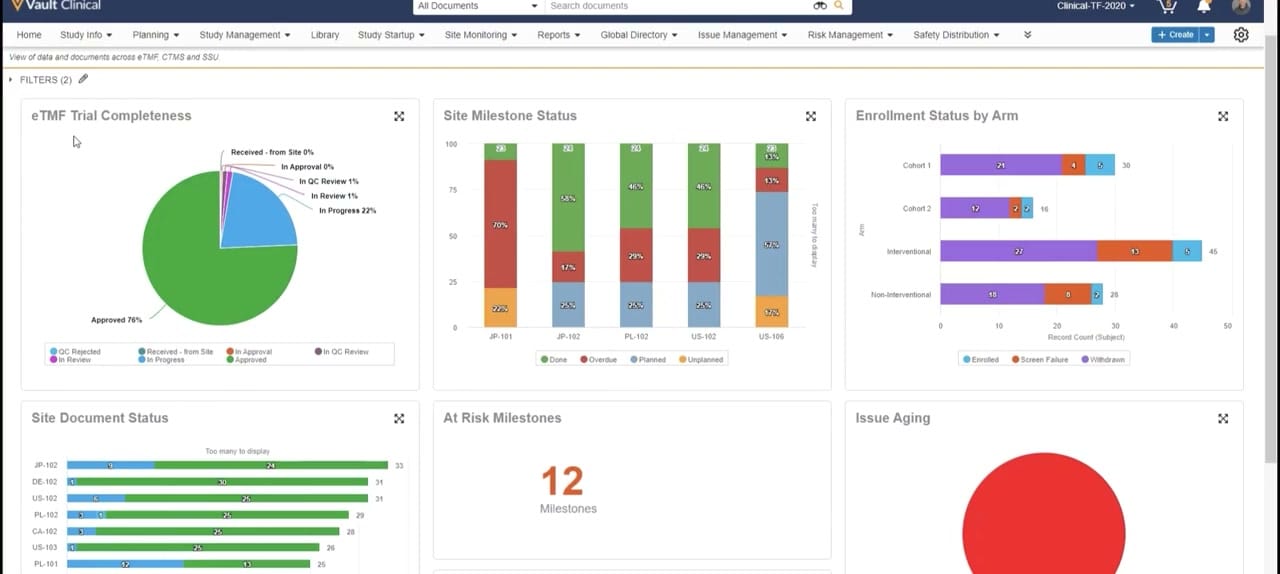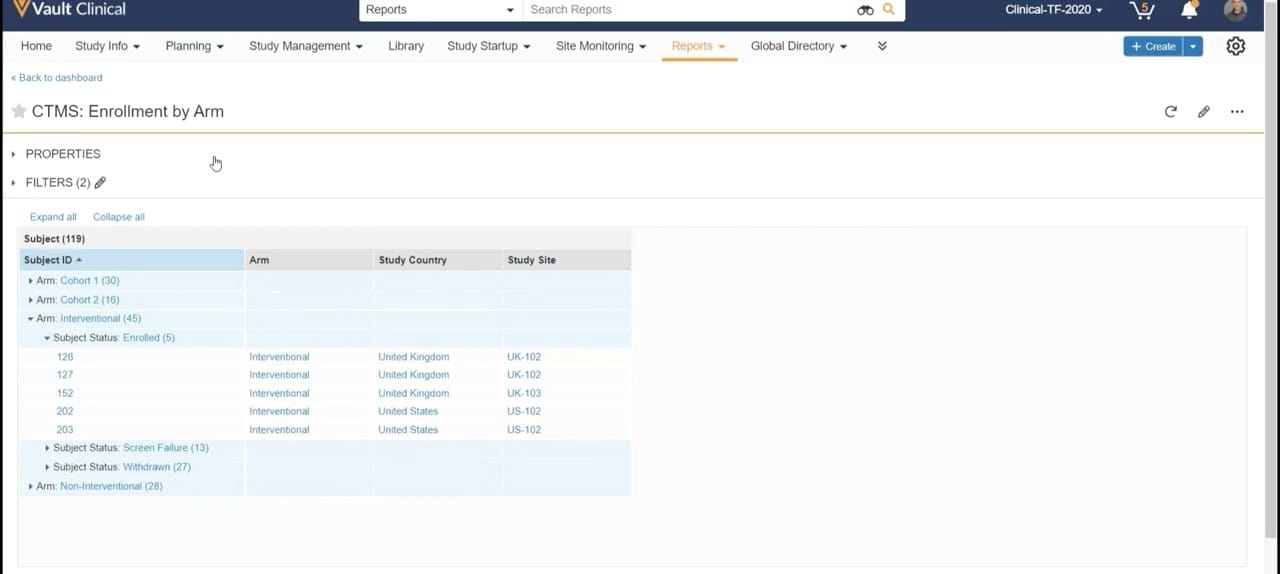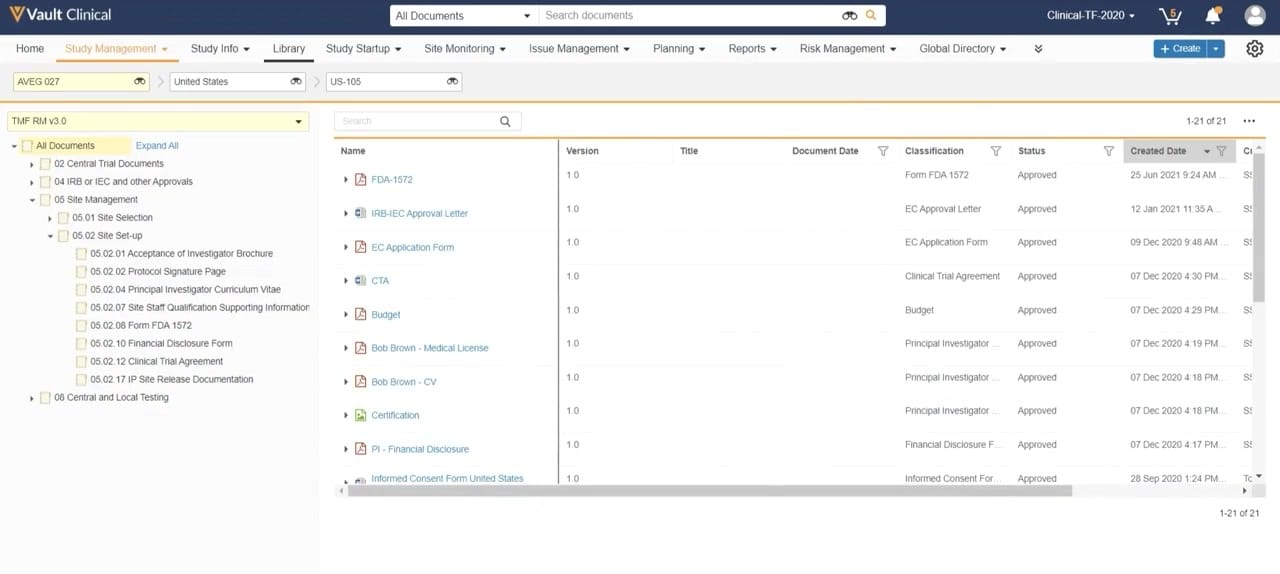
What this Study Startup screenshot shows
This public interface reference displays the Veeva Vault Clinical environment, specifically showing the TMF Access from Study Startup workflow. The screen presents a document library view structured around the Trial Master File Reference Model (TMF RM v3.0). The interface is filtered for a specific study (AVEG 027), country (United States), and site (US-105). The left-hand navigation panel displays a hierarchical directory tree of folders, with "05 Site Management" and "05.02 Site Set-up" expanded to show standard subfolders. The main panel lists 21 documents matching these criteria, including regulatory forms, agreements, and investigator credentials. Key metadata columns such as document name, version, classification, approval status, and creation date are visible. This layout provides clinical operations teams with a structured view of site-specific documentation during the study startup phase.
Visible interface elements
- Global navigation bar with tabs including Study Management, Library, and Study Startup.
- Breadcrumb filter bar displaying selections for AVEG 027, United States, and US-105.
- Left-hand directory tree based on TMF RM v3.0, showing expanded folders under Site Management.
- Document list table displaying columns for Name, Version, Classification, Status, and Created Date.
- Search input fields located in both the global header and the document list panel.
- Status indicator showing 'Approved' for listed documents such as FDA-1572 and CTA.
- Pagination indicator showing '1-21 of 21' records in the top-right and bottom-right corners of the table.
Interface details
The user interface is organized into three primary functional zones. At the top, a global navigation bar contains tabs for various clinical operations modules, with "Study Management" currently active. Directly below, a breadcrumb filter bar restricts the displayed data to study "AVEG 027", country "United States", and site "US-105". The left sidebar features an interactive directory tree based on the TMF RM v3.0 taxonomy. Users can expand folders, such as "05 Site Management" and "05.02 Site Set-up", to view specific document categories. The central workspace displays a tabular list of documents corresponding to the selected folder and filters. Visible columns include Name, Version, Title, Document Date, Classification, Status, and Created Date. Each row represents a specific document, such as "FDA-1572" or "IRB-IEC Approval Letter", showing a status of "Approved" and a version of "1.0". A search bar is positioned above the document table to allow for quick filtering within the active view, and pagination controls indicate that 21 records are currently loaded.
Workflow context
In clinical trial operations, managing study startup documentation is a critical path activity that requires close coordination. This interface can support clinical trial managers and study startup specialists by providing a centralized view of essential site documents. By filtering down to a specific site, such as US-105, users can quickly assess the completeness of the site file. For example, the presence of approved documents like the FDA-1572, Clinical Trial Agreement, and investigator CVs could help coordinators determine if a site is approaching greenlight status. The structured TMF Reference Model hierarchy helps ensure that documents are classified consistently according to industry standards. This visibility can assist teams in identifying missing or pending documentation, thereby supporting efforts to streamline site activation timelines and maintain inspection readiness throughout the startup lifecycle.
Source, version, and interpretation limits
The description is based on a static screenshot from the Veeva Study Startup Unified Demo, published around 2020. Because this is a static image, it cannot confirm real-time data updates, automated workflows, or active integrations with other Veeva Vault applications. The visible data, including study names, site numbers, and document dates, represents synthetic demonstration data and does not reflect actual clinical trial records. Additionally, the specific folder structure, metadata fields, and user permissions shown are subject to customer configuration and may vary across different software releases or specific organizational implementations of Veeva Vault Clinical.
Authoritative references
Use these primary sources to confirm current product positioning, terminology, and release-specific behavior.
- Veeva Study Startup Unified Demo(Official Veeva hosted demo)
- Veeva Study Startup product overview(Official Veeva product page)
- Veeva Study Startup features(Official Veeva resource)