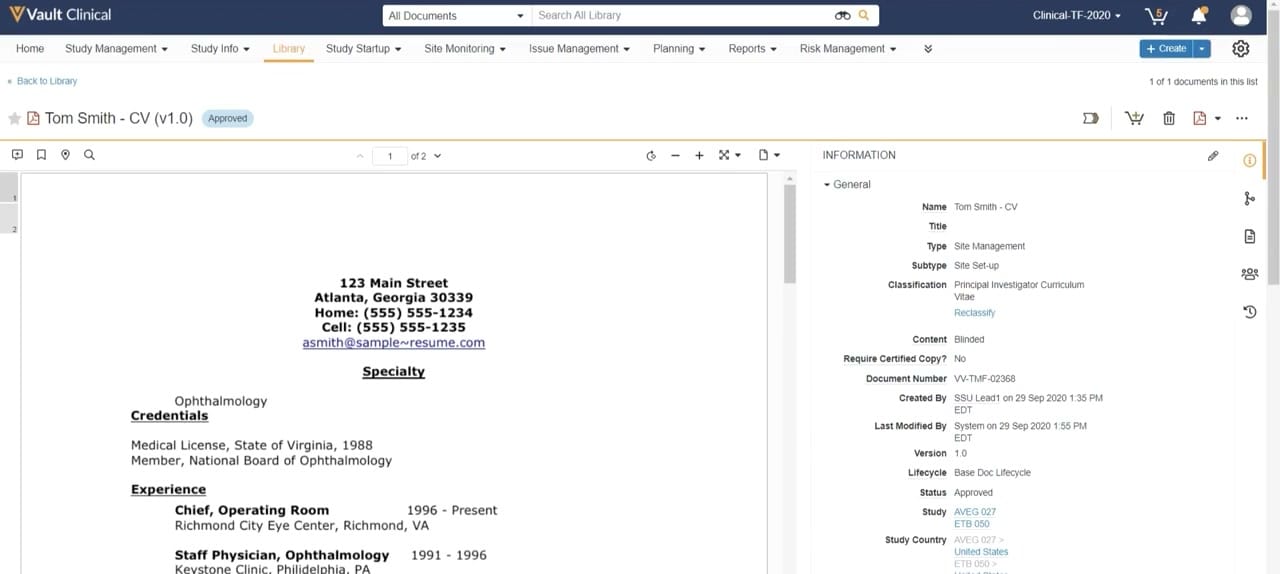
What this Study Startup screenshot shows
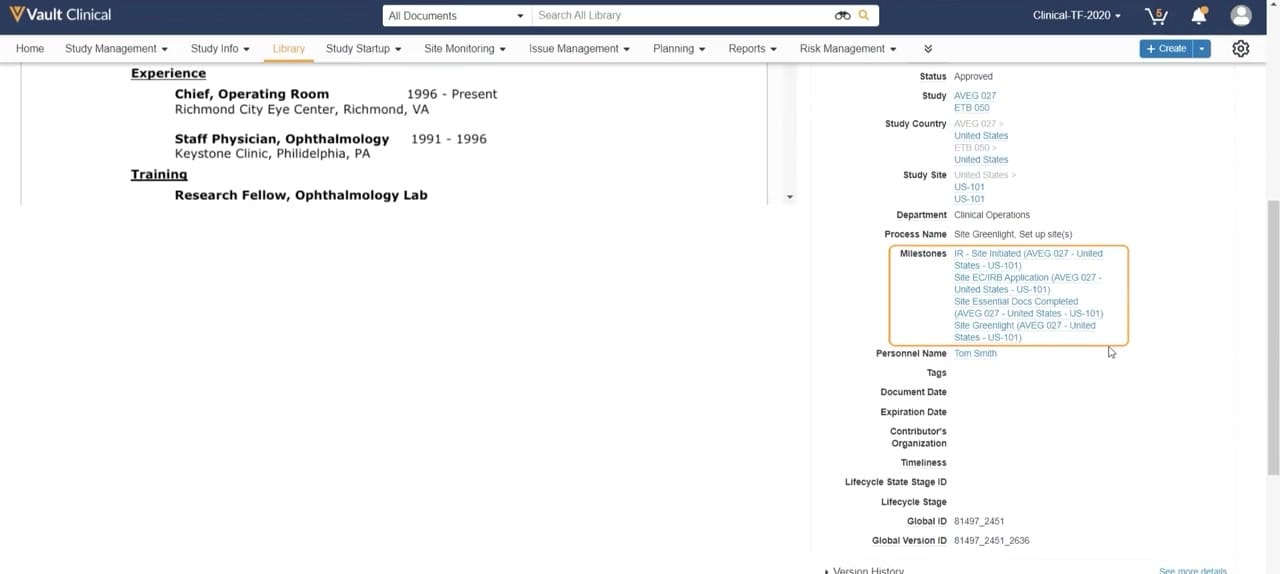
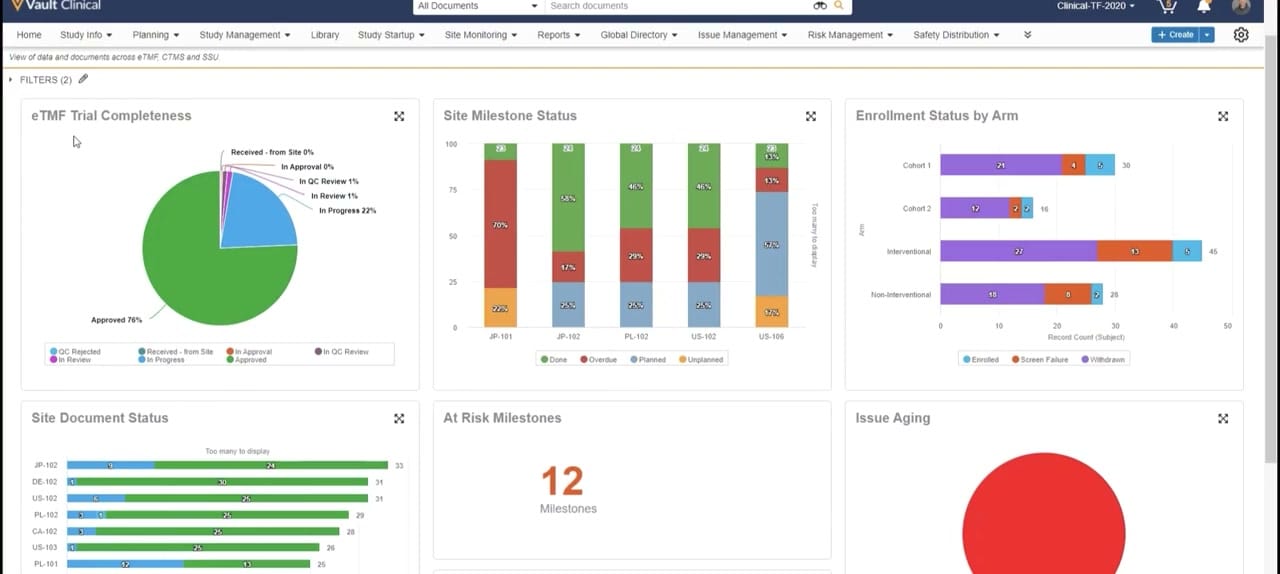
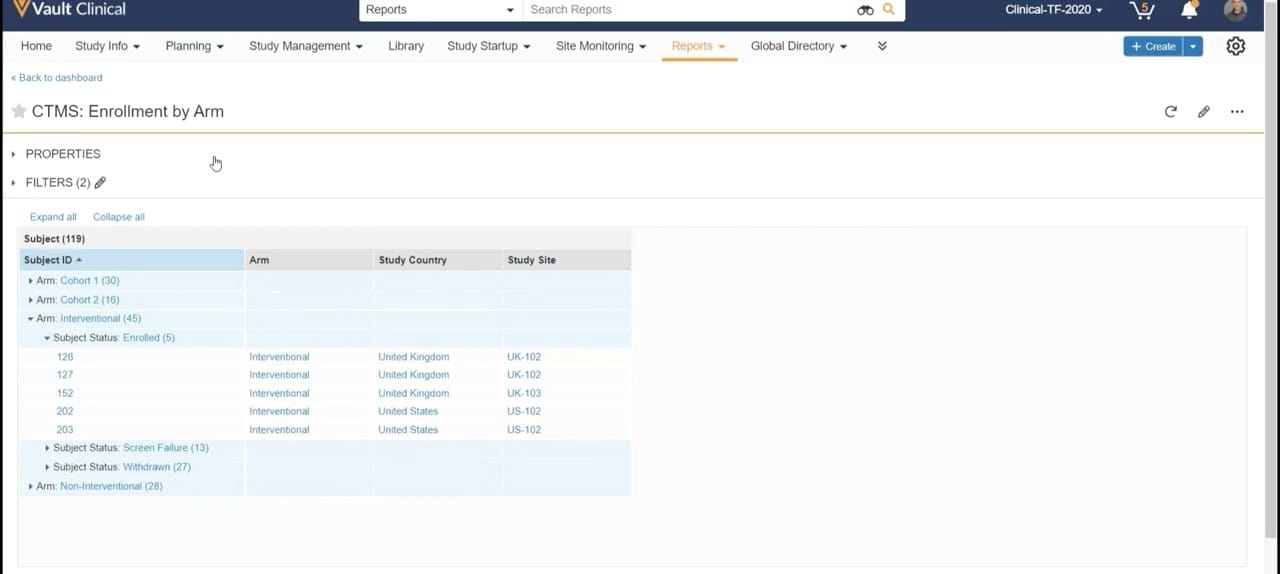
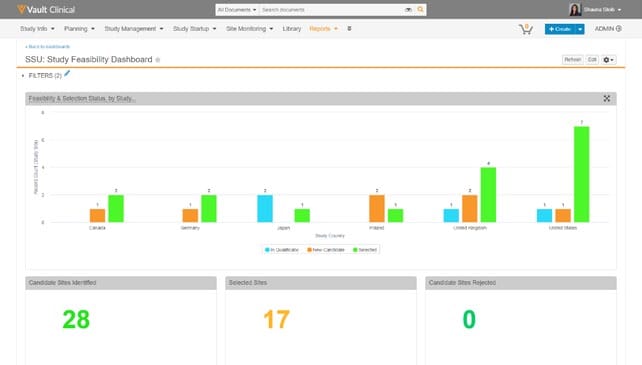
This interface screenshot displays the document details view within Veeva Vault Clinical, specifically configured for the Study Startup and Trial Master File workflows. The layout features a split-screen design that allows users to view a document's content alongside its associated metadata. On the left, a document viewer displays a preview of a curriculum vitae for a principal investigator, complete with standard document navigation and zoom controls. On the right, an expandable information panel presents structured metadata fields, including document classification, lifecycle status, version history, and study associations. This unified presentation provides clinical operations teams with immediate access to both the qualitative content of a document and its regulatory indexing details, supporting efficient document review and verification processes during the site activation phase of a clinical trial.
Visible interface elements
- Document viewer displaying a curriculum vitae for an ophthalmology specialist.
- Approved status badge next to the document title Tom Smith - CV (v1.0).
- Information panel showing metadata fields including Type, Subtype, and Classification.
- Document metadata indicating association with studies AVEG 027 and ETB 050.
- Global navigation bar with tabs for Library, Study Startup, and Site Monitoring.
- Document viewer toolbar with page navigation, zoom controls, and fit-to-screen options.
- Vertical icon menu on the right margin for accessing sharing settings and document history.
Interface details
The user interface is structured with a global navigation header at the top, containing tabs for Study Management, Library, and Study Startup, among others. Below this header, the primary workspace is divided into two main sections. The left section is a document viewer displaying a two-page curriculum vitae. It includes a toolbar with page navigation, zoom-in and zoom-out buttons, and options for adjusting the view fit. The right section is a collapsible metadata panel titled Information. This panel displays hierarchical metadata under a General section, which includes fields such as Name, Type, Subtype, and Classification. Specific values shown include a document number, creation details, and version status. A vertical icon bar on the far right of the panel provides quick access to additional views, such as sharing settings, document relationships, and audit history. An Approved status badge is clearly visible next to the document title at the top left of the workspace, indicating the current state of the document within its lifecycle.
Workflow context
In clinical operations, verifying investigator qualifications is a critical step during site startup and activation. This interface can support study startup specialists by allowing them to review a Principal Investigator's curriculum vitae directly alongside its metadata. The visible classification of the document as a Principal Investigator Curriculum Vitae, paired with its Approved status, could help coordinators confirm that essential regulatory requirements are met for specific study sites. The metadata panel links the document to specific studies, such as AVEG 027 and ETB 050, and countries like the United States. This structured association can help clinical teams track document completeness across multiple sites and countries. By presenting the document content and its indexing details in a single view, the interface could streamline the quality control checks necessary before a site is greenlighted for subject enrollment.
Source, version, and interpretation limits
The screenshot is sourced from a public Veeva Study Startup Unified Demo, published around 2020. Because this is a static image of a demonstration environment, it does not represent live, real-time, or validated clinical trial data. The visible names, dates, document numbers, and study identifiers are synthetic demonstration data and should not be interpreted as active clinical records. Actual user interfaces, available metadata fields, and document lifecycles may vary depending on the specific software release, organization-specific configurations, and individual user permissions. This reference copy is intended solely to describe the visible layout and standard interface patterns of the software.
Authoritative references
Use these primary sources to confirm current product positioning, terminology, and release-specific behavior.
- Veeva Study Startup Unified Demo(Official Veeva hosted demo)
- Veeva Study Startup product overview(Official Veeva product page)
- Veeva Study Startup features(Official Veeva resource)