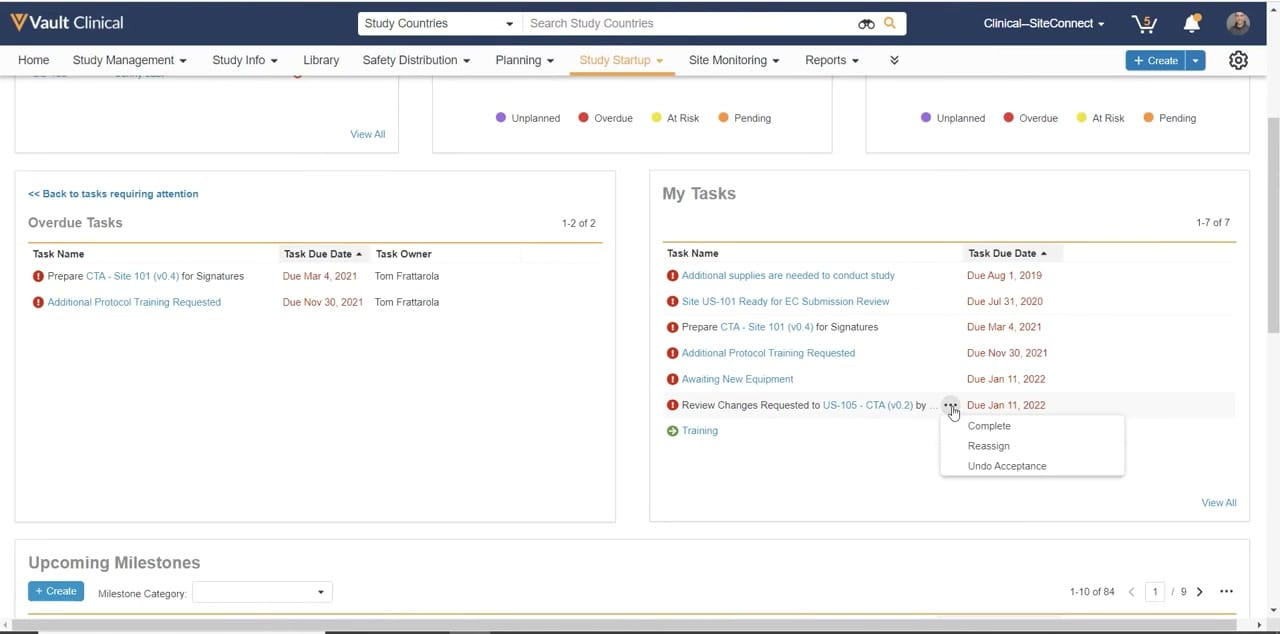
What this Study Startup screenshot shows
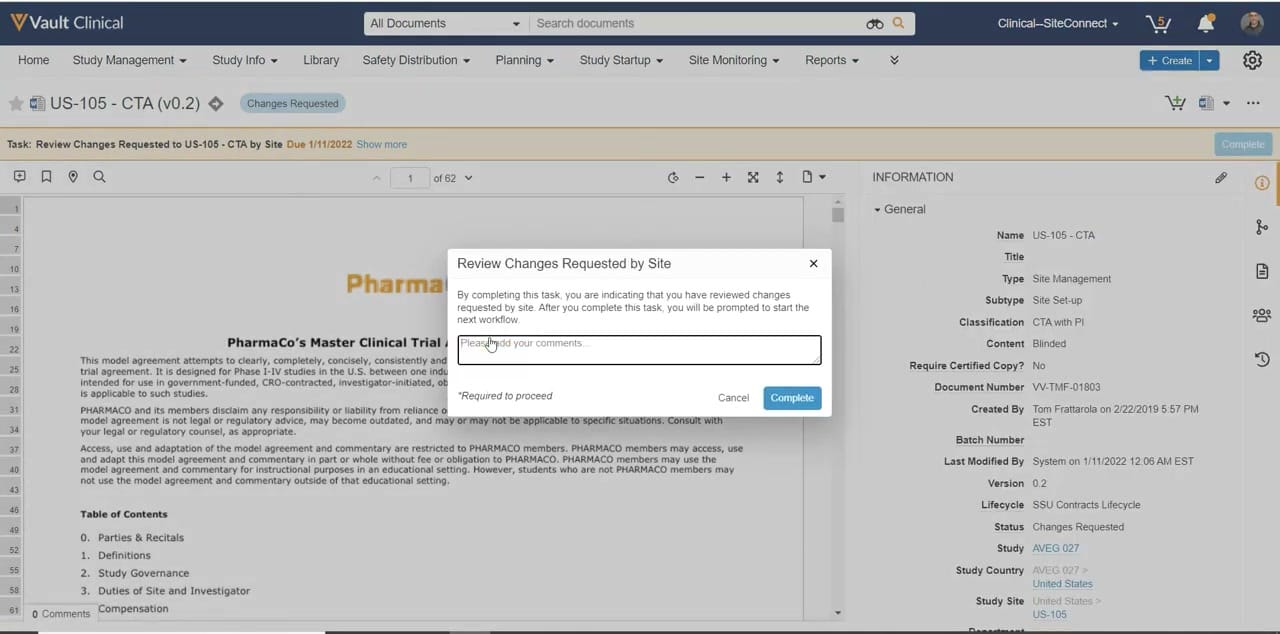
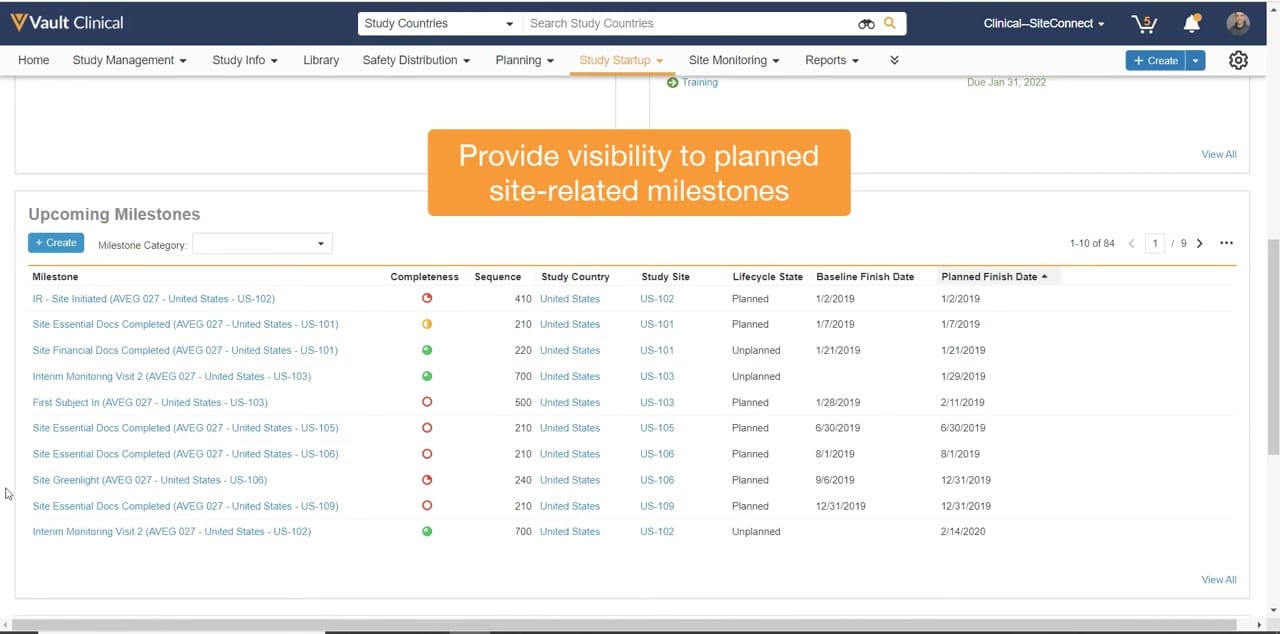
This reference screenshot displays the task management interface within Veeva Vault Study Startup, focusing on the Study Startup tab. The layout presents a structured dashboard designed to help clinical operations users track and manage startup activities. The screen is divided into distinct sections, including an Overdue Tasks list on the left and a My Tasks list on the right. A key interactive element shown is an open action menu on a specific task, displaying options such as Complete, Reassign, and Undo Acceptance. Additionally, the bottom of the screen features an Upcoming Milestones section. This interface provides a centralized view of pending actions, document-related tasks, and milestone tracking, utilizing visual indicators like red exclamation marks to highlight overdue items.
Visible interface elements
- Study Startup tab highlighted in the top navigation bar.
- Overdue Tasks panel displaying task names, due dates, and task owners.
- My Tasks panel listing seven items with red exclamation icons for overdue tasks.
- An open three-dot action menu showing options for Complete, Reassign, and Undo Acceptance.
- Upcoming Milestones section at the bottom with a Create button and category dropdown.
- Pagination controls indicating eighty-four total milestones across nine pages.
- Search bar at the top labeled Search Study Countries.
Interface details
The user interface features a multi-column layout structured around task lists and milestone tracking. The top navigation bar includes standard Vault Clinical tabs, with Study Startup highlighted to indicate the active module. Below the navigation, the main workspace is split into two primary panels. The left panel, titled Overdue Tasks, displays a table with columns for Task Name, Task Due Date, and Task Owner, listing two specific overdue items assigned to a synthetic user. The right panel, titled My Tasks, lists seven items with columns for Task Name and Task Due Date. Several tasks in this list feature a red exclamation icon, indicating an overdue status, while one task displays a green arrow icon. An active three-dot context menu is open next to a task regarding agreement changes, revealing three actionable options: Complete, Reassign, and Undo Acceptance. At the bottom of the screen, the Upcoming Milestones section includes a Create button, a Milestone Category dropdown menu, and pagination controls indicating eighty-four total milestones across nine pages.
Workflow context
In a clinical trial startup scenario, managing timelines and document handoffs is critical to avoiding delays. The visible dashboard can support clinical operations teams by providing immediate visibility into pending and overdue tasks, such as clinical trial agreement preparations and protocol training requests. The My Tasks panel could help individual users prioritize their daily activities, while the inline action menu allows them to quickly update task statuses, reassign responsibilities, or revert task acceptance directly from the dashboard. This centralized task tracking can support study managers in monitoring critical-path activities and identifying potential bottlenecks before they impact site activation timelines. By presenting milestones and tasks in a unified view, the interface could help teams maintain momentum during the complex startup phase of a clinical trial.
Source, version, and interpretation limits
The screenshot is sourced from the Veeva Vault Study Startup Homepage, representing a product demonstration from February 2022. Because this is a static image, it cannot verify real-time data synchronization, automated workflow triggers, or active integration with external clinical systems. The displayed names, dates, task counts, and specific document versions represent synthetic demonstration data rather than a live production environment. Actual user interfaces, available actions, and metadata fields may vary depending on specific customer configurations, system permissions, and subsequent software releases. This reference is intended solely to illustrate the visual layout and standard task action patterns.
Authoritative references
Use these primary sources to confirm current product positioning, terminology, and release-specific behavior.
- Veeva Vault Study Startup Homepage(Official Veeva YouTube demo)
- Veeva Study Startup product overview(Official Veeva product page)
- Veeva Study Startup features(Official Veeva resource)