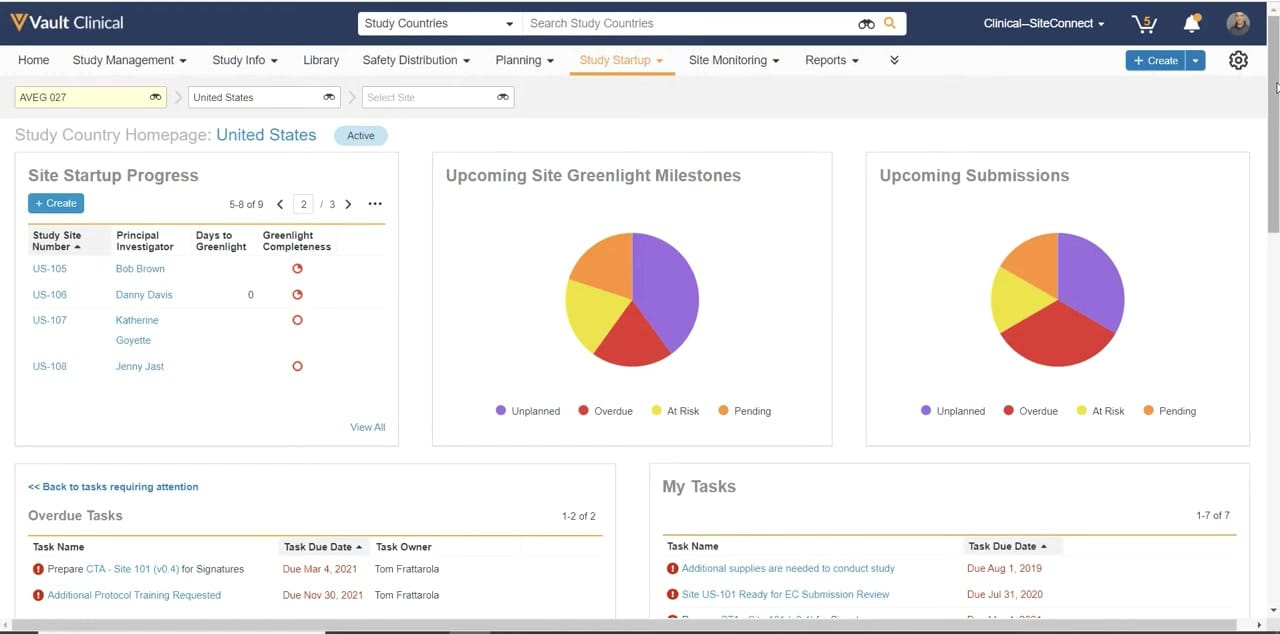
What this Study Startup screenshot shows
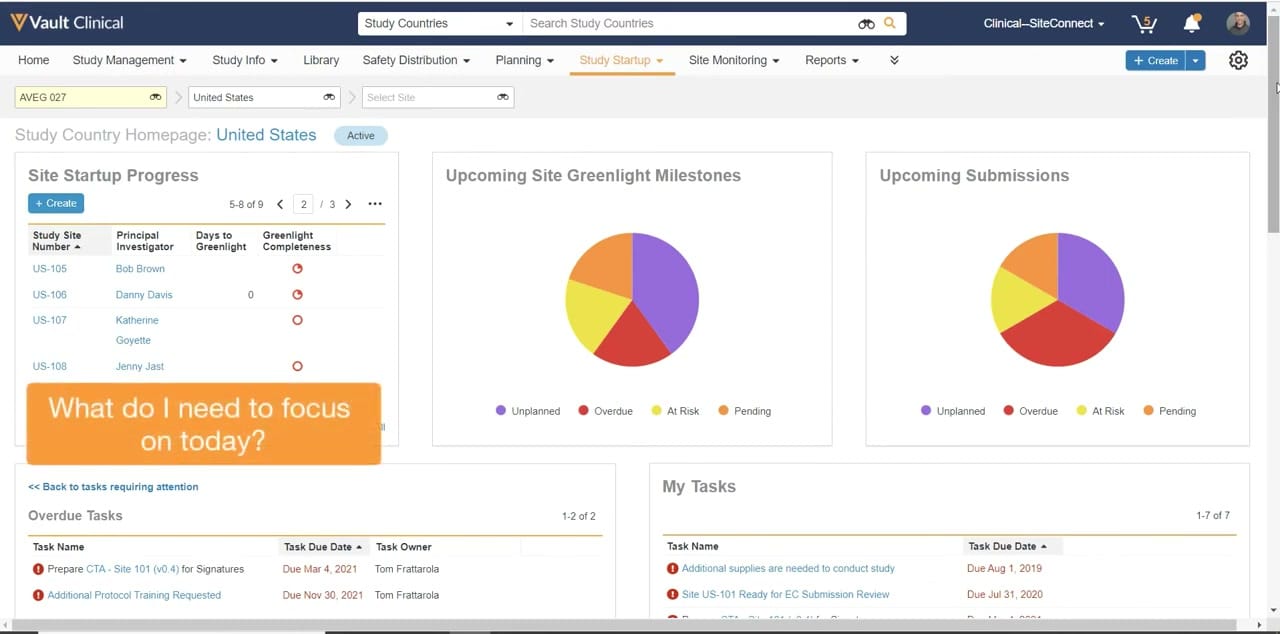
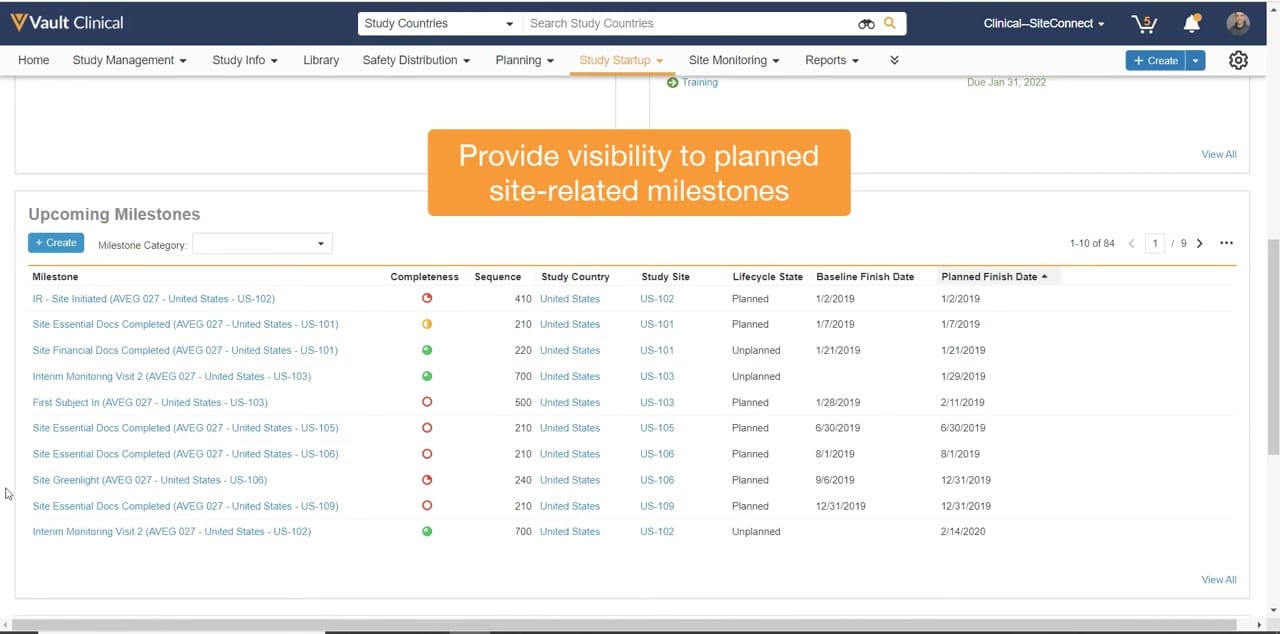
This public interface reference displays the Study Country Homepage within Veeva Vault Study Startup, configured for a demonstration study labeled AVEG 027 in the United States. The layout provides clinical operations users with a centralized dashboard to monitor site activation progress, milestones, and outstanding tasks. The page is organized into a modular grid containing multiple cards: Site Startup Progress, Upcoming Site Greenlight Milestones, Upcoming Submissions, Overdue Tasks, and My Tasks. Navigation controls at the top of the screen allow users to filter the displayed information by study, country, and site. The interface utilizes visual indicators, such as color-coded pie charts and status icons, to highlight the status of various startup activities. This dashboard serves as a central workspace for tracking the critical path of clinical trial site initiation.
Visible interface elements
- Study, country, and site dropdown selectors located below the main navigation bar.
- Site Startup Progress table displaying site numbers, principal investigators, and greenlight completeness indicators.
- Upcoming Site Greenlight Milestones pie chart showing unplanned, overdue, at risk, and pending statuses.
- Upcoming Submissions pie chart illustrating submission status distribution.
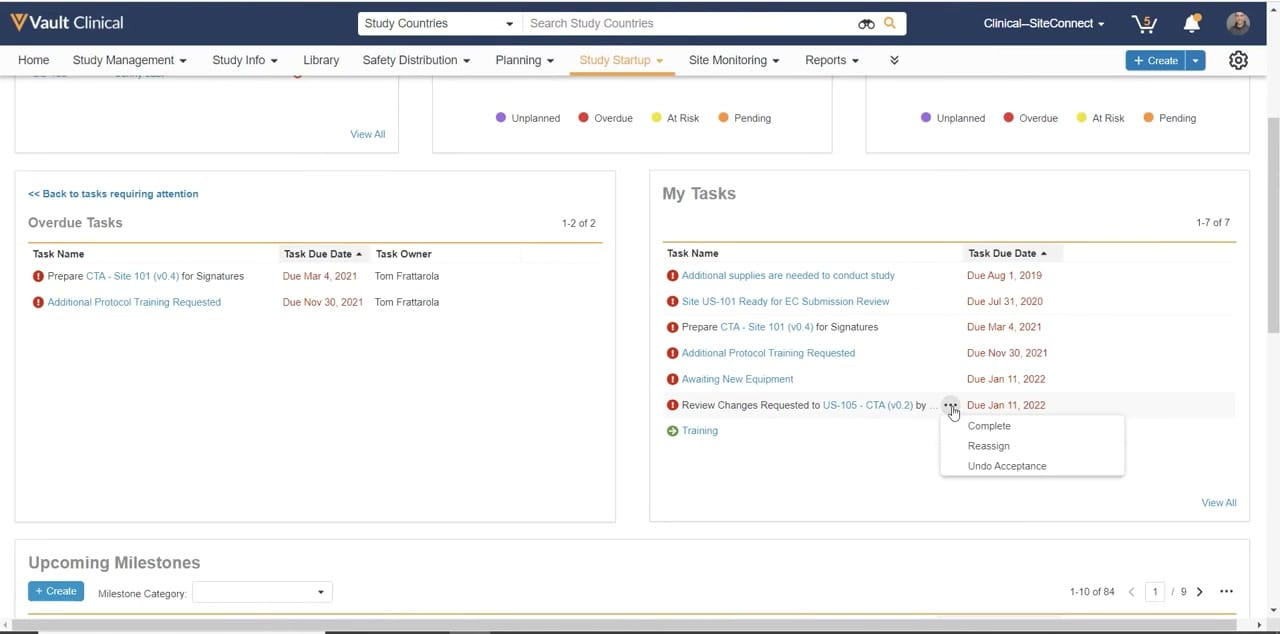
- Overdue Tasks table listing task names, due dates, and task owners with red warning icons.
- My Tasks table displaying a list of assigned tasks and their corresponding due dates.
- Global navigation tabs including Study Management, Study Info, Library, and Study Startup.
Interface details
The interface features a standard Veeva Vault header with global navigation tabs, including Study Management, Study Info, and Study Startup. Below the main navigation, three contextual dropdown selectors allow users to filter data by study, country, and site. The main body of the homepage is divided into five distinct cards. The Site Startup Progress card displays a table listing study site numbers, principal investigators, days to greenlight, and greenlight completeness status, complete with pagination controls and a "View All" link. To the right, two pie charts visualize the status of Upcoming Site Greenlight Milestones and Upcoming Submissions, categorizing items as Unplanned, Overdue, At Risk, or Pending. The bottom section of the page contains two task-oriented tables. The Overdue Tasks card lists specific task names, due dates, and owners, marked with red warning icons. The My Tasks card displays a list of assigned tasks and their respective due dates. Standard UI controls such as "+ Create" buttons, search bars, and pagination arrows are visible throughout the interface, facilitating user interaction and data navigation.
Workflow context
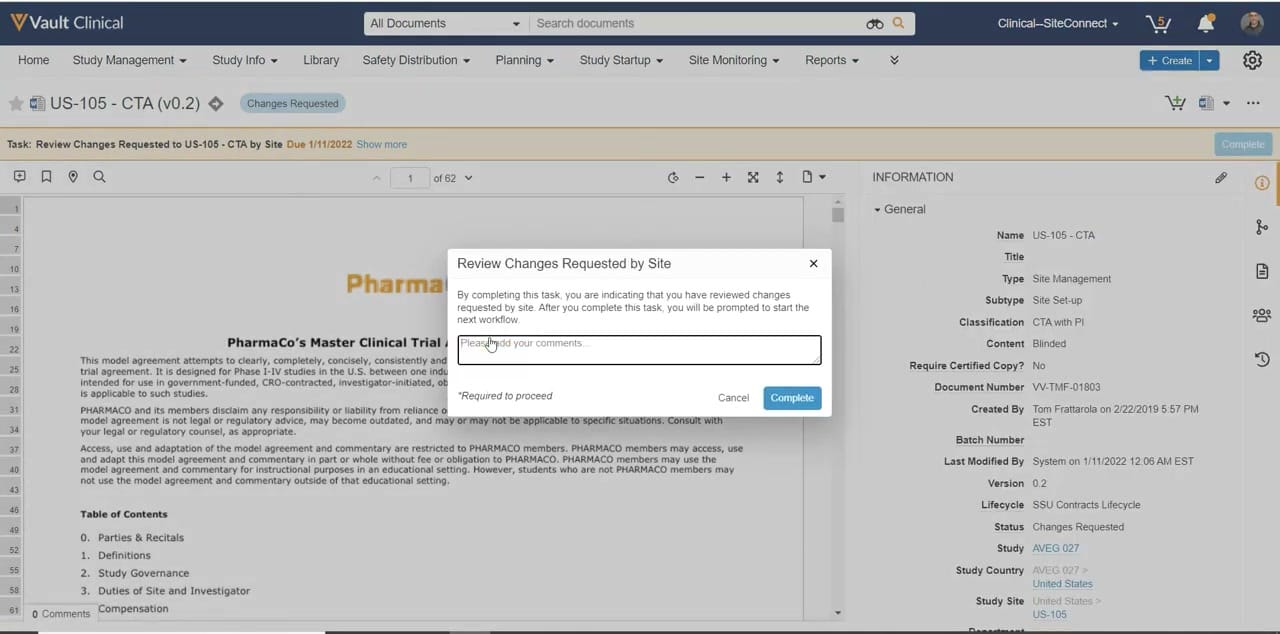
In a clinical operations workflow, this homepage can support study managers and startup specialists in tracking the progress of site activation. By presenting key metrics and tasks in a single view, the interface could help users identify bottlenecks in the greenlight process or pending submissions. For instance, the Upcoming Site Greenlight Milestones and Upcoming Submissions pie charts provide a visual summary of milestone statuses, which can help coordinators prioritize their follow-up actions. The Overdue Tasks and My Tasks lists display specific action items, such as preparing clinical trial agreements or addressing training requests, with visible due dates and owners. This structured presentation of startup data can assist teams in managing the critical path to site activation, ensuring that outstanding requirements are addressed to prevent delays in trial initiation.
Source, version, and interpretation limits
The screenshot is sourced from an official Veeva YouTube demonstration of Veeva Vault Study Startup published in February 2022. The displayed interface represents a specific configuration and UI state from that period. Because this is a static image, it cannot establish whether the displayed data is real-time, complete, or automatically updated. All visible names, dates, studies, and task records are synthetic demonstration data and do not represent actual clinical trial operations. Actual user interfaces, available features, and configurations may vary depending on the specific Vault release, customer settings, and organizational workflows.
Authoritative references
Use these primary sources to confirm current product positioning, terminology, and release-specific behavior.
- Veeva Vault Study Startup Homepage(Official Veeva YouTube demo)
- Veeva Study Startup product overview(Official Veeva product page)
- Veeva Study Startup features(Official Veeva resource)