What this eTMF screenshot shows
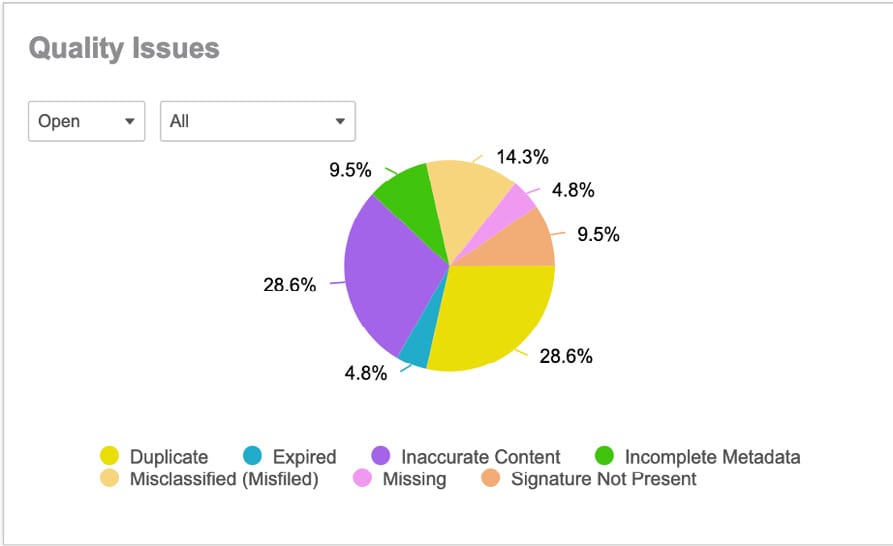
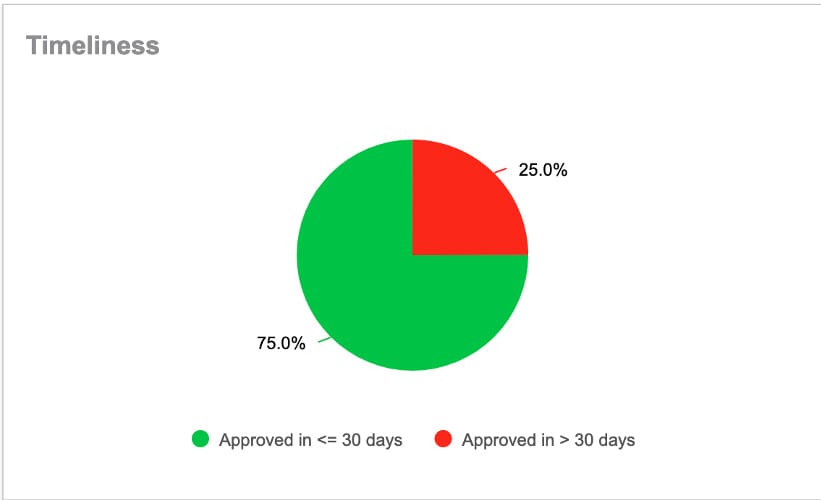
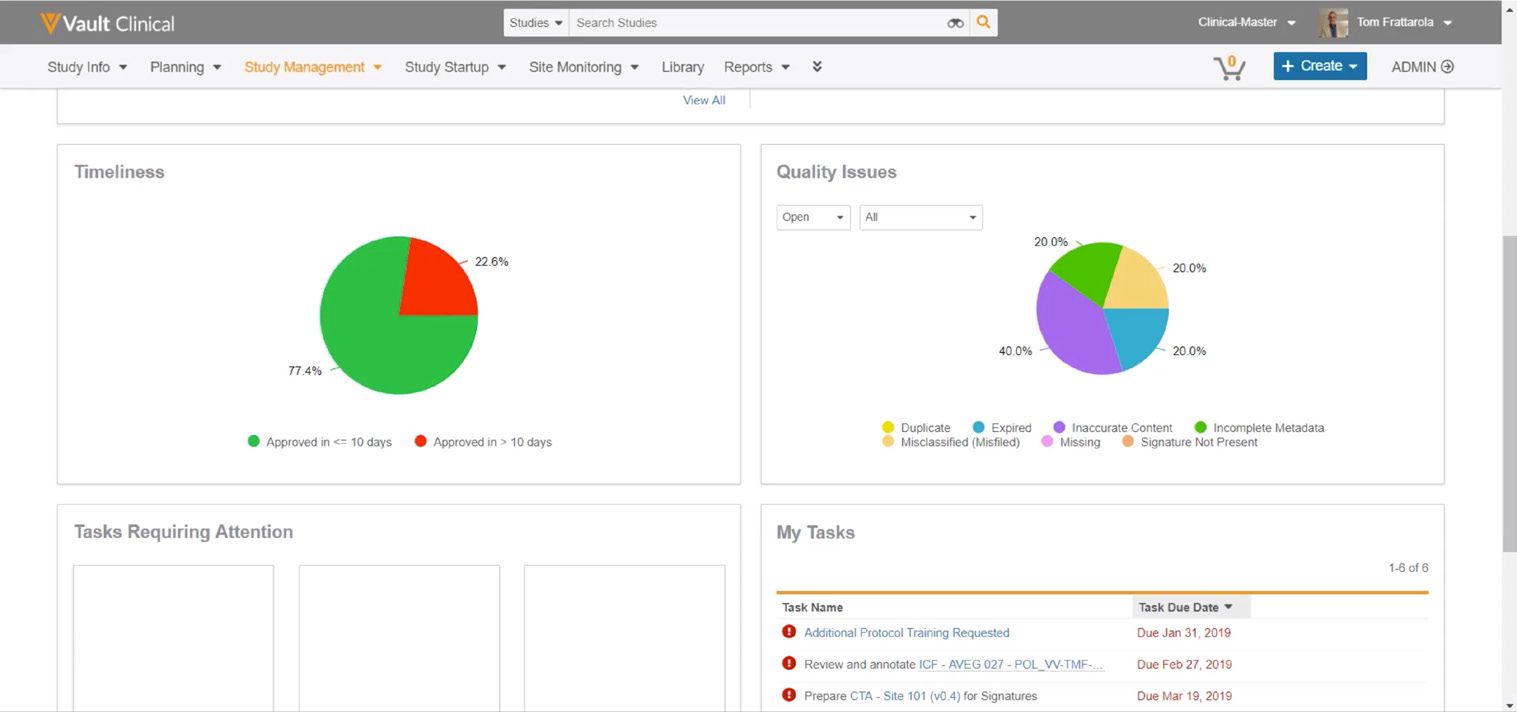
This reference page describes the TMF Health Homepage interface within Veeva Vault eTMF, a clinical operations application designed to manage trial master file documents. The screenshot displays a dashboard layout containing multiple visual panels that summarize document metrics and pending actions for a clinical study. At the top, a standard Vault Clinical navigation header provides access to study management, planning, and reporting tools. Below the header, the dashboard is divided into distinct sections: Timeliness, Quality Issues, Tasks Requiring Attention, and My Tasks. These panels present synthetic demonstration data, including pie charts representing document approval times and quality issue distributions, alongside a list of individual user tasks with associated due dates. This interface serves as a centralized workspace for clinical trial administrators and document specialists to monitor overall TMF health indicators and track outstanding document-related responsibilities.
Visible interface elements
- Vault Clinical navigation header with Study Management tab highlighted in orange
- Timeliness panel featuring a green and red pie chart showing document approval percentages
- Quality Issues panel with dropdown filters for Open and All status selections
- Quality Issues pie chart displaying percentage breakdowns for categories like Inaccurate Content and Incomplete Metadata
- My Tasks panel listing active tasks with red exclamation mark icons and due dates
- Search Studies input field and user profile dropdown for Tom Frattarola in the top right
- Tasks Requiring Attention panel containing three empty placeholder columns
Interface details
The interface layout is structured with a global navigation bar at the top, featuring the Vault Clinical logo, a study search field, and user profile information for a demo user named Tom Frattarola. Below this, the main workspace displays four primary panels. The Timeliness panel on the upper left features a two-segment pie chart illustrating document approval durations, with 77.4 percent of documents approved in ten days or less and 22.6 percent taking longer. To its right, the Quality Issues panel contains dropdown filters for status and category, alongside a multi-colored pie chart detailing issue types such as inaccurate content, incomplete metadata, and misclassified files. The lower portion of the screen contains a Tasks Requiring Attention panel with three placeholder columns, and a My Tasks panel on the bottom right. The My Tasks section lists active items, displaying a count of six total tasks. Visible entries include protocol training requests and document reviews, each marked with a red exclamation icon and accompanied by specific due dates from early 2019.
Workflow context
In a clinical operations context, the TMF Health Homepage can support study managers and document specialists in monitoring trial master file completeness and quality. By presenting high-level metrics alongside individual action items, the dashboard could help users identify bottlenecks in document processing, such as delayed approvals shown in the Timeliness chart. The Quality Issues panel can assist in tracking specific document errors, allowing teams to address recurring metadata or signature deficiencies. Additionally, the My Tasks list provides direct visibility into upcoming deadlines, which can help clinical personnel prioritize their daily document review and signature collection activities. While the displayed data is synthetic, this structured presentation of metrics and tasks is designed to facilitate oversight and support inspection-readiness efforts by highlighting areas that require immediate administrative attention during a clinical trial.
Source, version, and interpretation limits
The description of this interface is based entirely on a static screenshot from a 2021 Veeva feature brief for the TMF Homepage. Because this is a static image, it cannot confirm real-time data synchronization, automated workflows, or active integration with live clinical databases. The visible labels, navigation tabs, and dashboard panels represent a specific configuration that may vary across different Vault releases, study protocols, or customer-specific implementations. All names, dates, task lists, and percentage metrics are treated as synthetic demonstration data and do not represent actual clinical trial progress or regulatory compliance status.
Authoritative references
Use these primary sources to confirm current product positioning, terminology, and release-specific behavior.
- TMF Homepage feature brief(Official Veeva PDF)
- Veeva eTMF product overview(Official Veeva product page)
- Veeva guide to eTMF features and inspection readiness(Official Veeva resource)