What this eTMF screenshot shows
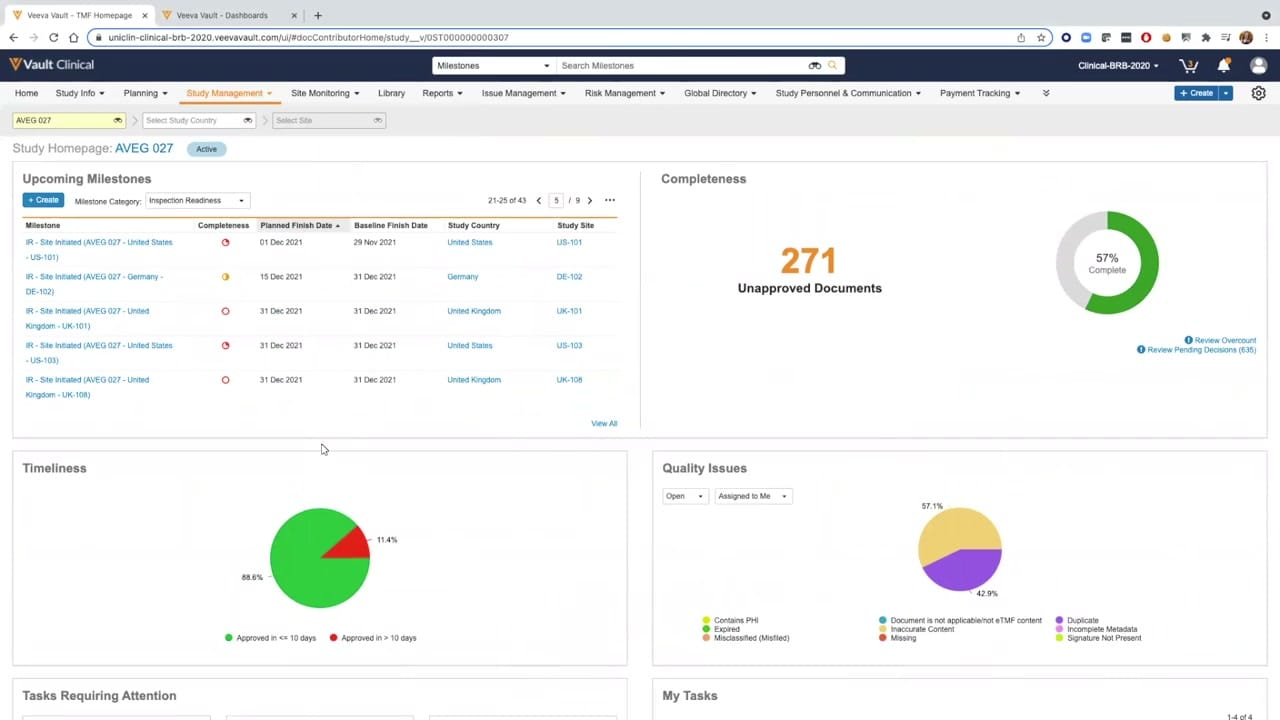
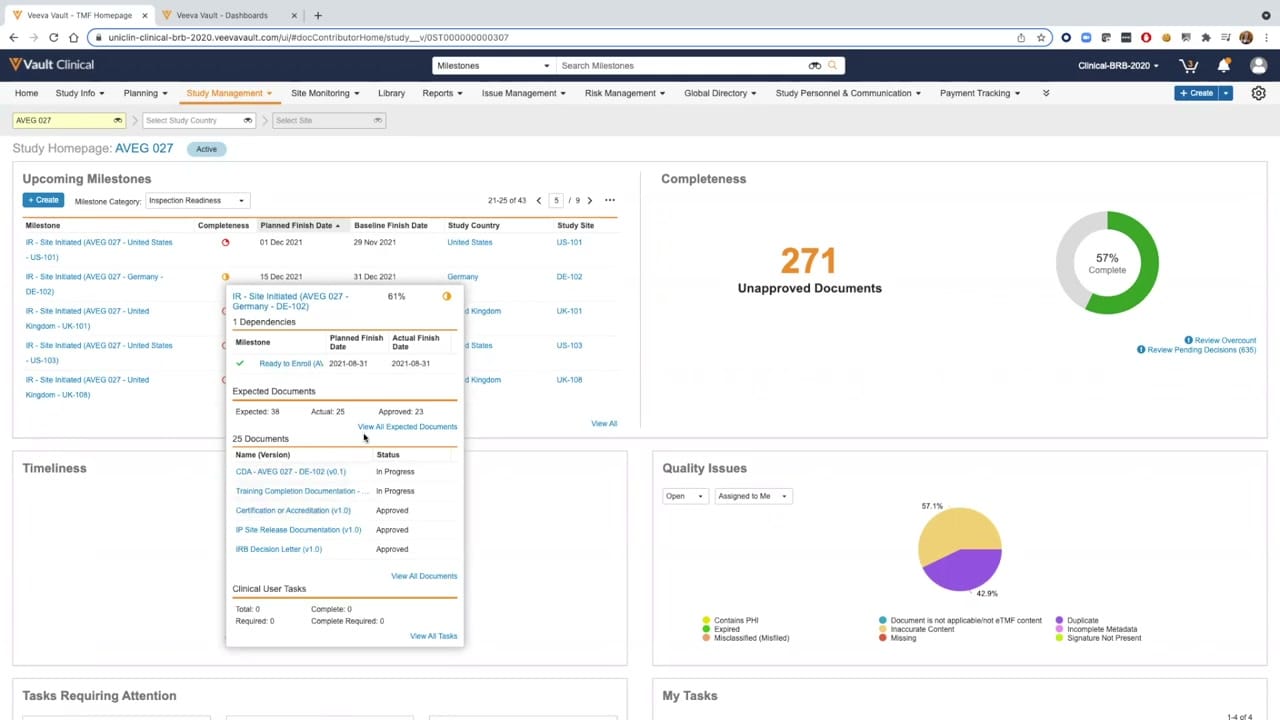
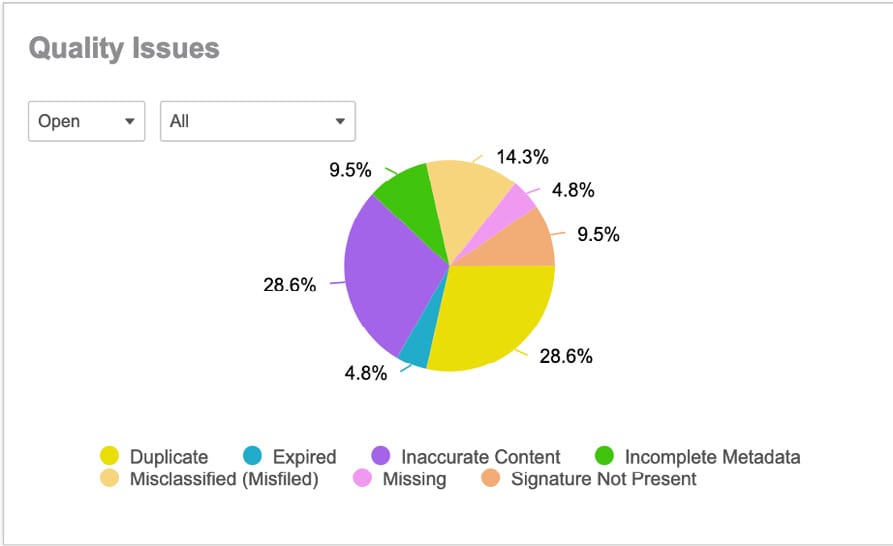
This public interface fragment displays the Quality Issues summary widget from the Veeva Vault eTMF application. The widget presents a visual breakdown of active quality issues within a trial master file, utilizing a color-coded pie chart to categorize document discrepancies. The chart displays synthetic demonstration data representing various quality issue types, such as duplicate documents, inaccurate content, misclassified files, incomplete metadata, missing signatures, expired items, and missing files. Two dropdown menus at the top left of the widget allow users to filter the displayed data, with the current selection showing open issues across all categories. This interface component serves as a visual reporting tool within the broader TMF Homepage, designed to give clinical operations teams a high-level overview of outstanding document quality concerns that require attention.
Visible interface elements
- "Quality Issues" widget title in bold grey text.
- Status dropdown menu currently set to "Open".
- Scope dropdown menu currently set to "All".
- Color-coded pie chart displaying percentage values for seven distinct categories.
- Legend at the bottom mapping colors to specific quality issue types like "Duplicate" and "Expired".
- Percentage labels pointing to corresponding chart slices.
Interface details
The interface consists of a clean, white card titled "Quality Issues" in a bold, grey sans-serif font. Directly below the title, two interactive dropdown selectors are positioned horizontally. The first dropdown is currently configured to "Open" to filter by issue status, while the second dropdown is set to "All" to filter by category or scope. The central element of the widget is a multi-colored pie chart that visually segments the quality issues. Each slice of the pie chart is labeled with its corresponding percentage: Duplicate at 28.6%, Inaccurate Content at 28.6%, Misclassified (Misfiled) at 14.3%, Incomplete Metadata at 9.5%, Signature Not Present at 9.5%, Expired at 4.8%, and Missing at 4.8%. Below the chart, a horizontal legend maps each color to its specific category label. The colors used include yellow, blue, purple, green, light orange, pink, and medium orange. The layout is structured to provide a clear, immediate visual distribution of document issues without cluttering the workspace.
Workflow context
In clinical trial management, maintaining a complete and accurate trial master file is essential for inspection readiness. This Quality Issues widget can support clinical operations users by highlighting specific areas where document quality is compromised. For instance, seeing that duplicate documents and inaccurate content make up the largest portions of open issues (28.6% each) could help a TMF manager prioritize remediation efforts. Users can interpret these metrics to identify systemic training needs or process bottlenecks, such as frequent misclassifications or missing signatures. While the static screenshot shows a configured view of open issues, the filtering controls suggest that users could also track closed issues or narrow their focus to specific subsets. This visual summary can help teams monitor overall TMF health and coordinate targeted quality control activities across study sites.
Source, version, and interpretation limits
The screenshot is a public interface fragment sourced from the official Veeva PDF titled "TMF Homepage feature brief," which originated in 2021 with subsequent copyright updates. Because this is a static image of a configured widget, it does not demonstrate real-time data updates, automated workflows, or direct integration with live clinical databases. The displayed data is synthetic and intended solely for demonstration purposes. Actual user interfaces, available filters, specific labels, and color schemes may vary depending on the specific Veeva Vault release, customer configurations, and individual organizational settings.
Authoritative references
Use these primary sources to confirm current product positioning, terminology, and release-specific behavior.
- TMF Homepage feature brief(Official Veeva PDF)
- Veeva eTMF product overview(Official Veeva product page)
- Veeva guide to eTMF features and inspection readiness(Official Veeva resource)