What this eTMF screenshot shows
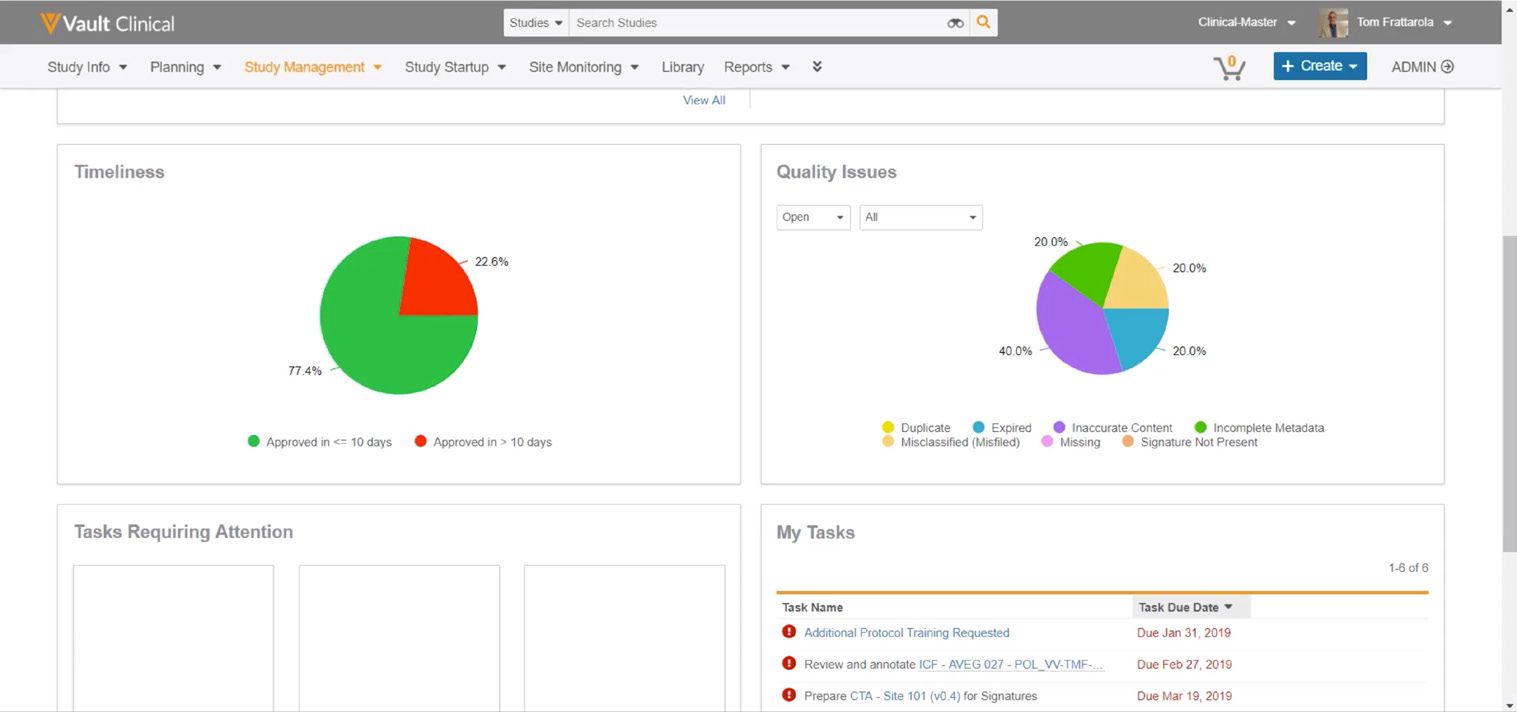
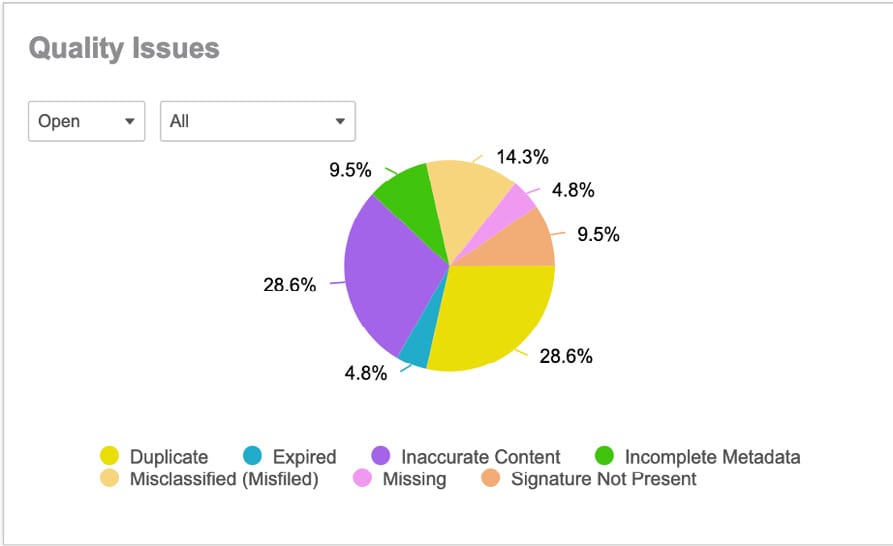
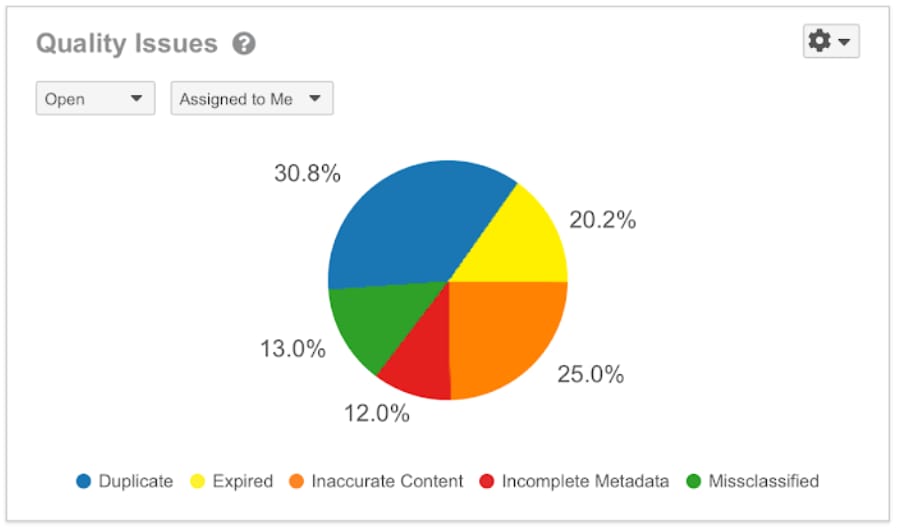
This interface fragment displays a Quality Issues dashboard widget within the Veeva Vault eTMF application. The widget provides a visual breakdown of document quality issues categorized by specific error types. It features a multi-colored pie chart that represents the distribution of open issues assigned to the current user. The chart is divided into five distinct categories: Duplicate, Expired, Inaccurate Content, Incomplete Metadata, and Missclassified. Each category is associated with a specific percentage value and color-coded legend marker. Two dropdown filters at the top of the widget allow users to refine the displayed data by status and assignment. A gear icon in the upper right corner suggests configuration or action options for the widget. This component serves as a visual tool for tracking document quality metrics within the trial master file.
Visible interface elements
- "Quality Issues" title with an adjacent help icon
- "Open" status filter dropdown menu
- "Assigned to Me" assignment filter dropdown menu
- Gear icon dropdown menu for widget settings
- Pie chart displaying five colored segments with percentage labels
- Color-coded legend mapping categories like Duplicate, Expired, and Inaccurate Content
- Percentage labels including 30.8%, 25.0%, 20.2%, 13.0%, and 12.0%
Interface details
The widget is presented in a clean, white container with the title "Quality Issues" positioned in the top left, accompanied by a small help icon. Below the title, two dropdown menus are visible. The first dropdown is set to "Open" and the second is set to "Assigned to Me", indicating the current filtering state of the chart. In the top right corner, a gear icon with a dropdown arrow provides access to additional widget settings. The central element is a circular pie chart divided into five colored segments. The largest segment is blue at 30.8%, followed by orange at 25.0%, yellow at 20.2%, green at 13.0%, and red at 12.0%. Each segment is labeled with its corresponding percentage in a clear, black font. Below the chart, a horizontal legend maps the colors to their respective categories: blue for Duplicate, yellow for Expired, orange for Inaccurate Content, red for Incomplete Metadata, and green for Missclassified. The layout is clean and uses high-contrast colors to differentiate the data points.
Workflow context
In clinical trial operations, maintaining an inspection-ready electronic trial master file is critical. This widget can support clinical document specialists and study managers by providing a quick visual assessment of outstanding document issues. By filtering for open issues assigned to them, users can easily identify which types of errors are most prevalent in their queue. For instance, seeing that duplicate documents or inaccurate content make up the majority of issues could help users prioritize their remediation efforts. This targeted approach can support more efficient document review cycles and help ensure that metadata and content errors are addressed systematically. While the widget itself displays static percentages, the underlying workflow could help teams identify training needs or process bottlenecks if certain error categories, such as incomplete metadata or misclassified documents, consistently show high percentages across studies.
Source, version, and interpretation limits
The screenshot is sourced from a Veeva Quality Issues feature brief, representing a 2020-era interface fragment. Because this is a static image, it does not demonstrate real-time data updates, active filtering capabilities, or direct integration with live document workflows. The percentages and categories shown are synthetic demonstration data and do not represent actual clinical trial metrics. Additionally, the specific categories, labels, and widget configuration may vary depending on individual customer setups, Vault releases, and administrative permissions. The presence of the gear icon suggests customization options, but these cannot be explored or verified from the static image.
Authoritative references
Use these primary sources to confirm current product positioning, terminology, and release-specific behavior.
- Quality Issues feature brief(Official Veeva PDF)
- Veeva eTMF product overview(Official Veeva product page)
- Veeva guide to eTMF features and inspection readiness(Official Veeva resource)