What this eTMF screenshot shows
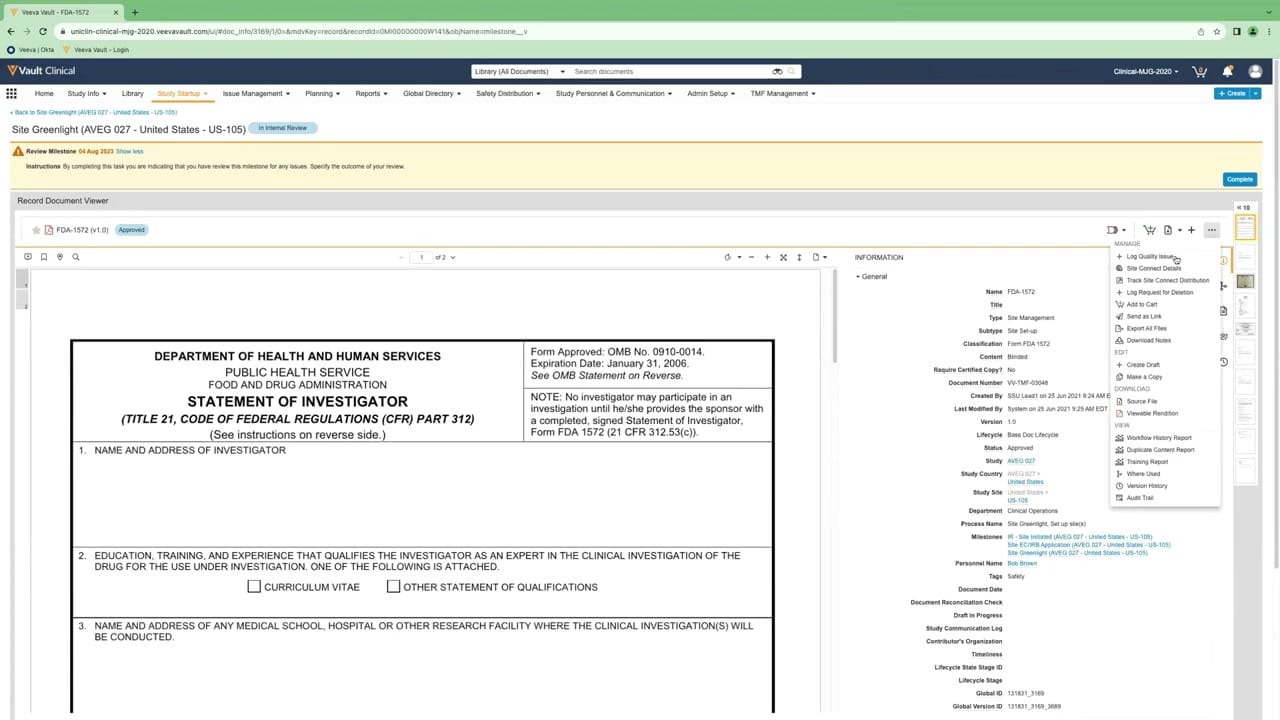
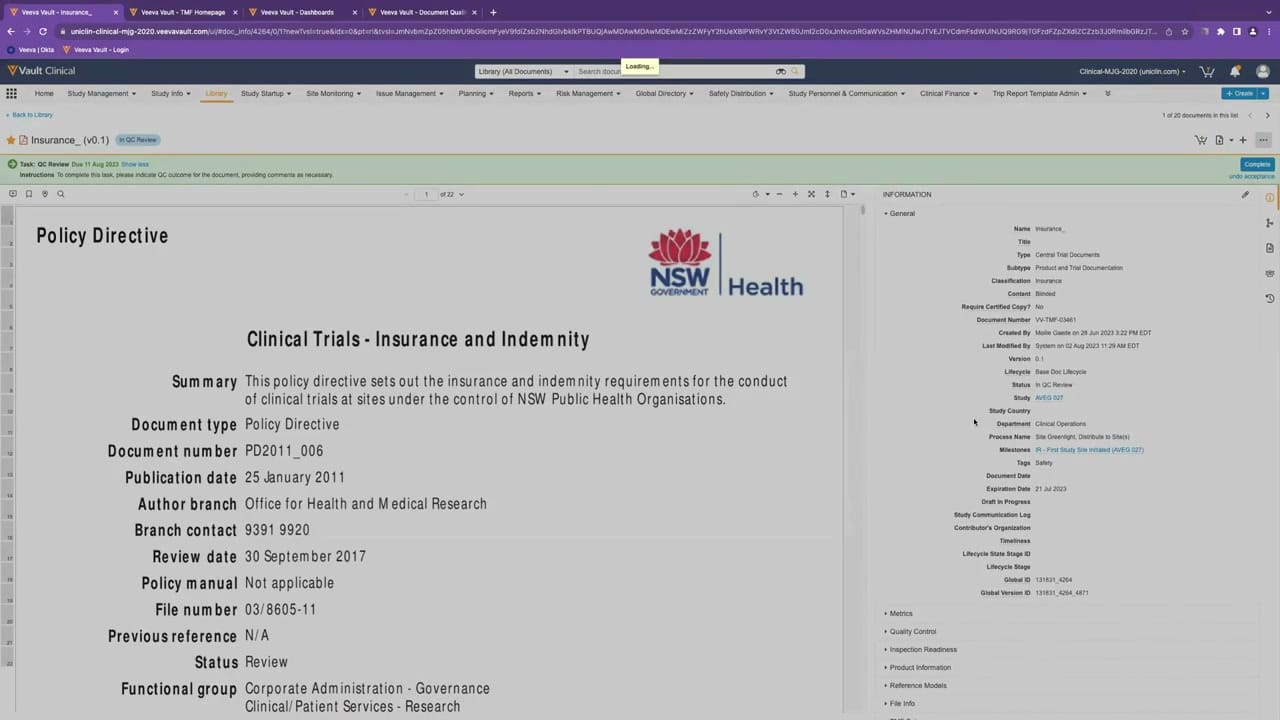
This reference page describes the document details interface within Veeva Vault eTMF, focusing on a document review and quality control workflow. The interface displays a split-screen layout designed for clinical operations users to evaluate individual trial master file documents. On the left, a document viewer displays the uploaded file, in this case, a policy directive regarding clinical trials insurance and indemnity. On the right, an information panel displays metadata fields associated with the document, such as classification, lifecycle status, and study details. A prominent green task banner at the top of the workspace guides the user through a quality control review task, providing specific instructions and action buttons to complete the review. This layout allows users to cross-reference the document content directly against its registered metadata.
Visible interface elements
- Green task banner at the top displaying QC Review instructions, a due date of 11 Aug 2023, and a Complete button.
- Document viewer on the left displaying a PDF titled Policy Directive from NSW Government Health.
- Information panel on the right with an expanded General section showing metadata fields like Document Number VV-TMF-03461.
- Document status indicator showing In QC Review next to the document title Insurance_ (v0.1).
- Collapsible metadata sections including Metrics, Quality Control, Inspection Readiness, and Reference Models.
- Top navigation bar with menus for Library, Study Management, Study Startup, and Issue Management.
- Page navigation controls at the top of the document viewer indicating page 1 of 22.
Interface details
The interface is divided into three primary functional zones. The top navigation bar contains standard Veeva Vault Clinical menus, including Library, Study Management, and Reports, alongside a global search bar. Below this, a green notification banner highlights an active task, "QC Review," displaying the due date, instructions to indicate a quality control outcome, and a "Complete" button. The main workspace features a side-by-side view. The left side hosts the document viewer, which displays a multi-page PDF document with standard zoom, page navigation, and rotation controls. The right side contains the "Information" panel, organized into collapsible sections. The expanded "General" section displays metadata fields such as Document Number, Version, Status, and associated Study. Other collapsed sections include Metrics, Quality Control, Inspection Readiness, Product Information, Reference Models, and File Info. Action icons in the top right of the information panel allow users to edit metadata or perform document-level actions.
Workflow context
In clinical operations, verifying the accuracy and completeness of trial master file documents is a key step in maintaining inspection readiness. This interface supports the document details and quality control review workflow. A user assigned to a QC review task can view the document's actual content alongside its system-entered metadata. By comparing the document text, such as the publication date or document type, with the metadata fields in the right panel, the reviewer can identify discrepancies. The green task banner provides a direct path to complete the review, which could help streamline the document lifecycle progression from "In QC Review" to subsequent stages. This centralized view can support clinical teams in tracking document status, managing milestones, and ensuring that essential trial documentation is properly classified and indexed.
Source, version, and interpretation limits
The source of this screenshot is an official Veeva hosted demo titled "Track, Manage, and Report on Quality Issues," published around 2023. The displayed interface represents a configured demo environment and contains synthetic demonstration data, including names, dates, and document numbers. Because this is a static screenshot, it does not reflect real-time system behavior, automated workflows, or actual regulatory compliance status. The specific fields, layout, and available actions may vary depending on an organization's unique Vault configuration, user permissions, and software release version. This description is intended solely for reference and does not imply system validation or product endorsement.
Authoritative references
Use these primary sources to confirm current product positioning, terminology, and release-specific behavior.
- Track, Manage, and Report on Quality Issues(Official Veeva hosted demo)
- Veeva eTMF product overview(Official Veeva product page)
- Veeva guide to eTMF features and inspection readiness(Official Veeva resource)