What this CTMS screenshot shows
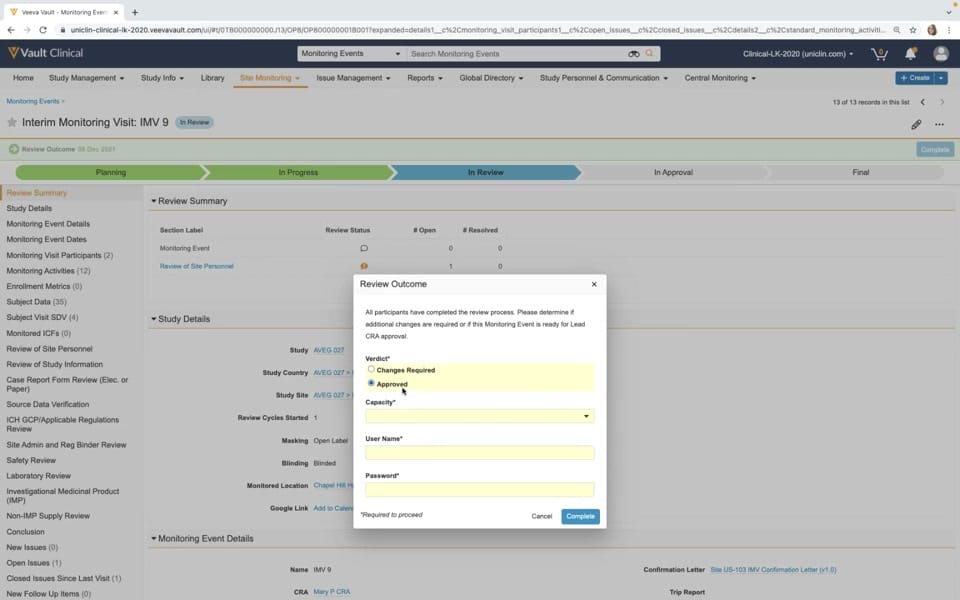
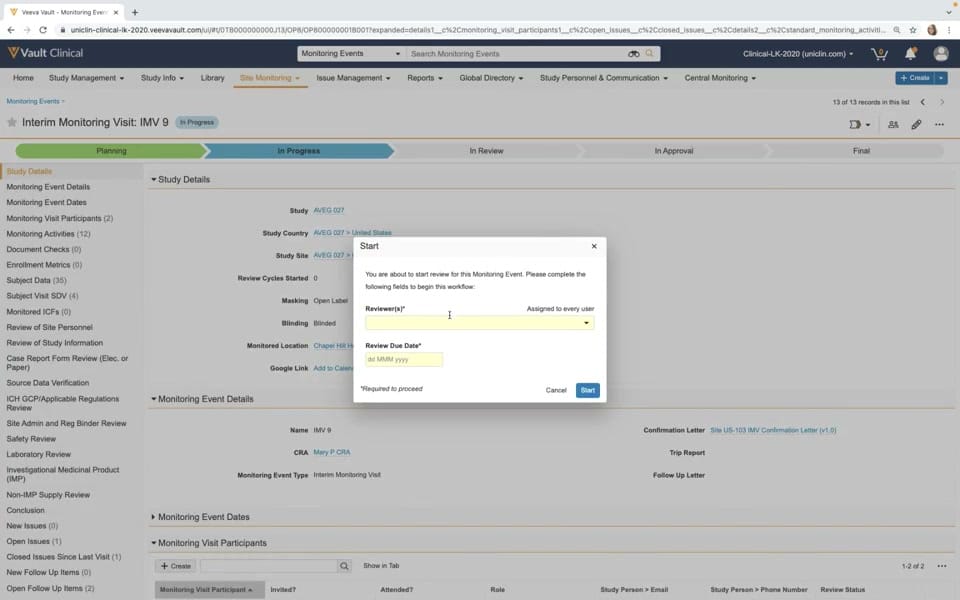
This reference page displays a user interface screenshot of Veeva Vault CTMS, specifically focusing on the "Submit for Review" modal dialog during a clinical site monitoring workflow. The interface shows an "Interim Monitoring Visit: IMV 9" record, which is currently in the "In Progress" stage of its lifecycle. A modal dialog titled "Start" is overlaid on the main workspace, prompting the user to initiate the review process for this monitoring event. To proceed, the user must fill in two required fields: "Reviewer(s)" and "Review Due Date". The background interface remains visible, showing structured study details, monitoring event details, and a left-hand navigation panel containing various monitoring activities and compliance checks. This setup represents a typical configuration for managing and transitioning clinical trial monitoring visits through formal review cycles.
Visible interface elements
- Start modal dialog containing required fields for Reviewer(s) and Review Due Date.
- Chevron-style lifecycle progress bar showing stages from Planning to Final.
- Record header displaying Interim Monitoring Visit: IMV 9 with an In Progress status.
- Left-hand navigation panel listing monitoring event details, participants, and activities.
- Study Details section in the background showing Study, Study Country, and Study Site.
- Blue Start button and white Cancel button within the active modal dialog.
- Top navigation bar with Vault Clinical branding and global search functionality.
Interface details
The user interface is structured with a top global navigation bar, a record header, a lifecycle progress indicator, a left-hand sidebar, and a central modal dialog. The record header identifies the event as "Interim Monitoring Visit: IMV 9" with an "In Progress" status badge. Below this, a chevron-style progress bar visualizes the lifecycle stages: Planning, In Progress, In Review, In Approval, and Final. The left sidebar lists numerous sections, including Study Details, Monitoring Visit Participants, Monitoring Activities, and Subject Data. The central "Start" modal dialog is the focal point of the screen. It contains instructional text explaining that the user is starting the review for the monitoring event. The modal features two yellow-highlighted input fields indicating they are required: "Reviewer(s)", which includes a dropdown menu and the label "Assigned to every user", and "Review Due Date", which displays a date placeholder format of "dd MMM yyyy". At the bottom right of the modal, a white "Cancel" button and a blue "Start" button allow the user to either abort or initiate the workflow.
Workflow context
In clinical trial operations, monitoring visit reports must undergo structured review and approval cycles to ensure data accuracy and regulatory compliance. This screenshot illustrates the transition point where a Clinical Research Associate (CRA) or clinical operations user submits an interim monitoring visit report for formal review. By prompting the user to assign specific reviewers and set a due date, the system can support accountability and help maintain study timelines. The visible lifecycle path suggests that once the user clicks "Start", the monitoring event record will transition from the "In Progress" stage to the "In Review" stage. This structured workflow could help clinical trial managers track the progress of visit reports across multiple sites, ensuring that issues, protocol deviations, and safety reviews are documented and evaluated by the appropriate personnel in a timely manner.
Source, version, and interpretation limits
The screenshot is sourced from an official Veeva hosted demo titled "Monitoring in Veeva CTMS," published around 2020. Because this represents an older Vault release, the visual styling, field labels, and specific workflow configurations may differ from current versions of the software. The data displayed, including study names like "AVEG 027" and personnel names like "Mary P CRA," is synthetic demonstration data. Additionally, as a static image, this screenshot cannot verify real-time data synchronization, automated background validations, or active integration with other clinical systems. The actual behavior of the modal and the fields depends entirely on the specific configuration of the customer's Vault environment.
Authoritative references
Use these primary sources to confirm current product positioning, terminology, and release-specific behavior.
- Monitoring in Veeva CTMS(Official Veeva hosted demo)
- Veeva CTMS product overview(Official Veeva product page)
- Veeva CTMS trial-management overview(Official Veeva resource)