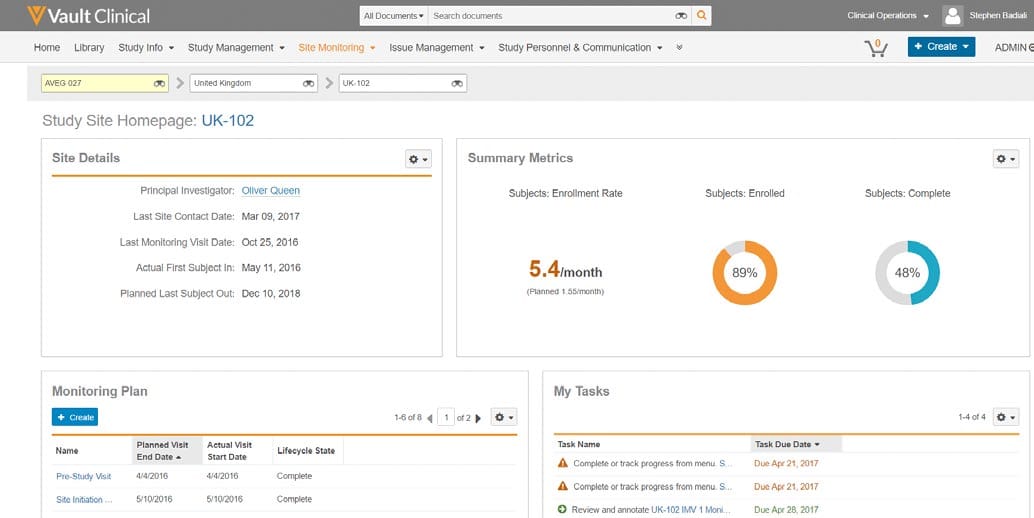
What this CTMS screenshot shows
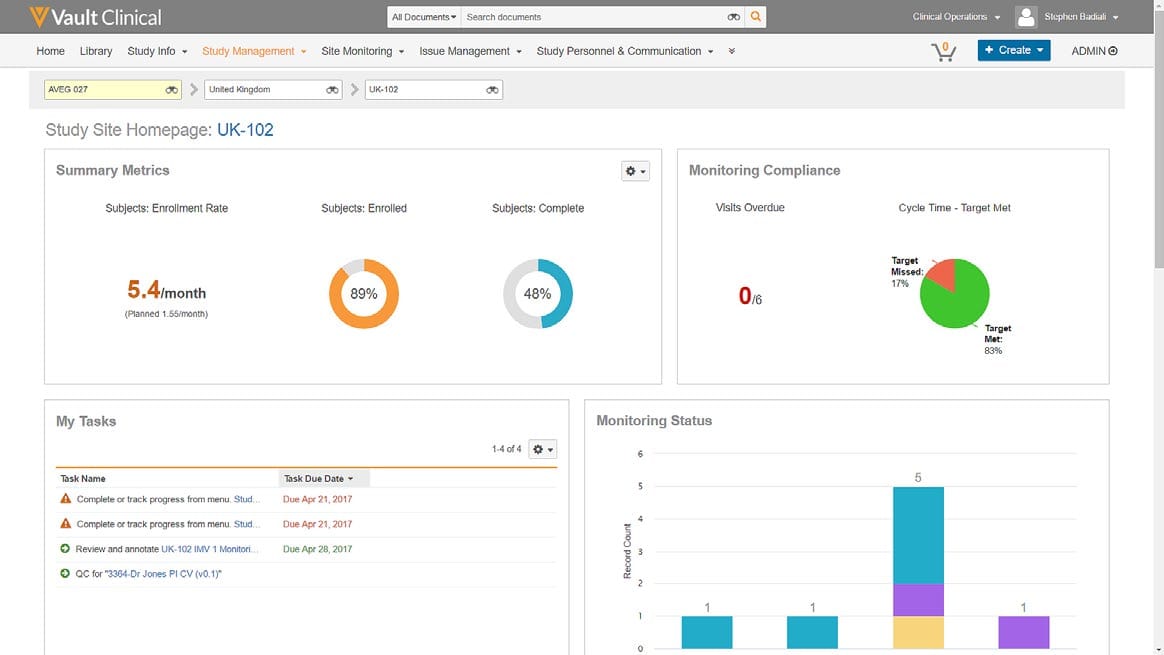
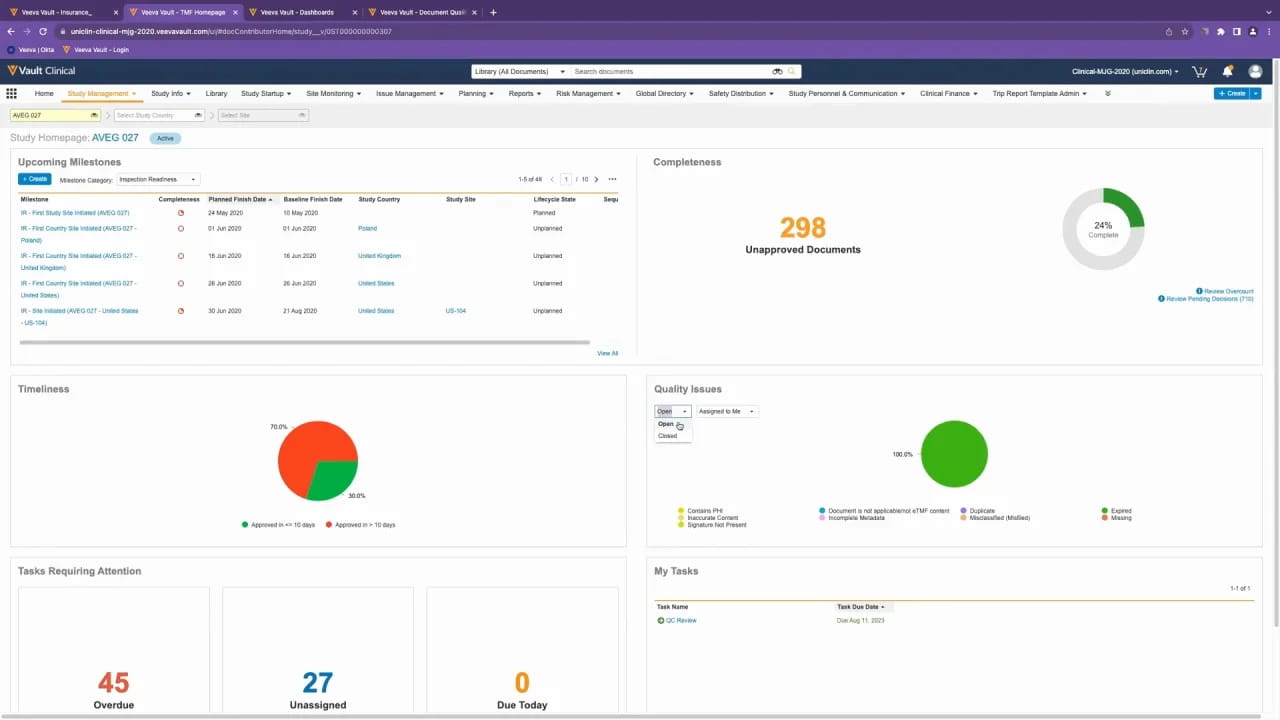
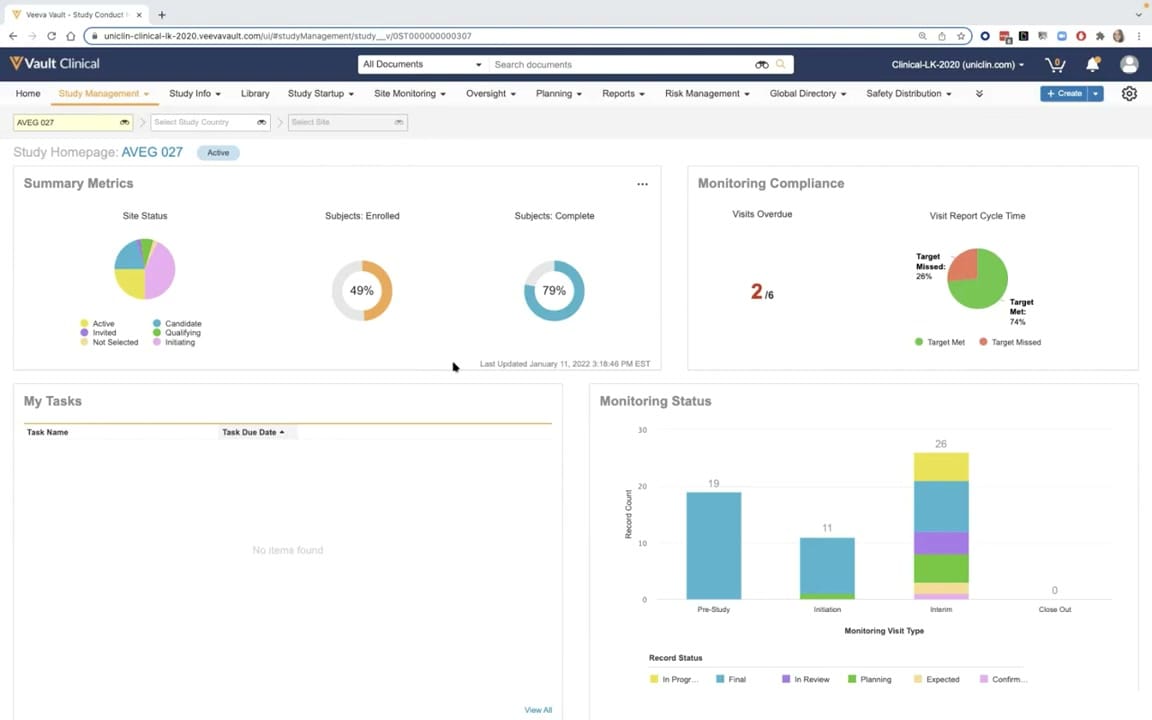
This interface reference displays the Study Site Homepage for site UK-102 within Veeva Vault CTMS, a clinical trial management system. The screen provides clinical operations users with a consolidated view of a specific trial site's status, metrics, and activities. The layout is organized into distinct cards, including Site Details, Summary Metrics, Monitoring Plan, and My Tasks. Key site-level information such as the Principal Investigator name, key milestone dates, and enrollment progress are presented alongside task lists and monitoring schedules. The top navigation bar and breadcrumb filters allow users to contextually filter by study, country, and site, facilitating navigation across different levels of the clinical trial hierarchy. This view serves as a central hub for monitoring site-specific progress and outstanding actions.
Visible interface elements
- Breadcrumb filters showing selection of study AVEG 027, United Kingdom, and site UK-102.
- Site Details card listing Principal Investigator Oliver Queen and key milestone dates.
- Summary Metrics card displaying an enrollment rate of 5.4 per month and two donut charts for enrolled and complete subjects.
- Monitoring Plan table showing historical visits like Pre-Study Visit and Site Initiation with lifecycle states.
- My Tasks table listing pending tasks with associated due dates and status icons.
- Top navigation bar with links to Home, Library, Study Info, Study Management, and Site Monitoring.
Interface details
The interface features a clean, card-based layout designed for clear data presentation. At the top, a breadcrumb trail filters the view to study "AVEG 027," country "United Kingdom," and site "UK-102." Below this, the "Site Details" card lists critical administrative data, including the Principal Investigator, Oliver Queen, and key dates such as the Last Site Contact Date and Planned Last Subject Out. To the right, the "Summary Metrics" card displays enrollment performance, featuring a numerical enrollment rate of 5.4 per month and two circular donut charts representing the percentage of subjects enrolled at 89 percent and subjects complete at 48 percent. The lower half of the screen contains two tabular cards. The "Monitoring Plan" table lists historical and planned visits with columns for visit names, planned and actual dates, and lifecycle states, complete with a pagination control. Adjacent to it, the "My Tasks" card displays a list of pending actions, complete with task names, due dates, and status icons indicating urgency or action type.
Workflow context
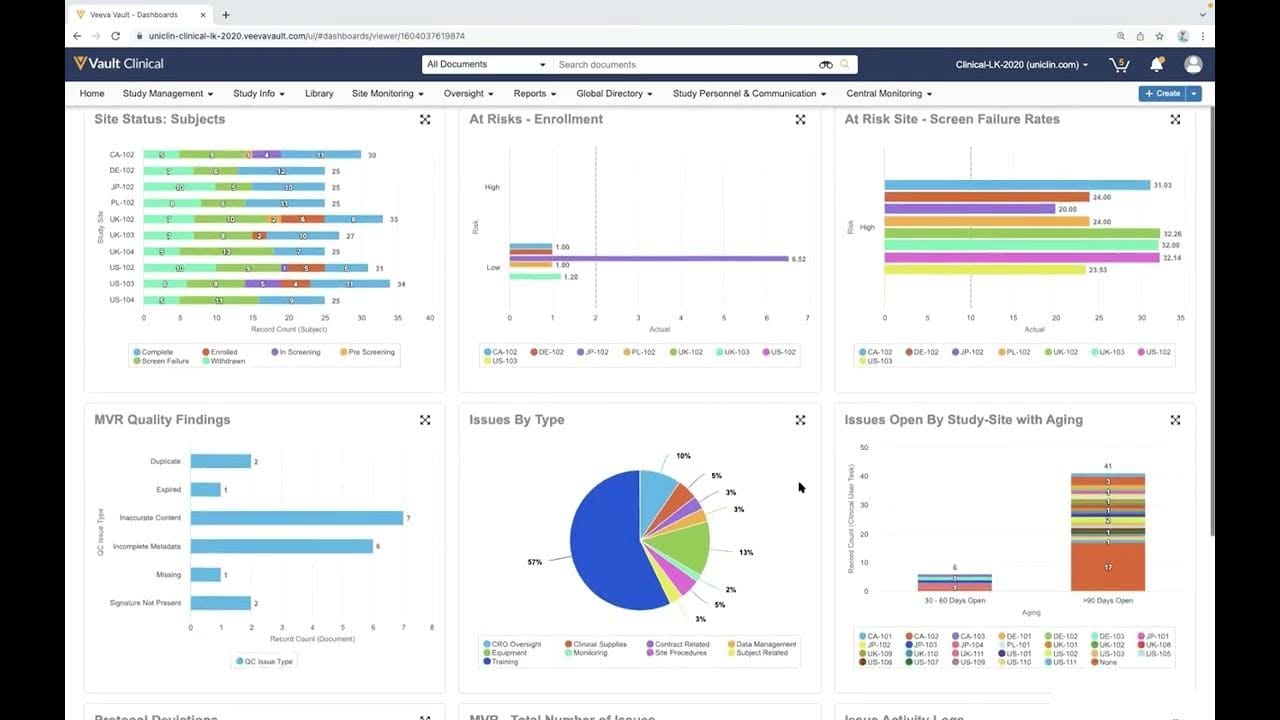
In clinical operations, managing site-level performance and compliance is critical to successful trial execution. This Study Site Homepage can support clinical research associates and study managers by centralizing key operational indicators in a single view. For instance, the Site Details and Summary Metrics cards could help users quickly assess whether a site is meeting its enrollment targets or if contact schedules are being maintained. The Monitoring Plan table can assist in tracking the progression of site visits from initiation through closeout, while the My Tasks list highlights immediate action items, such as reviewing monitoring reports or completing pending follow-ups. By presenting these disparate data points together, the interface can help clinical teams prioritize their daily activities, identify potential site-level bottlenecks, and maintain oversight of site-specific milestones without needing to navigate through multiple separate modules.
Source, version, and interpretation limits
The description is based on a static screenshot of the Veeva Vault CTMS Study Site Homepage, sourced from a public Veeva Vault CTMS datasheet. Because this is a static image, it does not reflect real-time data updates, active system integrations, or automated background workflows. The visible data, including investigator names, dates, and enrollment metrics, represents synthetic demonstration data and does not reflect actual clinical trial results. Additionally, the specific fields, layout cards, and navigation options shown are subject to change based on individual customer configurations, user permissions, and software release versions.
Authoritative references
Use these primary sources to confirm current product positioning, terminology, and release-specific behavior.
- Veeva Vault CTMS datasheet(Official Veeva PDF)
- Veeva CTMS product overview(Official Veeva product page)
- Veeva CTMS trial-management overview(Official Veeva resource)