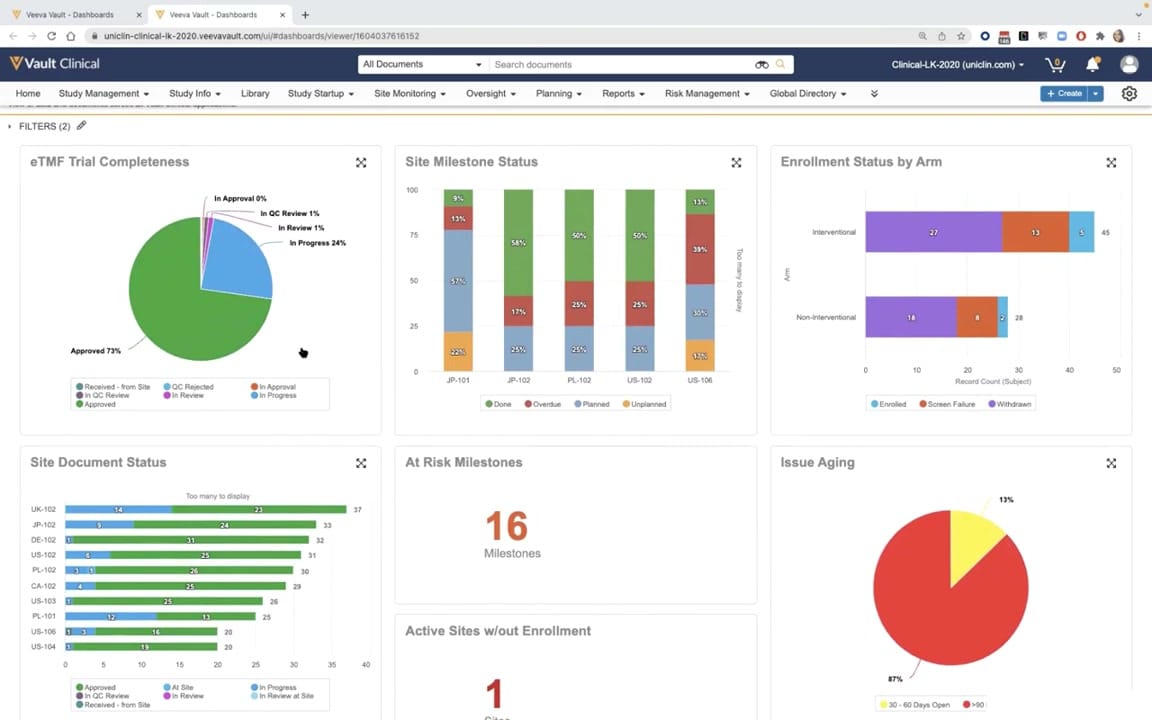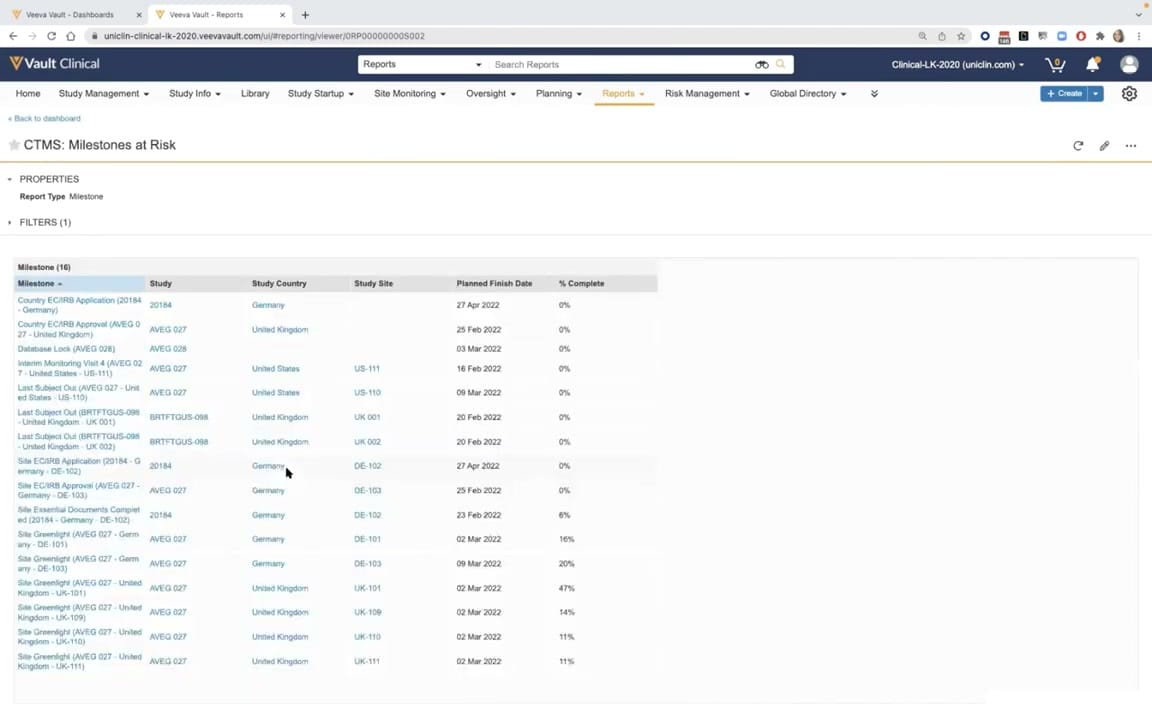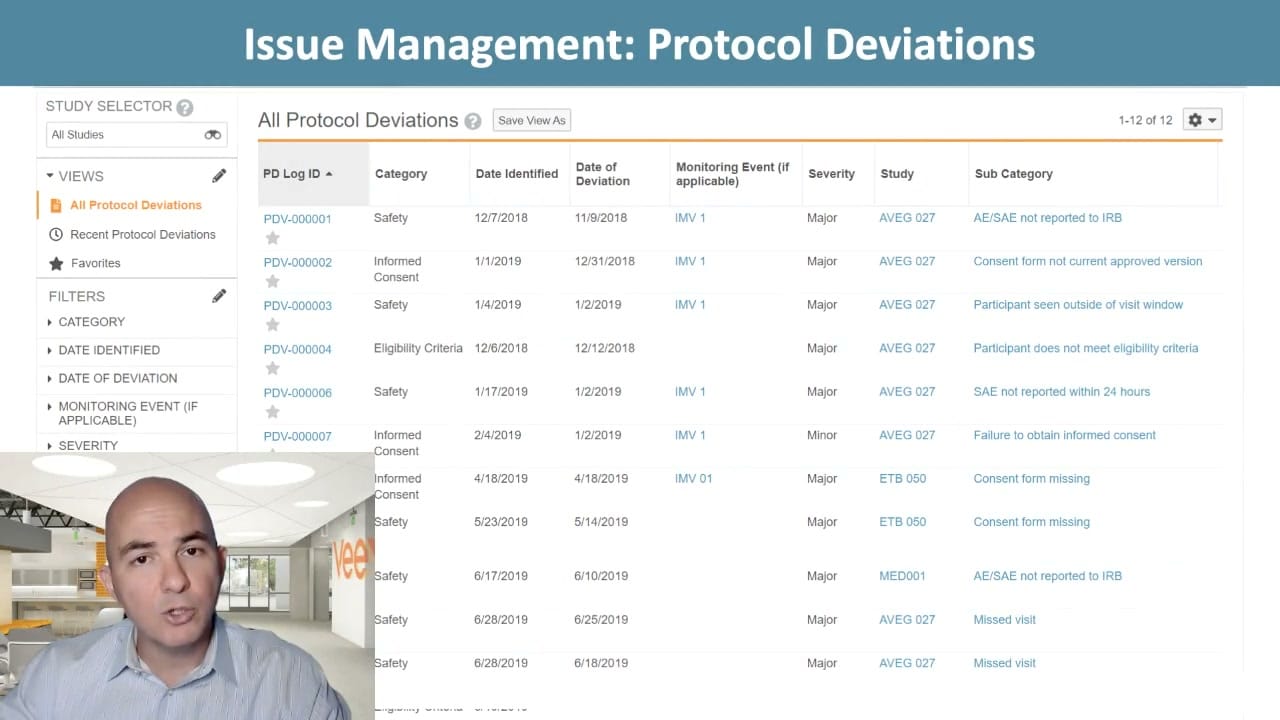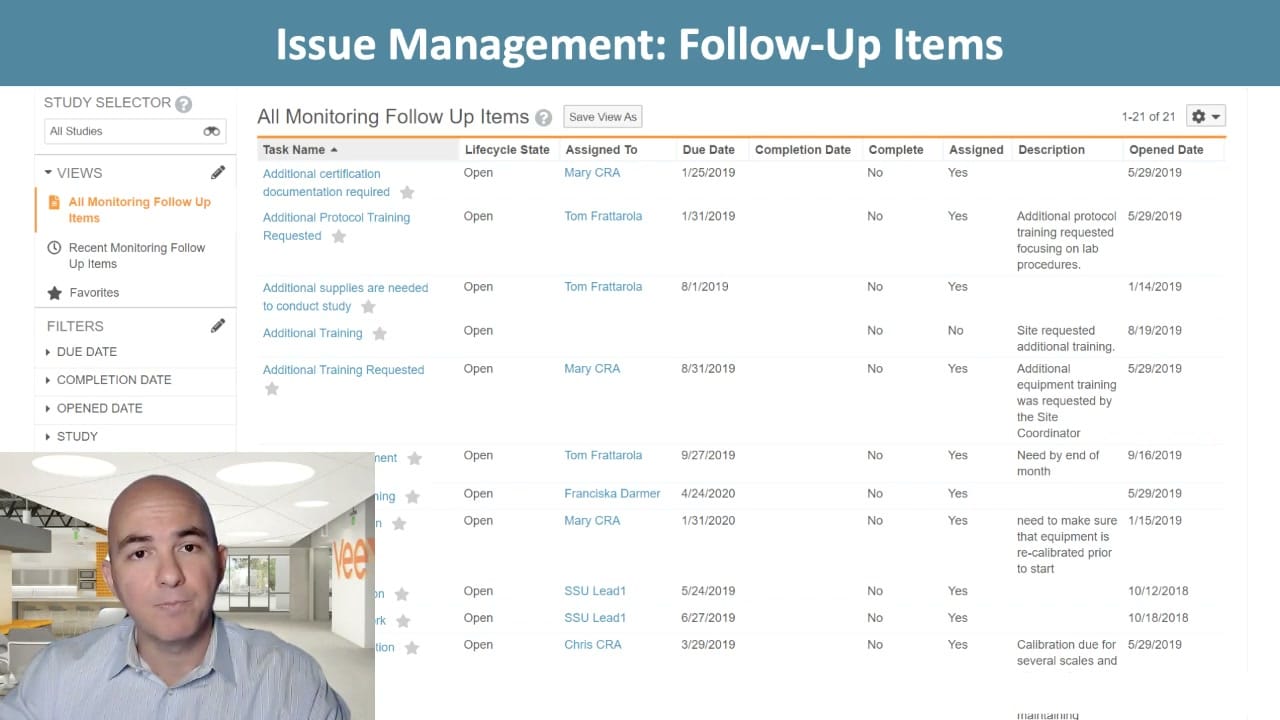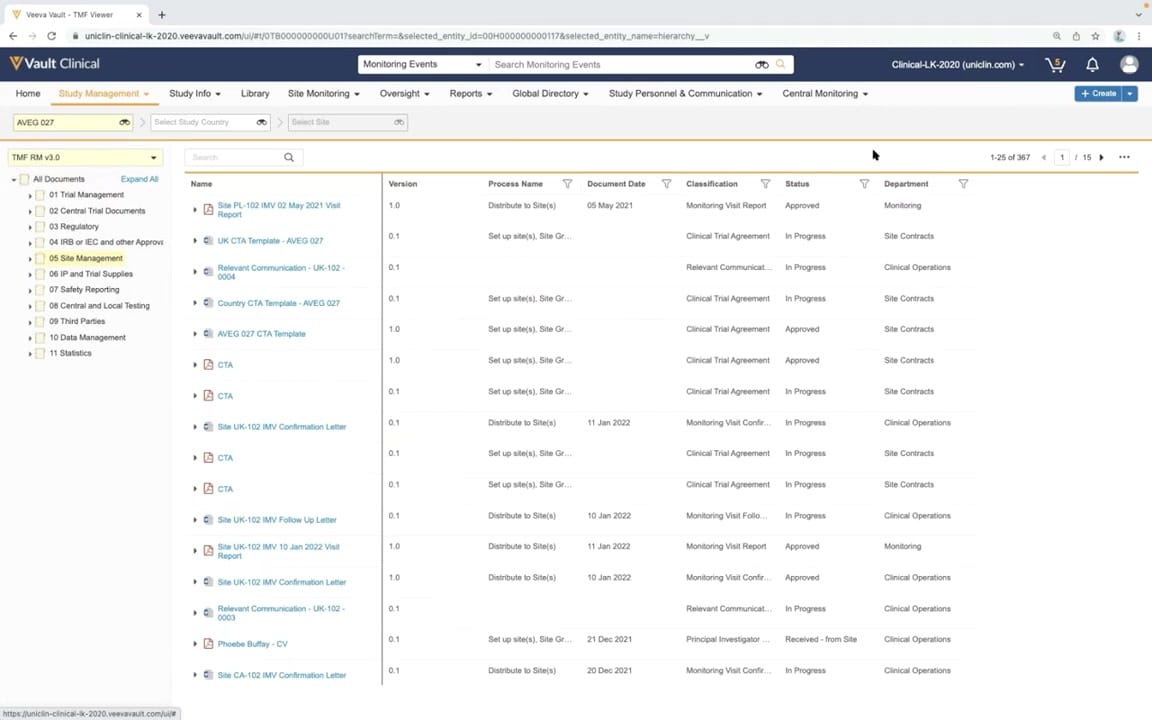
What this CTMS screenshot shows
This public interface reference displays the Veeva Vault Clinical user interface, specifically showing the TMF Viewer within the Study Management module. The screen presents a structured document management view configured for clinical trial oversight. A left-hand navigation panel displays a hierarchical folder structure based on the TMF Reference Model version 3.0, with the Site Management folder currently selected. The main content area lists documents associated with the selected study, AVEG 027, displaying key metadata such as version, process name, document date, classification, status, and department. This interface provides clinical operations teams with a centralized view of trial documentation, supporting the tracking of study-related records. The layout includes global navigation tabs, search functionality, and filtering options by study, country, and site to help users locate specific clinical trial documents.
Visible interface elements
- Study Management tab selected in the top navigation bar
- Study filter dropdown displaying the selected study AVEG 027
- TMF RM v3.0 folder tree in the left sidebar with folder 05 Site Management highlighted
- Document table displaying columns for Name, Version, Process Name, Document Date, Classification, Status, and Department
- Pagination controls showing 1-25 of 367 documents across 15 pages
- Document status indicators such as Approved, In Progress, and Received - from Site
- Search bar at the top of the document list
- Create button located in the upper right corner of the interface
Interface details
The interface is organized into several distinct functional areas. At the top, the primary navigation bar includes tabs for Study Management, Study Info, Library, Site Monitoring, and Oversight, alongside a global search bar set to search Monitoring Events. Below this, a secondary filter bar allows users to narrow down documents by Study (with AVEG 027 selected), Study Country, and Site. The left sidebar displays the TMF Reference Model v3.0 directory tree, showing numbered folders from Trial Management to Statistics, with folder 05 Site Management highlighted. The central pane features a tabular list of 25 documents out of 367 total records, spread across 15 pages. The table columns display document Name, Version, Process Name, Document Date, Classification, Status, and Department. Document statuses visible in this view include Approved, In Progress, and Received - from Site. Icons next to document names indicate file types, such as PDF or Word documents. Action buttons, including a Create button, are positioned in the upper right corner of the workspace.
Workflow context
In a clinical operations workflow, this interface can support study managers and clinical research associates in monitoring document completion and compliance. By selecting a specific study like AVEG 027 and navigating the TMF Reference Model folders, users can verify the presence and status of essential documents such as monitoring visit reports, clinical trial agreements, and confirmation letters. The visible status column could help teams identify pending items that are still in progress or require approval. This structured presentation of metadata, including document dates and departments, can assist in tracking milestones and preparing for audits. Although the interface displays synthetic demonstration data, the layout illustrates how clinical operations personnel might manage trial documentation workflows, track site-level activities, and maintain oversight of essential trial records throughout the study lifecycle.
Source, version, and interpretation limits
The screenshot is sourced from an official Veeva YouTube demo titled CTMS Oversight Deep Dive Demo, published in March 2022. It represents a static frame from a demonstration environment, showing browser chrome and a demo tenant URL. Because this is a static image of a configured demonstration environment, it does not represent live, real-time, or validated production data. The specific folder structures, document names, statuses, and metadata fields reflect a particular configuration of Veeva Vault Clinical and may vary based on individual customer setups, system configurations, and software release versions.
Authoritative references
Use these primary sources to confirm current product positioning, terminology, and release-specific behavior.
- CTMS Oversight Deep Dive Demo(Official Veeva YouTube demo)
- Veeva CTMS product overview(Official Veeva product page)
- Veeva CTMS trial-management overview(Official Veeva resource)