What this CTMS screenshot shows
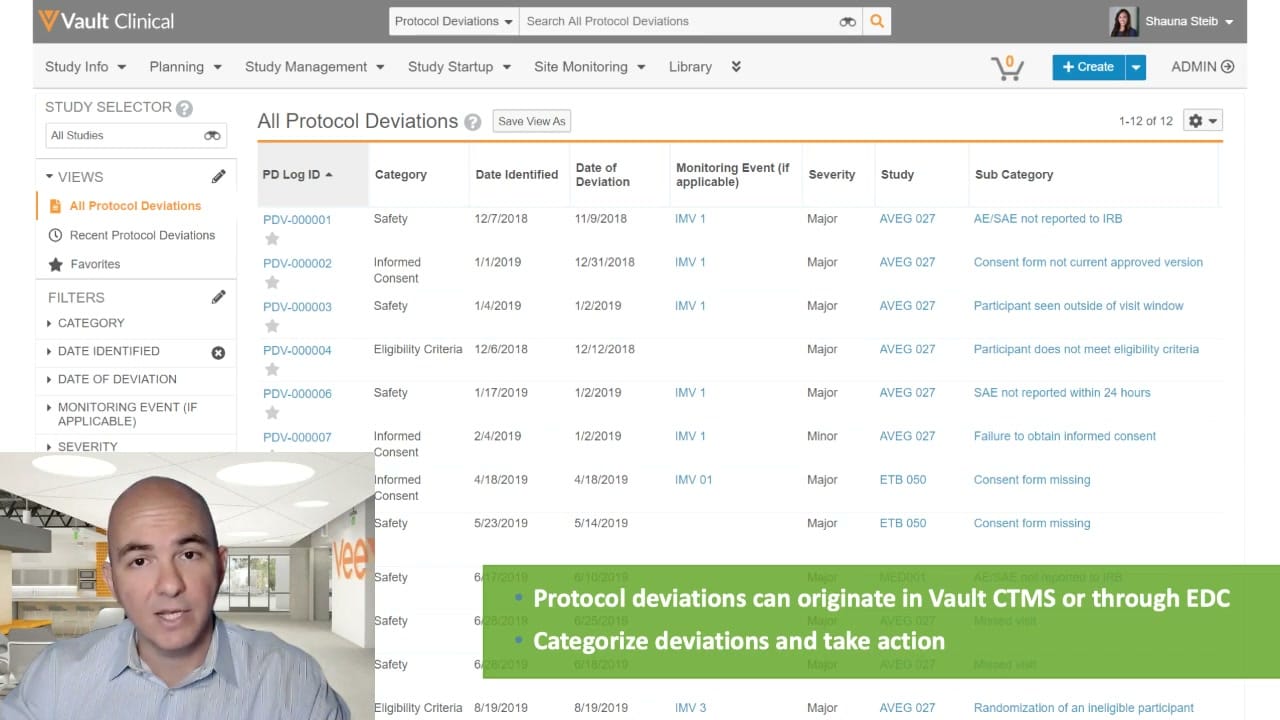
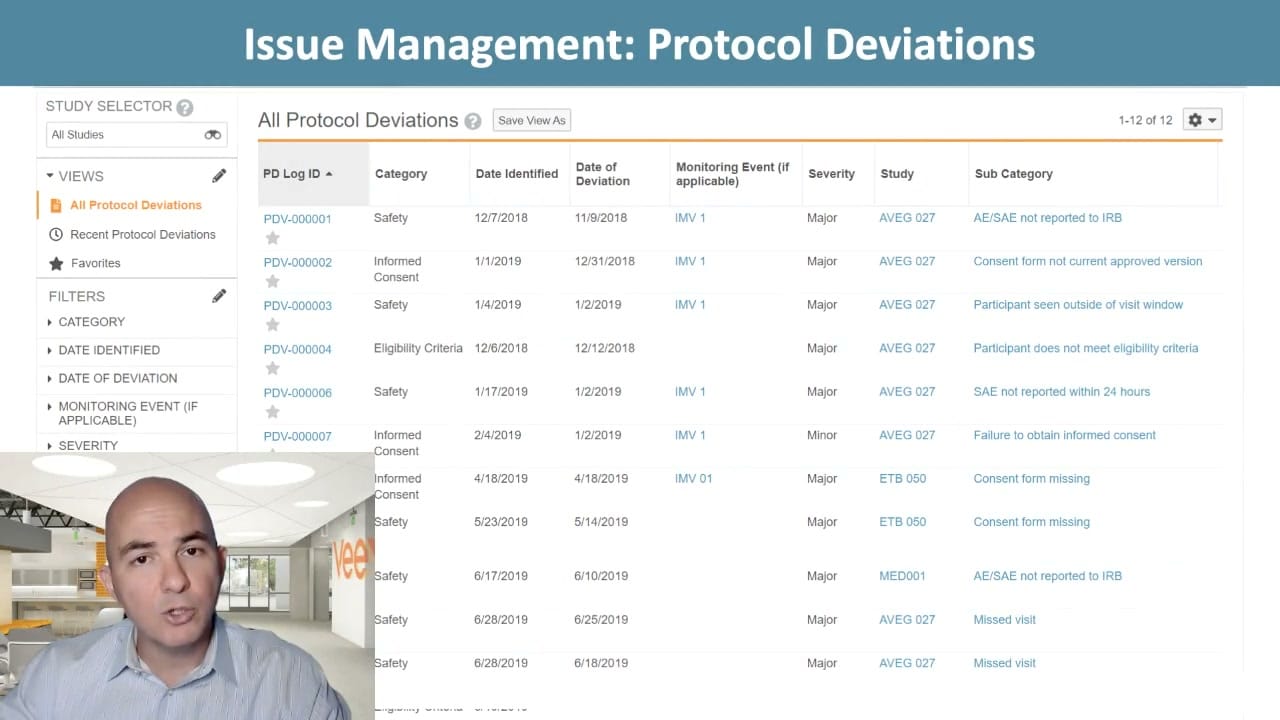
This public interface reference displays the Protocol Deviations log within Veeva Vault CTMS, focusing on clinical trial issue management. The screen presents a structured tabular view of logged protocol deviations across multiple clinical studies. Users can navigate and organize these records using the left-hand sidebar, which contains a study selector, pre-configured views, and collapsible filter categories. The main data table lists twelve records, displaying key attributes such as deviation ID, category, identification date, deviation date, associated monitoring event, severity, study identifier, and subcategory. This interface supports clinical operations teams in tracking, managing, and resolving protocol deviations to maintain study compliance and oversight. The layout reflects a standard clinical trial management system configuration designed for efficient data review and filtering.
Visible interface elements
- Study Selector dropdown menu in the left sidebar, currently displaying All Studies.
- Views menu highlighting All Protocol Deviations in orange text.
- Collapsible filter options including Category, Date Identified, Date of Deviation, Monitoring Event, and Severity.
- Main data table displaying columns for PD Log ID, Category, Date Identified, Date of Deviation, Monitoring Event, Severity, Study, and Sub Category.
- Interactive record links such as PDV-000001, IMV 1, and AVEG 027 within the table rows.
- Save View As button and a settings gear icon located above the main table.
- Presenter video overlay in the bottom-left corner, partially obscuring the interface.
Interface details
The user interface is divided into a left navigation panel and a primary data table. The left panel features a Study Selector dropdown set to All Studies, followed by a Views section where All Protocol Deviations is active. Below this, a Filters section allows users to refine the list by Category, Date Identified, Date of Deviation, Monitoring Event, and Severity. The main content area displays the All Protocol Deviations table, which includes a Save View As button and a settings gear icon. The table contains columns for PD Log ID, Category, Date Identified, Date of Deviation, Monitoring Event, Severity, Study, and Sub Category. Individual records, such as PDV-000001 and PDV-000002, are listed with interactive blue links for the ID, monitoring event, and study fields. Star icons next to the log IDs indicate favoriting capability. The bottom-left corner of the screenshot is partially obscured by a presenter video overlay from the source demonstration, which covers a portion of the filter panel and the lower-left table rows.
Workflow context
In the context of clinical trial management, tracking protocol deviations is essential for maintaining trial integrity and subject safety. This interface represents the issue management workflow within Veeva Vault CTMS, where clinical research associates and study managers document and monitor deviations from the approved protocol. The visible records demonstrate how deviations are categorized, such as Safety, Informed Consent, or Eligibility Criteria, and assigned severity levels like Major or Minor. By linking deviations to specific studies, such as AVEG 027 or ETB 050, and monitoring events like IMV 1, clinical teams can identify trends and implement corrective actions. The structured list format enables users to quickly assess outstanding issues, verify that deviations are reported to institutional review boards when required, and ensure comprehensive oversight across all active trial sites.
Source, version, and interpretation limits
The screenshot is sourced from an official Veeva hosted demonstration titled Study Oversight: Track, Manage, and Resolve Issues, dating from approximately 2020. Because this is a demonstration environment, the displayed data, including study names, dates, and specific deviation records, is synthetic and intended for illustrative purposes only. A notable limitation of this image is the presenter video overlay in the bottom-left corner, which blocks some of the user interface elements, including the lower portion of the filter sidebar. Additionally, actual user interfaces, available fields, and specific configurations may vary based on the software release version and individual customer configurations.
Authoritative references
Use these primary sources to confirm current product positioning, terminology, and release-specific behavior.
- Study Oversight: Track, Manage, and Resolve Issues(Official Veeva hosted demo)
- Veeva CTMS product overview(Official Veeva product page)
- Veeva CTMS trial-management overview(Official Veeva resource)