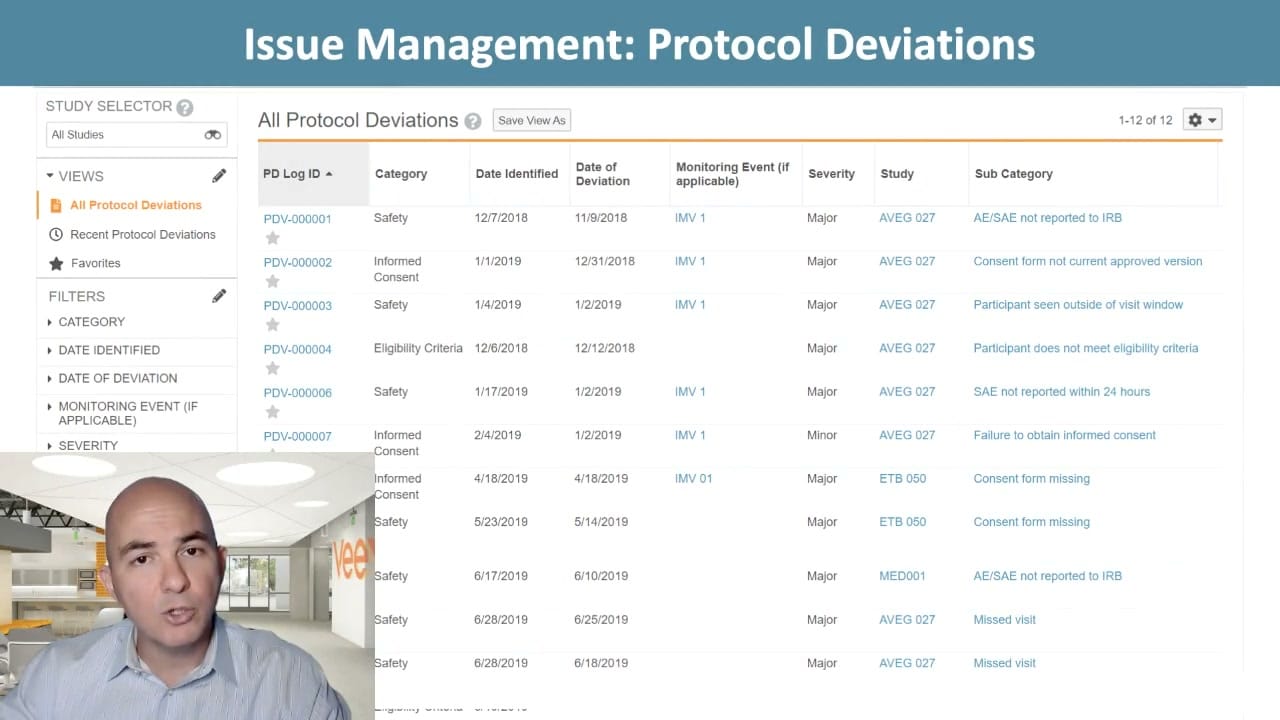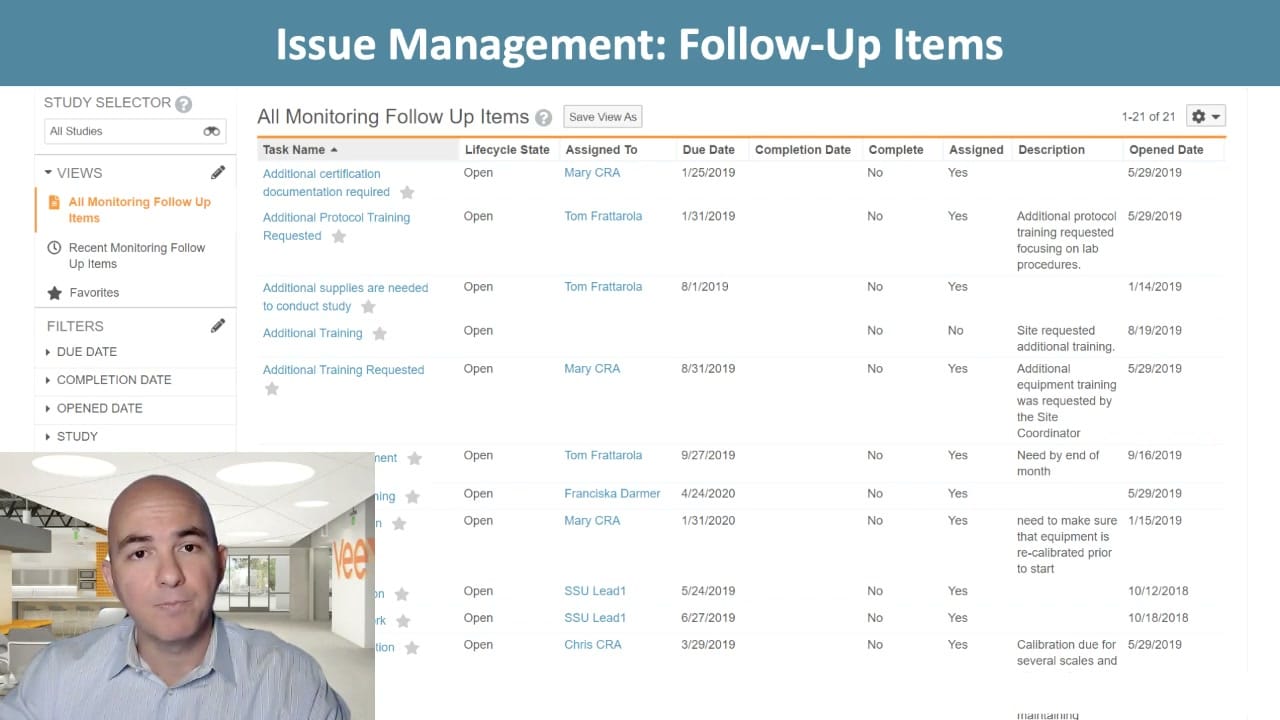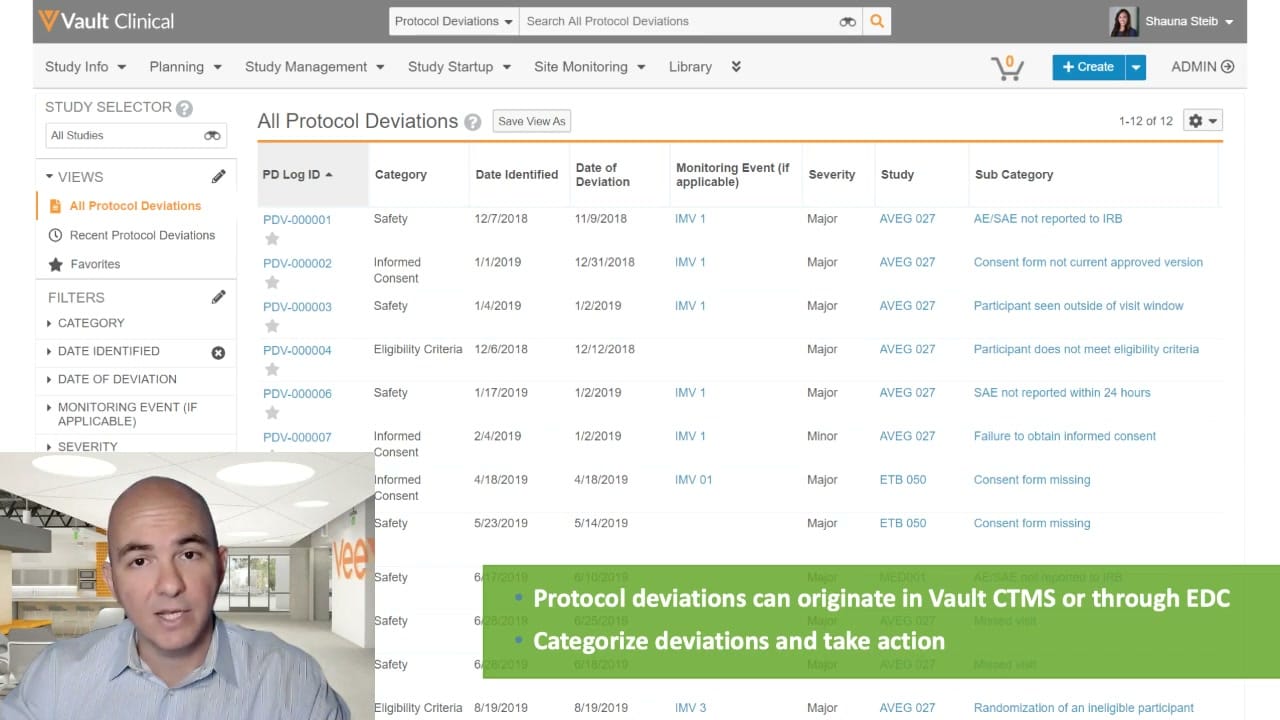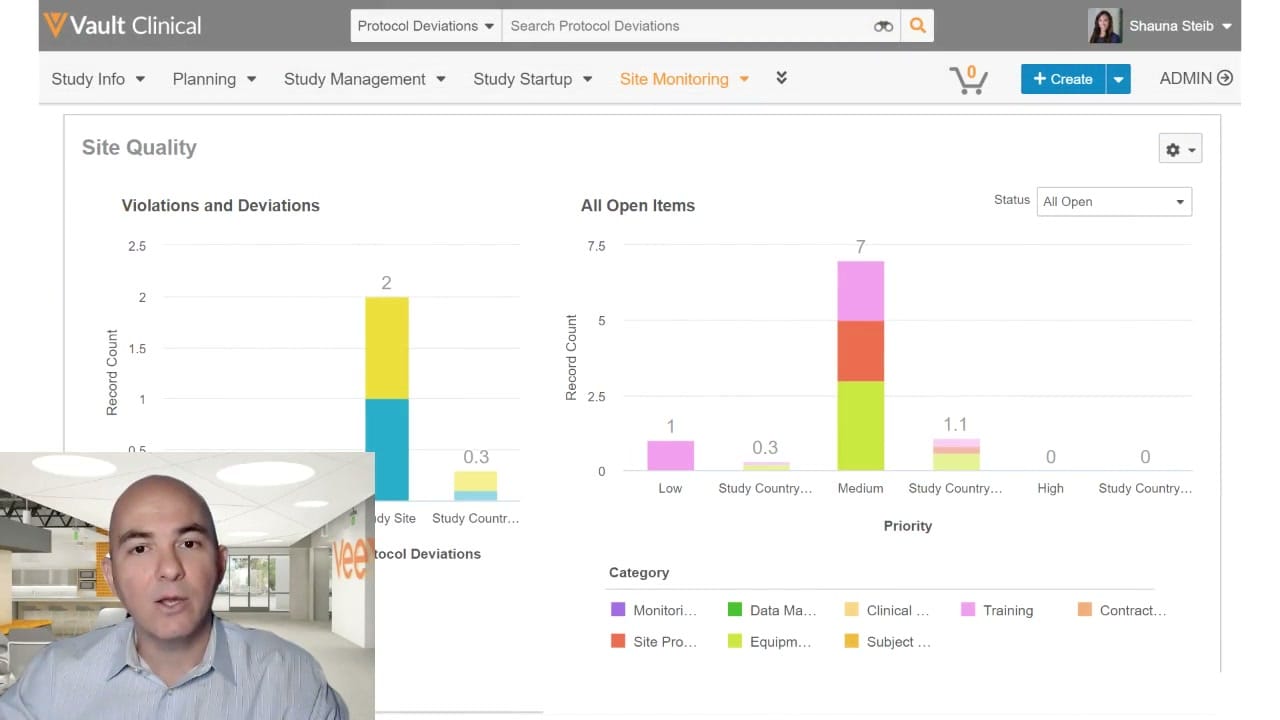
What this CTMS screenshot shows
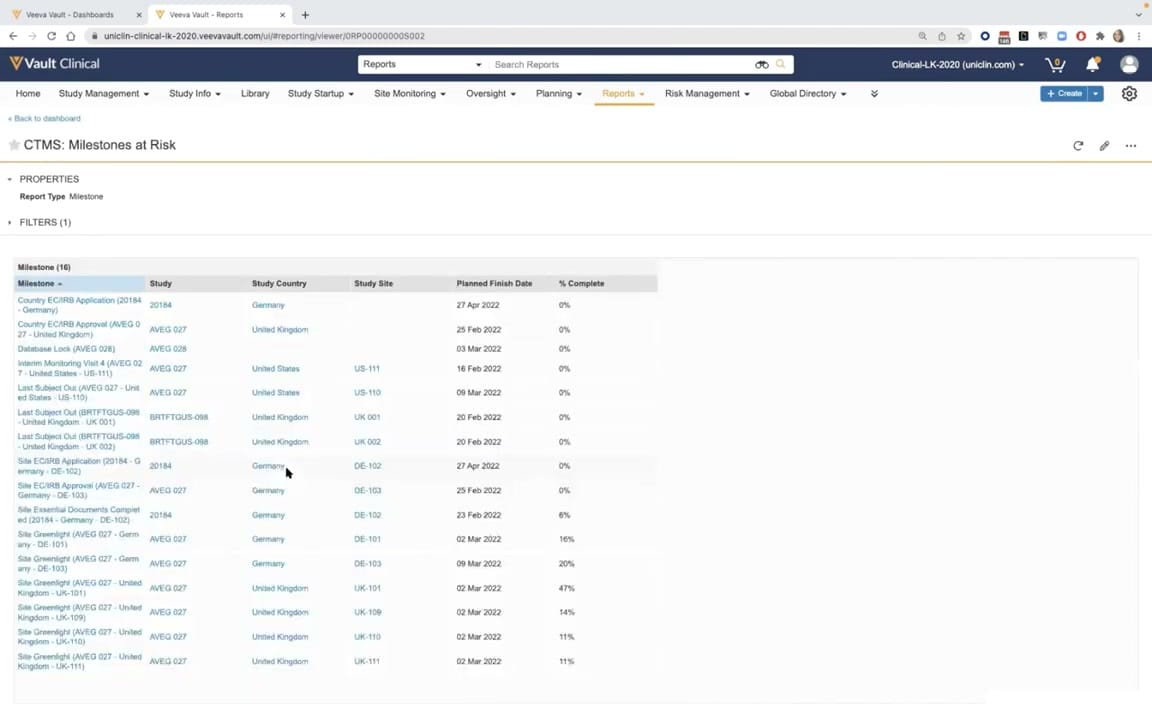
This interface reference displays a report titled "CTMS: Milestones at Risk" within the Veeva Vault Clinical application. The screen provides clinical operations teams with a structured, tabular view of critical study milestones that may require attention or intervention. Positioned under the Reports tab of the primary navigation, the interface organizes key data points to facilitate study oversight. The report displays a list of sixteen milestones, detailing the specific milestone name, associated study identifier, country, site, planned finish date, and completion percentage. By centralizing these metrics, the interface supports clinical trial management workflows by highlighting scheduled activities that are currently incomplete or pending. The layout utilizes standard Vault navigation, properties, and filter panels to help users locate and analyze specific milestone records across multiple active studies.
Visible interface elements
- Report title "CTMS: Milestones at Risk" with a star icon.
- Primary navigation menu highlighting the "Reports" tab.
- Collapsible "PROPERTIES" section indicating "Report Type: Milestone".
- Collapsible "FILTERS (1)" section.
- Data table displaying sixteen milestone records with columns for Milestone, Study, Study Country, Study Site, Planned Finish Date, and % Complete.
- Hyperlinked study identifiers such as "AVEG 027" and "20184".
- Planned finish dates and completion percentages ranging from 0% to 47%.
- Global header with search bar, "+ Create" button, and user profile options.
Interface details
The user interface is structured with a global header at the top, featuring search functionality, user settings, and a primary navigation menu containing tabs such as Study Management, Site Monitoring, Oversight, and Reports. Below this navigation bar, a breadcrumb link allows users to return to the main dashboard. The main content area displays the report title, "CTMS: Milestones at Risk," accompanied by a star icon for favoriting. Underneath the title, collapsible sections for Properties and Filters are visible, with the report type identified as Milestone. The primary data presentation is a structured table containing sixteen milestone records. The table columns include Milestone, Study, Study Country, Study Site, Planned Finish Date, and % Complete. Each row represents a specific milestone event, such as Country EC/IRB Application, Database Lock, or Site Greenlight. The data is presented in a clean, tabular format with light blue hyperlinks for study and site identifiers, allowing for direct navigation to related records. A mouse cursor is visible hovering over a country entry, demonstrating interactive capability within the web browser interface.
Workflow context
Within the context of clinical trial management, tracking milestones is essential for maintaining study timelines and identifying potential delays. This report serves as an oversight tool, allowing clinical operations managers and monitors to evaluate progress across various studies, countries, and sites. By displaying the planned finish dates alongside the completion percentages, the interface highlights which milestones are lagging or at risk of missing their targets. For instance, milestones with zero percent completion near or past their planned dates can be quickly identified for follow-up. This centralized visibility supports risk management and decision-making processes, enabling teams to allocate resources or adjust strategies to keep clinical trials on schedule. The integration of this report within the broader Vault Clinical suite ensures that milestone tracking is aligned with other study management, site monitoring, and oversight activities.
Source, version, and interpretation limits
The screenshot is sourced from the official Veeva YouTube demo titled CTMS Oversight Deep Dive Demo, published in March 2022. The image displays a demo tenant environment with visible browser chrome and synthetic demonstration data, including mock study names, sites, and dates. Because this represents a configured Vault environment from a specific release, the actual user interface, available fields, and navigation options may vary depending on individual customer configurations and subsequent software updates. This reference description is strictly bounded by the visible elements in the provided screenshot and does not reflect real-world clinical trial data or specific customer implementations.
Authoritative references
Use these primary sources to confirm current product positioning, terminology, and release-specific behavior.
- CTMS Oversight Deep Dive Demo(Official Veeva YouTube demo)
- Veeva CTMS product overview(Official Veeva product page)
- Veeva CTMS trial-management overview(Official Veeva resource)