What this CTMS screenshot shows
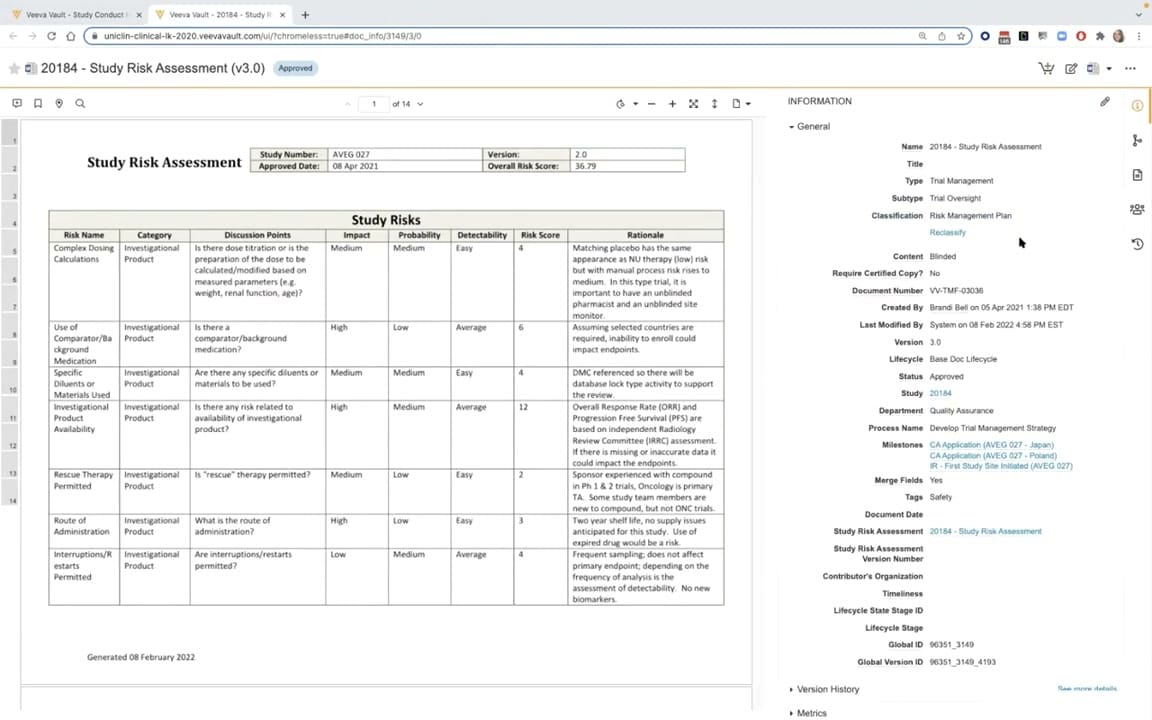
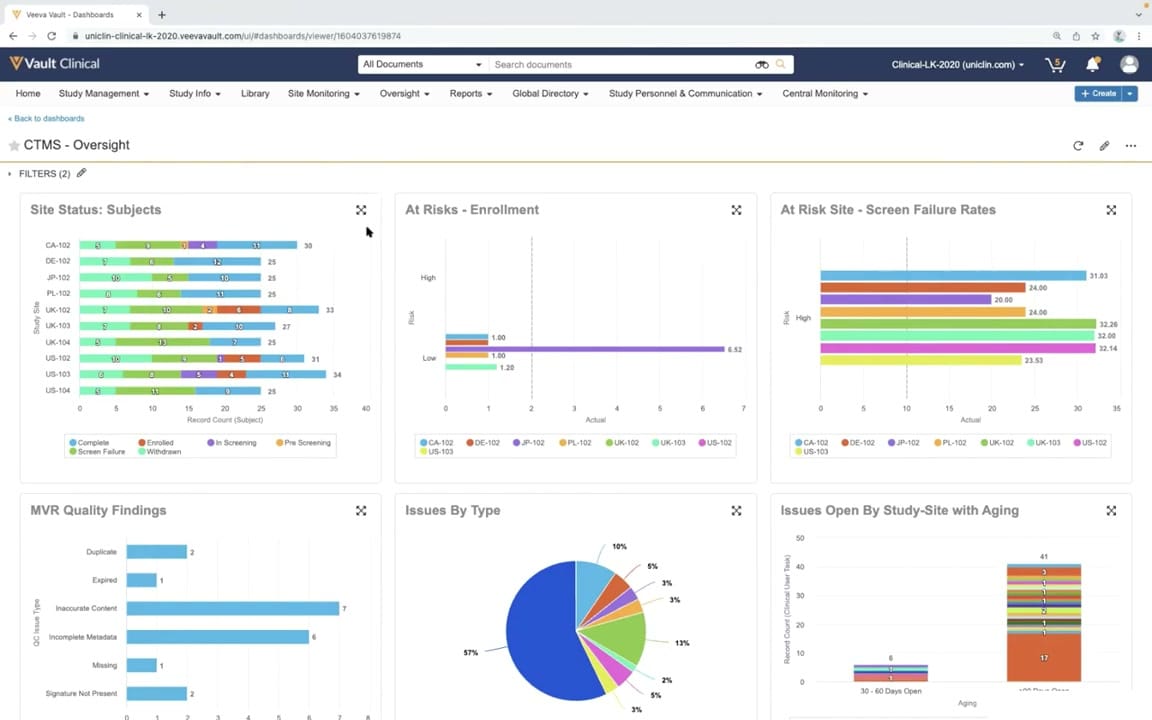
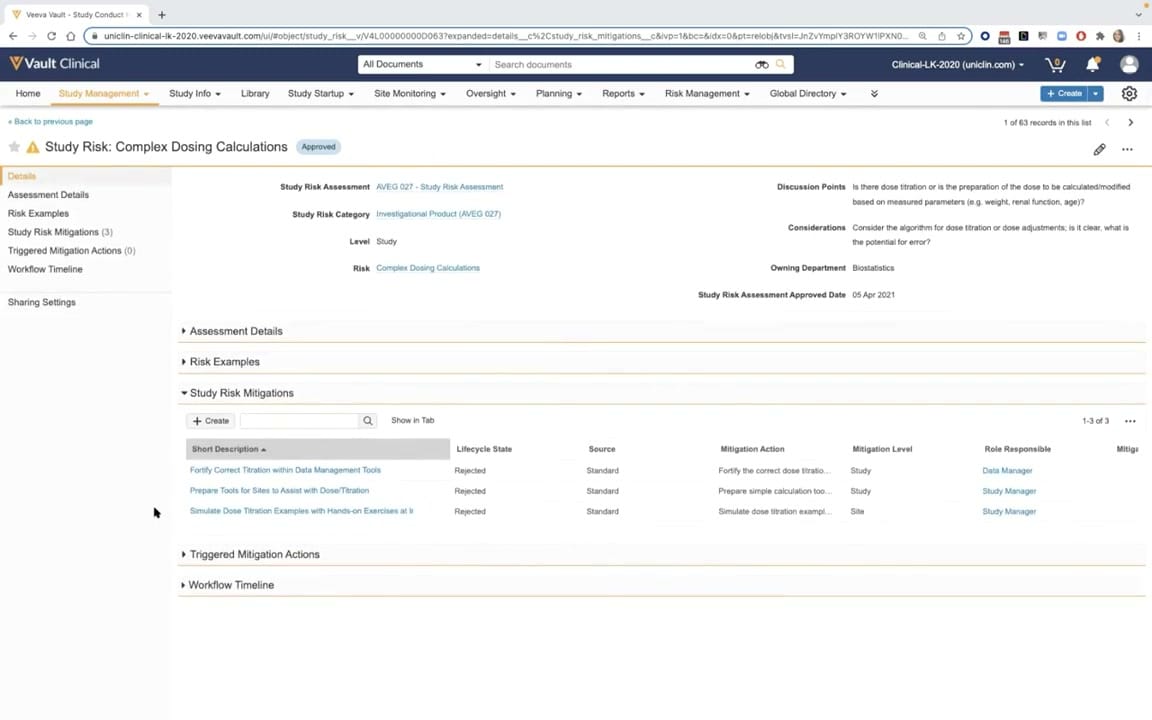
This interface reference displays a detailed record view within Veeva Vault CTMS, focusing on a specific Study Risk record titled "Complex Dosing Calculations." The record is marked with an Approved status badge and belongs to a study risk assessment list containing 63 records. The screen provides clinical operations teams with a structured overview of risk parameters, including the risk category, level, and owning department. It also outlines discussion points and considerations regarding dose titration and potential errors. Below the primary metadata, a series of collapsible sections organize related information, such as assessment details, risk examples, and study risk mitigations. In this view, the Study Risk Mitigations section is expanded, displaying a table of proposed mitigation actions, their lifecycle states, and the responsible roles assigned to manage these risks.
Visible interface elements
- Record header displaying 'Study Risk: Complex Dosing Calculations' with an 'Approved' status badge.
- Left-hand navigation panel listing sections such as Details, Assessment Details, Risk Examples, and Study Risk Mitigations.
- Metadata fields including Study Risk Category, Level, Owning Department, and Study Risk Assessment Approved Date.
- Discussion Points and Considerations text fields detailing risks associated with dose titration and potential errors.
- Expanded Study Risk Mitigations section showing a table with three rejected mitigation records.
- Table columns for Short Description, Lifecycle State, Source, Mitigation Action, Mitigation Level, and Role Responsible.
- Top navigation bar with links to Study Management, Site Monitoring, Oversight, Planning, and Reports.
Interface details
The user interface features a standard Veeva Vault layout with a top navigation bar containing global search, document management options, and clinical operations tabs. Below this, the main workspace displays the active record header with a warning icon, the title "Study Risk: Complex Dosing Calculations," and an "Approved" status indicator. A left-hand navigation panel allows users to jump directly to specific sections, including Details, Assessment Details, Risk Examples, Study Risk Mitigations, Triggered Mitigation Actions, and Workflow Timeline. The central pane presents metadata fields such as Study Risk Assessment, Study Risk Category, Level, and Owning Department, alongside descriptive text areas for Discussion Points and Considerations. The bottom portion of the screen contains collapsible accordions. The expanded Study Risk Mitigations section displays a tabular grid with columns for Short Description, Lifecycle State, Source, Mitigation Action, Mitigation Level, and Role Responsible. This table includes a search bar, a Create button, and pagination controls indicating three records are present.
Workflow context
Within the context of clinical trial management, this screen supports the risk assessment and mitigation planning workflow. Clinical operations teams use this interface to document potential study risks, such as complex dosing calculations, and evaluate their impact on trial safety and data integrity. By defining specific discussion points and considerations, teams can standardize how risks are evaluated across different sites and studies. The expanded mitigations table illustrates how proposed actions are tracked, showing that three standard mitigations have been evaluated and marked as Rejected. This structured tracking ensures that study managers and data managers can document which mitigation strategies were considered, who was responsible, and why certain actions were not implemented. This systematic approach supports regulatory compliance and study oversight by maintaining a clear audit trail of risk management decisions throughout the clinical trial lifecycle.
Source, version, and interpretation limits
The screenshot is sourced from the official Veeva YouTube demo titled "CTMS Oversight Deep Dive Demo," published in March 2022. Because this is a static image from a demonstration environment, it represents a specific configuration and point-in-time release of Veeva Vault CTMS. Actual user interfaces, available fields, and workflow options may vary based on individual customer configurations, user permissions, and subsequent software updates. The visible data, including study names, risk descriptions, and personnel roles, is synthetic demonstration data intended solely for illustrative purposes and does not represent real-world clinical trial records or active protocols.
Authoritative references
Use these primary sources to confirm current product positioning, terminology, and release-specific behavior.
- CTMS Oversight Deep Dive Demo(Official Veeva YouTube demo)
- Veeva CTMS product overview(Official Veeva product page)
- Veeva CTMS trial-management overview(Official Veeva resource)