What this CTMS screenshot shows
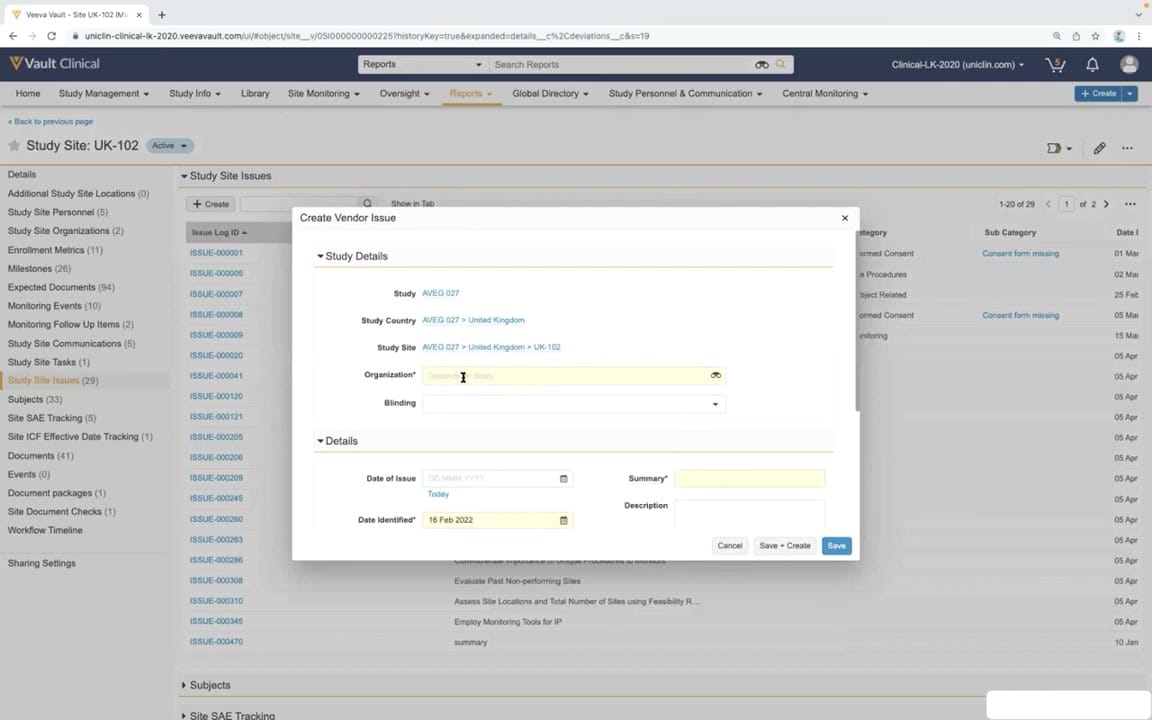
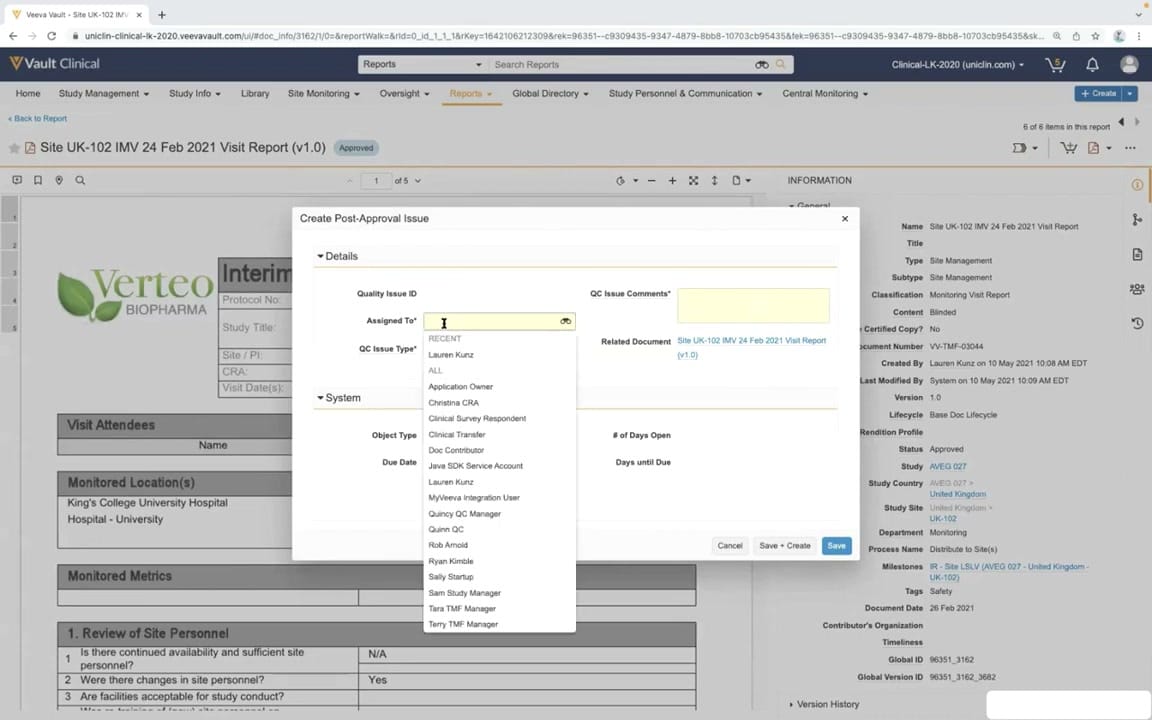
This interface reference displays the "Create Post-Approval Issue" modal dialog within Veeva Vault Clinical, specifically during a portal approval and document review workflow. The background features an approved document preview titled "Site UK-102 IMV 24 Feb 2021 Visit Report (v1.0)" for Verteo Biopharma. A right-hand information panel displays extensive metadata associated with this monitoring visit report, including its status, study site, and document number. The central modal allows clinical operations users to log issues directly related to the approved document. The active dropdown menu for the "Assigned To" field lists various synthetic user roles and names, demonstrating how tasks are routed within the system. This layout illustrates how clinical trial management systems integrate document review with immediate action item creation to maintain study oversight.
Visible interface elements
- Create Post-Approval Issue modal dialog overlaid on the document viewer.
- Assigned To dropdown menu displaying a list of synthetic user names and roles.
- Approved document preview titled Site UK-102 IMV 24 Feb 2021 Visit Report (v1.0).
- Right-hand Information panel showing document metadata such as Status, Study, and Document Number.
- Top navigation bar with tabs including Study Management, Site Monitoring, and Reports.
- Action buttons labeled Cancel, Save + Create, and Save at the bottom of the modal.
- Verteo Biopharma logo and Interim Monitoring Visit Report table visible in the background.
Interface details
The user interface is structured with a top navigation bar containing clinical management tabs, with "Reports" currently highlighted. Below this, the main workspace displays a document viewer showing an Interim Monitoring Visit Report with sections for visit attendees, monitored locations, and site personnel reviews. Overlaid on this viewer is the "Create Post-Approval Issue" modal dialog. This dialog is organized into "Details" and "System" collapsible sections. Within the Details section, fields like "Quality Issue ID," "Assigned To," "QC Issue Type," and "QC Issue Comments" are visible. The "Assigned To" field is active, displaying a scrollable dropdown list of synthetic personnel such as "Christina CRA" and "Quincy QC Manager." The "Related Document" field automatically references the active visit report. On the right side of the screen, a persistent "INFORMATION" panel displays document metadata, including the document number "VV-TMF-03044," the status "Approved," and study details such as "AVEG 027" and "UK-102." Action buttons at the bottom right of the modal include "Cancel," "Save + Create," and "Save" to finalize the issue creation.
Workflow context
In clinical trial management, the portal approval and document review workflow ensures that monitoring visit reports undergo rigorous quality checks. When a document like an Interim Monitoring Visit Report is approved, clinical operations teams may still identify specific items requiring follow-up or corrective action. The "Create Post-Approval Issue" dialog allows users to document these findings directly against the approved record, maintaining a clear audit trail. By assigning the issue to specific roles, such as a Clinical Research Associate or Quality Control Manager, the system facilitates targeted resolution paths. This process integrates document management with issue tracking, ensuring that protocol deviations, site personnel changes, or other monitored metrics are addressed systematically. The workflow supports continuous oversight and compliance by linking post-approval issues directly to the primary source documentation within the clinical trial management system.
Source, version, and interpretation limits
The screenshot is sourced from the official Veeva YouTube demo titled "CTMS Oversight Deep Dive Demo," published in March 2022. It displays a configured Vault Clinical environment with synthetic demonstration data, including mock names, organizations, and study codes. Because this represents a specific point-in-time demonstration, the visible user interface, field labels, and available options may differ from active production environments or subsequent software releases. Additionally, individual customer configurations, lifecycle states, and user permissions will influence the specific fields, dropdown options, and metadata panels visible during the document review and issue creation process.
Authoritative references
Use these primary sources to confirm current product positioning, terminology, and release-specific behavior.
- CTMS Oversight Deep Dive Demo(Official Veeva YouTube demo)
- Veeva CTMS product overview(Official Veeva product page)
- Veeva CTMS trial-management overview(Official Veeva resource)