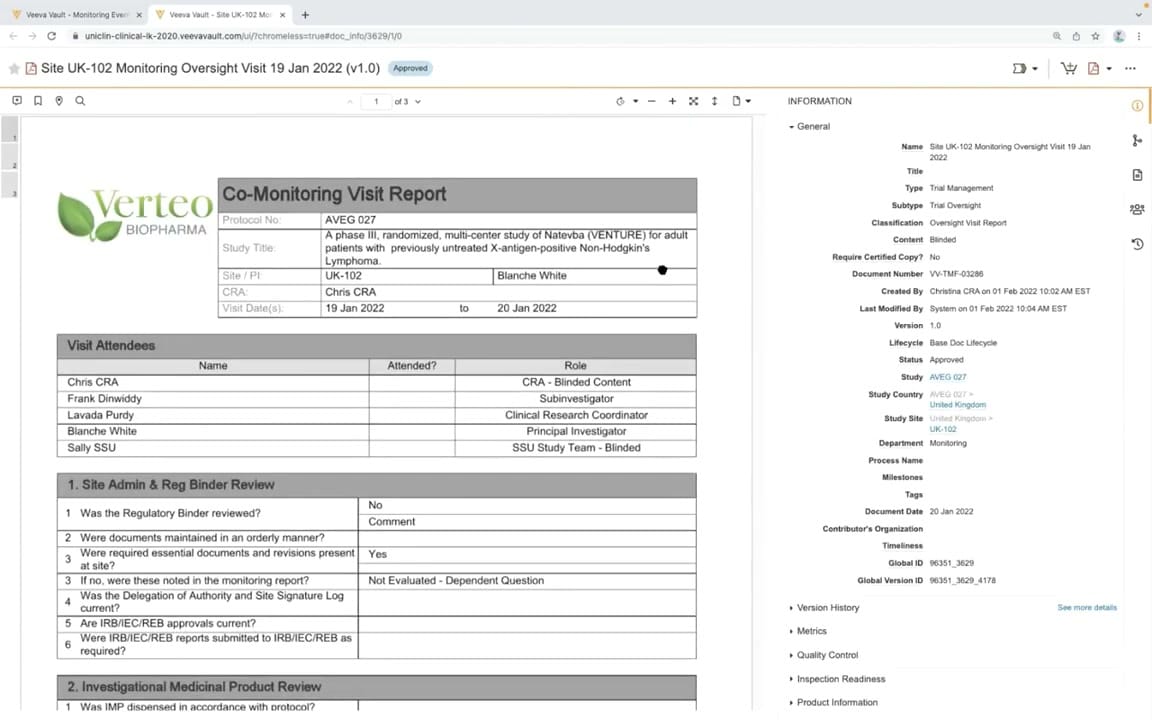
What this CTMS screenshot shows
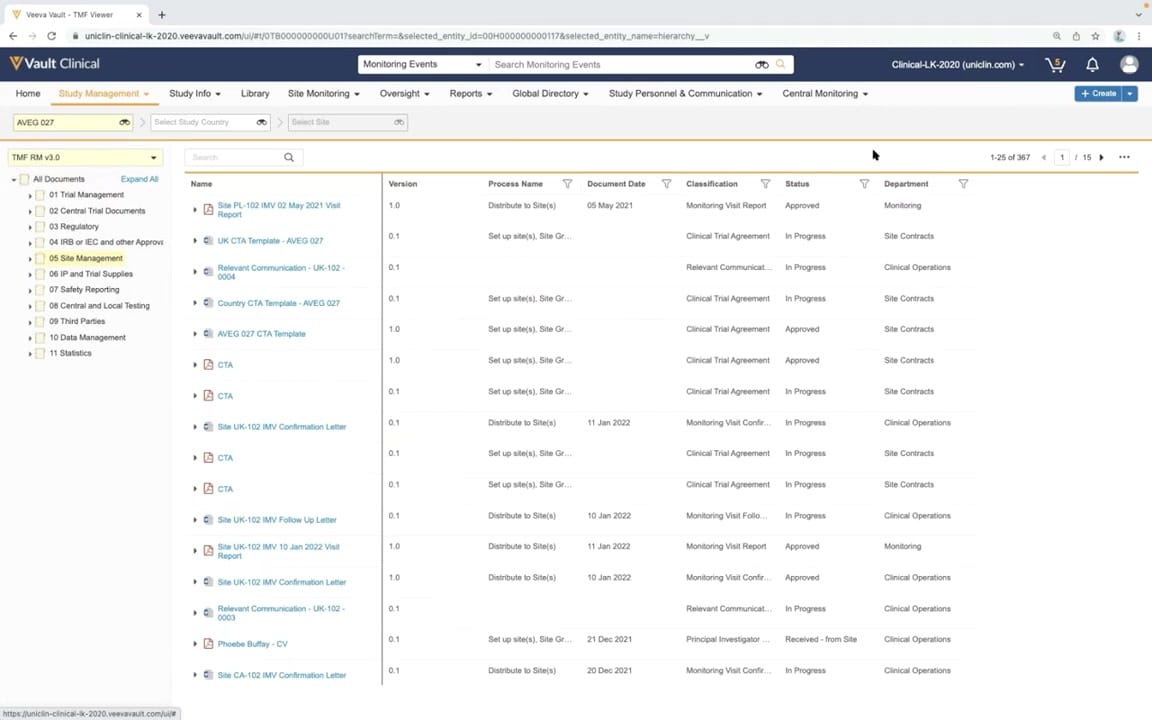
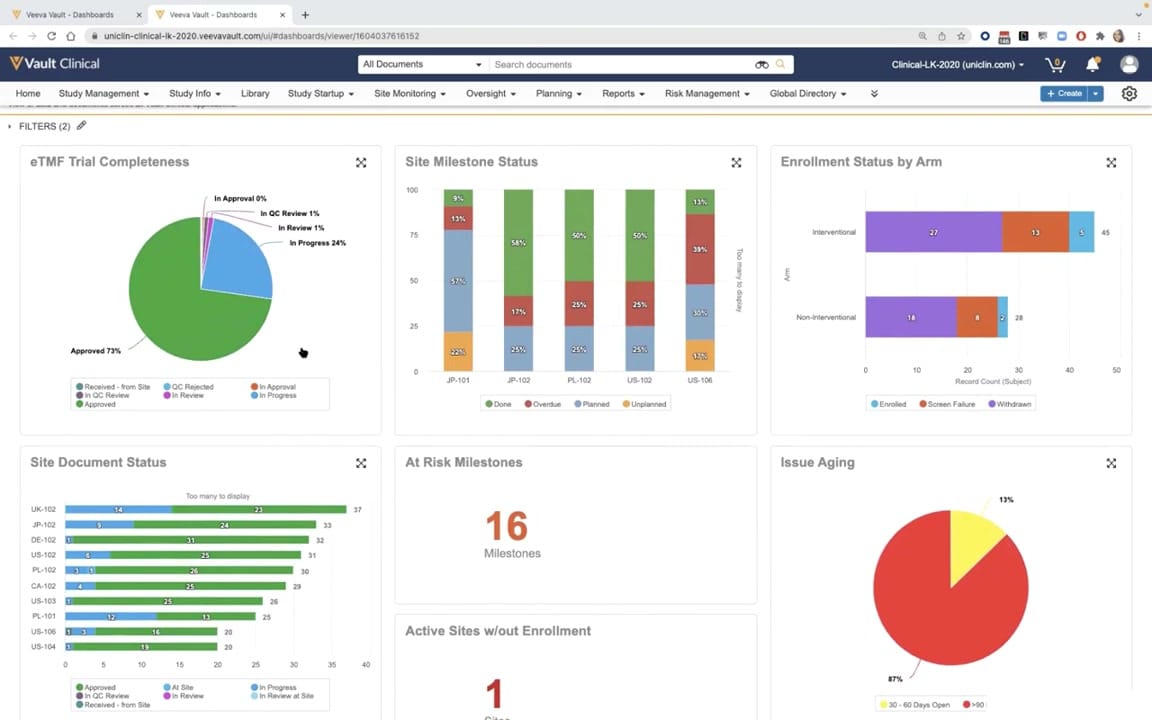
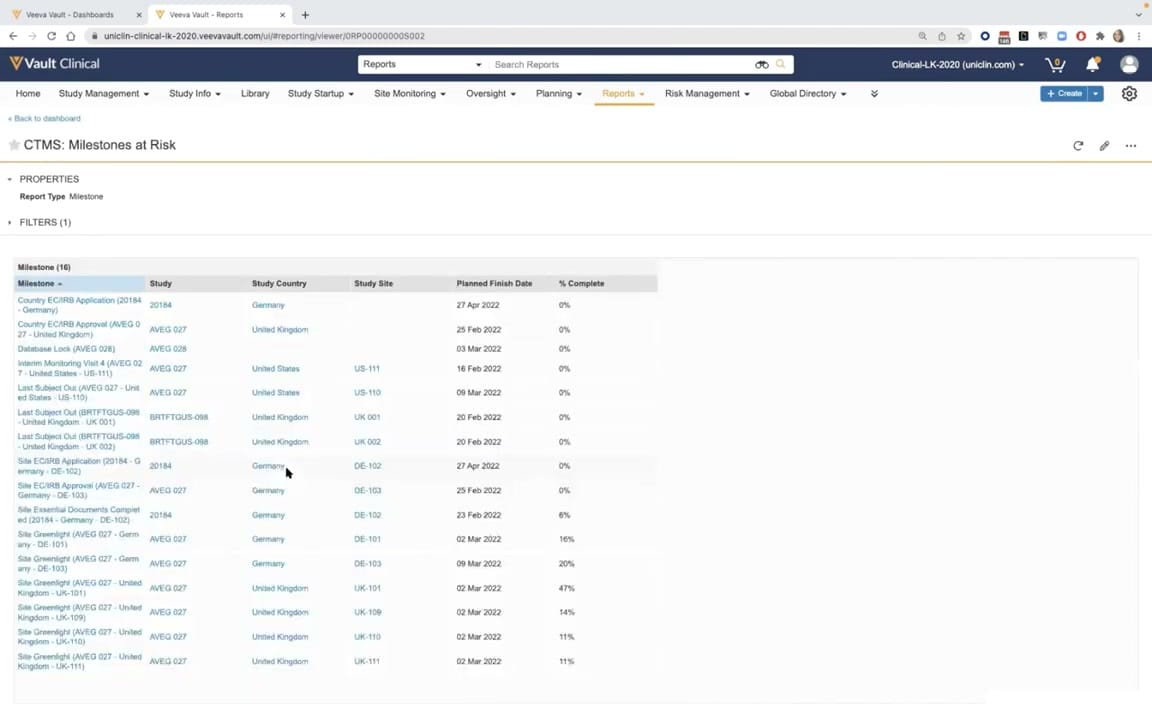
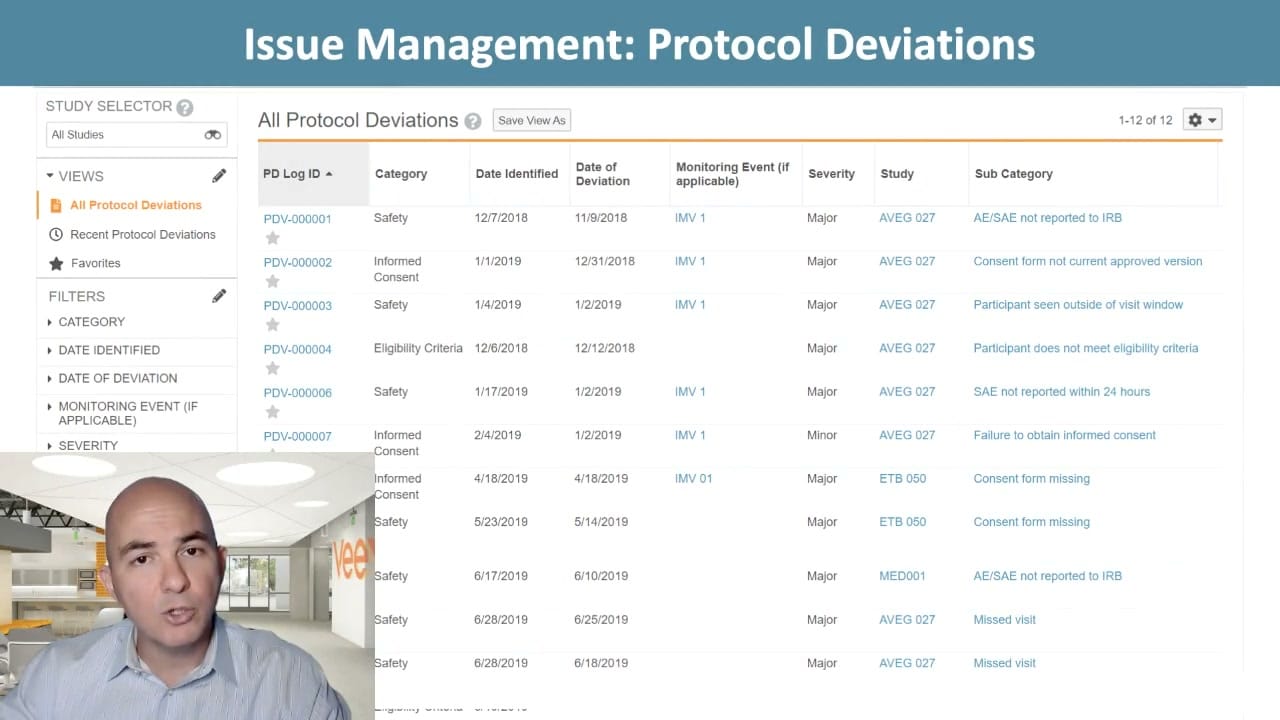
This interface screenshot displays the document preview and metadata panel within Veeva Vault CTMS, specifically showcasing a completed Co-Monitoring Visit Report. The screen is split into two primary functional areas: a document viewer on the left and an information panel on the right. The document viewer displays a generated PDF report for "Site UK-102 Monitoring Oversight Visit" under the synthetic brand "Verteo Biopharma." This report includes structured tables detailing the protocol number, study title, visit dates, attendees, and specific review questions such as regulatory binder status. On the right, the metadata panel provides comprehensive document details, including classification, versioning, lifecycle status, and study-specific associations. This layout allows clinical operations users to review the finalized content of a monitoring visit report alongside its system-managed properties and audit-ready metadata.
Visible interface elements
- Document preview pane displaying a Co-Monitoring Visit Report for study AVEG 027.
- Header bar showing the document title and a blue Approved status badge.
- Document control toolbar with page navigation indicating page 1 of 3.
- Information panel on the right displaying collapsible metadata sections.
- General metadata fields including Document Number, Version 1.0, and Lifecycle.
- Study hierarchy links connecting the document to Study, Study Country, and Study Site.
- Structured tables within the document detailing visit attendees and site review questions.
- Rightmost vertical icon bar for accessing document actions and sharing settings.
Interface details
The interface is divided into a dual-pane layout designed for efficient document verification. The left pane contains the document preview window, which features standard PDF controls at the top, including page navigation showing "1 of 3" pages, zoom adjustments, and fit-to-page options. The rendered document displays a structured layout with a corporate logo, a header table for study details, an attendee list, and a numbered questionnaire section for site administration and regulatory binder reviews. The right pane is dedicated to the "Information" panel, which organizes document metadata into collapsible sections. The "General" section is expanded, displaying fields such as Document Number, Version, Lifecycle, and Status, which is marked as "Approved." It also links the document to specific study hierarchy levels, including Study, Study Country, and Study Site. A vertical toolbar on the far right provides quick access to document actions, sharing settings, and version history. The top header of the page displays the document name and a prominent blue "Approved" status badge, ensuring clear visibility of the document's current state.
Workflow context
In clinical trial management, monitoring visit reports serve as critical documentation of site compliance and oversight. This interface represents the review and archival stage of the monitoring workflow. Once a Clinical Research Associate completes a site visit and compiles the report, the system generates a structured document. The preview interface allows trial managers, lead CRAs, or clinical oversight teams to verify that all required sections, such as the regulatory binder review and investigational product checks, are complete and accurate. The metadata panel ensures that the document is correctly classified under Trial Oversight and linked to the appropriate study, country, and site records within the Trial Master File. This integration between CTMS data and document management supports inspection readiness by maintaining a clear, approved record of monitoring activities and attendee participation.
Source, version, and interpretation limits
The screenshot is sourced from an official Veeva YouTube demo titled "CTMS Oversight Deep Dive Demo," published in March 2022. The visible data, including the organization "Verteo Biopharma," study "AVEG 027," site "UK-102," and individual names, represents synthetic demonstration data used for illustrative purposes. Because this screenshot captures a specific browser-based demonstration environment, the actual user interface, available fields, and document templates may vary based on individual customer configurations, Vault release versions, and specific organizational workflows. The presence of browser chrome and specific demo timestamps reflect the nature of the source material rather than a live production environment.
Authoritative references
Use these primary sources to confirm current product positioning, terminology, and release-specific behavior.
- CTMS Oversight Deep Dive Demo(Official Veeva YouTube demo)
- Veeva CTMS product overview(Official Veeva product page)
- Veeva CTMS trial-management overview(Official Veeva resource)