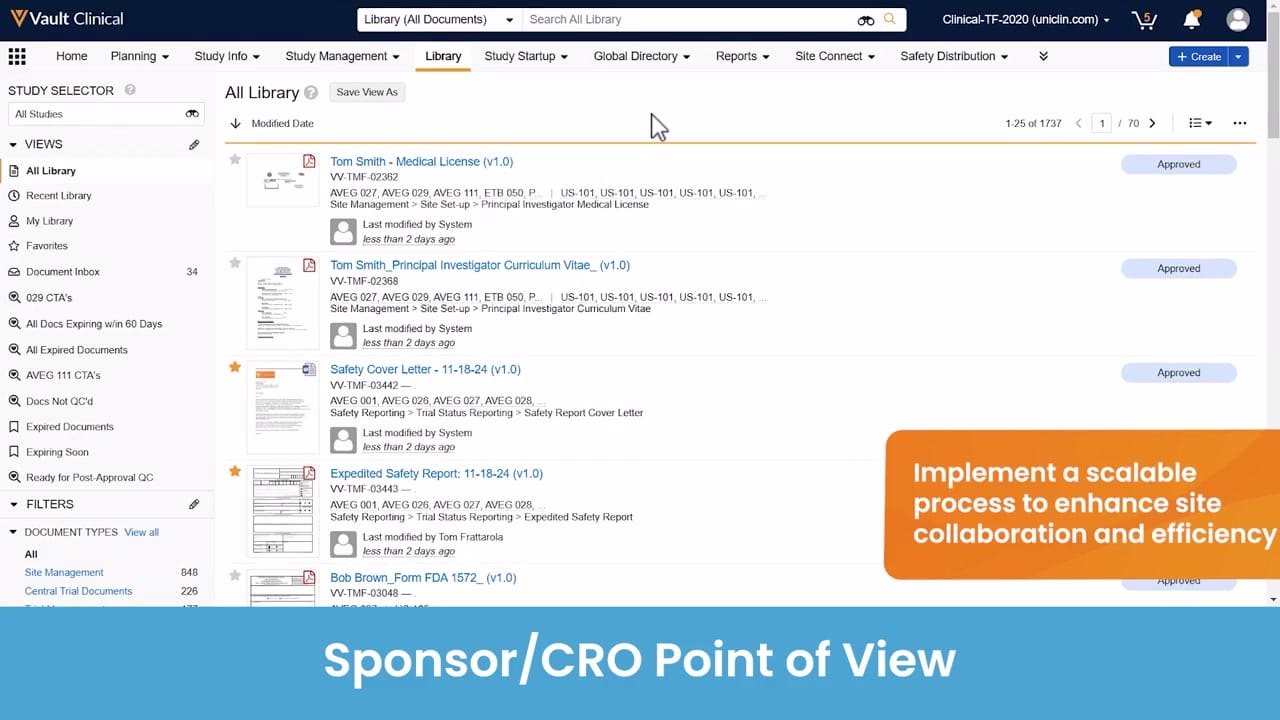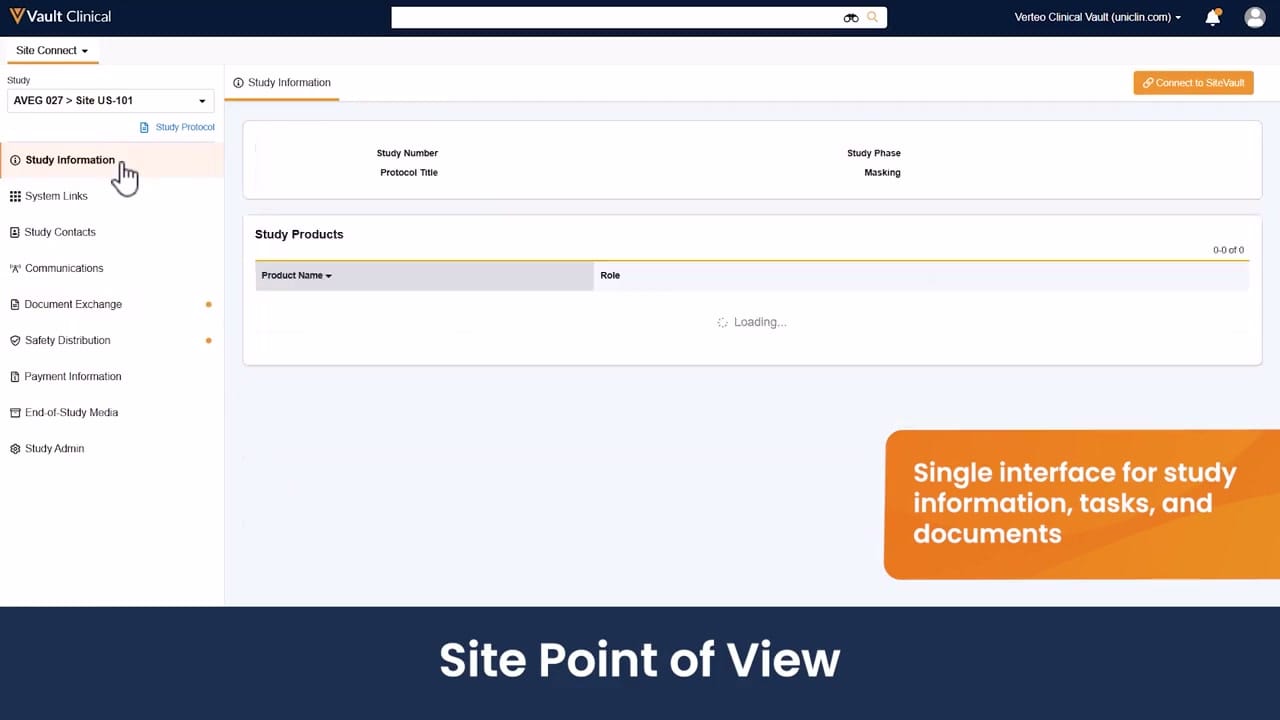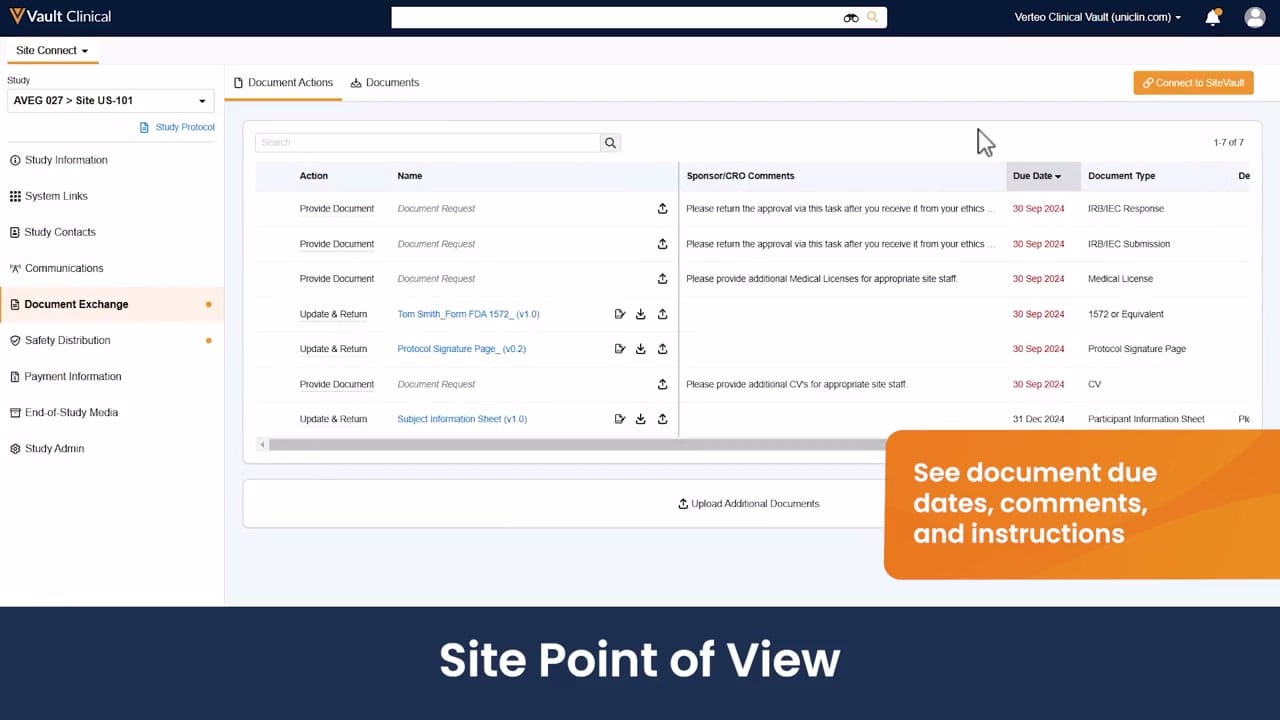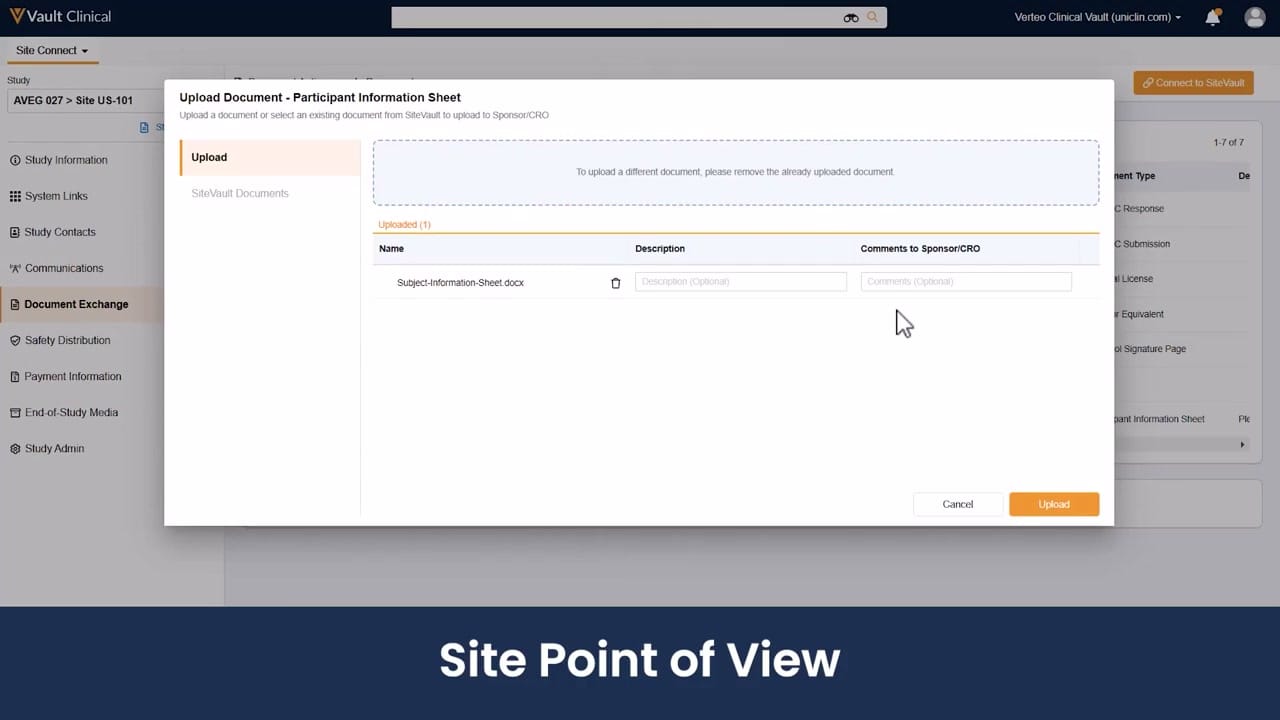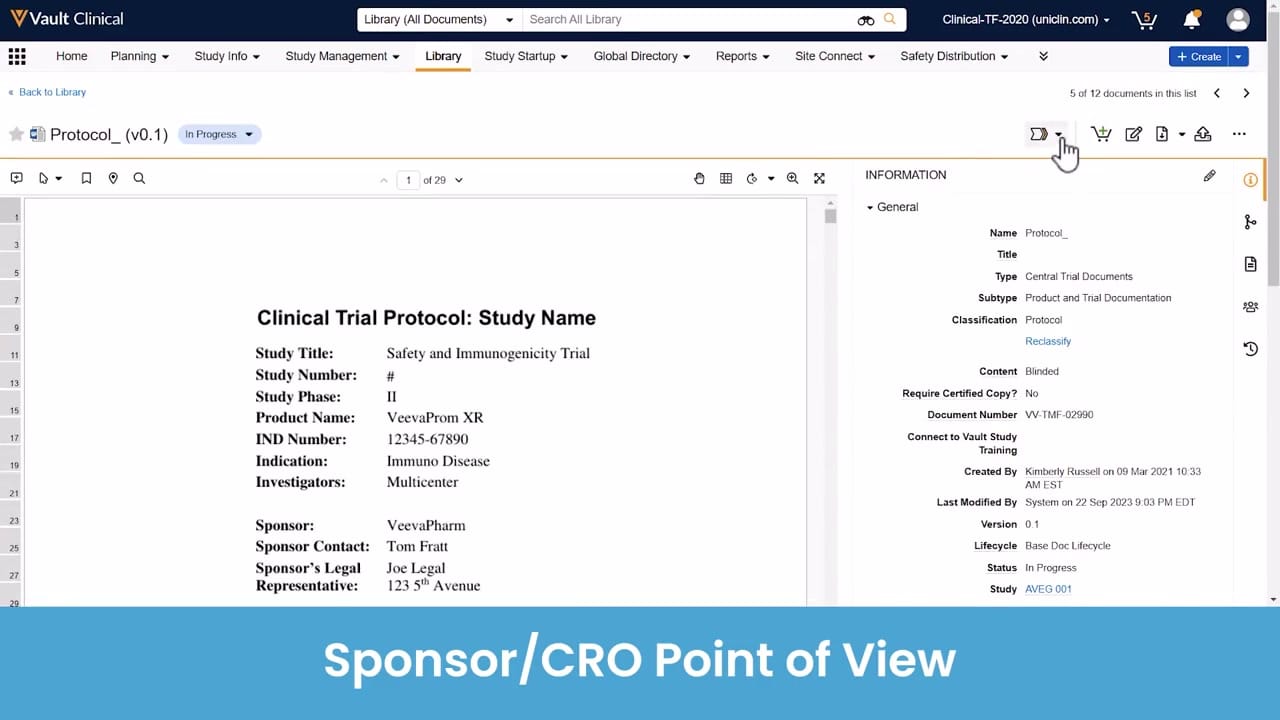
What this Site Connect screenshot shows
This interface reference displays the Sponsor Document Detail view within Veeva Vault Clinical, specifically highlighting the sponsor or CRO point of view. The screen presents a document viewer on the left side displaying a draft clinical trial protocol titled "Clinical Trial Protocol: Study Name" for a Phase II safety and immunogenicity trial. On the right side, an information panel displays metadata associated with this document, including classification, document number, version, lifecycle status, and associated study. The active tab is the Library, and the document is currently marked as "In Progress" with a version of 0.1. This view provides clinical operations teams with a centralized layout to review document content alongside its administrative properties, supporting the management of essential trial documentation before distribution or filing.
Visible interface elements
- Document viewer displaying a "Clinical Trial Protocol" for a Phase II "Safety and Immunogenicity Trial."
- Information panel on the right showing metadata such as Document Number "VV-TMF-02990" and Study "AVEG 001."
- Document status indicator showing "In Progress" and version "0.1" next to the document title.
- Top navigation bar with active "Library" tab and options for "Study Startup" and "Site Connect."
- Action icons in the upper right of the metadata panel, with a hand cursor hovering over a workflow button.
- Blue banner at the bottom of the screen reading "Sponsor/CRO Point of View."
Interface details
The interface is divided into a main document viewer and a collapsible metadata panel. The document viewer on the left displays the first page of a protocol document, showing synthetic study details such as the product name "VeevaProm XR" and sponsor "VeevaPharm." Navigation controls above the document allow users to zoom, page through the 29-page document, and search text. The right-hand "Information" panel lists metadata fields under a "General" header. Visible fields include the document name "Protocol_", classification "Protocol," document number "VV-TMF-02990," and the associated study "AVEG 001." Action icons are positioned at the top right of the panel, including a download icon, an edit icon, and a workflow action button where a hand cursor is currently hovering. The top navigation bar indicates the user is within the "Library" tab of Vault Clinical, with other tabs like "Study Startup" and "Site Connect" visible. A blue banner at the bottom of the screenshot explicitly labels this as the "Sponsor/CRO Point of View."
Workflow context
In the context of clinical trial management, this interface supports the review and preparation of essential trial documents from the sponsor or CRO perspective. A clinical operations user can utilize this view to verify that the protocol details match the metadata recorded in the system before initiating broader distribution or site-level workflows. The "In Progress" status and version "0.1" indicate that the document is in an early draft or review stage. The metadata panel, which links the document to study "AVEG 001," could help ensure proper alignment with the electronic Trial Master File (eTMF) structure. By presenting the document text and metadata side-by-side, the interface can support quality control checks, helping users identify discrepancies between the uploaded file content and the system-level attributes before the document is finalized or shared with research sites.
Source, version, and interpretation limits
The source of this image is an official Veeva hosted demo titled "Site Connect Automatic Document Exchange," representing a sponsor or CRO point of view. The data shown, including names like "Kimberly Russell," study details for "AVEG 001," and dates, are synthetic demonstration data and do not represent real-world clinical trials. Because this is a static screenshot, it cannot establish real-time updates, automated document exchange, validation status, or regulatory compliance. The actual user interface, available fields, and specific workflows may vary depending on the Vault release, customer configurations, and specific permissions assigned to the user.
Authoritative references
Use these primary sources to confirm current product positioning, terminology, and release-specific behavior.
- Site Connect Automatic Document Exchange(Official Veeva hosted demo)
- Veeva Site Connect product overview(Official Veeva product page)
- Veeva Site Connect features brief(Official Veeva resource)