


veeva · cloud-platform
Veeva Systems 2021-2026: Evolution of a Life Sciences Cloud Leader
April 3, 2025
Updated August 9, 2026
30 min read
In-depth analysis of Veeva Systems' transformation from 2021 to 2026, examining strategic shifts, product innovations including AI Agents, Vault CRM adoption, and continued market leadership in life sciences cloud solutions. Updated January 2026.
Independent editorial content produced with AI assistance. This article is written by IntuitionLabs and is not endorsed by Veeva Systems Inc. Veeva and its product names are trademarks of Veeva Systems Inc. All information is drawn from public sources with citations linked inline. AI-generated text may contain errors or omissions; verify any critical claim against the linked sources before acting on it.

[Revised March 4, 2026]
Introduction
Since the 2021 Everest Group PEAK Matrix report, Veeva Systems has dramatically expanded its role as a strategic IT partner for life sciences. The company's cloud platforms – Veeva Commercial Cloud for customer engagement and Veeva Development Cloud for R&D – have seen major upgrades, new product launches, and wider adoption across pharma. Veeva remains the "go-to" software provider for pharmaceutical enterprises ([1]), even as competitors like Salesforce, IQVIA, and Oracle intensify their efforts. This update reviews the most significant developments in Veeva's ecosystem since 2021, including enhancements to key product suites, strategic shifts in company direction, new solutions and partnerships, adoption trends, and Veeva's responses to emerging competitive and regulatory challenges.
Commercial Cloud: CRM Evolution and Content Innovations
Veeva's Commercial Cloud suite – spanning customer relationship management and content management for marketing/medical – has undergone pivotal changes. Veeva CRM, long built on the Salesforce platform, is being reborn as Veeva Vault CRM, a native application on Veeva's own Vault platform. In 2022 Veeva introduced Vault CRM for MedTech, a unified CRM and content management app tailored to medical device companies ([2]). Vault CRM for MedTech provides industry-specific capabilities (like inventory and surgical case management) in a single application, eliminating the need for heavy custom integrations ([3]). More broadly, Veeva did not renew its Salesforce agreement when it expired on September 1, 2025. Existing customers could transition during the wind-down period; Veeva said the first migrations were expected to begin in early 2025, with most anticipated in 2026 and 2027. Veeva subsequently updated the legacy Veeva CRM end-of-support date to December 31, 2029. Pilot programs for Vault CRM in pharma started in 2024, and Veeva added new features such as a built-in "Service Center" for call handling and an AI-powered CRM Bot to assist sales reps with generating content ([4]). By late 2024, Veeva even unveiled Vault CRM Bot and Voice Control, generative AI features that let reps use natural language to retrieve information and draft communications ([5]).
2025-2026 Update: Vault CRM became generally available in April 2024 and is now the go-forward solution for all new customers. The transition momentum accelerated dramatically in 2025, with migrations from legacy Salesforce-based Veeva CRM now underway. In Veeva's fiscal Q2 2026, reported in August 2025, two top-20 biopharmas went live on Vault CRM in major markets, and seven of the top-20 pharmaceutical companies had committed to the platform. Major wins include Merck (July 2025), Roche (November 2025), and Novo Nordisk International Operations (January 2026) – all committing to global Vault CRM deployments ([6]). Roche's chief digital and technology officer noted that "With data and AI at its core, Vault CRM will help us create more personalized interactions."
The most significant commercial innovation of 2025 has been Veeva AI Agents, which became available in December 2025 for Vault CRM and PromoMats ([7]). These agentic AI capabilities include the Voice Agent (enabling voice input for faster data capture), Pre-call Agent (providing insights and suggested actions from relevant data), Free Text Agent, and Media Agent. Powered by large language models from Anthropic and Amazon (hosted on Amazon Bedrock), these AI agents operate with direct, secure access to data within existing permissions and audit trails. Veeva is offering AI for Vault CRM at no cost through 2030 to accelerate adoption. These innovations underscore Veeva's commitment to keep its dominant CRM offering ahead of the curve in usability and intelligence.
Alongside CRM, Veeva's content and engagement products have matured. Veeva Vault PromoMats, the industry-standard system for compliant promotional materials management, and Vault MedComms, for medical affairs content, continue to be core to Commercial Cloud. They've gained enhancements for omnichannel digital content and better integration with CRM – for example, Vault CRM connects natively with Vault PromoMats to streamline content sharing with field teams ([8]). Many pharma companies have leveraged these tools in launching products digitally. (For instance, Bavarian Nordic adopted Veeva CRM and PromoMats to power the digital launch of new vaccines in 2022 ([9]).) Veeva has also expanded its data offerings to complement Commercial Cloud: the company's Veeva Link applications (for real-time stakeholder intelligence) and Compass data products have added deeper analytics on healthcare providers and patients ([10]). These data services, integrated with CRM, help companies personalize engagement and respond to competitors like IQVIA's data-driven platforms.
PromoMats AI (December 2025): Veeva's content management has also received powerful AI enhancements. The Quick Check Agent scans promotional content using editorial, brand, market, channel, and compliance guidelines to address issues before medical, legal, regulatory (MLR) review. The Content Agent provides context-aware insights into document text and images, answers questions, summarizes content, and assists with document review. Moderna, as an early access user, noted that "the Veeva AI Quick Check Agent moves Moderna closer to a process where parts of MLR could become nearly touch-free" ([7]). These AI capabilities are planned to roll out across Veeva's entire application portfolio through 2026, with Safety and Quality applications next (April 2026), followed by Clinical Operations, Regulatory, and Medical (August 2026), and Clinical Data (December 2026).
Overall, Veeva's commercial suite as of 2026 is far more unified – bringing CRM, content, data, and now AI agents together on the Vault platform – which improves efficiency and compliance for life sciences customer engagement.
Development Cloud: Clinical, Regulatory, Quality, and Safety Advances
On the R&D side, Veeva Development Cloud has rapidly evolved into an end-to-end platform covering clinical, regulatory, quality, and safety processes. Pharma companies are increasingly standardizing on Veeva's Development Cloud to break down silos. A prime example is Boehringer Ingelheim's new "One Medicine Platform," launched in 2025 on Veeva Development Cloud ([11]). This unified R&D platform connects Boehringer's clinical, regulatory, and quality data and processes, enabling seamless collaboration and faster product development ([12]) ([13]). The trend reflects a broader industry move to unify R&D IT systems for efficiency and compliance, a vision Veeva has been driving since 2021. In fiscal 2026, Veeva R&D and Quality Solutions generated $1.748 billion of total revenue—about 55% of Veeva's $3.195 billion total—reflecting the company's expansion beyond commercial applications ([14]).
Clinical Suite: Veeva has significantly expanded its clinical trial solutions. Its flagship electronic trial master file and study management products (Vault eTMF, CTMS, Study Startup) have been joined by a modern clinical data management suite. Veeva Vault EDC, first launched in 2020, gained major ground – by late 2022, six of the global top 20 pharma companies committed to using Vault EDC for all new trials ([15]). Vault EDC is part of a larger data suite including Veeva CDB (data cleaning) and Veeva RTSM (randomization and trial supply). To bolster randomization capabilities, Veeva acquired Veracity Logic in early 2022, a specialist in interactive response technology for trial randomization and drug supply management ([16]). This acquisition extended Veeva's native Vault RTSM offering, which by then had supported over 175 trials across pharma, biotech, and medtech ([17]). Another focus has been digital patient engagement in clinical trials. Veeva introduced MyVeeva for Patients, a participant portal, along with applications like Veeva eConsent and Veeva ePRO (electronic patient-reported outcomes). In 2023, UCB partnered with Veeva to implement ePRO and eConsent, aiming to set a new standard for patient-centric digital trials ([18]) ([19]). These apps, accessed through MyVeeva, let patients complete consents and surveys online, feeding data back to sponsors and sites in real time. By integrating patients directly into the Vault Clinical Suite, Veeva is helping sponsors conduct hybrid and decentralized trials – a capability that grew in importance with industry adoption of remote trials and new regulatory guidance since the pandemic.
Regulatory (RIM): Veeva's Vault RIM (Regulatory Information Management) suite has become a de facto industry standard for managing drug registration data and health authority submissions. Since 2021, Vault RIM has been enhanced to keep pace with evolving regulations worldwide. For example, Veeva built in support for the EU's new IDMP (Identification of Medicinal Products) data standards, allowing companies to compile and submit IDMP product data directly from Vault ([PDF] End-to-end RIM on a unified platform - Veeva Systems). Vault RIM's flexible data model and registration tracking help organizations meet requirements like EMA's IDMP and XEVMPD without separate tools ([PDF] End-to-end RIM on a unified platform - Veeva Systems). Pharma firms are using Vault RIM to globalize and automate their regulatory processes – managing dossiers, correspondence, and commitments on one platform. The momentum is evident in case studies like a top biotech (Sobi) scaling its regulatory operations via Vault RIM to support rapid global expansion ([20]). By centralizing all regulatory content and data, Veeva enables faster, more transparent interactions with regulators, which is crucial as authorities push for more electronic submissions and data-driven oversight.
Quality and Manufacturing: Veeva has made some of its biggest strides in the quality domain. Vault Quality Suite (which includes Vault QMS for quality processes and Vault QualityDocs for GxP document control) is now used by over 500 life sciences companies to modernize quality management ([21]) ([22]). A marquee project is Sanofi's quality transformation: in 2023 Sanofi began implementing Vault QMS and QualityDocs across the enterprise (including vaccines and consumer health), replacing legacy systems to create a unified, cloud-based quality model ([23]) ([24]). Sanofi went live first in its Consumer Healthcare unit, using Vault QualityDocs and even Vault Training to manage GxP training content, with the rest of the company to follow ([25]). By consolidating on Veeva's Quality Suite, Sanofi aims to standardize processes and enable a "more dynamic quality operating model" while ensuring compliance ([26]).
Beyond core QMS, Veeva has broadened into laboratory and manufacturing solutions – a strategic extension of its quality offerings. It announced Veeva Vault LIMS (Laboratory Information Management System) in late 2021 and delivered it by 2022 as a modern cloud LIMS for QC labs ([27]). By 2024, Vault LIMS had several early adopters and "increasing momentum" as companies saw the benefit of linking Quality Assurance and Quality Control data in one system ([28]). Vault LIMS is unified with Vault Quality, allowing test results and lab data to flow directly into QMS workflows for faster batch disposition ([28]) ([29]). For example, Forge Biologics replaced paper-based QC documentation with Vault LIMS, expecting to reduce errors and refocus staff on science rather than paperwork. Veeva also introduced Vault Validation Management (a paperless validation solution for IT systems and equipment qualification) ([30]), and in 2023 it unveiled Vault Batch Release, a specialized application to streamline product release in manufacturing. Vault Batch Release automates the aggregation and review of batch data across QMS, LIMS, ERP, and regulatory systems, providing real-time visibility into release status ([31]). The app, available in 2024, connects with Vault QMS, Vault LIMS, and Vault RIM to enable faster, compliant GMP release decisions ([32]). As Veeva's VP of Quality Mike Jovanis noted, this end-to-end solution tackles an "underserved, complex process" and can significantly reduce release cycle times and compliance risk ([33]). With these moves into labs and production, Veeva extended its life sciences cloud further down the value chain – a noteworthy strategic expansion beyond its original R&D focus.
Safety and Pharmacovigilance: Veeva has also built out a Vault Safety suite, targeting a domain long dominated by Oracle's Argus safety system. Vault Safety includes an adverse event case management application for intake, processing, and reporting of ICSRs (individual case safety reports) ([34]), as well as Vault SafetyDocs for managing drug safety documents. Around 2021, Veeva partnered with early adopters to refine Vault Safety, and by 2022 it began offering a unified safety solution fully integrated with clinical and quality. For instance, the LYSARC research network in Europe adopted Vault Clinical, Quality, and Safety together, aiming to use the unified platform to improve trial oversight and ensure compliance across all operations ([35]). By having safety data and documents on the same cloud as clinical trial data, companies can more readily detect and act on safety signals. While Vault Safety's market traction among big pharma is still emerging (many remain on legacy systems), Veeva's end-to-end Development Cloud pitch – "connecting clinical, quality, regulatory, and safety applications to simplify end-to-end processes" ([36]) – is resonating. The comprehensive approach helps life sciences firms comply with stringent GxP and pharmacovigilance requirements by design, since all regulated content and data reside on a single validated platform.
Strategic Shifts and New Initiatives
Veeva's recent moves reflect strategic ambitions that go beyond incremental product updates. One major shift has been vertical expansion beyond pharma. Historically focused on biopharma, Veeva has in the past few years launched tailored solutions for medtech, animal health, and even consumer goods industries. The introduction of Vault CRM for MedTech (with medtech-specific functionality) is one example of Veeva's verticalization strategy ([2]). Veeva's expansion beyond pharma includes QualityOne solutions for consumer-products and chemical companies. Veeva's QualityOne history dates its entry into consumer products to 2016 and into chemicals to 2017, rather than 2023 ([37]). This expansion outside of pharma provides Veeva new growth avenues, though life sciences remains the core focus. Notably, Veeva converted to a Public Benefit Corporation (PBC) in 2021, signaling that it prioritizes long-term stakeholder value (including industry customers and patients) over short-term gains ([38]). This move was well-received by pharma partners as a commitment to stability and industry collaboration.
Another strategic pivot is platform consolidation – unifying all offerings on the Veeva Vault platform. As customers transition from Salesforce-based Veeva CRM to Vault CRM, Veeva is moving its CRM offering to a technology stack it controls; the legacy CRM end-of-support date is December 31, 2029 ([39]). This consolidation simplifies integration across commercial and R&D. We see the payoff in projects like Boehringer's One Medicine Platform, which connects R&D and commercial data for a holistic view of the product lifecycle ([11]) ([36]). It also ensures Veeva can innovate at its own pace without dependency on third-party platforms. Veeva announced in 2022 that it would move its CRM offering to Vault after the Salesforce agreement's 2025 expiration ([40]). Veeva's CEO Peter Gassner positioned it as necessary to build a "durable, growth business for the long term" ([41]). Since then, Veeva has doubled down on Vault platform capabilities – for example, introducing a high-speed Vault Direct Data API that provides data access 100x faster than traditional APIs, to support real-time analytics and AI on Vault data ([42]). Unifying its platform also helps Veeva and its clients maintain rigorous GxP compliance. All Vault applications are developed with built-in validation and audit trails by experts seasoned in regulatory requirements ([PDF] Veeva Vault Validation). Veeva even launched a Vault Validation Management app to help customers manage their system validation documentation in an agile, paperless way ([30]). These steps underscore how Veeva's single-platform strategy is aimed at both innovation and compliance confidence.
Strategically, Veeva is also aligning with industry priorities such as patient-centricity and data-driven R&D. Its collaboration with UCB to improve patient experiences in trials (through eConsent/ePRO) shows Veeva positioning itself at the forefront of decentralized trial enablement ([18]) ([43]). In the regulatory arena, Veeva actively engages with agencies and standards organizations – providing resources to help customers meet new mandates like EMA's IDMP, as noted, and embracing initiatives for structured content and faster submissions. The company's status as the first (and so far only) true cloud PBC in life sciences tech gives it a unique branding in working "for the betterment" of the industry ecosystem.
2025-2026 Strategic Developments: Two significant initiatives emerged in late 2025. First, Veeva announced the Open Vista partnership with OpenEvidence in October 2025 – a long-term collaboration to create an AI platform aimed at increasing patient access to clinical trials, accelerating drug discovery, and improving adoption of approved medicines ([44]). OpenEvidence, used by more than 40% of U.S. physicians for point-of-care clinical decision support, brings a critical physician network that complements Veeva's life sciences platform. The first Open Vista products are expected in 2026.
Second, Veeva Basics has gained significant traction as a rapid deployment program for emerging biotechs. More than 100 emerging biotechs have selected Veeva Basics to advance clinical, regulatory, and quality operations using pre-configured, pre-validated applications; more than 100 biotech leaders from 60 companies attended Veeva’s R&D and Quality Summit in Boston. Two new applications – Veeva LIMS Basics and Veeva PromoMats Basics – were planned for early 2026, expanding this streamlined offering ([45]).
Ecosystem Growth: Partnerships, M&A, and Adoption
From 2021 to 2025, Veeva has cultivated deep partnerships and seen robust adoption across its customer base. A landmark development was Veeva's 10-year strategic partnership with Merck, announced in late 2022 ([46]). Under this deal, Merck (MSD) agreed to take a "Veeva-first" approach for new software and data investments, choosing Veeva products as long as they fit requirements ([47]). In return, Merck gets strategic pricing and influence on Veeva's product roadmap ([47]). This was a powerful endorsement from a top-5 pharma, extending an existing 12-year relationship. It signaled to the market that large pharma are willing to standardize on Veeva as an integrated platform partner rather than treat it as a point solution vendor. Merck's CEO highlighted how the expanded partnership would enable Merck's digital strategy and help deliver value to patients faster ([48]). Following Merck, other big players increased their bets on Veeva. In 2024, Boehringer Ingelheim, another top-20 pharma, became the latest to commit to Veeva's next-gen CRM, planning to move from Veeva's legacy CRM to Vault CRM globally ([49]). Boehringer had already been a long-time Veeva Commercial Cloud customer; with this move, its executives aim to "shape the future of life sciences" in partnership with Veeva and accelerate product launches through improved digital engagement ([50]) ([51]). Such multi-year, enterprise-level commitments underscore a trend: pharmaceutical companies are not just buying individual Veeva modules, but are increasingly adopting Veeva's platform as their digital backbone for both commercial and R&D operations.
Veeva's ecosystem has also grown via selective acquisitions and alliances. The 2022 acquisition of Veracity Logic (RTSM) was one example, filling a key gap in the clinical suite ([16]). Earlier, Veeva's 2019 acquisition of Crossix and 2020 acquisition of Physician World strengthened its data and events capabilities, which now manifest in the Veeva Data Cloud and Veeva Digital Events offerings. In addition, Veeva has forged alliances with specialty research organizations. A notable partnership in 2022 was with LYSARC (the Lymphoma Academic Research Organization), where Veeva provided Vault Clinical, Quality, and Safety applications to create a unified tech foundation for their trials ([35]). This partnership aimed to demonstrate how an integrated platform can improve trial efficiency, data quality, and oversight in a complex, multi-stakeholder environment ([35]). It also served as a reference for other academic research networks and smaller biotechs, a fast-growing customer segment for Veeva. On the quality front, Veeva partnered with Sanofi in 2023 to overhaul its global quality systems, as mentioned.
These collaborations have translated into strong adoption metrics. As of 2025, Veeva serves more than 1,500 customers, ranging from the world's largest biopharmaceutical companies to emerging biotechs. Its total revenue has grown impressively over the years:
- Fiscal Year 2023: $2.15 billion (16% YoY growth)
- Fiscal Year 2024: $2.36 billion
- Fiscal Year 2025 (ended January 31, 2025): $2.75 billion (16% YoY growth), with subscription services revenue of $2.28 billion (20% YoY growth) ([52])
- Fiscal Year 2026 Guidance: $3.17 billion in total revenues, representing continued double-digit growth ([53])
In Q1 FY2026, Veeva achieved its $3 billion revenue run rate goal – a significant milestone reflecting continued growth across Commercial and R&D Solutions. Operating income grew 61% year-over-year in FY2025 to $691.4 million, demonstrating both scale and improving profitability. This sustained growth is fueled by broad uptake of both Commercial and R&D products. Veeva now offers over 30 distinct software and data products for life sciences, and many clients use multiple suites. For example, Bristol Myers Squibb has more than 70% of its employees on the Veeva Vault Platform across clinical, regulatory, safety, and even commercial use cases ([54]) ([55]). Likewise, AstraZeneca, Novartis, and Pfizer each use a range of Veeva applications from RIM to CRM (though not all have gone public with details). The ecosystem of service partners includes consulting firms such as Accenture and Deloitte that support Veeva implementations ([56]). This broad partner network helps customers implement Veeva solutions. This has created a virtuous cycle: as more pharma companies adopt Veeva broadly, a larger talent pool and partner network evolves, which in turn makes it easier for new customers to successfully onboard Veeva solutions.
Competitive Landscape and Industry Trends
Veeva's success has not gone unnoticed by competitors, spurring responses that executives must weigh. Perhaps the biggest competitive shift is direct competition from Salesforce. With Veeva's CRM contract ending in 2025, Salesforce teamed up with IQVIA to develop its own Life Sciences Cloud for customer engagement ([57]).
2025-2026 Competitive Update: Salesforce announced Life Sciences Cloud for Customer Engagement on September 25, 2025; general availability began on October 11, 2025, marking its formal entry into direct competition with Veeva ([58]). The offering leverages IQVIA's OCE software and combines it with Salesforce's Einstein AI and IQVIA's ADA analytics engine. However, IQVIA will continue to market and support its standalone OCE CRM through 2029, after which clients will need to migrate or switch.
At the end of fiscal 2026, Veeva reported that 10 top-20 biopharmas had committed to Vault CRM globally and said it expected about 14 commitments ([14]). This company-reported figure does not establish a comparable Salesforce adoption figure or independently verified global CRM market share. Veeva specializes in life sciences, while Salesforce's Life Sciences Cloud for Customer Engagement combines Salesforce technology with IQVIA capabilities ([57]).
Veeva’s reported Vault CRM commitments and live-customer figures demonstrate adoption, but they do not establish an independently verified global CRM market-share percentage. Salesforce does offer advantages for companies already using its broader Customer 360 platform who want a unified enterprise stack. Additionally, Salesforce and IQVIA together bring significant data assets and AI capabilities through Einstein and Data Cloud.
For the near future (2025-2026), both vendors are expected to continue expanding their offerings: Veeva has deployed AI Agents, while Salesforce continues to develop its Life Sciences Cloud functionality and Data Cloud connectivity. The eventual competitive outcome in global commercial CRM remains uncertain.
On the R&D side, Veeva faces competitors like Oracle (which offers clinical trial software and the Argus safety suite) and Dassault Systèmes (owner of Medidata, a leader in EDC and eClinical tools). Oracle offers Clinical One as a unified platform for clinical trial data and operations. Medidata remains strong in EDC (especially for complex trials), but Veeva's win of 6 top-20 pharmas for Vault EDC ([15]) indicates a notable shift in the clinical data market. Veeva's pitch of an integrated Operations + Data platform (EDC plus eTMF, CTMS, etc. all in one cloud) is resonating against older architectures. In pharmacovigilance, Oracle's Argus is entrenched at many large companies; Veeva Vault Safety is the cloud challenger. While still early, some firms are beginning to consider moving safety off legacy systems to something that unifies with their quality and clinical domains – a niche Veeva is uniquely positioned for, if it can prove Vault Safety at scale.
IQVIA, beyond the Salesforce alliance, competes with Veeva through its data and analytics offerings. IQVIA's OCE has been the primary alternative to Veeva CRM for pharma sales teams, and IQVIA leads the life sciences software market with ~17% share (including its data services) ([59]). Veeva, at roughly the third-largest market share ([59]), has countered by launching its own data cloud and real-time intelligence (Link/Compass) to chip away at IQVIA's information advantage. For instance, Veeva now provides physician and patient data products that can feed directly into Veeva CRM, positioning itself as a one-stop-shop for both systems and data. This integrated approach may appeal to companies looking to simplify vendor relationships and bring systems and data together. Additionally, Veeva's recent AI initiatives can be seen as a response to competitive pressures and industry trends. Salesforce is infusing AI (Einstein) into its new Life Sciences Cloud ([40]), and other competitors tout AI for trial design and drug discovery. Veeva in turn has begun embedding AI across its products – beyond the CRM Bot, Veeva is exploring AI use cases from content tagging to trial document analysis. In 2024, it launched the Veeva AI Partner Program to allow third-party and customer-developed GenAI solutions to plug into Vault applications easily ([60]) ([61]). This includes providing a Vault sandbox and the ultra-fast data API to support training AI models on Vault data ([42]). By opening its platform for AI development, Veeva is ensuring that pharma companies can leverage emerging AI tools (from NLP to GPT-style analysis) on top of their Veeva environment rather than outside it.
Importantly, Veeva's unified data model could become a differentiator in the age of AI and advanced analytics. As one Veeva executive noted at the 2023 R&D Summit, harmonized data across clinical, regulatory, and quality vaults "enhances the accuracy of generative AI tools such as ChatGPT" when applied to company data ([62]). In other words, having all R&D information in one structured platform may yield better AI-driven insights than if data is scattered across disparate systems. This is a compelling argument as pharma begins to experiment with AI for tasks like pharmacovigilance signal detection, trial site selection, or promotional content generation – all areas which intersect with Veeva-managed processes. Meanwhile, regulators are also adapting to new technology (e.g. FDA's guidance on AI in clinical investigations, EMA's push for more data transparency). Veeva's strategy of close alignment with regulatory trends (IDMP, electronic submissions, etc.) and strong compliance support (audit trails, validation) gives it credibility as a low-risk choice in a landscape where technology is moving fast but regulations remain stringent. Executives appreciate that Veeva's cloud is built "for life sciences… by experts experienced with GxP requirements" ([PDF] Veeva Vault Validation), which helps ensure innovations like AI or cloud integrations are implemented in a compliant manner.
Conclusion and Outlook
In the span of five years, Veeva Systems has expanded its role as a technology partner to life sciences companies, even as it transforms itself. The company has expanded from a dominant CRM provider into a broad-based industry cloud platform that now touches virtually every corner of drug development and commercialization. Major pharma organizations are leveraging Veeva not in isolation, but as an integrated backbone to harmonize their critical data and processes – from R&D project management to medical content, from regulatory submissions to field sales interactions. This holistic value proposition is what sets Veeva apart from point solution vendors.
Since 2021, Veeva's Commercial Cloud saw the groundbreaking shift to Vault CRM and deeper data/AI integration, while the Development Cloud matured with new clinical data capabilities, unified quality-management spanning labs to plants, and advances in regulatory and safety suites. The December 2025 launch of Veeva AI Agents across CRM and PromoMats marks a new chapter – embedding agentic AI directly into life sciences workflows, with plans to extend across all Veeva applications by the end of 2026. Veeva's strategic choices – such as becoming a PBC, investing heavily in platform unification, forming the Open Vista partnership with OpenEvidence, and proactively embracing generative AI – all signal a company gearing up to serve as a long-term "digital steward" for the life sciences industry.
Looking Ahead to 2026 and Beyond: Pharmaceutical executives can expect continued innovation from Veeva, often in close collaboration with industry leaders. The long-term partnerships (e.g. Merck's 10-year deal) indicate that Veeva will be co-innovating with its customers on future needs like real-world data integration, fully paperless trials, AI-assisted regulatory filings, and new applications bridging clinical evidence and commercial engagement through Open Vista. The Vault CRM transition is underway. Veeva has said it expects the vast majority of legacy Veeva CRM customers to select Vault CRM, while the legacy product's end-of-support date is December 31, 2029 ([63]; Veeva CRM end-of-support update).
Competition remains intense. Veeva reported 10 top-20 biopharma commitments to Vault CRM globally at the end of fiscal 2026 and expects about 14 commitments; it has not provided an independently verified global CRM market-share figure ([14]; Veeva recent disclosures). Oracle and Medidata remain competitors in clinical systems. Veeva reported 1,552 customers and fiscal 2026 revenue of $3.195 billion ([14]).
For pharma IT decision-makers, the recent developments in the Veeva ecosystem highlight several takeaways:
-
Unified Platform Strategy: The breadth of Veeva's suite means companies can pursue a commercial + R&D together approach to simplify their landscape – as Boehringer ([64]), Roche, Novo Nordisk ([65]), and others have demonstrated.
-
AI-First Innovation: Veeva AI Agents represent a significant leap in productivity, with capabilities like the Quick Check Agent moving MLR processes toward "nearly touch-free" operations. Companies should evaluate how these embedded AI capabilities compare to competitors' offerings.
-
Ecosystem Momentum: Adopting Veeva means joining an ecosystem with over 1,500 customers, a robust partner network, and collaborative programs like Veeva Basics. This network effect provides stability and shared learning.
-
Migration Planning: Organizations still using Salesforce-based Veeva CRM should plan for its December 31, 2029 end-of-support date and evaluate their CRM transition options ([39]).
In summary, Veeva Systems enters 2026 as a strategic partner to the life sciences industry, not simply a software vendor. Its Commercial Cloud and Development Cloud have seen transformative updates that strengthen Veeva's value proposition of a unified, compliant, and AI-enabled platform. By executing on strategic shifts – the Vault CRM transition, expansion into new verticals, AI Agents deployment, and the Open Vista partnership – Veeva has positioned itself to continue leading, even as competition intensifies. For pharmaceutical executives making IT decisions, Veeva's recent developments show its continuing investment in a unified platform spanning drug development and commercialization.
Sources: Major news releases and official statements from Veeva Systems (2022–2026) including: Veeva Announces Fiscal 2026 Third Quarter Results, Veeva Announces Fourth Quarter and Fiscal Year 2025 Results, Veeva AI Agents Now Available, Veeva Announces Expanded Partnership with Roche, OpenEvidence and Veeva Announce Open Vista Partnership, Veeva and Merck Form Long-Term Strategic Partnership, Veeva Announces AI in Vault CRM; industry media coverage in Pharmaceutical Commerce ([66]) and Contract Pharma ([67], Veeva Launches New Batch Release Application); Everest Group and analyst insights ([57]); and press releases from Veeva's customers and partners including Boehringer Ingelheim ([68]), Sanofi ([69]), and UCB ([70]). These sources reflect the latest available information on Veeva's product updates, strategic direction, ecosystem developments, and market context as of March 2026.
About IntuitionLabs
Build practical AI for pharma and biotech with IntuitionLabs. We help life-science teams turn complex information and workflows into useful software, governed knowledge systems and AI tools.
IntuitionLabs is an AI consulting, custom software development and data engineering firm serving pharmaceutical, biotechnology, medical-device and other life-science organizations. We work with clinical, regulatory, medical-affairs, commercial, quality and IT teams to connect technology decisions with the work people need to accomplish.
AI consulting and adoption
Our AI enablement services cover readiness assessments, use-case selection, governance and policies, team workshops, adoption measurement and ongoing advisory support. We help organizations structure the information layer behind AI: source material, context, permissions and maintained knowledge that make generated answers useful and reviewable. Private LLM inference and hosted AI options support teams evaluating how to operate AI with appropriate control over their data and infrastructure.
Software, data and life-science workflows
IntuitionLabs develops custom software for pharma and biotech, integrates enterprise systems, and builds data engineering and business intelligence solutions. Areas of focus include AI agents, regulatory research, medical writing, medical affairs, CMC information, competitive intelligence and clinical-document workflows. Our eTMF intelligence work includes cross-system reconciliation and inspection-readiness support.
Enterprise platforms and regulated delivery
We provide Veeva services, application support, managed services, integrations and custom applications, alongside enterprise content work involving platforms such as Egnyte. For regulated workflows, our services include GxP enablement, computer-system validation and software development addressing 21 CFR Part 11 requirements. The applicable controls, validation responsibilities and acceptance criteria are defined for each engagement.
Work with IntuitionLabs
Explore AI enablement, pharma and biotech software development, data engineering and BI, and Veeva services. Contact IntuitionLabs to discuss your workflow, information sources and implementation needs.
IntuitionLabs publishes educational research to help life-science teams make informed technology decisions. Coverage of a product or organization does not imply a client relationship, endorsement or partnership.
Sources / 70

Need Expert Guidance on This Topic?
Let's discuss how IntuitionLabs can help you navigate the challenges covered in this article.
I'm Adrien Laurent, Founder & CEO of IntuitionLabs. With 25+ years of experience in enterprise software development, I specialize in creating custom AI solutions for the pharmaceutical and life science industries.
The information contained in this document is provided for educational and informational purposes only. We make no representations or warranties of any kind, express or implied, about the completeness, accuracy, reliability, suitability, or availability of the information contained herein. Any reliance you place on such information is strictly at your own risk. In no event will IntuitionLabs.ai or its representatives be liable for any loss or damage including without limitation, indirect or consequential loss or damage, or any loss or damage whatsoever arising from the use of information presented in this document. This document may contain content generated with the assistance of artificial intelligence technologies. AI-generated content may contain errors, omissions, or inaccuracies. Readers are advised to independently verify any critical information before acting upon it. All product names, logos, brands, trademarks, and registered trademarks mentioned in this document are the property of their respective owners. All company, product, and service names used in this document are for identification purposes only. Use of these names, logos, trademarks, and brands does not imply endorsement by the respective trademark holders. IntuitionLabs.ai is an AI software development company specializing in helping life-science companies implement and leverage artificial intelligence solutions. Founded in 2023 by Adrien Laurent and based in San Jose, California. This document does not constitute professional or legal advice. For specific guidance related to your business needs, please consult with appropriate qualified professionals.
Related Articles
Why Veeva Split from Salesforce: Pharma CRM Shake-Up
A comprehensive analysis of Veeva's decision to end its partnership with Salesforce, exploring the strategic implications, timeline of events, and impact on life sciences companies facing this major industry transition.
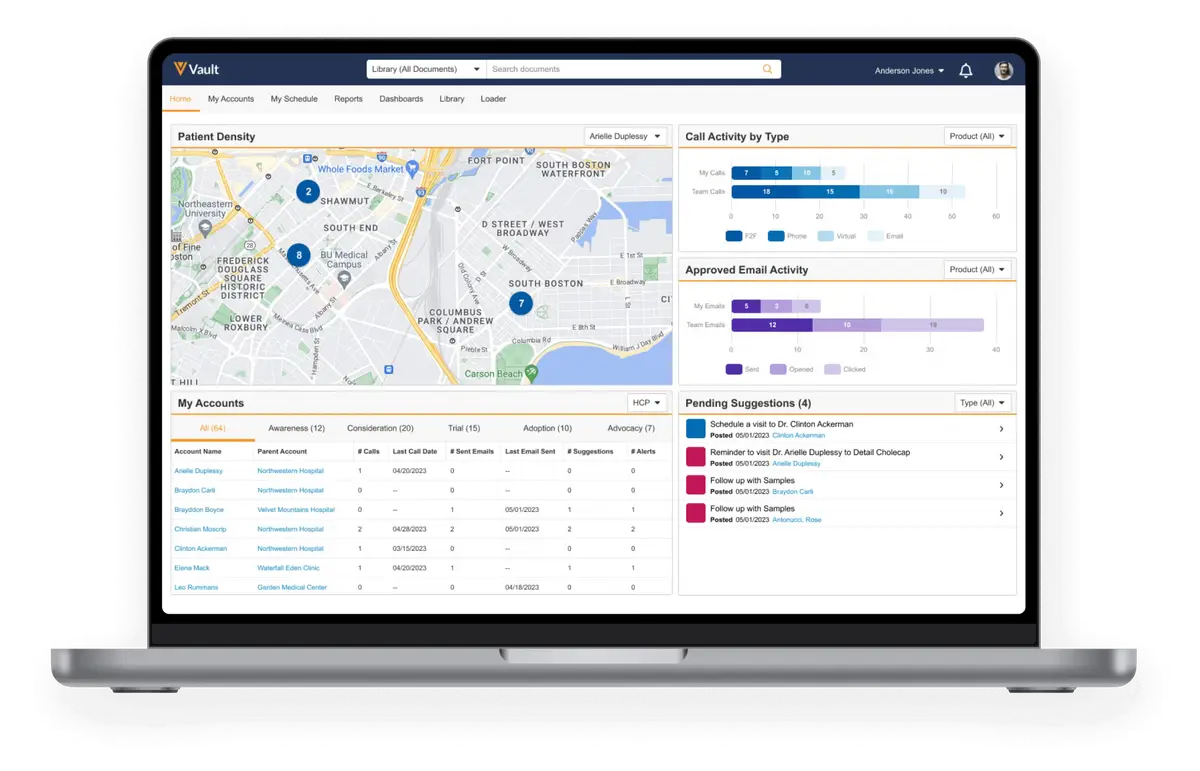
Veeva Vault Platform: Architecture and Development Overview
A comprehensive technical guide to Veeva Vault Platform, covering architecture, development capabilities, integration options, and security features for software developers.
Veeva Vault CRM: Zero to Hero
A comprehensive training manual for pharmaceutical sales representatives on using Veeva Vault CRM, covering account management, call logging, CLM presentations, sample distribution, Veeva AI Agents, and data synchronization on iPad, Android, and desktop. Updated for the 2025-2026 Vault platform transition.