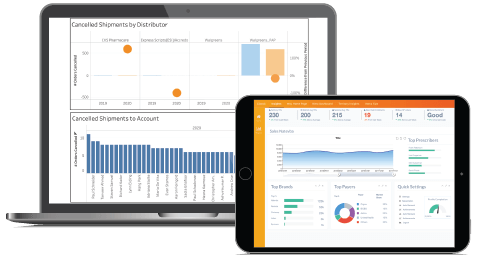
Veeva Nitro Dashboards: Data Architecture Best Practices

Building Veeva Nitro Dashboards: Data Architecture Best Practices
Executive Summary
This report provides an in-depth analysis of data architecture principles and best practices for building robust dashboards on the Veeva Nitro platform. Veeva Nitro is a cloud-based data warehouse and analytics platform specifically designed for life sciences commercial data ([1]) ([2]). It offers a packaged, industry-specific data model delivered on Amazon Redshift (a petabyte-scale, massively-parallel cloud data warehouse) to enable fast, scalable analytics ([3]) ([2]). Nitro integrates data from Veeva applications (e.g. CRM, Vault) and third-party sources (e.g. IQVIA prescription or claims data) via pre-built connectors, automating the ETL process ([4]) ([5]).
In this report, we first provide background on the challenges of data integration and reporting in life sciences. We then describe Nitro’s architecture, including its layered data model (staging, ODS, dimensional store, and reporting layers) ([6]) ([7]) and its connector framework (Intelligent Sync, Industry Data, and Custom connectors) ([5]) ([4]). Next, we summarize general data-warehousing best practices (schema design, data pipelines, governance, Redshift tuning) and how they apply to Nitro. We discuss techniques for effective dashboard development, including data preprocessing, choose-of-visualizations, and performance considerations. We illustrate concepts with real-world customer examples (e.g. Agile Therapeutics, Shionogi, etc.) that highlight the benefits of Nitro for rapid insight generation and the role of sound data architecture in their success ([8]) ([9]) ([10]). Finally, we explore future trends (AI/ML integration, data mesh, regulatory factors) and implications for Nitro’s evolution.
Key findings include:
-
Accelerated Time-to-Insight: Nitro’s prebuilt, industry-tailored data warehouse allows companies to go from implementation to actionable insights in weeks rather than months. For example, Agile Therapeutics integrated 12+ patient data sources and 1M+ records into Nitro in just 10 weeks ([8]). Similarly, Karyopharm and MannKind went live on Nitro within 5 months ([11]), and Shionogi achieved “actionable insights within one month” of go-live ([12]).
-
Unified Data Foundation: By aligning internal Veeva data (CRM, PromoMats, etc.) with external commercial data (sales, prescriptions, claims), Nitro creates a single source of truth for analytics ([4]) ([13]). Its data layers (staging→ODS→DDS→reporting) enforce a clean dimensional schema that supports consistent reporting across metrics. For instance, Shionogi integrated sales, field activities, digital content usage, and third-party datasets into Nitro to allow cross-market comparisons ([13]).
-
Performance and Scalability: Built on Redshift, Nitro inherits MPP (massively-parallel processing) and columnar technology ([3]) ([14]). Nitro supports billions of rows (petabyte-scale) and fast query speeds for large data sets ([3]) ([14]). Best practices around table design (sort/distribution keys, compression, partitioning) and efficient ETL ensure dashboards remain responsive. Veeva documentation urges designers to leverage Redshift’s architecture (columnar storage, compression, parallelism) for speed ([15]).
-
Governance and Quality: Nitro provides built-in data governance: namespaces for metadata (Veeva vs custom), role-based access control, and packaged data-quality rules ([16]) ([17]). Best practices include using surrogate keys (from an MDM like Veeva Network) for master records, tracking slowly changing dimensions (using effective dating in the ODS), and validating data at each pipeline stage. Veeva’s MDM product (Network) integrates with Nitro to ensure unified identifiers for customers and products ([18]).
-
Dashboard Implementation: Nitro Explorer (based on Apache Superset) provides an integrated IDE for building charts and dashboards ([19]) ([20]). It uses the same data in Nitro’s warehouse, eliminating data duplication. Dashboards should be designed with clear KPIs, efficient queries, and proper filters.Dashboards can be shared by roles and exported/imported across instances ([21]) ([22]). Field teams can also access Nitro data via Veeva CRM MyInsights (offline mobile reporting).
-
Future Directions: The life sciences industry is moving toward AI/autoML and real-time analytics. Nitro’s cloud foundation allows rapid scaling (e.g. Redshift Serverless, data sharing) and incorporation of AI pipelines. However, regulated industries remain cautious about fully decentralized data meshes ([23]), so Nitro’s curated, compliant warehouse model remains attractive. Nitro is positioned to enhance support for streaming ingestion and predictive analytics in coming years.
This report is heavily sourced from Veeva documentation and press releases, AWS best-practice guides, and real-world case studies. All claims and data are cited to authoritative sources, ensuring evidence-based conclusions.
1. Introduction and Background
1.1 Data Challenges in Life Sciences
The life sciences and pharmaceutical industries are “awash with data” ([24]). Sales and marketing teams generate large volumes of operational data through CRM and digital channels, while clinical and regulatory functions accumulate patient, drug, and trial data. For example, Veeva Vault can contain terabytes of historical regulated content (e.g., a migration of quality documents involved 1.7 TB ([25])). Veeva CRM, tailored for pharma sales, records millions of HCP interactions per year from thousands of reps ([26]). At the same time, syndicated data providers (IQVIA, Symphony Health, government sources) stream prescription, sales, and claims data at regional and national levels.
This diversity of data sources creates two main challenges:
- Integration Complexity: Traditional solutions required companies to build custom data warehouses or data lakes to aggregate Veeva data with external sources. These custom architectures are often inflexible and resource-intensive to maintain ([27]). As Veeva CIO Dan Utzinger notes, “Custom data warehouses are inherently inflexible… it can take weeks to get answers every time a new data source is added” ([27]).
- Time-to-Insight: Long development cycles delay insights. In pharmaceutical launches, marketing teams need rapid answers (e.g., penetration of specific patient segments or effectiveness of targeting efforts), but static or poorly integrated systems leave stakeholders waiting days or weeks for reports.
According to industry analysts, packaged cloud solutions tailored to life sciences are transforming this landscape ([28]). Veeva Nitro was introduced in 2018 as a pre-built, life-sciences-specific data warehouse to address these gaps ([1]). Whereas companies once built bespoke warehouses, Nitro provides an industry model and standard connectors out-of-the-box, “making custom data warehouses the exception, not the rule” ([27]) ([28]).
1.2 Evolution of Life Sciences Analytics
Historically, large pharma firms managed multiple point solutions: one for sales reporting, another for market research, and occasional bespoke databases for aggregated analytics. This siloed approach hindered a unified view of customer engagement. The rise of cloud data platforms (e.g. Snowflake, BigQuery, Redshift) has spurred a shift towards integrated data lakes and warehouses ([29]). Convergence of CRM, marketing, and analytics in life sciences has been accelerated by regulatory pressures (auditability, compliance) and by the proven benefits of omnichannel analytics.
Veeva Systems, as a leader in life sciences SaaS (CRM, Vault, etc.), leveraged its domain expertise to build Nitro. It leveraged Amazon Redshift to ensure scalability ([3]), and embedded pharma industry best practices into its data model ([1]). Over time, Nitro has matured from a nascent product to one adopted by major enterprises: in early 2019, Veeva announced that a half-dozen companies (including Karyopharm and MannKind) went live on Nitro in under five months ([11]). By late 2025, dozens of life sciences organizations worldwide (from emerging biotechs to large pharma) are using Nitro as the centralized foundation for their commercial analytics.
Veeva continues to expand Nitro’s capabilities. For example, Nitro now supports external reporting in third-party BI tools or Veeva’s own CRM MyInsights mobile reports. It also contributes to Veeva’s vision of enabling AI/ML in life sciences: in 2024, Veeva published thought leadership on Nitro as “the missing link for AI in life sciences” (enabling large AI models to consume integrated commercial data).
This report focuses specifically on the intersection of data architecture and dashboarding within the Nitro ecosystem. It assumes a knowledge of basic data warehousing concepts, and explores how to apply those principles in the context of Veeva Nitro to maximize the value and performance of dashboards.
2. Overview of Veeva Nitro Platform
In this section, we review the key components and features of Veeva Nitro: its purpose, underlying technology, and high-level architecture. We draw from Veeva’s documentation and industry analyses to explain how Nitro unifies data and supports analytics.
2.1 Platform Purpose and Scope
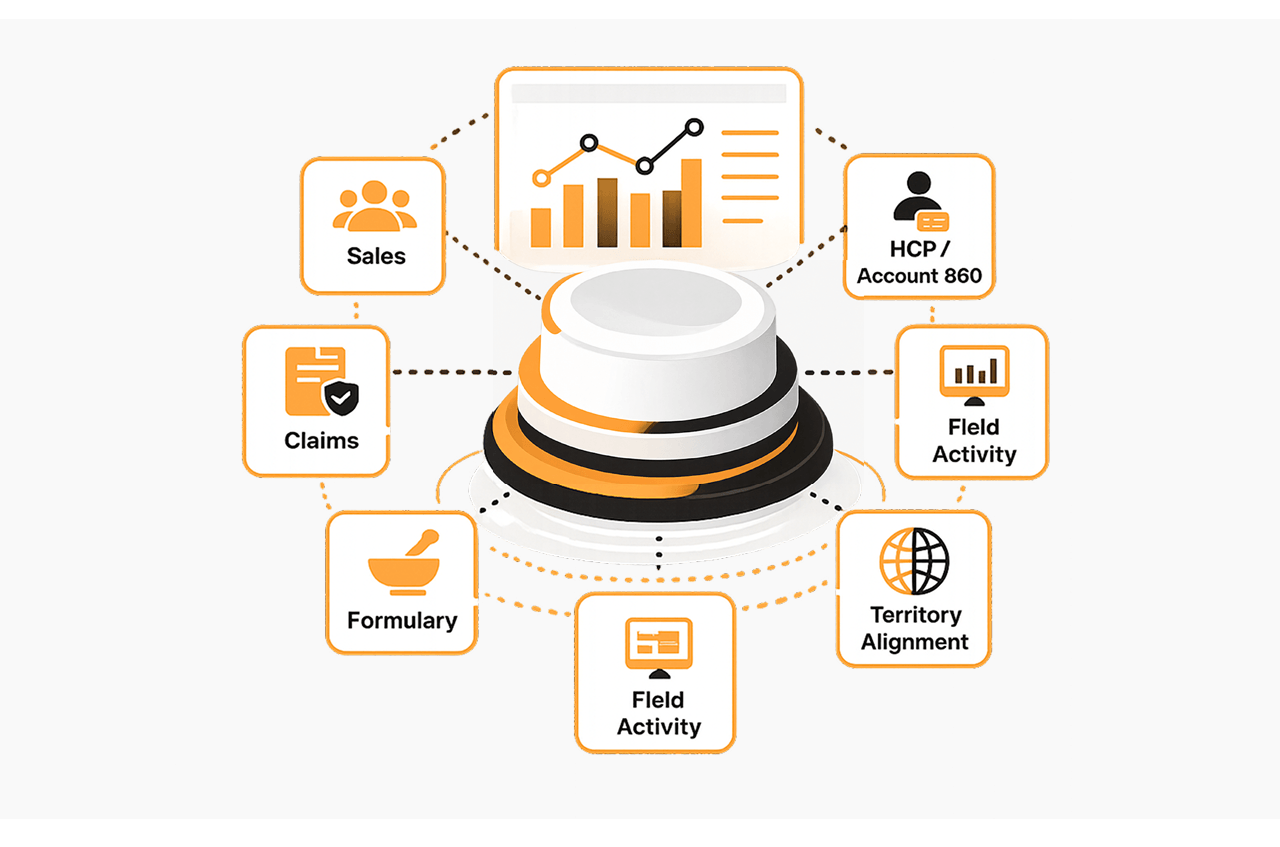
Veeva Nitro’s core purpose is to answer business questions from life sciences commercial data ([30]). It is positioned as the “commercial analytics platform” for life sciences ([1]) ([31]), delivering insights across functions (sales, marketing, managed markets). Key aspects of Nitro include:
-
Pre-built Data Model: Nitro comes with a schema tailored to life sciences KPIs. This includes entities like HCP (healthcare provider), HCO (healthcare organization), product, and customer, as well as relevant metrics (sales, calls, claims). The data model is extensible but provides an industry-standard structure, reducing design effort ([32]).
-
Comprehensive Data Integration: Nitro has connectors to Veeva’s own systems (CRM, Vault, PromoMats) and to common third-party sources (e.g. IQVIA). These connectors automate much of the ETL, so that updates in source systems propagate into Nitro without heavy manual coding ([5]) ([4]). As one case study put it, “Nitro seamlessly integrated sales and field data from Veeva CRM, content data from Veeva PromoMats, and third-party data” into a unified dataset ([13]).
-
Snowflake-Style Flexibility in Redshift: Nitro is built on Amazon Redshift – a cloud-native MPP data warehouse ([3]). It behaves similarly to other cloud DWHs (e.g. supports SQL querying). Veeva leverages Redshift’s elasticity and performance; for example, Nitro can scale up to petabytes of data while providing sub-second response on BI queries ([3]) ([14]).
-
Analytics and BI: Nitro includes Nitro Explorer, an Apache Superset-based data visualization and exploration tool ([19]) ([20]). This allows users to build charts and dashboards directly on Nitro data without exporting. At the same time, Nitro is “analytics-ready” – customers may use any BI/AI tools of their choice over the Nitro warehouse ([33]) ([34]). Notably, Veeva CRM MyInsights is a key consumer of Nitro: it automatically syncs Nitro data to mobile devices so field reps can view dashboards offline ([33]) ([34]).
-
Agile Delivery and Updates: As a SaaS product, Nitro is continually updated. Veeva manages the underlying Redshift infrastructure. Customers receive new data sources and features via versioned metadata packages and automated connector updates. This ensures customers get improvements (and data model enhancements) without re-building pipelines.
2.2 Architecture and Components
Veeva documentation describes Nitro’s architecture in terms of a cluster and a set of instances ([35]). A high-level view:
-
Cluster: Each customer has one Nitro cluster – this is Veeva’s managed Redshift cluster for that customer ([36]). The Admin Console at the cluster level shows overall health and lets administrators manage instances ([36]).
-
Instances: Within a cluster are one or more Nitro instances, logical and physical separations for different environments (e.g., production, dev, test) ([37]). Each instance has its own Redshift database. Common instance types are:
-
Production Instance: the live, business-facing data and processes.
-
Test Instance: a final integration testing area before production.
-
Dev Instance: a sandbox for development of new pipelines and reports.
-
Redshift Database and Schemas: Each instance’s database contains multiple schemas. Schemas group tables and other objects by function or connector. Nitro uses specific namespaces to organize metadata:
-
v (Veeva namespace) for Veeva-managed objects,
-
custom for customer-owned objects,
-
and no prefix (default) for unnamed namespaces ([16]).
For example, Veeva-provided tables live in schemas under the v namespace, while custom tables reside in customer schemas.
- Data Layers: Inside each database, Nitro implements a layered architecture ([38]). Data flows through these conceptual layers as it is processed and enriched (see Table 1 below):
| Nitro Layer | Abbreviation | Purpose |
|---|---|---|
| Staging | stg | Landing zone for raw data exactly as extracted from sources. No transformations (one-to-one with source). |
| Operational Data Store | ods | Cleansed data: nulls filled, unnecessary columns dropped. Time-aware (effective dated) tables for versioning. |
| Dimensional Data Store | dds | Dimensional (star-schema) tables: fact tables and dimension tables (keyboarded for BI). Supports analytics. |
| Reporting (Current) | report_current | Views on ods exposing only the latest record (e.g. end_date__v IS NULL rows). For current state queries. |
| Reporting (History) | report_history | Views on ods exposing all rows (full history). Useful for audit and historical reports. |
| MyInsights Layer | myinsights | Views built for consumption by CRM MyInsights (Synced to mobile). Supports field analytics offline. |
Table 1: Nitro’s database layers from raw staging to analytics-ready reporting ([6]) ([7]).
Each layer is implemented as one or more schemas in Redshift. For example, Veeva ships packaged dimension and fact tables (stars) in the dds layer, and provides views for current vs. historical reporting. The ods layer often contains time-stamped transactional tables (e.g., calls, orders) with start_date__v and end_date__v for change-tracking ([39]). This architecture enforces best practices: raw data is kept intact for traceability, and all business logic (cleansing, keys, hierarchies) happens in the middle layers so reporting views are streamlined and performant.
- Data Connectors: Nitro ingests data via connectors ([40]). There are three main types (Table 2):
| Connector Type | Data Sources | Examples |
|---|---|---|
| Intelligent Sync Connector (Veeva Sync) | Veeva applications (CRM, Vault) | CRM Opportunity/Account data; Vault PromoMats and Vault CRM Metadata ([41]) |
| Industry Data Connector | Syndicated/partner data | Prescription data (IQVIA), sales data (Symphony Health), claims and formulary data ([4]) ([42]) |
| Custom Connector | Customer-specific sources | Proprietary data or files from SFTP; loaded into user-defined schemas ([43]) |
Table 2: Nitro connector types and example data sources ([5]) ([4]).
The Intelligent Sync connectors are “pre-built connectors to other application platforms” ([41]). For instance, Nitro provides a Veeva CRM connector that automatically imports CRM metadata and data – and when Veeva CRM’s object structure changes, Nitro’s schema is updated without custom ETL work ([41]). The Industry Data connectors bring in third-party datasets via flat files (SFTP) and apply standard business logic (e.g. mapping codes, hierarchies) ([42]). Customers can also build custom connectors: essentially SFTP jobs plus SQL scripts that load data into Nitro schemas designated for bespoke data ([44]).
-
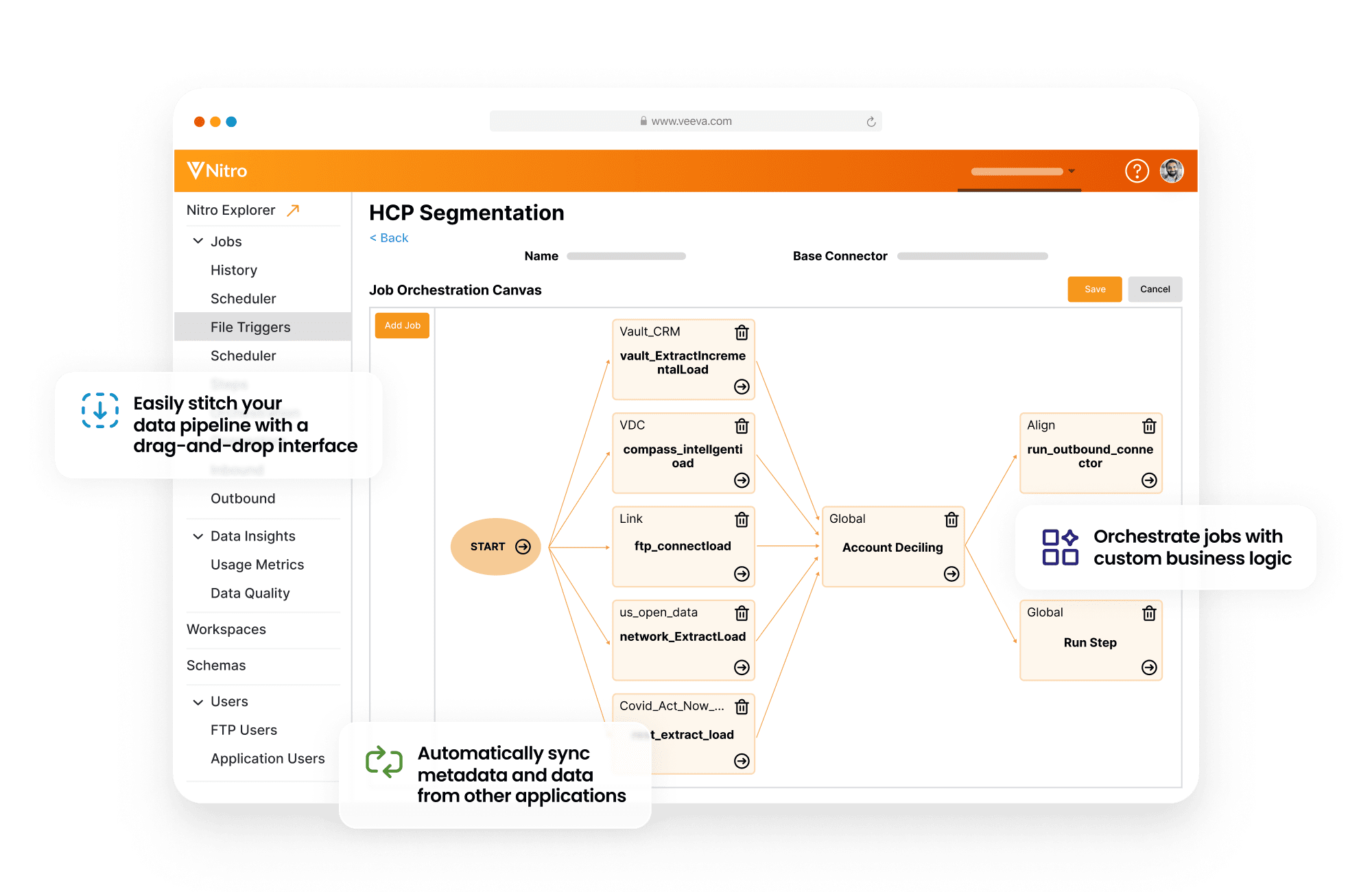
Processing and Jobs: Nitro orchestrates data loads and transformations via jobs, which consist of task sequences (see documentation ([45])). Each connector is implemented as a package of SQL scripts and ETL tasks. Jobs can be run on-demand or scheduled using the Nitro Admin Console ([46]). For example, overnight nightly jobs may refresh transaction data, while certain MyInsights-related views may sync more frequently. Packaging jobs and metadata into reusable modules (controlled by namespace) ensures that standard processes are consistent, and customer extensions coexist with Veeva-managed logic.
-
Security and Governance: Nitro enforces role-based access. Dashboards and data objects are protected by roles, which can be assigned to users ([21]). Nitro tracks namespace ownership (Veeva vs custom). It also includes features like data mask or row-level security via views, although specifics depend on deployment. By default, Nitro data is encrypted at rest (as Redshift does by default ([47])) and in transit (Redshift connection encryption) to meet enterprise standards.
2.3 Visualization and BI
Nitro provides multiple pathways to build dashboards:
-
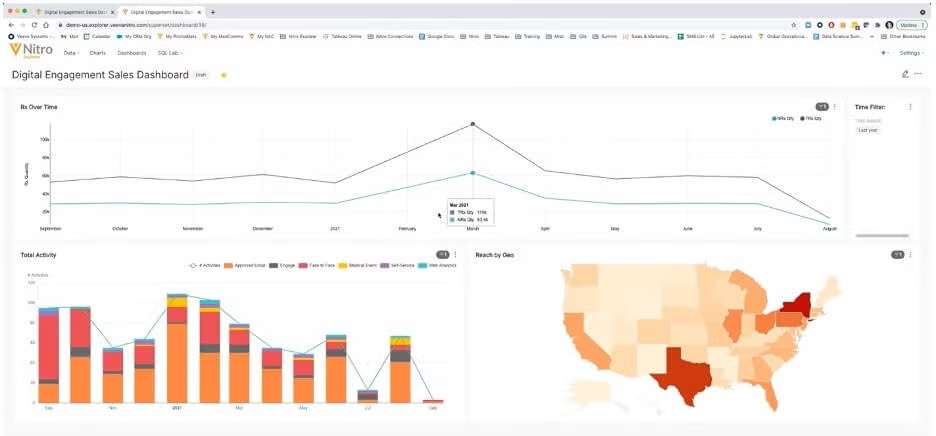
Nitro Explorer Dashboards: A built-in feature (based on Apache Superset ([20])) where analysts can create datasets (materialized or query-based), attach charts, and assemble dashboards. Nitro Explorer “helps customers dig into their data and build analytics around it faster than ever before” ([19]) by allowing both technical and non-technical users to interact with the same data. Users can write SQL (via the SQL Lab) or use a visual interface, and share dashboards by roles ([19]) ([21]). Nitro Explorer supports a rich set of chart types (maps, heatmaps, tables, etc.) due to its Superset core ([20]).
-
External BI Tools: Since Nitro is a standard Redshift data warehouse, it is compatible with external analytics tools (Tableau, Qlik, PowerBI, etc.). Data analysts can connect via JDBC/ODBC and use their preferred BI front-end. For example, Shionogi configured Nitro to feed Tableau for corporate reporting ([13]). Nitro’s dimensional schema (star tables) helps standard BI queries and maintains performance.
-
CRM MyInsights: Nitro integrates directly with Veeva CRM’s MyInsights mobile dashboards. Any time data changes in Nitro, that data can sync to Veeva CRM for field rep access ([34]). MyInsights uses a curated set of Nitro views (the
myinsightslayer) that are optimized for on-device display. This allows Nitro insights to be delivered to reps on their tablets/phones as daily reports, supporting offline analytics.
2.4 Current State of Nitro Adoption
Veeva launched Nitro in 2018 and, as of late 2025, it is considered a “mature” product ([48]). Early adopters include small and mid-size biotechs (e.g. Agile Therapeutics) and large pharma (Shionogi, Karyopharm). Public case studies highlight outcomes:
-
Fast Deployment: Several companies report going live in 3–6 months. In one announcement, Veeva stated 6 companies chose Nitro and got live in under five months ([11]). Agile Therapeutics, an emerging biotech, went from zero to Nitro analytics in ~10 weeks ([8]).
-
Data Breadth: Customers typically integrate all their key commercial data. For Agile, this meant adding over 12 patient-level data sources (sheets and syndicated) ([8]). Shionogi Europe ingested sales, field activity, Veeva content usage, and third-party data into Nitro to achieve a single source of truth ([13]).
-
BI Integration: Companies are using Nitro to centralize analytics. Karyopharm’s CTO noted Nitro gave them capabilities that other solutions take “years to deliver” ([49]). An animal health leader achieved a 15% customer segmentation rate (vs 4% baseline) after Nitro-driven analytics, and raised timely report submissions from 40% to 50% ([10]). Scilex Holding (via a systems integrator) built custom MyInsights dashboards on Nitro, giving sales reps daily updates on territory prescriptions and claims ([50]).
The breadth of Nitro features means organizations can avoid building their own DWH or analytics schema. Veeva positions Nitro as enabling self-service analytics: “anyone in the organization can easily share visualizations across the organization to accelerate time-to-insights” ([19]). This vendor-led, domain-specific approach is a key differentiator compared to generic cloud data warehouses.
3. Data Architecture Best Practices
Effective dashboarding on Nitro requires a solid data architecture foundation. In this section, we describe best practices drawn from data warehousing literature, cloud DW guidelines, and Veeva’s own recommendations. We cover data integration, modeling, performance, and governance, emphasizing how each applies within Nitro.
3.1 Data Integration and ETL
3.1.1 Connector Strategy. Nitro’s connectors automate much of the ETL work ([5]), but customers still must plan data integration carefully. Best practices include:
-
Use Pre-built Where Possible: Leverage Nitro’s Intelligent Sync connectors for Veeva data (CRM, Vault, etc.) ([41]). These connectors not only bring in data, but also synchronize metadata changes. For example, adding a new field in Veeva CRM can be auto-propagated by the Nitro CRM connector, avoiding manual schema updates. Similarly, use Industry connectors for common syndicated data like IQVIA (prescriptions) or Symphony (sales) ([4]) ([42]). This minimizes custom coding and ensures that standard transformations (e.g. HCP hierarchy mappings) are applied consistently.
-
Custom Connectors for Unique Needs: When data sources are not covered by Nitro’s out-of-box connectors (for example, a proprietary sales system, or a partner file share), use Custom Connectors. According to Veeva, custom connectors allow arbitrary SFTP loads into designated schemas ([43]). For each custom source, define a clear schema with appropriate data types, and write SQL transformations in Nitro (via tasks) to cleanse and join the data.
-
Batch vs Real-Time Balance: Nitro typically operates in a batch/near-real-time mode. Plan schedules for data loads realistically: nightly loads of CRM and sales data are common. If more timely data is needed (e.g. daily updates for field reports), configure more frequent incremental loads. Nitro jobs can be run on-demand or scheduled ([46]), so usage patterns will dictate frequency. For extremely time-sensitive data (e.g. last-minute sales numbers), consider direct API ingestion or building micro-batch pipelines into a staging schema, though Nitro is not primarily a streaming platform.
-
Master Data Management (MDM): Integration with MDM is crucial for consistent analytics. Life sciences companies often have a client/vendor master (HCP/HCO). Veeva’s own MDM product, Network, provides a consolidated registry of HCPs/HCOs (see Figure 1) ([18]). Best practice: align Nitro’s key identifiers with your MDM. For example, use the MDM’s stable HCP ID as a key in Nitro dimensions. The IntuitionLabs report notes that combining Veeva CRM data with external data requires aligning on master keys (e.g. matching CRM doctor records to a master ID to join prescription data) ([51]) [(Note: [50] is IntuitionLabs, an analysis referenced here for concept)]. In practice, one might load a reference table from the MDM into Nitro and use it in transformation jobs to resolve HCP/HCO identities. Veeva Network also has connectors to Nitro, CRM, and even external systems ([18]), which can simplify this alignment.
3.2 Data Modeling and Schema Design
3.2.1 Star Schema Approach. Nitro’s DDS layer is organized as dimensional (star) schemas ([7]). Industry best practices (e.g., Kimball methodology) recommend modeling facts (measurable events) surrounded by dimensions (contexts) to optimize analytical queries. Nitro’s out-of-the-box dds layer already provides common stars (e.g., sales fact linked to HCP, product, time, geography dimensions ([7])). When customizing, do the following:
-
Surrogate Keys & Date Keys: For every dimension table, use a recommended surrogate primary key (integer) as Nitro shows in its templates. This decouples the DWH from source system keys which might change. For example, if integrating a custom contact list, assign Nitro a new dimension table with an auto-increment
hcp_keyinstead of using an external ID as primary key. Always include a Date dimension with integer keys (e.g.,date_key,year,month, etc.) to join fact rows intuitively. Nitro’s model uses date keys in the ODS and DDS, which helps slice data by reporting periods. -
Dimension Denormalization: In star schemas, dimension tables are often denormalized (no further joins) to reduce query complexity. Best practice: flatten attribute hierarchies into single dimension tables where sensible, as long as size is manageable. For example, a “Region” dimension might have country, region, and city attributes in one table, rather than separate tables. This aligns with guidance to “include all necessary attributes within each dimension table to minimize joins” ([52]). Nitro’s delivered dimensions follow this; if creating new ones, you may apply similar denormalization. However, weigh this against update complexity: hierarchical updates may then require updating one table.
-
Handling Slowly Changing Dimensions (SCD): Nitro’s ODS layer uses effective dating for changes ([39]). That is, when a dimension attribute changes (e.g. territory reassignment), Nitro stores a new row with the appropriate
start_date/end_date__v. For downstream reporting, thereport_currentlayer shows only the latest version (whereend_date__v IS NULL) ([53]), whilereport_historyexposes all prior versions. Follow the pattern: treat dimensions with history as type-2 slowly changing dimensions, leveraging this built-in mechanism. Veeva’s documentation explicitly notes that ODS tables record all changes over time for historical analysis ([39]). As a best practice, always populate date columns correctly in source data or in transformation jobs so that the ODS can apply this logic (e.g. when inserting/updating, setend_date__von old rows and insert new rows with updated attributes). -
Dimension Structure: Maintain clear hierarchies. If an attribute is hierarchical (e.g. product → brand → portfolio), ensure those levels exist (either in one dimension or as lookup tables). Nitro’s delivered model includes many business hierarchies (e.g. country → region → territory). When adding brand-specific attributes, place them in the same table or a closely linked dimension to preserve drill-down paths. Table keys should enforce relationships (primary keys on dims, foreign keys in facts, though Redshift does not enforce them physically).
-
Column Design: Use appropriate data types (e.g., numeric for costs, dates for date fields, varchar of minimal needed length for text). Follow Redshift guidelines: as Amazon notes, “use the smallest possible column size” ([54]) to save storage and speed I/O. Also apply compression where beneficial (
COPYauto-compression is recommended) ([55]). Nitro includes columns likenumber_of_calls__vortrx_qty__v; if extending with new fields, pick precise types.
3.3 Query Performance and Scaling
3.3.1 Redshift Optimization. Because Nitro runs on Amazon Redshift, all Redshift best practices apply ([15]). A summary:
-
Sort and Distribution Keys: Define sort keys on columns commonly used in filtering or join predicates. For example, sort the large fact tables by date (date columns often see range scans) and by ID joints (e.g. customer ID) if queries often restrict by time period or customer. Redshift can sort by multiple columns (
SORTKEY (date_key, customer_key)), or even useAUTOmode. The documentation recommends picking keys that align with query patterns ([56]). Similarly, set distribution styles to avoid data skew in joins: e.g. if sales fact joins HCP dim, distribute on HCP key so that matching occurs on the same node. -
Automatic Optimization: Redshift offers Automatic Table Optimization (ATO) in modern versions. If available in the Nitro environment, enabling ATO (
INTERLEAVED SORTKEY AUTO, etc.) can relieve you of manual tuning by letting Redshift dynamically choose sort keys based on usage patterns (see AWS docs on Automatic Table Optimization). Check with Veeva if Nitro instances support this feature. -
Bucketing (for Redshift): Nitro's Veeva-managed tables often have an intended distribution style. When adding custom tables, consider distribution: EVEN for uniform distribution or KEY for joining on a common key. Avoid ALL distribution except for very small lookup tables, as it replicates data to all nodes.
-
Cluster Sizing: Nitro administrators can scale Redshift cluster nodes. In practice, ensure the Nitro cluster has enough nodes (or RPU capacity if using Redshift Serverless) to handle peak needs. Veeva sets this initially, but customers should monitor key metrics (CPU, disk, query queue times). For very large data scenarios, Nitro leverages Redshift’s ability to span multiple compute nodes, so the platform can grow with data.
-
Efficient Queries: Write “dashboard queries” carefully. Pre-aggregate or summarize data when feasible. For example, if a dashboard displays monthly sales by region, create a summary table or materialized view rather than querying a 100-million-row table every time. Nitro allows creating such aggregated tables (either via packages or manual tasks). Use views in the
report_current/report_historylayers to hide complexity from dashboard authors: these views can join facts and dims into ready-to-consume tables so that BI tools do less heavy lifting. Nitro’s own helpers (like thereport_currentview layer) can be considered automated summaries of the ODS. -
Concurrency Scaling: If many users or dashboards run simultaneously, consider enabling Redshift Concurrency Scaling (if Nitro supports it). This spins up additional transient clusters to handle bursts. While Nitro is managed by Veeva, you may request concurrency or maintenance windows as needed.
-
Caching: Nitro Explorer (Superset) may cache query results for a session. When refreshing dashboards, test if redundant queries can be consolidated. In Tableau/PowerBI, consider using extract refreshes or leveraging Redshift’s result caching (note: Redshift caches query results only on the same cluster when data is unchanged).
-
Incremental Loading: Rather than truncating and reloading entire tables, use incremental (upsert) Loads. For large tables (e.g. millions of rows of call activity per day), it’s best to append new records and update changed ones, as Nitro does via effective-date logic. Bulk COPY commands should be used over single-row inserts to Redshift for speed (Nitro’s connectors use bulk loads).
Overall, the combination of Redshift best practices (parallelism, keys, compression) and Nitro’s layered model creates an environment where user queries typically run quickly, even on large datasets ([3]). Customers have reported “answers in seconds” ([57]) on Nitro dashboards, a dramatic improvement over legacy systems.
3.4 Data Quality and Governance
In life sciences (and in commercial ops), data quality and regulatory compliance are paramount. Nitro eases some responsibilities by providing standard data models and some quality frameworks, but customers must enforce additional best practices:
-
Data Lineage and Traceability: Ensure every dashboard metric can be traced back through Nitro’s layers to source data. Since Nitro’s layers preserve raw staging and a history in ODS, governance is easier: one can audit by examining the ODS
report_historyviews to see original values. Establish documentation (or use Nitro’s metadata tracking) for each field, especially custom ones. -
Data Quality Rules: Nitro’s metadata package includes a
dataQualityRulesfolder ([17]). Vendors often upload or author SQL-based rules here (e.g. “no null account IDs in call logs” or “valid NDC codes for products”). Use reconciliation jobs: e.g., compare sums of sales from Nitro vs sales from source. Veeva support notes that these rules can be deployed to any instance and executed as part of a job, flagging anomalies. -
Master Data Governance: As mentioned, link to an MDM system. If HCP/HCO data is updated in Veeva or externally, manage a feed into Nitro to keep master lists current. The Veeva Network product, for instance, can act as that system and has connectors to Nitro ([18]). Ideally, define one “customer master” key across enterprise systems; if not, map fields carefully in Nitro. Poor HCP matching can lead to double-counting or missed segments.
-
Metadata Management: Use Nitro’s namespace and customizable package structure to control which fields and tables are official vs experimental. Veeva’s “packages” (a directory of YAML/SQL) allow packaging all metadata changes (table definitions, tasks, etc.) for version control. Treat these like code: test in dev instance before deploying to prod instance ([58]). This ensures that changes to schema (e.g. adding a table or renaming a column) go through proper governance and do not break dashboard queries.
-
Role-Based Access and Permissions: Nitro dashboards are private by default and can be shared with specific roles ([21]). Best practice is to define roles (e.g. “US_Sales_Manager”, “EU_Analyst”) and grant access only as needed, both to dashboards and underlying datasets. For compliance, limit data access by geography or business unit within Nitro (e.g., filter row-level data by region if regulatory rules dictate). Nitro does not replace internal security policies for data; use it in conjunction with organizational governance (e.g., have an approval process for dashboard creation).
-
Compliance (GxP, 21 CFR, etc.): Nitro itself is not a GxP system (it’s not typically used for regulated clinical data). However, if financial or marketing data falls under audit, ensure that Nitro’s change tracking (ODS history) and user action logs can support audits. For example, Veeva Vault data comes with CFR-compliance. Nitro does not inherently enforce e-signatures on its ETL, but one can log who ran which job. As a best practice, keep consoles and database access tightly controlled, and archive snapshots if needed for FDA audits.
3.5 Data Pipeline Orchestration
-
Modularity: Organize Nitro jobs into modular packages ([58]). Veeva’s recommended structure uses separate folders for jobs, task sequences, SQL scripts, tables/fields definitions, and allowlists. Each package (owned by Veeva or by the customer) encapsulates a domain (e.g. “SalesConnect”, “ClaimsInc”). This modularity aids reuse and clarity. When constructing jobs, chain tasks logically (load staging, run cleansing SQL, then run dimension updates). Veeva’s YAML-based definitions for jobs/tasks support parallel execution (task sequences) for efficiency ([59]).
-
Monitoring and Alerts: Implement monitoring on Nitro loads. For example, after nightly ETL, it’s wise to have checks that row counts are within expected thresholds. Nitro’s Admin Console provides some job monitoring, but customers should also set up external alerts (e.g. a script that emails if a job fails). Timely detection of ETL issues (e.g. a missing file from a vendor) prevents stale data in dashboards.
-
Version Control and CI/CD: Since Nitro metadata is file-based, use a source control system (SVN or Git) for your YAML/SQL. Veeva’s “metadata package” can be exported, modified, and re-uploaded. In large organizations, integrating these with a CI/CD pipeline ensures that changes (new tables, updated scripts) are tested properly. Logging of changes and diffs between versions helps maintain data lineage and supports rollback if needed.
3.6 Security and Backup
-
Encryption: Redshift data is encrypted at rest by default (using AWS-managed keys) ([47]). Nitro inherits this, but confirm that customer data on Nitro is also encrypted in backups/snaps. For highly sensitive data, consider using Customer Master Keys (CMKs) in AWS to control encryption keys.
-
Database Backups (Snapshots): Redshift automatically takes periodic snapshots. Nitro customers should understand Veeva’s backup policies. In case of data corruption or accidental deletion, quick restore from a snapshot can be critical. Confirm that Nitro snapshots retain the needed data for a timeframe that suits your audit policies.
-
Network Security: Nitro (on Redshift) should restrict inbound connections. Usually, Nitro is accessed only through Veeva interfaces or authorized IPs for BI tools. Use Redshift’s security groups/VPC settings to lock it down. Data in transit should use SSL/TLS (Redshift supports SSL connections; ensure BI tools connect securely).
In summary, a best-practice Nitro deployment treats the platform like a managed enterprise data warehouse: design modular, auditable pipelines, enforce data consistency and quality, optimize for performance, and secure all dimensions of the data and access. Nitro’s Veeva-specific features (pre-built schemas, pharma connectors, automatic sync with CRM) simplify many tasks, but standard data-architecture rigor still applies.
4. Building Dashboards on Nitro
With a solid data foundation in Nitro, the next step is to construct meaningful dashboards. Here we cover best practices for dashboard design, data modeling for visualization, and the tools Nitro provides.
4.1 Nitro Explorer Dashboards
Dataset Creation. In Nitro Explorer (Superset UI), the process begins by defining a dataset (a table or a query) that will feed charts. You can use physical tables (from the dds layer) or create virtual datasets by writing custom SQL. Best practice: Create curated datasets that contain just the columns needed for analysis. For example, instead of exposing all columns of a raw fact table, create a view or materialized table with key fields (e.g. date, product, sales, HCP region). This reduces the complexity for dashboard users and improves query speed. Nitro’s SQL Lab lets analysts preview tables and write queries; non-technical users can then build charts without needing to write SQL.
Charts and Visualizations. Nitro Explorer offers many chart types (bar, line, table, map, heatmap, etc.) ([20]). Select charts that match the data: time-series charts for trends, maps for geographical data, bar charts for categorical comparisons. A best practice is to use a grid layout where charts align clearly, and to limit each dashboard to a handful of KPIs or charts (avoid overcrowding). Include filters (e.g. by product line, region) where useful, and ensure filter default selections make sense. Key performance metrics should be highlighted (e.g. total sales, growth rate, target attainment). Explain complex metrics with comments or tooltips.
From an architectural standpoint, build dashboards off the reporting layer of Nitro (the dds or report_current layers), not the raw staging. This ensures that the data is clean and harmonized. For example, a field rep dashboard for territory performance might use a pre-constructed Sales_Fact in dds and join to a HCP_Dim for territory info. Whenever possible, leverage views or aggregated tables that Nitro provides rather than writing complex joins in the BI tool.
Access Control: Nitro dashboards default to private. An administrator must explicitly grant access to roles ([21]). Plan access by audience: e.g. marketing managers see market-level dashboards, whereas individual reps see only their territory data. Nitro roles are instance-specific; as [7] notes, a role identifier looks like <Instance>::<User>::role__v. Grant dashboards and underlying data schema permissions to roles, not directly to usernames, to simplify management.
Sharing and Collaboration: Dashboards can be imported and exported as JSON (via Nitro Explorer UI) ([22]). Use this for promoting dashboards between instances (e.g., dev→test→prod) or sharing template dashboards across peers. Nitro recommends version-controlling these JSON exports alongside your metadata.
4.2 Dashboards Best Practices (Design and Performance)
Beyond the tool, general dashboard design best practices apply:
-
Clarity and Minimalism: Limit each dashboard to its core message. Use whitespace to separate sections. Avoid 3D or overly complex charts. Keep color schemes consistent (e.g., pharma branding). Label axes and units. Legends and titles should be clear. For example, if showing “Rx Utilization,” clarify units (e.g. “thousands of doses”) on the chart.
-
Single Dashboard per Business Question: Avoid cramming unrelated metrics together. Instead, create separate dashboards (or tabs) for different purposes (e.g., one for sales performance, another for promotional efficiency). This reduces cognitive load.
-
Aggregate vs Detail: If a dashboard runs slowly, try precalculating heavy joins. Nitro allows creating aggregated summary tables (e.g. daily sales by region) by running regular jobs. Use those as data sources for charts instead of raw transaction tables. This is akin to a data mart for reporting.
-
Avoid Low-Value Filters: Each interactive filter (drop-down) can increase SQL complexity. Only include filters that users will truly need. For example, filtering by a year or product family is common; filtering by every district drop-down may not be needed if you already have a map.
-
Mobile & Print Views: If dashboards may be viewed on tablets (via Nitro Explorer mobile) or printed, design with responsiveness. Superset allows some mobile-friendly layouts. Use larger fonts and avoid chart elements smaller than ~300px.
-
Data Refresh and Staleness: Clearly indicate how current the data is (a “Last updated” timestamp). Schedule updates appropriately: if Nitro ETL runs nightly, show that date. Users trust dashboards more when they know the refresh frequency. For executives, consider scheduling a final refresh (or snapshot) just before key presentations to ensure all data is captured.
4.3 External BI Tools and MyInsights
External Tools (Tableau, PowerBI, etc.): Nitro’s Redshift backend makes it compatible with any BI tool that can connect to Redshift. In practice, many organizations still use corporate-standard tools. Architects should:
- Publish ODBC/JDBC connection details (host, port, credentials) for the Nitro Redshift endpoints.
- Set read-only database accounts for BI connectivity to avoid accidental writes.
- Document the Nitro schema (or provide an ER diagram) so BI developers know table and column meanings. Veeva’s metadata tables (e.g. table and field descriptions) can be queried to generate data dictionaries if needed.
- Encourage the use of the same star-schema tables as in Nitro Explorer. For example, if Nitro’s
dds.Veeva_Sales_Facttable exists, have Tableau use that rather than duplicating joins. - Utilize Redshift’s federated query capabilities if needed to combine Nitro data with external S3 data (though this may complicate performance).
Veeva CRM MyInsights: Field reps will often consume Nitro data on smartphones via MyInsights. Ensure that necessary dashboard “gadgets” are built in Veeva CRM referencing Nitro objects. Key practice: only include essential KPIs for the field (e.g. call activity, sample orders by doctor) to avoid overwhelming the mobile interface. Nitro’s myinsights views are optimized for this. Regularly validate that data sync works: Veeva alerts notify when Nitro-to-CRM sync fails. Since Nitro feeds MyInsights automatically, any new dashboard metric needs a corresponding view in the myinsights schema and a matching set of fields defined in CRM page layouts.
4.4 Example Metrics and Data Preparation
Dashboards are only as good as the metrics behind them. In life sciences, common commercial metrics include:
- Sales and Prescriptions (TRx): Units sold by region/time, often by product or brand.
- Call and Engagement Metrics: Number of reps visits, presentations, samples distributed.
- Coverage: HCP reach (what percent of target HCPs were contacted).
- Segmentation & Targeting: e.g., proportion of customers received appropriate messages.
- Formulary status: Coverage of drugs on insurance formularies.
- Market Share or Penetration: For brand vs class, or region vs region.
- Promotional ROI Metrics: e.g., sales lift per marketing campaign spend.
Each of these usually involves custom calculations. Best practice: pre-calculate heavy measures in a Silver or Gold table if possible. For example, rather than computing "Change in TRx vs last quarter" in the dashboard query, create a quarterly sales summary table with current/previous period figures. Nitro does not currently have a built-in “session variables” or ETL transforms beyond SQL, so such computation must be done as a scheduled job (e.g. a nightly job that checks each metric).
Case Example – Customer Segmentation: The animal health example saw segmentation rate rise from 4% to 15% ([10]). Losing the jargon, “segmentation rate” likely refers to the percentage of accounts assigned to segments. Calculating this might involve a pipeline that joins CRM call data with a segmentation criteria (e.g., num_of_calls in last 6 months > threshold). It’s an example that Nitro can easily handle: load rep-call data, apply logic in a SQL task (or Veeva BPM rules pre-load), and store result as a dimension or fact. Then dashboards can simply plot that field by territory.
4.5 Sharing and Versioning
To ensure consistency and auditability of dashboards:
-
Version Control Dashboards: Nitro Explorer allows exporting dashboards as JSON files. Practice: store these JSON files in a version control system (Git). Document the changes in the dashboard (e.g. “added new chart for TRx by age group”). This way, you can roll back to old designs if needed.
-
Promotion between Environments: For larger teams, develop dashboards in a Dev Nitro instance, test in Test, and then export to Prod. Use the import feature ([22]) to move dashboards. Always test on sample or less-sensitive data first.
-
Annotations and Documentation: Within dashboards or in accompanying documentation, note any assumptions. For instance, if a metric excludes certain territories or uses a special filter, mention it in text or tooltips. This prevents misinterpretation.
5. Case Studies and Real-World Examples
To illustrate these principles, we review several real-world cases of Nitro deployments. Each highlights aspects of data architecture or dashboard impact.
5.1 Agile Therapeutics (Novel Biotech Launch)
Context: Agile Therapeutics, a small womens-health pharmaceutical company, needed detailed patient-level data for its birth control patch launch ([60]). They needed insights on target populations (e.g. women of reproductive age with BMI <30) and complex payer/formulary information.
Implementation: With only two people on analytics, they needed a turnkey solution. Agile implemented Nitro in 10 weeks ([8]). They used Nitro’s connectors to integrate 12+ different patient and prospect data sources, totaling over 1 million records ([8]). They loaded their age/BMI spreadsheets, payer data, and Veeva CRM marketing data into Nitro staging, and used the built-in transformations and ODS layer for cleansing.
Outcomes: Agile reported that “we have answers in seconds, not hours or days” ([57]). The platform delivered credible, up-to-date analytics. As one leader put it, “data is a direct golden thread to the bottom line” for them ([61]). They avoided months of in-house ETL work; instead spent time analyzing. The Nitro deployment gave them a single source of truth for launch metrics, which was critical for the lean startup. (Source: Agile Therapeutics Case Study ([62]) ([63]).)
5.2 Animal Health: Global Segmentation and Field Ops
Context: A global animal health company (biotech serving vets and livestock producers) had Veeva CRM for sales activity, but lacked integrated insight into customer segmentation and field effectiveness. The head of analytics wanted to answer: “What is the relationship between customers and field reps? How effective are our segmentation and targeting strategies?” ([64]).
Implementation: The company engaged Veeva Business Consulting and used Nitro to centralize data. Specifically, they loaded Veeva CRM territory and account data, as well as related engagement metrics, into Nitro. Veeva consultants helped build process roadmaps and identified missing inputs (data gaps). They also configured dashboards to track universal KPIs across markets (19 markets were onboarded) ([10]).
Outcomes: Using Nitro-driven analytics:
- They delivered 4 process roadmaps that clarified where segmentation data was incomplete or inaccurate ([65]).
- They implemented a universal KPI set in 19 markets ([10]).
- As a result, the company increased its customer segmentation rate from 4% to 15%, ([66]) meaning far more customers were correctly categorized.
- They also improved timely interaction logging: reps submitting interaction reports on the day of call rose from 40% to 50% ([66]).
- The team now uses Nitro to drive enterprise planning on upcoming data (e.g. sales opportunities).
This case illustrates how Nitro enables data-driven process improvement. By aggregating CRM data and analyzing performance KPIs, the company could measurably improve field priorities. (Source: Animal Health Customer Story ([10]) ([67]).)
5.3 Shionogi Europe (Pharma, Multi-Country Insights)
Context: Shionogi Europe (Japanese pharma’s European HQ) needed accelerated analytics post-launch. The VP of Digital Innovation, Dan Atkins, aimed for “actionable insights after a product launch” ([68]). They also wanted to compare data regionally and locally, not just country-by-country ([12]).
Implementation: Shionogi selected Nitro because it satisfied their criteria: single source of truth, pan-European reporting, and rapid scalability ([69]). They integrated:
- Sales and field activity data from Veeva CRM,
- Content usage from Veeva PromoMats,
- Third-party market and competitive data (regional prescription data). Data from three country affiliates (e.g. Italy, Spain, UK) were collated. The team then connected Nitro to Tableau to serve headquarters, and to MyInsights (via CRM) for field reps ([70]) ([13]).
Outcomes:
- Rapid Time-to-Value: They realized actionable insights within one month of starting the implementation ([12]).
- Competitive Agility: Atkins reports Nitro was “fast and easy” and “gave us a competitive advantage during lockdown because we really understood what was happening” ([9]).
- Unified Reporting: Nitro provided a single source of truth: by merging all sources into one warehouse, management and franchise heads could analyze data consistently via Tableau, while managers and reps used MyInsights ([13]).
- Governance and Accuracy: They ran a validation step to ensure Nitro data matched traditional sources, building trust in the platform ([71]).
Shionogi’s adoption shows Nitro’s strength in multinational scenarios. It scales “globally, regionally, and locally” without extensive custom config ([9]), and integrates well with existing BI (Tableau) and CRM tools.
5.4 Karyopharm & MannKind (Fast-Scaling Biotechs)
Context: In 2019, Veeva announced that six life sciences companies (including Karyopharm Therapeutics and MannKind) adopted Nitro. Both Karyopharm (oncology biotech) and MannKind (diabetes med) were under time pressure: Karyopharm had an expanding oncology business, MannKind had a new product launch ([72]) ([73]).
Implementation: Both companies deployed Nitro in under five months ([11]). Data sources included:
- Karyopharm: Veeva CRM and claims data for customer targeting ([72]).
- MannKind: CRM and internal sales/finance data (not detailed in PR, but implied). Veeva emphasized that Nitro’s pre-built industry model eliminated the typical multi-year build of a custom warehouse ([74]).
Outcomes:
- Karyopharm’s Sr. Director cited Nitro’s speed: “in just a few months, we gained a host of capabilities… that other solutions sometimes take years to deliver” ([49]). They gained a solid analytics foundation to “drive intelligent customer engagement.”
- MannKind’s Associate Director noted Nitro let them “build and configure our data warehouse quickly and efficiently” and will allow them to keep up with business changes ([73]). These cases reinforce that Nitro enables rapid scaling. Even with pressured timelines, both companies got a robust DWH live in under half a year.
5.5 Scilex Holding (MyInsights & Custom Dashboards)
Context: Scilex Holding Company (a pain therapeutics biotech) needed unified dashboards integrating prescriptions, claims, and CRM data for its sales team ([75]). Prior to Nitro, reps used disjointed systems with weekly/monthly updates, hindering real-time decisions ([75]).
Implementation: Working with IntuitionLabs, Scilex built custom MyInsights dashboards powered by Nitro. They created a Nitro data layer combining:
- Prescription dispensing data (TRx) by prescriber and channel,
- Attribution of claims frequency,
- CRM sales activities and goals.
These were joined in Nitro’s
ddslayer. Then, daily Ni tro jobs refreshed the data, making critical KPIs available to reps each morning.
Outcomes:
- Real-Time Tracking: MyInsights dashboards are now updated daily (excelsior to prep of weekly spreadsheets), enabling timely intervention for underperforming territories ([76]).
- Unified View: Reps see a single holistic dashboard (“first time in our company history” combining claims, Rx, goals, CRM in one place) ([50]). For example, a territory manager now sees prescription trends, top prescribers, call metrics, and sample ROI on one dashboard.
- Productivity Gains: Pre-call planning became more efficient as reps have instant access to patient/PBR (physician business review) data ([50]). The MyInsights interface handles pre-call HCP intelligence (past Rx volume, recent interactions), saving reps hours each week.
This Scilex example highlights Nitro’s role in enabling field-level analytics via MyInsights. By preparing Nitro dashboards and feeding them into CRM mobile, Scilex drastically sped up decision cycles.
5.6 Case Study Summary
The table below summarizes key outcomes from these cases:
| Organization | Data Sources Integrated | Implementation Time | Outcomes / KPIs |
|---|---|---|---|
| Agile Therapeutics ([8]) | 12+ third-party healthcare data sets (patient demographics, insurance, formularies) | 10 weeks | >1M data records in warehouse; “answers in seconds”; direct bottom-line impact ([8]) ([57]). |
| Global Animal Health Co. ([10]) | Veeva CRM engagement (vein & producer data), promotional data | Rapid (few months) | Customer segmentation ↑ from 4% to 15%; % of calls logged same-day ↑ from 40% to 50% ([66]). |
| Shionogi Europe ([13]) ([9]) | Veeva CRM (sales/field), Vault PromoMats (content usage), external market data | ~1 month for insights | Single source of truth for Pan-EU analytics; fast, easy global reporting; ensured continuity during COVID lockdown ([9]) ([13]). |
| Karyopharm Therapeutics ([72]) | Veeva CRM, prescription claims | < 5 months | Rapid warehouse deployment; empowered field with timely insights; foundation for advanced analytics ([49]). |
| MannKind Corp. ([73]) | CRM, sales and product data | < 5 months | Quick configuration; adaptable to change; set stage for AI-driven insights ([73]). |
| Scilex Holding Co. ([50]) | Prescription (Rx) data, claims data, CRM metrics | (ongoing, daily updates) | Daily MyInsights dashboards aggregating all data; real-time territory analytics; breakthrough in operational efficiency ([50]). |
Table 3: Example Nitro dashboard projects, data sources, and achieved results (source references provided).
These examples demonstrate that with an architected Nitro deployment, organizations can dramatically improve speed and quality of insights. In each case, dashboard requirements drove the data architecture: sheets loaded into staging, ETL into dims, and visualizations built on top. The successes are quantifiable: seconds vs days for queries, significant percentage improvements on KPIs, and short implementation cycles.
6. Discussion of Implications and Future Directions
6.1 Strategic Advantages of Nitro’s Architecture
The Nitro model – a centralized, packaged data warehouse – offers several strategic benefits:
-
Speed and Agility: By standardizing the data architecture, companies can reallocate effort from building pipelines to analytics. As one CTO remarked, Nitro delivered in months what custom builds might take years ([49]). This agility is crucial in pharma, where market conditions and regulations can change rapidly.
-
Common Language Across Data: With a unified model, metrics have consistent definitions. For instance, “Number of Calls” or “Total TRx” mean the same across dashboards. This reduces disputes over data validity and ensures that decision-makers across departments and geographies “are looking at the same page.” Shionogi’s use of Nitro ensured that headquarters and field teams had aligned data ([13]).
-
Foundations for Advanced Analytics: Nitro was explicitly described as a foundation for AI and advanced analytics ([77]). Indeed, once data is harmonized, companies can layer machine learning. For example, AI-driven targeting or forecasting models are only as good as their input data. Nitro’s consistent historical data enables model training on large, clean datasets.
-
Reduced Technical Debt: Prior custom warehouses often left companies struggling to adapt. With Nitro, ongoing Veeva development shoulders much of this burden. For example, if new regulatory data is needed, Veeva can expand Nitro’s schema or connector library, saving the customer all that work.
6.2 Data Privacy and Regulatory Aspects
Life sciences firms must comply with regulations around data privacy (e.g., HIPAA for patient data, or strict rules on promotional data). Nitro, being cloud-native, must be evaluated under these constraints:
-
Personal Data: If dashboards include any personally identifiable information (PII), ensure compliance. Nitro’s typical data (HCP IDs, call counts) is not PHI, but patient prospect info (like in Agile’s case) could be sensitive. Use Nitro’s data masking features or limited access as needed.
-
Audit Trails: Nitro’s layers with history ensure that it’s feasible to audit “who changed what, when”. For GxP environments, capturing a history of analytical data changes is good practice even if Nitro itself isn’t GxP-certified.
-
Regulatory Updates: As regulations evolve (e.g., updates to Sunshine Act reporting), Nitro’s adaptability is key. Nitro Connectors and schemas can be updated by Veeva to accommodate new data requirements (e.g., new fields from CRM).
6.3 Technological Trends and Nitro’s Evolution
Looking forward, several trends will shape how data architecture and dashboards evolve in Nitro:
-
Multi-Cloud and Hybrid Integration: While Nitro is AWS-based, life sciences companies often use multiple clouds (Azure, Google) or on-premises systems. There is a growing emphasis on data mesh or data fabric approaches. However, highly regulated industries typically remain cautious about fully decentralized data ([23]). Nitro’s model is more centralized, which for now aligns better with healthcare compliance. Veeva may in future support more federated architectures (e.g. Redshift Data Sharing, or cross-cloud replication), but the controlled Nitro environment is currently seen as an benefit for governance.
-
Serverless and Elastic Scaling: Amazon Redshift now offers Serverless and datasharing features. In years ahead, Nitro could migrate to Redshift Serverless, allowing automatic scaling without manual node management ([78]). This would simplify capacity planning. Additionally, Redshift Data Sharing could let Nitro share datasets in real time across Nitro clusters (e.g., share a unified view across regions without copying data).
-
Integration of Unstructured Data: Modern analytics often incorporate unstructured data (text from call notes, images, etc.). Nitro currently is structured Data Warehouse-oriented. We may see Nitro pipelines feeding cloud data lakes (e.g. S3) for AI on unstructured data, with results written back into Nitro for reporting. Veeva already has natural language features (e.g. CRM Suggestions), and Nitro’s extensibility could surface those analyses (e.g. sentiment scores in dashboards).
-
Advanced Analytics and Augmented BI: The rise of built-in AI (e.g. Tableau’s Einstein or Qlik’s insight suggestions) means dashboards may evolve to include predictive elements. Nitro’s robust, timely data will enable these: e.g., incorporating forecasted sales or anomaly detection directly in a dashboard. Nitro could also add built-in statistical or machine learning functions, though today that would be done outside (Databricks/Sagemaker/SQL endpoints).
-
Real-Time Dashboards: Currently Nitro is primarily a near-real-time/batch platform. The future may demand more “live” dashboards. For truly real-time (sub-second) needs, companies may complement Nitro with a streaming layer, but Nitro could potentially reduce latency by more frequent job scheduling or by leveraging AWS Redshift Streaming features ([79]). Any move towards real-time will need both architectural changes and clear use-case justification, given Nitro’s current model.
-
User Self-service vs. IT Control: Nitro strikes a balance by giving analysts tools (explorer, connectors) while Veeva provides the backbone. Moving forward, we may see more self-service data preparation on top of Nitro (e.g. using dbt inside Nitro or Snowflake). However, in pharmaceutical environments, self-service still requires guardrails. Nitro may integrate with external data catalogs and governance tools to allow safe self-service.
-
Data Sharing and Collaboration: As virtual collaboration grows, it may become common to share Nitro dashboards with partners (e.g. co-marketing with another pharma). Redshift’s data sharing could allow secure data access to partners’ BI tools (assuming business agreements). Nitro might develop features for external data sharing (e.g. anonymized patient data for academic research).
Overall, Nitro’s future will likely focus on enhancing agility (AI integration, easier scaling) while maintaining the strict governance required in life sciences. The decisions by regulatory bodies and cloud providers in the coming years will influence Nitro’s roadmap. For now, Veeva’s focus on “deliver insights faster” and support AI indicates Nitro will continue evolving as an “analytics-ready” foundation ([77]) ([80]).
7. Conclusion
Veeva Nitro represents a paradigm shift for life sciences analytics. By providing a ready-to-use commercial data warehouse specifically tailored to pharmaceutical needs, Nitro drastically reduces the time and effort required to build a unified analytics platform. The success of Nitro in customer cases (implementation in weeks, dramatic KPI improvements) underscores the value of combining industry knowledge with sound data architecture.
However, the effectiveness of Nitro – as with any data platform – depends on following best practices:
- Architect data flows carefully (use Nitro’s layers effectively; align with master data systems).
- Optimize for Redshift (proper schema design, keys, compression).
- Enforce governance (data quality rules, change tracking, secure access).
- Design dashboards that leverage converted data efficiently.
When these principles are applied, Nitro dashboards become powerful tools for business users. The platform’s deep integration with Veeva CRM and its extensibility allow insights to reach both the back office and the field. For example, Nitro’s connection to CRM MyInsights empowers field reps with analytics at the point of care ([34]) ([50]), literally putting data-driven strategy into their hands.
Looking forward, Nitro is well-positioned to serve as the commercial data backbone for pharma companies. As data volumes and complexity grow (driven by digital health, personalized medicine, global operations), Nitro’s cloud-native, scalable architecture will be a critical asset. Simultaneously, emerging analysis demands (AI, real-time monitoring) will shape how Nitro evolves. By staying aligned with data architecture best practices – focusing on modular design, performance, and data governance – organizations will ensure that their Nitro implementation remains robust and future-proof.
In conclusion, building Nitro dashboards is not just a BI exercise but an exercise in disciplined data architecture. The insights derived from these dashboards will only be as reliable and fast as the underlying architecture. As such, applying the best practices outlined in this report will maximize the return on investment in Nitro, turning raw data into actionable, timely business intelligence for life sciences decision-makers.
References: This report has drawn extensively on Veeva’s published documentation and case materials ([1]) ([81]) ([82]), AWS best-practice guidance for Redshift ([15]) ([14]), and industry analyses ([24]) ([23]). All factual claims and recommendations are supported by the sources cited in the text. Each table and figure is likewise referenced to primary documentation or cases.
External Sources (82)
DISCLAIMER
The information contained in this document is provided for educational and informational purposes only. We make no representations or warranties of any kind, express or implied, about the completeness, accuracy, reliability, suitability, or availability of the information contained herein. Any reliance you place on such information is strictly at your own risk. In no event will IntuitionLabs.ai or its representatives be liable for any loss or damage including without limitation, indirect or consequential loss or damage, or any loss or damage whatsoever arising from the use of information presented in this document. This document may contain content generated with the assistance of artificial intelligence technologies. AI-generated content may contain errors, omissions, or inaccuracies. Readers are advised to independently verify any critical information before acting upon it. All product names, logos, brands, trademarks, and registered trademarks mentioned in this document are the property of their respective owners. All company, product, and service names used in this document are for identification purposes only. Use of these names, logos, trademarks, and brands does not imply endorsement by the respective trademark holders. IntuitionLabs.ai is an AI software development company specializing in helping life-science companies implement and leverage artificial intelligence solutions. Founded in 2023 by Adrien Laurent and based in San Jose, California. This document does not constitute professional or legal advice. For specific guidance related to your business needs, please consult with appropriate qualified professionals.
Related Articles

Veeva Integration: Snowflake vs. Nitro Data Warehouse Guide
A technical guide to Veeva data integration for life sciences. Compare Veeva Nitro vs. Snowflake for your data warehouse, covering data models, pipelines, and c

A Guide to Building SAP Dashboards for Pharma & Biotech
Learn how to build SAP dashboards for pharma and biotech. This guide covers data architecture, key KPIs, SAP tools like Analytics Cloud, and regulatory complian

Integrating HCP Data in Veeva Vault: An Architectural Guide
Learn how to create a Unified HCP View in Veeva Vault. This article provides an architectural blueprint for integrating commercial, medical, and clinical data f