What this Study Startup screenshot shows
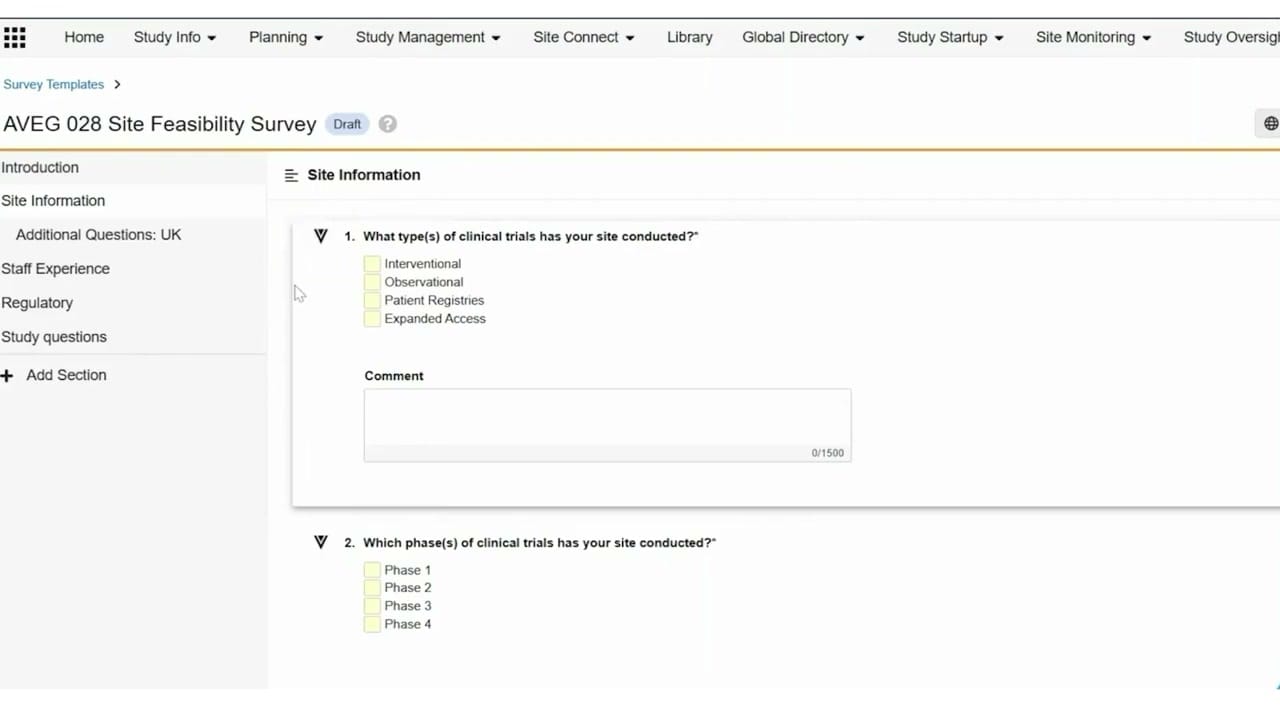
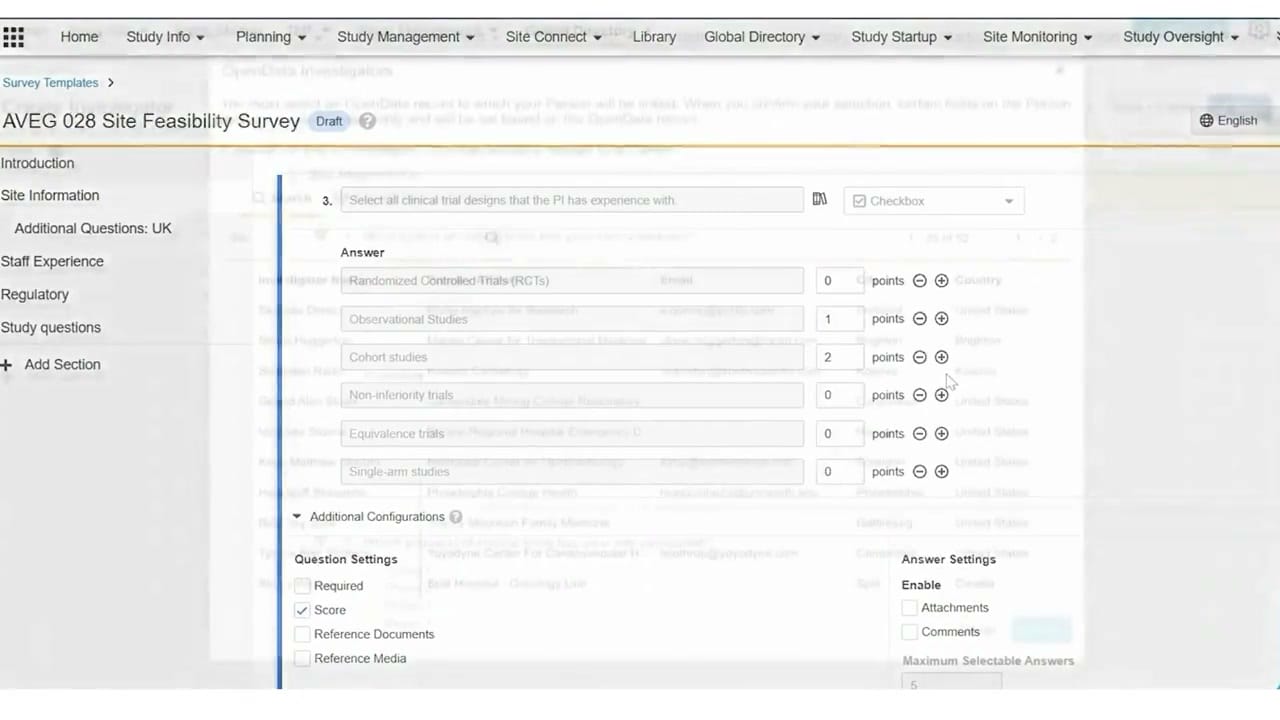
This screenshot displays the survey configuration interface within Veeva Vault Study Startup, specifically focusing on the design of a site feasibility survey. The interface shows a draft template titled "AVEG 028 Site Feasibility Survey." A left-hand navigation panel lists survey sections such as Introduction, Site Information, Staff Experience, Regulatory, and Study questions. The main workspace displays a multi-choice question configuration for evaluating a Principal Investigator's experience with various clinical trial designs. Users can define specific answer options, assign point values to individual responses for scoring purposes, and configure additional question settings. The interface is presented as an overlay on top of a directory or investigator list, illustrating how study startup teams can build and customize structured questionnaires to assess site suitability during the feasibility phase of a clinical trial.
Visible interface elements
- Survey title "AVEG 028 Site Feasibility Survey" with a "Draft" status badge.
- Left navigation panel listing survey sections including "Staff Experience" and "Regulatory".
- Question text input field displaying "Select all clinical trial designs that the PI has experience with."
- Question type dropdown selector set to "Checkbox".
- Answer options list with corresponding point input fields and plus/minus icons.
- Additional Configurations section containing Question Settings and Answer Settings checkboxes.
- Top navigation bar with links to "Study Startup", "Site Monitoring", and "Study Oversight".
Interface details
The user interface features a structured layout divided into a left sidebar and a central configuration canvas. The left sidebar displays the survey outline, allowing users to navigate between sections like "Additional Questions: UK" or add new sections using the "+ Add Section" control. The central panel highlights the configuration of Question 3, which asks respondents to select clinical trial designs. This question is set to a "Checkbox" format via a dropdown menu. Below the question text, a list of answer options is displayed, including "Randomized Controlled Trials (RCTs)" and "Observational Studies." Each option includes an input field to assign points, alongside plus and minus icons for list management. An expandable "Additional Configurations" section at the bottom contains two columns: "Question Settings" and "Answer Settings." Under Question Settings, the "Score" checkbox is selected, while options for "Required," "Reference Documents," and "Reference Media" remain unchecked. Under Answer Settings, options to enable attachments or comments are visible, along with a field to define the maximum selectable answers, currently set to five.
Workflow context
In the context of clinical operations, this interface supports the creation and customization of feasibility surveys used to evaluate potential clinical trial sites. By configuring specific questions regarding investigator experience, regulatory readiness, and facility capabilities, study startup teams can gather standardized data from prospective sites. The scoring mechanism visible in the configuration panel allows teams to assign quantitative values to specific answers, which can help automate the preliminary evaluation of site suitability. For instance, assigning higher points to experience with cohort studies or observational studies can help highlight highly qualified investigators. This structured approach to template design supports consistent site assessment across different regions and studies, helping clinical operations managers make data-driven decisions during the site selection and qualification phases of study startup.
Source, version, and interpretation limits
The screenshot is sourced from an official Veeva hosted demo of Veeva Study Startup Feasibility Surveys, published around 2020. Because this is a static image of a demonstration environment, it represents a configured state that may differ from actual production environments. The visible data, including the survey title "AVEG 028 Site Feasibility Survey" and the specific point values, are synthetic demonstration data. This static view cannot establish real-time functionality, automated scoring validation, or direct integration with active investigator databases. Additionally, the underlying screen is partially obscured by the survey builder overlay, limiting full visibility of the background directory interface.
Authoritative references
Use these primary sources to confirm current product positioning, terminology, and release-specific behavior.
- Veeva Study Startup Feasibility Surveys(Official Veeva hosted demo)
- Veeva Study Startup product overview(Official Veeva product page)
- Veeva Study Startup features(Official Veeva resource)