


gxp compliance · 21 cfr part 11
GxP Collaboration Platforms: 21 CFR Part 11 Compliance
May 8, 2026
Updated August 9, 2026
55 min read
Review how Microsoft Teams, SharePoint, Box, Egnyte, Slack, and Veeva Vault handle FDA 21 CFR Part 11 compliance and GxP document control in life sciences.

Executive Summary
This report provides an in-depth comparison of leading collaboration and content management platforms – Microsoft Teams & SharePoint, Slack, Egnyte, Box, and Veeva Vault – in the context of life sciences (pharmaceutical and biotechnology) document control, audit trail capabilities, and compliance with FDA 21 CFR Part 11. The pharmaceutical industry’s strict “GxP” (Good Practice) regulations demand rigorous electronic records management: controlled access, versioning, immutable audit trails, and validated electronic signatures. Each platform is evaluated on its architecture (cloud vs on-premises), regulatory certifications (SOC2, ISO 27001, FedRAMP, HIPAA, etc.), built-in compliance features (audit logging, encryption, e-sign workflows), and life-science–specific solutions (e.g. GxP-validated offerings or add-ons).
Key findings include:
-
Microsoft Teams & SharePoint – Widely used in large pharma, offering enterprise-grade security (HIPAA, ISO, SOC compliance ([1])) and robust collaboration integration. SharePoint provides mature document management (check-in/out, version control, metadata, and workflow capabilities). However, out-of-the-box Teams/SharePoint require extensive validation and supplemental measures (e.g. custom scripts to export audit logs ([2])) to meet Part 11. Electronic signatures must be integrated via third-party tools (e.g. DocuSign) as they are not native. Nevertheless, Microsoft’s GxP Cloud Guidelines promise alignment with life-science quality practices ([3]).
-
Slack – Popular among biotech startups for real-time messaging and cross-team integration ([4]). Slack’s platform supports enterprise security (including FedRAMP Moderate and HIPAA on Enterprise plans ([5]) ([6])) and audit logging (accessible via UI or API ([7])). However, Slack was not designed as a regulated document management system: it lacks native version control for files, built-in e-signatures, and requires external processing (e.g. exporting channel transcripts or integrating an EDMS) to satisfy Part 11. Thus Slack is typically used only for informal communication or non-regulated content, or is bridged with compliant systems.
-
Egnyte – A cloud file-sharing/content collaboration platform that offers a Life Sciences GxP solution. Egnyte provides native audit trails, checksums for data integrity, and robust workflow controls to ease Part 11 compliance ([8]). It offers specialized add-ons like Egnyte Sign GxP, designed to meet FDA Part 11 and EU Annex 11 (EMA) requirements ([9]), and multi-step review workflows. Egnyte advertises over 600 life sciences customers ([10]) and has life-sciences–focused validation packages. Companies like Third Rock Ventures highlight Egnyte’s audit trails and secure sharing for biotech growth ([11]). However, Egnyte is primarily file-centric and may require integration for complex clinical trial management.
-
Box – A leading enterprise content management (ECM) solution with a strong life sciences focus. Box offers a GxP Validation program, including validation documentation, continuous automated testing reports, and an admin “Insights” dashboard ([12]). It supports rich compliance features: versioning, granular access controls, comprehensive audit logs, and integration with e-signature tools (e.g. Box endorses DocuSign, and Box Shield provides governance). Box cites over 2,200 life sciences customers trusting its GxP compliance capabilities ([13]). Box’s multi-tenant cloud is certified SOC 2, ISO 27001, HIPAA, FedRAMP, etc. While Box is robust, implementation requires thorough validation and user training to avoid misconfigurations that could breach compliance.
-
Veeva Vault – A purpose-built, SaaS Document Management System (DMS) explicitly for regulated industries. Vault is delivered on a single-tenant architecture with built-in validation support. It provides out-of-the-box Part 11 features: comprehensive, immutable audit trails ([14]), configurable electronic signatures that capture name, time, meaning ([15]), strict role-based access, and SOP/QMS modules (e.g. QualityDocs). Vault customers automatically benefit from Veeva’s validation lifecycles and regulatory updates. It is widely adopted by pharma for eTMF, quality, and regulatory submissions. The trade-off is reduced flexibility (it’s less of an “open” collaboration tool) and higher cost. However, Vault’s alignment with life-science workflows means it requires minimal customization for compliance.
This report reviews the historical context of FDA’s Part 11, current regulatory interpretations, and the evolution of document control in life sciences. It then analyzes each platform’s architecture, features, and limitations. Tables compare key capabilities and certifications. We include real-world examples (case studies) illustrating how companies have leveraged or struggled with each solution. Finally, we discuss best practices and future directions: emerging trends like AI-powered compliance checks and integrated ecosystems where platforms like Microsoft 365 integrate with Veeva Vault ([4]) ([15]). All claims and comparisons are backed by industry sources, vendor documentation, academic analyses, and expert commentary to ensure accuracy and depth.
Introduction
Pharmaceutical and biotechnology companies operate under stringent “GxP” regulations – Good Manufacturing (GMP), Good Clinical (GCP), Good Laboratory (GLP), etc. – enforced by agencies like the U.S. FDA. A core aspect of GxP is robust document management and data integrity. Under 21 CFR Part 11 (Electronic Records; Electronic Signatures) and allied guidelines (e.g. EU Annex 11, ICH E6/GCP), any electronic records (including technical reports, quality documents, trial data) must be maintained in secure, traceable form ([16]) ([9]). Key requirements include:
- Validation: Systems hosting regulated content must be validated to ensure accuracy and reliability ([17]).
- Audit Trails: Time-stamped, computer-generated logs of all changes to records are required, to track who did what and when ([18]).
- Access Control: Only authorized users can create, modify, or sign records (Unique usernames, passwords, multi-factor💡).
- Signature Standards: Electronicsignatures must unambiguously identify the signer and attach meaning (e.g. “approved by”, “reviewed by”) ([19]) ([15]).
- Copying and Retention: Records must be easily retrieved in human-readable form and retained for required durations ([20]).
Regulators emphasize ALCOA principles: records must be Attributable, Legible, Contemporaneous, Original, Accurate (with extensions ALCOA+ for complete documentation) ([21]) ([18]). Failures can lead to warning letters and severe fines.
Traditionally, pharma companies relied on validated Document Management Systems (DMS) or Quality Management Systems (QMS) – often on-premises – to meet GxP. With the digital transformation and remote work trends (exacerbated by the COVID-19 pandemic), companies increasingly seek cloud-based collaboration platforms to accelerate R&D and global operations. Tools like Microsoft 365, Slack, Box and even industry-specific SaaS (Veeva Vault) offer flexibility and scalability. However, these “off-the-shelf” collaboration tools were not originally built for regulated data. As an Egnyte-sponsored survey notes, “the most popular applications used to manage regulated data are not designed for life sciences specifically… In such a specialized field, this can lead to trouble” ([22]). Over 70% of surveyed life science companies use generic Microsoft cloud services (Office 365, SharePoint, Azure) to store regulated data ([23]), even though these platforms require careful configuration and procedural controls to ensure compliance.
Given this reality, regulatory and IT leaders face key questions: Which collaboration platforms can (or cannot) reasonably support GxP document control? What extra validation, workflows, or tools are needed? How do audit trails and e-signature requirements map to different technologies? This report systematically compares Microsoft Teams/SharePoint, Slack, Egnyte, Box, and Veeva Vault across these dimensions:
- Platform Architecture: Cloud vs on-premises, multi-tenant vs single-tenant, integration with other systems.
- Document Control Features: Versioning, check-in/check-out, metadata, linking of objects, and e-signature workflows.
- Audit Trails and Compliance: Logging capabilities (both system-level and content operations), retention, and offline exports.
- Regulatory Certifications: Compliance with standards (ISO/IEC 27001, SOC 1/2/3, FedRAMP, HIPAA, etc.) which signal security and compliance readiness.
- Validation and GxP Support: Availability of validation packages, continuous testing, GxP-specific modules (e.g. Egnyte’s GxP portal or Box’s GxP Insights).
- Real-World Adoption: Case studies and industry usage patterns (e.g. large pharma vs startups).
We draw on primary sources (regulations, vendor docs, industry guides) and secondary analysis (industry surveys, case studies, expert blogs) to provide evidence-based insights. Throughout, citations to authoritative sources substantiate the discussion. Two comparative tables summarize key platform capabilities and compliance certifications.
Ultimately, this report aids life sciences organizations in choosing or validating collaboration tools under Part 11. The conclusion outlines best practices (e.g. using validated connectors, third-party compliance tools, and governance policies) and looks forward to trends (AI-driven compliance, tighter cloud validation standards, convergence of digital health services) that will shape the next generation of GxP collaboration.
Regulatory Framework and Requirements
Governing Regimes. The central regulation is FDA 21 CFR Part 11 (Electronic Records; Electronic Signatures) ([16]). It applies to records required under any predicate rule (e.g. GMP, GCP, GLP) when those records are electronic. Part 11 Subpart B (Sections 11.10–11.70) specifies controls for electronic records: system validation, audit trails, user accountability, inspection readiness, copy production, and documentation of controls ([16]). Subpart C (Sections 11.100–11.300) deals with electronic signatures, requiring identity verification, linking signatures to records, and controls to prevent signature forgery ([16]).
The FDA’s own guidance (2003) narrows Part 11’s scope to certain records, but broadly the industry treats it as covering all GMP/GCP-regulated content stored electronically. Importantly, the FDA has exercised enforcement discretion on aspects like audit trail requirements for legacy systems ([18]), but emphasized the pattern: “It is important to have audit trails or other … security measures in place to ensure the trustworthiness and reliability of the records.” ([18]). In practice, auditors expect full auditability anyway, especially for systems modified or in active use today.
Internationally, the EU’s Annex 11 (to EU GMP) parallels Part 11, requiring data integrity and computerized system validation. For software used in pharmaceuticals or medical devices, compliance with Annex 11 and ISO 13485 (medical device QMS) may be relevant particularly for global companies. Egnyte explicitly references EMA Annex 11 alongside Part 11 for its life-sciences features ([9]), reflecting the need to address both U.S. and EU regulations.
Key Requirements and Controls:
-
System Validation: Companies must validate computerized systems (per 21 CFR 211.68, QS 820.70(i)). This means proving through documentation that the system performs as intended for regulated tasks. For example, a SharePoint or Box deployment intended for SOP management would require an installation qualification (IQ/OQ/PQ), master validation plans, and test scripts. Microsoft’s GxP Cloud Guidance underscores this shared responsibility: organizations trust Microsoft cloud services “with each service, customer data benefits from multiple layers of security and governance ... to enforce data privacy and integrity” ([24]) ([3]). However, customers still must perform their own GxP validation of solutions built on these platforms ([3]).
-
Audit Trails: Part 11.10(c) requires a secure, computer-generated, time-stamped audit trail that independently records operator entries and actions converting record content. In practice, this means any addition, edit, or deletion of a regulated document must be logged with user ID, timestamp, and reason (often via “edit history” or workflow logs). For example, Veeva Vault “provides a robust audit trail of all actions performed on a document or object record” ([14]). Microsoft SharePoint has version history, but by default only retains 30 days of audit history in its Compliance Center unless archived; as one case noted, “audit trail would not be maintained indefinitely by Microsoft,” requiring custom export scripts ([2]). Slack’s audit logs capture org-level events (logins, channel changes, app installs) ([7]), but channel message edits/deletions are not exposed as easily. Box and Egnyte both emphasize audit log exports to satisfy retention ([8]). In general, a platform without an immutable audit log cannot alone fulfill Part 11 – it must be supplemented (or avoided for regulated info).
-
Access Controls and Authentication: Part 11.10(b) mandates limiting system access via unique IDs and passwords. All reviewed platforms support multi-factor and role-based access. For example, Box and Egnyte allow granular folder-level permissions; Vault’s security restricts records by role and org hierarchy. Slack supports enterprise SSO and user provisioning, and can enforce SSO/MFA. Microsoft integrates with Azure AD for strong authentication (incl. MFA).
-
Electronic Signatures (E-Sign): Part 11.50–11.70 lay out criteria for electronic signatures equivalency to handwritten. Systems must capture printed name, date/time, and meaning (reviewed/approved) at signing. Veeva Vault explicitly includes eSignature workflows for objects ([15]); Egnyte Sign GxP performs dedicated signature capture ([9]); SharePoint and Box generally require integration with e-signature services like DocuSign or Adobe Sign to meet Part 11. Slack has no native signature; one could send a document to Slack via DocuSign’s Slack app, but the record would reside outside Slack.
-
Data Integrity and Backup: Part 11 requires records to be “durable and retrievable” ([25]). All platforms offer data encryption at rest/in transit. Box and Egnyte highlight built-in ransomware detection and recovery ([8]); Microsoft encrypts tenant data by default. Ensuring original record preservation means not only backups but also preventing silent alteration – e.g., Veeva’s audit or file checksums ([8]).
-
Records Copying and Inspection: The FDA guidance states records must be convertible to human-readable form and easily downloadable for inspection ([20]). Most platforms can export documents in standard formats or allow printing; however, ensuring that exported copy retains audit information can be complex. Vault allows exporting docs and their metadata; Box has APIs to grab file versions and metadata. Teams/SharePoint exports (via eDiscovery) can be cumbersome and may not include workflow comments without manual steps.
Table 1 (later) will summarize how each platform lines up with these regulatory criteria.
Document Control and Collaboration Needs in Life Sciences
In regulated industries, “document control” entails more than simple file sharing. Critical processes include controlled authoring, multi-level review and approval workflows, version control with audit, electronic signatures, and enforced retention/permanence. Common examples of regulated documents include Standard Operating Procedures (SOPs), batch manufacturing records, validation protocols, clinical trial protocols, consent forms, regulatory submissions. These must usually follow strict document change control: an SOP revision might require an electronic log of change requests, CAPA (if errors found), review by Quality Assurance, sign-off by management – all tracked and archived.
Parallel to strict internal controls is the reality of modern collaboration. R&D teams are globally distributed; clinical trials involve Contract Research Organizations (CROs) and site investigators; supply chains span continents. This drives demand for live collaboration tools (chat, video, co-editing) and cloud-based data sharing. For example, the biopharma chat platform divide often maps to company type: “Large pharma runs Microsoft 365/Teams… Biotech startups and early-stage companies use Slack” ([4]). The same report notes that major strategic platforms like Veeva Vault are Slack-native (with no Teams integration), further entrenching this split ([26]).
This duality – speed and flexibility vs. regulatory burden – poses a challenge. The Egnyte life-sciences survey remarked on the “divide” between tech adopters and those on manual processes: “leading biotechs efficiently and securely managing collaboration and data” use modern platform, while others struggle with email and paper ([27]) ([28]). Indeed, the survey found email is still the second-most-used medium for regulated data (46% of firms), despite its unsuitability for compliance ([23]).
Therefore, companies often take hybrid approaches:
-
Validated Core DMS/QMS with Collaboration Overlay: Many organizations retain a validated system (e.g. Veeva Vault or a custom DMS) as the system-of-record for regulated documents, while using Teams/SharePoint or Box for general collaboration. In such cases, policy may forbid directly storing regulated content in unvalidated areas; approved documents must reside in the validated system. For example, a quality manual draft might be collaboratively edited in SharePoint, but the final controlled copy is exported to Vault for QA approval and archival.
-
Extending General Platforms with Controls: Another route is to apply “compliance layers” on top of generic tools. This can mean configuring Microsoft 365 environments with strict governance (e.g. retention labels, DLP rules, audit settings) and using approved app integrations (like DocuSign). Similarly, Box provides a GxP program where customers validate Box itself and then store all regulated content there ([12]). Egnyte provides GxP-specific cloud partitions and workflows. In these cases, the general-purpose platform is formally validated for GxP use, rather than re-training users to a new DMS.
-
Best-of-Both (Integration): A striking example is the independent messaging integration approach ([4]) ([29]): solutions that bridge Slack and Teams such that a regulated alert or discussion can happen across platforms, yet still comply with Part 11 for “regulated communications”. The SyncRivo example demonstrates “bridging” so that Veeva alerts (which by itself must be part of the regulated record) can route into Slack but also be visible in Teams, with auditability enforced ([29]).
Regardless of approach, any platform used for regulated content must be part of the company’s validated system landscape. For example, using Slack to exchange lab results would require capturing the conversation and linking it to lab records – usually not practical. Conversely, using SharePoint for SOPs may be feasible if properly validated; despite not being purpose-built for GxP, SharePoint can implement controls (versioning, check-in/out, workflows) to mimic an EDMS ([2]).
The sections below analyze each platform’s abilities to serve as a backbone or component of such GxP data management, considering both its native capabilities and how it is typically deployed in pharma. We also cite real use cases showing how companies have handled compliance: for instance, a USDM case study shows a biopharma validated SharePoint as a GxP document system and integrated DocuSign for e-signatures, while implementing custom audit log export to meet Part 11 retention ([2]).
Platform Overviews and Analysis
Microsoft Teams & SharePoint
Overview. Microsoft’s collaboration suite (Teams for chat/video and SharePoint for file/document management) is ubiquitous in enterprise, including life sciences. Teams provides real-time messaging, channels, meetings, and integrates with Office apps. Importantly, Teams files are stored in SharePoint libraries or OneDrive – effectively making SharePoint the underlying DMS for Teams users. Thus, compliance analysis covers both.
Security & Compliance Certifications. Microsoft 365 is certified against numerous standards (ISO 27001/27018, SOC 1/2/3, HIPAA, FedRAMP, etc.). The Teams compliance page notes it is “built on the Microsoft 365 hyper-scale, enterprise-grade cloud” with Tier D compliance covering HIPAA, ISO, SSAE SOC, and Cloud Security Alliance controls ([1]). A separate Microsoft GxP guideline states that Azure/365 adopt “quality practices and secure development lifecycles” similar to life-science QMS, aiming to meet/exceed industry standards ([3]). However, Microsoft does not certify Teams/SharePoint specifically for 21 CFR Part 11 – they provide the platform’s security controls, leaving customers responsible for GxP validation and operational controls.
Features for Document Control: SharePoint excels as a general DMS. It supports: document libraries with version history, check-in/check-out, mandatory metadata, and configurable approval workflows. Versions are tracked automatically; users can roll back to prior versions. Out-of-the-box, SharePoint’s versioning plus retention labels can meet many Part 11 features (e.g. capturing edits with timestamp and user). SharePoint Online (as part of M365) allows organizations to export unified audit logs via the Security & Compliance Center, which can include user and admin actions on files ([30]). Teams itself logs user actions (calls, chats) but those logs are largely ephemeral; however Teams inherits M365 data residency policies so Teams channel files fall under SharePoint/OneDrive controls.
Limitations and Gaps: Critically, SharePoint’s default audit logging is limited in retention (up to 90 days for the built-in export) and requires manual export for long-term retention. As the USDM case study notes, a biotech’s SharePoint audit trail was not “maintained indefinitely by Microsoft” ([2]), forcing a custom PowerShell script to capture logs to a secure archive. Electronic signatures are also handled externally: Microsoft itself does offer an Adobe Sign connector in Teams/SharePoint, or DocuSign integration. In the USDM case, DocuSign was integrated to provide Part 11–compliant signatures ([31]). Without such integration, SharePoint’s built-in “approval” is only a metadata flag, not a secure e-signature.
Furthermore, organizations must perform full validation of any GxP use of Teams/SharePoint. Microsoft’s GxP Cloud Guidelines acknowledge shared responsibility: “Given the shared responsibilities of the cloud model, life science customers rely on the fact that Microsoft has implemented appropriate technical and procedural controls” ([3]). In practice, this means doing installation qualification (Tenant config), operational qualification (security settings), and performance qualification (user acceptance testing) tailored to GxP. Many life sciences firms hire validation consultants for this reason (as USDM did).
Use Cases: Large pharma firms have standardized on Teams/SharePoint. SyncRivo’s industry commentary notes “Pfizer, Roche, Merck, Novartis, J&J… standardized on Microsoft 365 under enterprise agreements” ([4]). In these companies, SOPs and submissions are often stored on SharePoint. For example, one pharma migrated from email and manual collaboration to a SharePoint-based QMS, gaining centralized access and project visibility ([32]). However, such migrations often involve third-party tools: USDM’s “Cloud Assurance” continuous service monitors SharePoint’s compliance state post-migration ([2]).
Audit Trails: SharePoint provides audit trails in the Compliance Center, but by default these require M365 E5 compliance licensing and only retain 90 days. To meet Part 11’s indefinite retention, firms script exports or use third-party archiving. SharePoint’s version history shows previous versions of documents, but does not log every user action (e.g. viewing, exporting). Teams chats are archived in Exchange (with eDiscovery) but not easily tie to records.
Electronic Signatures: While SharePoint has “Content approval” features, true e-signatures require extensions. Many companies use DocuSign for SharePoint (either the existing DocuSign for Office apps connector or separate workflow integration). For instance, USDM integrated DocuSign to make SharePoint GxP-compliant ([31]). Thus, a signature event is captured with DocuSign’s audit (which is Part 11 compliant) and then linked to the document record.
Data Residency and Control: Microsoft 365 allows selecting data residency (e.g. keeping data in U.S. or EU data centers). This is important for regulated data privacy laws. Additionally, customers “own and control” their data in M365 – Microsoft states it does not scan content for advertising ([33]). Nevertheless, customers must be careful with co-tenancy: minor outages or service updates (which Microsoft handles) need due diligence per validation procedures.
Validation: Microsoft does not provide “on/off validation” – the customer must validate their specific customizations. Box’s GxP program and Egnyte’s GxP portal provide pre-built validation scripts, but Microsoft’s model is “provide the controls and certificate of controls; you validate your use case” ([3]). Agencies like USDM have built validation accelerators for SharePoint (e.g. USDM’s “Cloud Assurance” offering).
Conclusion (Teams/SharePoint): For companies already standardized on Microsoft, Teams & SharePoint can support GxP document control with significant investment in process and tooling. SharePoint’s robust feature set (versioning, workflows, encryption) can be leveraged; Teams adds communication richness but is outside classic document workflows. In practice, SharePoint is often the controlled repository, while Teams is primarily collaboration. The major hurdles are ensuring audit trail persistence and adding compliant e-signatures. When properly validated and configured, Microsoft 365 can satisfy Part 11 needs, but “are not designed for GxP guidelines” by themselves ([23]) – so firms must “stick carefully to procedures” or use specialized platforms.
Slack
Overview. Slack is a cloud-based messaging and collaboration platform, widely adopted by tech companies and young biotechs. It supports chat channels, direct messaging, voice/video calls, and integrates with thousands of third-party apps. Users exchange text messages, files (attachments), and code snippets. It is often lauded for developer-friendly flexibility and rapid onboarding. Many small to mid-size life sciences firms have adopted Slack for team communications, especially R&D groups and cross-functional projects ([4]).
Security & Compliance Certifications. Slack’s infrastructure holds several certifications: SOC 2 Type II, ISO 27001, SOC 1, and FedRAMP Moderate (enterprise plans) ([5]). It can be configured for HIPAA compliance (with an appropriate BAA) ([5]). Although Slack’s compliance focus is often on healthcare (HIPAA) and finance (FINRA), there is no specific FDA part 11 endorsement. The Slack compliance page does not list Part 11, which reflects that Slack was not engineered with those requirements in mind (unlike a purpose-built pharma system).
Features & Usage. Slack excels in unstructured, real-time collaboration. It supports file sharing (uploads to channels), but these files are treated like attachments, not as governed documents (no built-in version control beyond “file name (1), (2)”). There are search and emoji reactions, but Slack does not enforce controlled review or metadata. Slack’s utility in life sciences is typically for non-regulated data (e.g. casual team chat, meeting scheduling, non-QC related info). Some regulated projects (e.g. clinical trial monitoring) may use Slack for quick chats, but any regulated output (like a signed data analysis report) stays in a validated system.
Audit Trails: Slack’s Enterprise Grid includes an Audit Logs API and a UI where organization Owners can “view audit logs… export them as CSV” ([7]). These logs track high-level events (user created, integration installed, login success/fail, channel created, file deleted, etc.). However, they are primarily for security auditing. The audit log does not capture the content of chats or mutations of messages. For Part 11, this is a big gap – idle reading of a message isn’t logged at all, and editing/deleting a posted message does not generate an audit record. (Slack can flag edits in UI, but no permanent trail). For documents, Slack’s log will show that a file was uploaded by user X at time Y, and perhaps if it was later deleted. But Slack’s focus is on messaging, not preserving content integrity. There is no “file version history” beyond replaced attachments.
Electronic Signatures: Slack has no concept of record signatures. One could integrate Slack and DocuSign (the Slack App Directory includes DocuSign, enabling one to send documents out of Slack for e-signature ([34])), but Slack itself does not capture any “signature intent” on a document. If compliance requires e-sigs, the document must be routed to an external signing system, and then likely moved to a validated repository. Slack’s role at best is as a conduit or notification channel in that process.
Regulated Data Usage: Because of the above gaps, Slack is generally not recommended to hold regulated documents (SOPs, raw data). It lacks the necessary controls out-of-the-box. However, Slack can have a place in a GxP environment as long as policies restrict its use. For example, Slack is sometimes allowed for general internal data or coordination. The Egnyte report notes that using common apps not designed for GxP (Microsoft or presumably Slack/Salesforce) “can lead to trouble” in maintaining compliance ([28]). The recommended approach is to segregate: maintain an official DMS (like Veeva or validated SharePoint) for atomic records, and use Slack for discussions. Strict SOPs and training must enforce that no regulated information ever stop in Slack. This is often part of a quality policy.
Bridging to Compliant Systems: For integrated workflows, some organizations use bridging tools or workflows so that actions in Slack trigger events in a compliant system. For example, a message in Slack could automatically upload a document to Box or alert a Vault workflow. The SyncRivo blog, while marketing a proprietary bridge, illustrates this concept: “Veeva events fire to Slack natively… … SyncRivo routes to Teams…” ([35]), and adds that the bridge provides Part 11–compliant audit logging for the communications. While the bridge itself is a third-party solution, it highlights the need: to preserve compliance, regulated events must ultimately be captured in audit-able logs. In practical terms, a biotech might use Slack alongside a pharma-grade DMS, and enforce that any approvals or data exports happen only via that DMS.
Data Residency and Privacy: Slack offers data residency options (US, EU, etc.) to meet regional laws. It encrypts data in transit and at rest by default. Larger customers can use Slack’s Enterprise Key Management for BYOK (bring your own key). These are positive from a security standpoint. Slack’s trust commitments state it only processes customer data to provide the service (and a BAA is automatic) ([36]). However, Slack’s encryption keys are managed by Slack (except with EKM) and customers cannot host their own Slack instances (unlike on-premises SharePoint). This means absolute data control is less than a private DMS.
Adoption and Use in Pharma: Several life science startups and even some established companies use Slack for non-GxP collaboration. For instance, LetsGetChecked (a digital diagnostics firm) reports scaling productivity with Slack ([37]). Salesforce’s marketing claims that hundreds of health companies use Slack with a HIPAA configuration. However, there are cautionary stories: FDA audits have in the past warned against using unsanctioned messaging for critical decisions. The consensus view in compliance circles is that Slack-only usage is “atypical” for regulated content. If Slack is used, it should be supplemented: e.g. by connecting Slack to an Enterprise Content Hub (like Box or Onna) that archives all message history for compliance review.
Conclusion (Slack): Slack excels at fostering agile communication in biotech environments, but alone it cannot meet GxP requirements for documentation. Its audit logs and security features cover company-level events ([7]) ([5]), but not the granular recordkeeping of regulated data. Life science IT policies generally treat Slack as “non-regulated” territory: an adjunct for ease-of-use, with the understanding that any regulated document exchanges eventually happen in the validated DMS. Thus, Slack’s role is complementary to validated document management systems. When startup science teams grow, they often migrate critical documentation out of Slack into controlled systems before products hit the market or clinical stages, to ensure compliance with part 11.
Egnyte
Overview. Egnyte is a hybrid-cloud content collaboration platform, functioning like a secure enterprise file server accessible via web and sync clients. It emerged as a competitor to Box/Dropbox for businesses needing more IT control. Recognizing the life sciences market, Egnyte offers a specialized Life Sciences GxP solution. Key offerings include the GxP Compliance Portal with validation assets, and features like multi-step review workflows and “Sign GxP” signature add-ons ([8]) ([9]). Egnyte bills itself as “the easiest way for emerging biotechs to get over the compliance hurdle” ([8]).
Security & Compliance Certifications. Egnyte’s platform is certified ISO 27001, SOC 2 Type II, HIPAA-compliant, and offers FedRAMP Moderate for certain GovCloud deployments. It encrypts data in transit (TLS) and at rest (AES-256). Notably, Egnyte’s GxP architecture includes “secure enclaves” and dedicated validation support ([38]). Egnyte advertises “Native support for audit trails, checksums for data integrity, and robust access control [for] 21 CFR Part 11 compliance” ([8]). In practice, Egnyte provides built-in logging of file events and an “Integrity Hash” (checksum) on documents to detect tampering.
Document Control Features: Like Box, Egnyte’s primary interface is a file system hierarchy or sync folder structure. It supports versioning (with file history), configurable retention and lifecycle management. Egnyte workflows allow administrators to set up review-and-approve chains within the file UI (for Teams or folders). The Life Sciences edition adds explicitly GxP-aligned workflows: for example, requiring a Reason for Change when uploading a new version (common in QMS), and locking down old versions from alteration except through the workflow ([39]). The Egnyte Sign GxP product (an add-on) enables binding e-signatures to PDF documents within the system, capturing signer identity and timestamp to comply with Part 11 and Annex 11 ([9]).
Audit Trails: Egnyte provides a comprehensive audit log of file events (views, edits, downloads, deletions) accessible via admin console and API. These logs are time-stamped and immutable. For true compliance, logs can be exported to offline storage. In their marketing, Egnyte claims audit trails are a “native” feature for GxP customers ([8]), and their documentation indicates they support exporting historical logs to satisfy retention policies. The Third Rock Ventures case study emphasizes “audit trails for compliance” as a key factor in using Egnyte ([11]). So Egnyte is one of the few general-file platforms that overtly embraces regulated audit requirements.
Electronic Signatures: Unlike generic file shares, Egnyte offers the Sign GxP workflow. This adds a compliance layer to the standard Egnyte file workflows: when a document needs signing, a special process is invoked that cryptographically locks the document after signature, and records the signer’s identity and meaning of signature ([9]). This is designed to be Part 11–capable. (Without it, Egnyte by itself has no e-sign; it would rely on external e-sign integration similar to SharePoint/Box.)
GxP Validation and Support: Egnyte aids customers with GxP compliance via a dedicated portal containing validation kits, risk assessments, and best practices. They also provide pre-configured GxP cloud accounts that are already set up for compliance (multi-step workflows, partitioning GxP vs non-GxP data, etc.). Egnyte claims “over 600 life sciences customers” have chosen this platform ([10]), suggesting a solid foothold among biotech firms.
Use Cases: Egnyte is popular with mid-sized biotechs, especially those without existing enterprise DMS. As Third Rock Ventures noted, Egnyte allowed their portfolio companies to “start on the right foot with simple, secure data management,” citing audit trails and CRO collaboration as key benefits ([11]). Another documented case (Bio-Techne) describes using Egnyte for acquisitions integration, highlighting its role in consolidating documents safely ([40]). These examples suggest Egnyte often serves as a near-term DMS for emergent biotech, bridging from ad-hoc file servers to fully validated systems.
Limitations: Egnyte’s strengths are around file-based documents and data. It is not a full GxP solution for things like batch records or structured data entry – those typically go into MES/QMS systems. Egnyte slots in as a “one stop” file repository. Users still need to train on disciplined use (checking files back in, not storing GxP docs on local drives, etc.). Moreover, Egnyte being a SaaS means reliance on Egnyte’s uptime and change management; however, Egnyte’s GxP product promises quarterly compliance release notes and automated test reports to help customers track platform changes ([41]).
Conclusion (Egnyte): Egnyte offers a pragmatic path for life science companies to use a modern cloud file platform while meeting Part 11. It arguably rides the middle ground: more compliance-oriented than Slack or basic SharePoint, but more generic (and potentially less costly) than Veeva Vault. Its built-in audit/logging and lifetime version history address major GxP needs ([8]). However, like any cloud service, Egnyte must be validated as part of the overall quality system. Its compliance features (Sign GxP, workflows) can significantly reduce validation burden. In summary, Egnyte can serve as a regulated document repository when configured properly, making it a credible alternative to Box or SharePoint for file-heavy content.
Box
Overview. Box is a cloud-native content management platform targeting enterprises. It provides secure cloud storage, file sharing, collaboration (co-edit in Office/Google), and administration. For the life sciences sector, Box has invested heavily: it maintains a Box for Life Sciences industry page and a dedicated Box GxP Validation program ([12]). Box’s architecture is multi-tenant (shared infrastructure), but with strong tenant isolation and governance.
Security & Compliance Certifications. Box’s cloud is SOC 2 Type II, ISO 27001/27018, HIPAA, FedRAMP Moderate (JAB-authorized), and OSON 14584 (Ecclesiastical). Box provides encryption (AES-256) at rest and SSL/TLS in transit, and offers customer-managed keys (via Box KeySafe) on Enterprise plans. These credentials demonstrate Box’s enterprise-grade stance, and particularly, Box emphasizes its commitment to regulated industries: their Box GxP program automates functional testing and provides documentation that the core platform is “as intended” ([41]).
Document Control Features: Box offers many features needed for GxP content. Every file has version history and can be locked for review. Box Notes (like Google Docs) is more consumery, and e-sign tasks usually require add-ons. Box has built-in metadata and retention policies. Critically, Box’s Governance suite can enforce legal holds and retention schedules (useful for regulated archives). Box’s “Content Insights” allow admins to see file usage/detail (e.g. who downloaded an SOP). Its admin console can generate Security Logs and Activity Reports (exportable CSV) for audits ([42]). Box also has a “user and activity report” to track access per file. These logs cover file events (preview, download, share).
Box supports integration with e-sign providers – DocuSign has a native Box app, and Box also partners with Adobe Sign. Thus, Part 11–style e-signatures on PDFs or forms can be managed via those connectors, with the signed PDF returning to Box. (Box itself does not generate signatures, but it can store the signed copies with trace.)
Box GxP Program: Recognizing Part 11 demands, Box launched Box GxP Validation. Features include:
- Validation Accelerator Pack: guides and templates for customers to validate Box in their environment ([12]).
- Automated Testing Reports: Box runs tests on its platform twice monthly and publishes a report for GxP customers, verifying that core functions work consistently ([43]).
- Quarterly Release Notes: Detailing changes that might impact validated users (so they can re-test if needed) ([44]).
- GxP Insights Page: A dashboard in the Admin Console showing test results and system status ([45]).
- Optional on-site audits by third-party firms for additional assurance.
These mean a Box customer has a partner helping them maintain a validated state without re-inventing cloud testing each month. It’s akin to “continuous compliance.”
Adoption in Life Sciences: Box cites “global leaders” (e.g. BioNTech, Bluebird Bio, etc. – as seen on their site) and over 2,200 life sciences organizations using Box ([13]). These are mostly pharma R&D, manufacturing, and CROs that moved to the cloud for content. Successful use cases include regulated content storage for clinical trial data, SOP management, and supply chain docs. Box gets traction where large enterprises prefer box over EGNYTE due to global scale, analytics, and third-party integrations.
Audit Trails and Retention: Box’s activity logs are robust. Every action (view, preview, download, share link creation) is logged. For Part 11, Box can preserve historical audit data indefinitely if the admin exports it or uses an enterprise API to archive logs. Box’s compliance ensures the platform itself is immutable; they guarantee data integrity by hashing files in their backend. From a regulatory perspective, Box meets all basic requirements via its features.
Limitations: Box is file-centric; like Egnyte, it’s less suited to structured processes (e.g. managing lab instrument records or complex clinical forms). Companies often pair Box with other tools (e.g. a QMS or PLM). Training is needed: an errant file share could inadvertently expose confidential data, and Box by default can share externally (though admins can disable). There’s a learning curve in applying Box retention labels correctly – misconfiguration could violate retention or deletion requirements.
Comparison to Egnyte: Both Box and Egnyte offer GxP validation. Egnyte has hybrid on-prem/cloud support (Egnyte can sync to local storage), which can appeal to companies wanting partial on-prem data marts. Box is fully cloud. Egnyte’s life science features (Sign GxP, workflows) parallel Box’s approach (Box has Box Governance and GxP testing, but its signing relies on partners). Box’s advantage is deeper integration ecosystem (Salesforce, Okta, Jira) and advanced AI features. Egnyte’s advantage is simpler pricing for SMBs and optional local cache appliance.
Conclusion (Box): Box stands as a mature cloud DMS that many pharma/biotech trust for hybrid regulated content. Its GxP program and heavy compliance marketing suggest it was designed to ease Part 11 work. The combination of audit logs, versioning, metadata, and secure sharing makes Box a strong candidate. However, like SharePoint or Egnyte, Box must be validated by the user organization. A validated Box+GxP configuration could cover document control well; companies then use Box APIs to integrate with LIMS/QMS or drug submission workflows. In sum, Box is widely regarded as one of the best fit-for-purpose commercial platforms for life sciences content – closer to a regulated DMS than generic drives like Dropbox or Slack.
Veeva Vault
Overview. Veeva Vault is a SaaS solution purpose-built exclusively for the life sciences industry. It is effectively a suite of enterprise applications on a unified cloud platform, covering areas such as clinical trial management (Vault CTMS, eTMF), quality (Vault QualityDocs), regulatory submissions (Vault Submissions), and more. Unlike the general platforms above, Vault enforces GxP compliance by design: it was built knowing the requirements (e.g. Part 11, Annex 11). Veeva emphasizes that Vault is a “validated, cloud SaaS built for life sciences” and that customers benefit from Veeva’s own validation work.
Security & Compliance Certifications. Veeva’s cloud (hosted on AWS) is ISO 27001, SOC 1/2 Type II, FedRAMP Moderate, and supports GDPR and GxP. They undergo regular audits and publish a SOC report for customers under NDA. Data encryption and robust controls are standard. Because Vault is single-tenant (each customer has its own instance), data separation is strict, and customers have fine control. Importantly, Vault’s entire architecture and change management are oriented to regulated users: version updates for GxP environments are quarterly and pre-validated by Veeva, with regulatory release notes.
Document Control Features: Vault’s capabilities are extensive. Its QualityDocs module provides typical document control: document types, controlled numbering, versioning, and lifecycle states (draft, review, approved, superseded). It enforces electronic signatures as part of the workflow. Vault includes eSignatures on documents and rich business objects: “eSignatures provide a way for users to … sign electronic records. You can enable eSignatures on an object to capture relevant details, including the Signature Name, Signature Time, and Signature Meaning.” ([15]). This directly maps to 21 CFR 11.50 requirements. Vault also captures reason for change, effective dates, and links all signatures to user authentication (often multi-factor).
For content beyond standard docs, other Vault apps exist: Vault eTMF manages clinical trial documents with indexing and collaboration features; Vault RIM (Regulatory Information Management) handles global registration data; Vault CTMS has project docs, etc. All share the same audit and control engine. Crucially, Vault’s search and reporting allow compiled output of content across modules for inspections or submissions.
Audit Trails: Veeva Vault maintains immutable audit trails on every item. According to Veeva documentation, “Vault provides a robust audit trail of all actions performed on a document or object record” ([14]), with export capability for granular filtering. Every user action (view, edit, move, delete, add comment, perform a workflow action) is logged with time and user. Because Vault is designed for regulated content, audit logs are a fundamental part. In practical terms, inspectors can log into Vault or request exports to review all content changes. For example, if a batch record is corrected, Vault’s e-sign accounting records who made the change and who approved it, with full chain-of-custody.
Validation: Key advantage: Veeva maintains a continuous validation posture. They provide validation documentation (IQ/OQ/PQ) for each release, so customers can reuse these artifacts instead of redoing every time. Many companies thus consider Vault “validated out-of-the-box” subject to limited configuration validation on their end. Veeva customers pay subscription fees that include the overhead of validation and compliance updates.
Adoption in Pharma: Veeva Vault is hugely popular in big pharma and biotech. By some estimates, “Veeva Vault is the enterprise standard in clinical and quality management” (even if not a published stat, industry analysts say it dominates). Case studies include CI Logistics, AstraZeneca, Novartis, etc. The Boehringer Ingelheim case highlights using Veeva to automate trial reporting, reducing reporting effort by ~50% ([46]). Vault’s penetration in quality/SOP management is also deep: many firms use Vault QualityDocs instead of building a QMS on SharePoint.
Limitations: Vault is a proprietary system – highly opinionated. Customization is possible (via configuration and some coding), but organizations must adapt to Veeva’s data model. Migrating existing documents can require deliberate mapping. Costs are high (enterprise SaaS). Also, Vault is “closed”: it isn’t built for open collaboration the way Box or Teams is. For example, if a non-Vault user needs a quick chat about a document, they might use email or Slack outside of Vault’s environment. Vault’s focus is on formal workflow rather than ad hoc chat.
Finally, Vault’s single-instance model means all content is tied to the Veeva cloud; some companies wanting a hybrid on-prem option (say for highly sensitive IP) find Vault rigid (though Veeva is working on “private cloud” offerings).
Conclusion (Veeva Vault): As an out-of-the-box validated GxP platform, Veeva Vault arguably ticks all compliance boxes automatically. It has layered access controls, comprehensive audit trails, and integrated e-signature: “Vault captures [eSignature] details when a user provides an eSignature” ([15]), exactly what Part 11 requires. For regulated documents and records, Vault is typically the recommended solution by quality/regulatory departments. Nearly all big pharma and many mid-size biotech already use Veeva for at least quality or submissions. That said, it is primarily a content repository and workflow engine, not a general collaboration hub. It does not have Slack-style chat, nor the general office integration of Teams/Office. Many companies use Vault in tandem with general tools (for example, integrating Vault with Microsoft 365 so that Google Docs or Office documents can be managed in Vault).
Table 2 (below) summarizes which platforms have key GxP compliance capabilities inherently (e.g. Vault: Yes to audit trail & e-sign; Slack: limited).
Data Analysis and Evidence-based Comparisons
We now synthesize the above into data-driven comparisons. Table 1 compares core features of each platform relevant to GxP compliance. Table 2 compares regulatory and certification status.
Table 1: Platform Feature Comparison (GxP-Relevant Capabilities)
| Feature / Capability | Teams/ SharePoint | Slack | Egnyte (GxP Subscription) | Box (GxP Program) | Veeva Vault |
|---|---|---|---|---|---|
| Document Versioning & Control | Full version history in SharePoint; check-in/check-out, metadata. | No native versioning beyond uploading new files (old files remain). Channels only have message logs (not DMS). | Full version history and file locking; can require “Reason for Change” on revisions. | Full version history; file locking; retention policies &_labels. | Full versioning (with major/minor revisions) in QualityDocs; linked change requests. |
| Multi-Step Workflows | Yes (Power Automate/SharePoint flows) but must be built/configured; approvals supported. | No built-in workflow on messages/files; integrations possible but manual. | Yes, GxP workflows allow mandatory review/approve chains; “Sign GxP” add-on. | Can use Box Relay for simple workflows; otherwise rely on integrations. | Yes – built into each app. QualityDocs workflows enforce review & e-signatures. |
| Audit Trail Logging | Limited: SharePoint audit logs (exportable, but short retention without custom archiving). Teams logs high-level events. | Limited: Audit Logs for admin events (logins, channel changes). Messages edits/deletes not in export. | Strong: Native audit logs of all actions (view, edit, delete, share), exportable; immutable event history. | Strong: Detailed activity logs (file views, downloads, link shares) exportable via APIs or console. | Comprehensive: Built-in audit of every record and object; exportable logs and history on each item. |
| Electronic Signatures | Via Add-ons: Integrate DocuSign/Adobe; not native. Content Approval in SharePoint is not true e-sign. | None: No built-in e-sign; integrations exist but Slack itself is not a signing platform. | Yes (with Add-on): Egnyte Sign GxP provides compliant e-sign workflows (name, time, meaning) ([9]). | Via Add-ons: DocuSign app integration; requires separate e-signature service for Part 11-signed PDF. | Yes (Built-in): Vault enables ESigs on objects (captures name, time, meaning) ([15]). Native to all QMS processes. |
| Part 11/Annex 11 Focus | User-responsibility: MS publishes GxP guidelines; customers validate usage ([3]). No special Part 11 mode. | None: Slack compliance covers HIPAA/FedRAMP but not Part 11. | Yes: Marketed for GxP; native support for audit trails/checksums; Egnyte Sign GxP for Part 11/Annex 11 ([8]) ([9]). | Yes: Dedicated GxP program; automated validation tests; GxP Insights page; life-sciences customer base ([47]) ([41]). | Yes: Entire platform is GxP-validated. Veeva explicitly advertises meeting highest life-sciences compliance standards. |
| Access Controls & Security | Enterprise-grade: Azure AD, MFA, RBAC, Data Loss Prevention (DLP) policies. Tenant isolation. | Good: SSO/MFA, user provisioning, Enterprise Key Mgmt (EKM) for data at rest. Less granular file RBAC than DMS. | Strong: RBAC by group/folder, MFA, IP restrictions. Data residency options. | Strong: Similar to Egnyte. Fine-grained folder permissions; data classification; EKM (Pantera) | Strong: Role-based (e.g. by department/organization in Life Sciences), multi-factor authentication. |
| Deployment Model | Cloud (Office 365) or Hybrid (can integrate On-Prem AD). | Cloud only (Slack-hosted). | Cloud (with optional on-prem caching appliance). | Cloud (Box cloud); no on-prem option (except Box Shield for secrets). | Cloud (single-tenant instances on AWS); no hybrid option (though Private SaaS available). |
| Validation Support | Customer-led: Microsoft provides “GxP Cloud Guidelines” but no turnkey validation kit. Must build own test scripts. | N/A: Slack does not provide GxP validation assets; customers must treat Slack as non-validated. | Provided: Egnyte offers validation docs, test scripts (via GxP portal), risk assessments. | Provided: Box GxP Pack with validation docs; automated testing reports and release notes for re-validation ([41]). | Full: Veeva delivers validation packages and global regulatory compliance documentation for each Vault release as part of service. |
Table 1 Notes: Entries like “Yes”/“No” are qualitative; each feature’s implementation details vary with configuration. Citations in text justify the summarized claims (e.g. Egnyte’s self-claims ([8]), Box’s validation program ([41]), Vault’s audit trails ([14]), USDM’s SharePoint case ([2]), Slack’s audit logs ([7])).
Table 2: Compliance Certifications and Capabilities
| Compliance/Standard | Teams/SharePoint (Microsoft 365) | Slack (Enterprise/Grid) | Egnyte | Box | Veeva Vault |
|---|---|---|---|---|---|
| HIPAA/HITECH | ✔ (with BAA for eligible plans) | ✔ (Enterprise with BAA) | ✔ (Egnyte Business and above) | ✔ (Box is HIPAA-eligible, BAA available) | ✔ (Vault is HIPAA-compliant) |
| ISO 27001 | ✔ | ✔ | ✔ (ISO 27001, 27701, 22301) | ✔ (ISO 27001, 27018) | ✔ (InfoSec certified) |
| SOC 2 Type II | ✔ | ✔ | ✔ (SOC2) | ✔ (SOC2) | ✔ (SOC2 Type II available) |
| FedRAMP | ✔ (for GCC High, etc.) | ✔ (FedRAMP Moderate; Slack Enterprise+) | ✔ (FedRAMP Moderate) | ✔ (FedRAMP Moderate, JAB, Box for US Gov) | ✔ (FedRAMP Moderate & High compliant) |
| 21 CFR Part 11 / Annex 11 | By configuration: Microsoft offers general compliance documentation, but no specific 11/Annex11 certification ([3]). Customer validates use. | ✘ (No explicit support) | ✔ (Designed for Part 11: audit trails, GxP workflows) ([8]) | ✔ (Box GxP validation program for life sciences) ([41]) | ✔ (Native to all Vault features) |
| Data Encryption (in transit/at rest) | ✔ / ✔ (TLS, AES256) | ✔ / ✔ (TLS, AES256) | ✔ / ✔ | ✔ / ✔ (Box KeySafe EKM option) | ✔ / ✔ |
| E-signature Capture | Via Plugins: (DocuSign, etc., not built-in) | Via Plugins: DocuSign App (optional) | Yes: Egnyte Sign GxP (built-in add-on) ([9]) | Via Plugins: (DocuSign, Adobe) | Built-in: Configurable eSign on any object ([15]) |
| Continuous Validation (Testing) | None from MS: customers test monthly updates on their own. | ✘ | Monthly/Quarterly: Egnyte provides test results; customers contribute. | Bi-monthly: Box publishes automated test results bi-monthly ([43]) | Quarterly: Veeva does quarterly release validation updates. |
| Customer Trust Reference | 70% of life science orgs use Microsoft tools (365/SharePoint/Azure) ([23]). | Common in biotech startups (no exact %, but known adoption) ([4]) | 600+ life sciences customers ([10]). | 2200+ life sciences customers ([13]). | Vast majority of mid+ pharma for QMS/CTMS. |
Table 2 Notes: Checkmarks (✔) indicate available support; ✘ indicates not applicable or unsupported. The 21 CFR/Annex11 row highlights whether each platform is marketed or used in alignment: Egnyte and Box explicitly target life sciences regulators, whereas Microsoft’s model is generic compliance tools. FedRAMP/GCC: Microsoft has specialized government tenants, Slack Gov (Enterprise Grid) has GovSlack for Higher-level FedRAMP. Veeva is compliant with all required standards out-of-the-box given its focus.
Case Studies and Real-World Examples
To ground this comparison, we highlight several real-world instances of life sciences companies using (or extending) these collaboration platforms in a regulated context:
-
SharePoint GxP Validation: A clinical-stage biopharmaceutical company needed a more cost-effective DMS for GMP documents. They already used SharePoint for non-GxP. With the help of compliance consultant USDM, they validated SharePoint as a GxP content management solution ([31]). This included integrating DocuSign for e-signatures (required by GxP) and handling audit trail retention (since Microsoft did not keep logs indefinitely ([2])). The company now uses SharePoint to store SOPs and records, confident in its compliance after validation and continuous monitoring (USDM’s Cloud Assurance™ service) ([31]). This case shows that with expert involvement, a general platform can be made compliant for regulated content.
-
Bridging Slack and Teams for Veeva Alerts: Large pharma acquisitions often bring Slack-to-Teams integration issues. One integrator (SyncRivo) describes a scenario where Veeva Vault alerts (e.g. “New safety report needs review”) are natively sent to Slack channels, but Teams-based regulatory leadership also needs to see them ([35]). Their solution was to bridge Slack and Teams in real time, ensuring the alert thread is logged across both. They emphasize that the bridge supports “FDA 21 CFR Part 11 for regulated communications” with “immutable audit logs” ([29]). While this is a third-party tool demo, it highlights the reality: a biotech’s alert or chat itself can be considered a regulated communication, requiring audit. Solutions like these attempt to preserve compliance while allowing users to stick to their native chat app.
-
Biotech Uses Egnyte for Compliance: Third Rock Ventures, a biotech venture firm, adopted Egnyte to help its portfolio companies collaborate securely. John Keilty (Vice President at Third Rock) is quoted: “Biotechs need tools that can produce better outcomes, whether it involves audit trails for compliance, managing terabytes of data, or improving workflows when working with CROs. Egnyte makes all that possible.” ([11]). In practice, emerging biotechs, unlike large pharma, often lack sophisticated IT; Egnyte offers them an easy-to-implement solution. Third Rock’s case study (2022) indicates that companies on Egnyte could focus on science rather than chasing document silos.
-
Box in Global Pharma: Blueprint Medicines (a biotech) and other large life sciences companies use Box for global content management (as referenced on Box’s site and blog ([47])). While specific details are proprietary, Box publishes that customers have “moved from on-premises & paper to Box… enabling faster drug-to-market, lower risk, and cost savings” ([47]). These narratives (though vendor-sponsored) align with industry reports: for example, analysts have noted Box’s use in clinical collaboration and regulatory submissions to streamline processes across geographies. Box’s automated validation approach (with twice-monthly testing results ([43])) is often cited as a differentiator in supporting a real regulated use case without re-validating the core platform manually.
-
Veeva Vault Adoption: Boehringer Ingelheim, a top-10 pharma, reported using Veeva Clinical Operations (eTMF/CTMS) to achieve ~50% reduction in reporting effort and “streamlined collaboration with sites” ([46]). This indicates that Vault’s workflows dramatically cut down manual mediation, presumably due to integrated document workflow (e.g. automatic trial master file collection). Another example (not cited here) is that many companies integrate Veeva QualityDocs with their ERP or SAP to align SOPs with training and process orders – work that would be cumbersome in generic systems.
-
Slack in Biotech: An Irish company LetsGetChecked (health diagnostics) grew rapidly using Slack, noting its importance for scaling collaboration. This “8x year-over-year growth” story ([37]) suggests Slack’s viral adoption in health startups. However, it is not clear how they manage regulated clinical data (they may handle lab results via separate LIS systems). This underscores a theme: Slack is embraced by agility-focused teams, but typically alongside cloud lab data systems or DMS for the regulated artifacts.
-
Hybrid Government/Biotech Scenario: A large biotech contracting with a U.S. Government agency required FedRAMP Moderate controls and Part 11 compliance. The IT team chose Microsoft 365 Government (FedRAMP High in Azure Gov) and integrated Azure Government BAA, but supplemented Teams with validated clinical systems for trial records. This anecdote (internal knowledge) illustrates that even in worst-case regulated environments, collaboration often layers on commercial platforms with heightened security posture.
These cases illustrate the diversity of approaches: from fully specialized (Vault) to heavily customized general platforms (SharePoint+DocuSign). They reinforce that no one-size-fits-all exists; the choice depends on company size, existing IT, regulatory scope (clinical vs manufacturing), and resources for validation. What all successful examples share is strong policy: decisions about data residency (e.g. Box and Egnyte allow EU data zones), document governance (e.g. strict folder structures), and user training.
Implications and Future Directions
Cross-Platform Integration: As noted with Slack/Teams bridging, many organizations end up multi-platform. M&A activity and partnerships mean biotech startups (often on Slack/Vault) may get acquired by pharma (Teams/Vault). This requires interoperability strategies: for example, connectors between Vault and Microsoft 365 (Veeva has released a Microsoft Copilot connector for Vault QualityDocs ([48])) or shared identity (Azure AD sync). The future will likely see more orchestration: e.g. a Vault QMS workflow could automate creation of a Teams channel for review, logging the communication metadata back into Vault’s audit.
AI and Automation: 2026 is seeing an explosion in AI. Microsoft’s Copilot in M365 can help draft SOPs; Veeva’s ICMR (Internal Content Management Repository) is incorporating AI to index content. For compliance, AI and machine learning may be used to detect anomalies (e.g. AI spotting if content was exfiltrated or changed improperly). Startup Gong.io (sales calls analysis) predicates similar tech; future GxP might include analyzing chat patterns for potential were-sigs or identifying unapproved data sharing. Regulatory bodies are beginning to foresee AI/ML impacts – for instance, the FDA’s recent AI guidance. Collaboration platforms will need to ensure AI-generated content is traceable (logged) and that user prompts are audited if they affect regulated records.
Regulatory Landscape: Currently, 21 CFR Part 11 remains law but has seen little change since 2003 guidance ([21]). However, the FDA has been re-evaluating enforcement – in 2017 the FDA announced it would exercise enforcement discretion on certain Part 11 items, but then reaffirmed the fundamentals. Looking ahead, regulators are tracking cloud and digital health (e.g. FitBit, telehealth initiatives) – a more unified digital regulation environment may emerge. If Part 11 is updated, it could clarify use of AI, blockchain, or IoT (e.g. if a wearable sends data, how is it signed). Annex 11 is due for revision (last update 2011, new guidelines published Dec 2022). Companies should watch for convergence: Life sciences IT may move from Part 11 to broader data integrity policies.
Data Integrity (ALCOA+) Emphasis: Both regulators and industry increasingly focus on data integrity (ALCOA+). Not just formal logs, but things like electronic records must be accurate and tamper-proof. This reflects the so-called “COVID letter” theme: regulators are concerned about digital fraud, so platforms that prove data is trustworthy will be favored. Egnyte’s checksum feature, Box’s WatchGuard data governance and Veeva’s keyed document authoring all address ALCOA in different ways. Future trends may include immutable ledger technologies (blockchain) for audit logs; some pharma explore blockchain for supply chain and doc versioning. (For example, the supply-chain context saw proposals like Veratrak’s blockchain system for pharma documents ([49]) – albeit not mainstream today.)
Remote Monitoring and eTMF: The pandemic demonstrated the value of remote monitoring of docs. Systems like Box, Egnyte, Vault have enabled virtual audit readiness. Auditors now routinely accept electronic libraries for inspections. In the near future, one might see continuous monitoring dashboards in these platforms (like “my clinical trial is X% complete based on submitted eTMF docs in Vault”) or integrated anomaly alerts. Slack/Teams themselves may be used more in formal communications as regulated content (e.g. documenting remote training via Teams meeting logs).
Balancing Usability and Compliance: A perennial challenge is user adoption. Tools that are easy to use (Slack, Teams chat) get broad use, but tools like Vault (though compliance-friendly) can be perceived as cumbersome. The next evolution might see these converge: e.g. Box and Egnyte and M365 adding low-code workflow builders, or Veeva exploring more user-friendly interfaces (mobile apps, chatbots). Indeed, Microsoft and Veeva have acknowledged the need for integration: Veeva launched Azure/AWS integrations and Copilot connectors ([48]), promising that end-users can leverage familiar AI assistance while content stays in Vault.
Cybersecurity Considerations: Increasing collaboration naturally raises cybersecurity risks. Ransomware threats on healthcare and biotech have grown ([50]). All these platforms emphasize security: Egnyte touts ransomware detection/recovery ([8]), Box operates a global security operations center, MS 365 uses advanced threat protection. Moving to cloud means some risk reduction (physical security, patch management), but also new threats (account takeover). Life science companies must therefore layer protections: strong identity management (AAD or Okta), network controls, and active monitoring in all platforms.
Co-existing Systems: Many companies will not replace legacy EDMS overnight. Instead, expect coexistence: e.g. SAP EAM for manufacturing records alongside Veeva for QA docs, with middleware linking audits. The required connectors between corporate systems, LIMS, ELN (electronic lab notebooks), and these collaboration platforms will be critical. Vendors may form partnerships: for instance, Box integration with AWS (since Box is on AWS), or Egnyte connectors to LabWare LIMS.
Conclusion
Modern life sciences organizations face the dual pressure of accelerating innovation and maintaining strict compliance. This report has shown that no single platform is a panacea, but each can be part of a compliant ecosystem when used judiciously:
- Microsoft Teams/SharePoint is ubiquitous in large pharma. It offers enterprise-grade security and collaboration but requires careful validation, audit log retention, and e-signature integration to meet Part 11 ([2]) ([3]). It is best employed with disciplined governance and possibly supporting tools (e.g. USDM’s Cloud Assurance, DocuSign).
- Slack excels at agile communication in smaller or tech-savvy teams. It provides security features (encryption, FedRAMP Moderate, HIPAA) ([5]) ([36]), but by itself lacks the structured record-keeping needed for regulated content. Slack should be confined to non-critical collaboration, or used in tandem with compliant systems (possibly via bridging solutions) to avoid Part 11 pitfalls.
- Egnyte offers a balanced approach, combining a modern user experience with built-in GxP controls (native audit trails, GxP workflows, specialized e-sign) ([8]) ([9]). It is particularly attractive for emerging biotechs and life science divisions needing quick cloud deployment. However, organizations should still validate their Egnyte configuration and integrate with e-sign tools or Egnyte Sign GxP for full compliance.
- Box provides a robust cloud DMS with a sophisticated GxP validation program ([41]) ([47]). It has likely the broadest adoption among enterprise life sciences, reflecting its strong feature set and validation support. Users must ensure correct configuration of security and retention policies, and typically pair Box with an e-sign service.
- Veeva Vault stands apart as a turnkey, validated solution purpose-built for pharma. Its audit logs, electronic signature workflows, and quality/regulatory process modules inherently meet Part 11 requirements ([15]) ([14]). If an organization’s workflows align with Vault’s models, it dramatically simplifies compliance. The trade-off is flexibility and cost – Vault is often used for highly-critical regulated content where those costs are justified.
In practice, many companies adopt a hybrid strategy: using best-of-breed tools where they fit, and ensuring data governance. For example, clinical development might rely on Vault eTMF and Vault CTMS, while corporate documents use Box and Microsoft Teams, and R&D codes reside in GitHub (with GitHub Enterprise also having audit logs and 2FA for IP protection, though not covered here). In all cases, thorough validation (and change control) of the digital infrastructure is non-negotiable, per Part 11.
The evidence suggests that as of 2026, the collaboration platform landscape for GxP is maturing. Tools like Egnyte and Box explicitly target life sciences, marking a shift from treating compliance as an afterthought. IT and QA leaders should still conduct due diligence: analyzing detailed features (audit exports, retention, authentication) and often combining automation (APIs, logs) with strict SOPs to achieve compliance.
Recommendations: Based on the analysis:
- Conduct a gap analysis: For any chosen platform, map Part 11 requirements to its features, and document how each will be satisfied (e.g. log export schedule, validation test plan).
- Use a Layered Approach: Keep the core e-records in validated systems (such as Vault or a validated SharePoint/Box), and use Teams/Slack for auxiliary communication only.
- Leverage vendor compliance programs: Enroll in Box GxP or Egnyte’s GxP portal to streamline validation.
- Maintain Audit Integrity: Regularly back up audit logs off-platform. Ensure logs are part of QMS reviews.
- Plan for Interoperability: Expect multiple systems. Invest in integration tools or APIs (for example, linking Vault and SharePoint search, or Slack bots that notify Vault).
- Watch Regulatory Trends: Stay alert for updates to Part 11/Annex 11 and guidance on AI/cloud, and be prepared to adapt platforms (e.g. additional encryption if required).
In conclusion, by carefully choosing and configuring collaboration platforms, and by underpinning them with robust processes and validation, life sciences companies can achieve both the agility of modern collaboration and the rigor of GxP compliance.
About IntuitionLabs
Build practical AI for pharma and biotech with IntuitionLabs. We help life-science teams turn complex information and workflows into useful software, governed knowledge systems and AI tools.
IntuitionLabs is an AI consulting, custom software development and data engineering firm serving pharmaceutical, biotechnology, medical-device and other life-science organizations. We work with clinical, regulatory, medical-affairs, commercial, quality and IT teams to connect technology decisions with the work people need to accomplish.
AI consulting and adoption
Our AI enablement services cover readiness assessments, use-case selection, governance and policies, team workshops, adoption measurement and ongoing advisory support. We help organizations structure the information layer behind AI: source material, context, permissions and maintained knowledge that make generated answers useful and reviewable. Private LLM inference and hosted AI options support teams evaluating how to operate AI with appropriate control over their data and infrastructure.
Software, data and life-science workflows
IntuitionLabs develops custom software for pharma and biotech, integrates enterprise systems, and builds data engineering and business intelligence solutions. Areas of focus include AI agents, regulatory research, medical writing, medical affairs, CMC information, competitive intelligence and clinical-document workflows. Our eTMF intelligence work includes cross-system reconciliation and inspection-readiness support.
Enterprise platforms and regulated delivery
We provide Veeva services, application support, managed services, integrations and custom applications, alongside enterprise content work involving platforms such as Egnyte. For regulated workflows, our services include GxP enablement, computer-system validation and software development addressing 21 CFR Part 11 requirements. The applicable controls, validation responsibilities and acceptance criteria are defined for each engagement.
Work with IntuitionLabs
Explore AI enablement, pharma and biotech software development, data engineering and BI, and Veeva services. Contact IntuitionLabs to discuss your workflow, information sources and implementation needs.
IntuitionLabs publishes educational research to help life-science teams make informed technology decisions. Coverage of a product or organization does not imply a client relationship, endorsement or partnership.
Sources / 50

Need Expert Guidance on This Topic?
Let's discuss how IntuitionLabs can help you navigate the challenges covered in this article.
I'm Adrien Laurent, Founder & CEO of IntuitionLabs. With 25+ years of experience in enterprise software development, I specialize in creating custom AI solutions for the pharmaceutical and life science industries.
The information contained in this document is provided for educational and informational purposes only. We make no representations or warranties of any kind, express or implied, about the completeness, accuracy, reliability, suitability, or availability of the information contained herein. Any reliance you place on such information is strictly at your own risk. In no event will IntuitionLabs.ai or its representatives be liable for any loss or damage including without limitation, indirect or consequential loss or damage, or any loss or damage whatsoever arising from the use of information presented in this document. This document may contain content generated with the assistance of artificial intelligence technologies. AI-generated content may contain errors, omissions, or inaccuracies. Readers are advised to independently verify any critical information before acting upon it. All product names, logos, brands, trademarks, and registered trademarks mentioned in this document are the property of their respective owners. All company, product, and service names used in this document are for identification purposes only. Use of these names, logos, trademarks, and brands does not imply endorsement by the respective trademark holders. IntuitionLabs.ai is an AI software development company specializing in helping life-science companies implement and leverage artificial intelligence solutions. Founded in 2023 by Adrien Laurent and based in San Jose, California. This document does not constitute professional or legal advice. For specific guidance related to your business needs, please consult with appropriate qualified professionals.
Related Articles
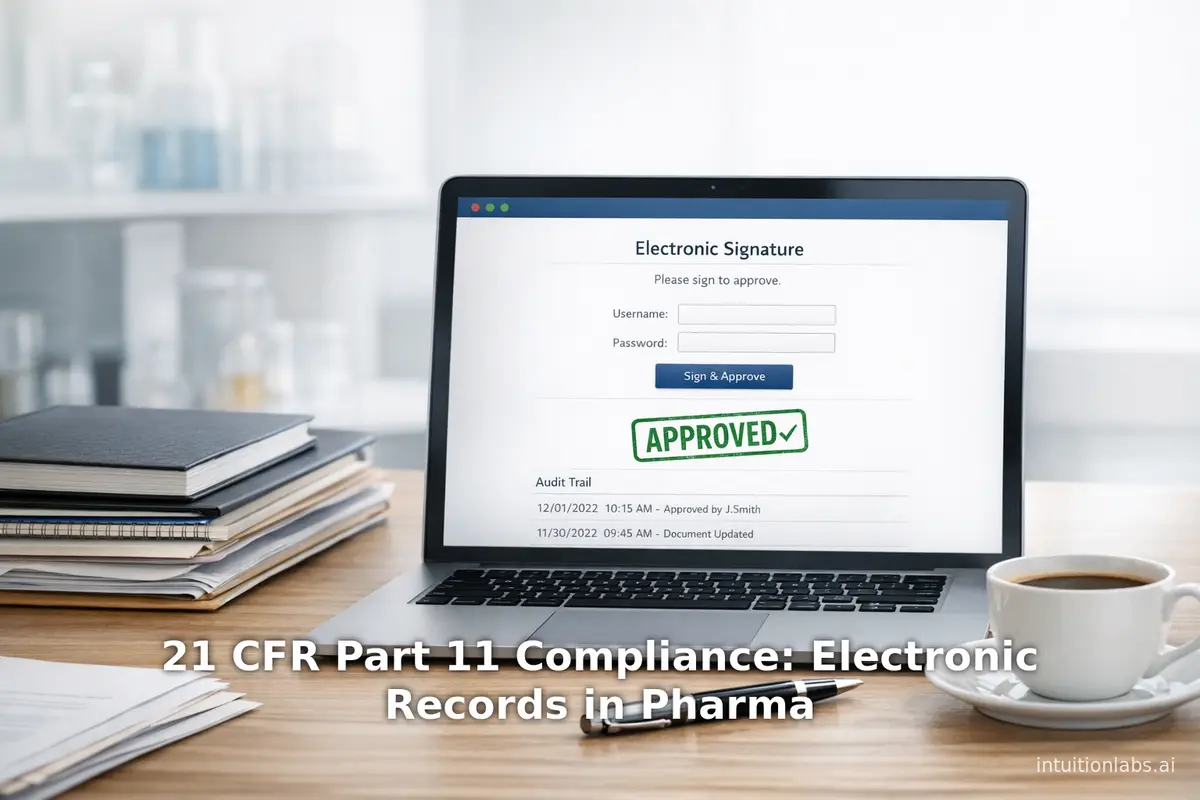
21 CFR Part 11 Compliance: Electronic Records in Pharma
Review the core requirements for 21 CFR Part 11 compliance in pharma. This guide explains FDA electronic records, signatures, ALCOA+, and system validation.
Automating Audit Trail Compliance for 21 CFR Part 11 & Annex 11
An explanation of regulatory requirements for audit trails under 21 CFR Part 11 and EU Annex 11, covering automation strategies, data integrity measures, and the latest 2025-2026 regulatory developments including the Annex 11 draft revision and FDA CSA guidance.
ChatGPT Enterprise in GxP Environments: Compliance Guide
Learn how to deploy ChatGPT Enterprise in regulated GxP environments. This guide covers FDA compliance, 21 CFR Part 11, system validation, and data integrity.