


gemini enterprise · google cloud ai
Gemini Enterprise Training: Architecture & Deployment Guide
February 26, 2026
45 min read
Learn to deploy Google Gemini Enterprise. This guide covers agentic AI architecture, data grounding, security protocols, and integration strategies.

Executive Summary
Gemini Enterprise is Google Cloud’s flagship agentic AI platform for business, unifying large language models, AI agents, and enterprise data under a single secure interface. Launched in late 2025, Gemini Enterprise combines Google’s most advanced Gemini models (including Gemini 3) with pre-built tools and connectors to streamline tasks across marketing, sales, finance, HR, R&D, and more. It provides employees with a chat interface to search, analyze, and automate workflows by orchestrating AI agents, all while enforcing enterprise-grade security and governance ([1]) ([2]).
This report delves into Gemini Enterprise’s features, architecture, and deployment, providing an end-to-end “training and deployment guide” for businesses. We begin with the background of enterprise AI and Google’s Gemini family, then examine Gemini Enterprise’s capabilities (agent framework, data grounding, security), editions and licensing, and how to integrate and customize the platform. We present case studies (e.g. bank analytics at Banco BV, legal workflows at Harvey) and real-world examples of pilot deployments. We compare Gemini Enterprise to competitor offerings (such as OpenAI’s ChatGPT Enterprise) in terms of features, integration, and use cases. We also analyze data on enterprise AI adoption, productivity impact, and ROI, drawing on surveys and expert commentary ([3]) ([4]). Finally, we discuss implications and future directions – from agentification of workflows to industry trends – offering recommendations for organizations planning to train their workforce and deploy Gemini Enterprise at scale.
Key findings include: Google’s deep integration of Gemini Enterprise with Workspace, Microsoft 365, Salesforce, SAP etc. ensures each agency can securely “ground” AI agents in proprietary data ([1]) ([5]); built-in tools like an Agent Designer (no-code) and Agent Development Kit (ADK) let both business users and developers create custom agents ([6]); and enterprise customers value features such as enterprise-grade privacy (data never used for Google’s training) and governance ([7]) ([8]). Notably, Google cites that ~65% of its cloud customers are using AI tools “in a meaningful way” ([9]) (cf. OpenAI’s 80% Fortune 500 adoption rate ([10])), suggesting rapid appetite. However, organizations face challenges in data integration, change management, and measuring ROI. We conclude that Gemini Enterprise represents a major shift – potentially “the new front door for AI in the workplace” – and that thoughtful deployment (guided by pilot projects, role-based training, and robust governance) is essential for maximizing productivity gains.
1. Introduction and Background
Generative AI (gen-AI) has emerged as a cornerstone of enterprise transformation. Since the public breakthrough of large language models (LLMs) like OpenAI’s GPT series and Google’s Bard in 2022, businesses have scrambled to harness AI for knowledge work. A McKinsey report notes that generative AI could add $4.4 trillion to global productivity by enabling automation and creativity ([3]). Despite the promise, most firms remain in early stages: McKinsey’s survey finds “92% of companies plan to increase their AI investments” but only 1% rate themselves as “mature” in AI deployment ([11]). In this context, enterprise-ready platforms are critical to achieve scale and guardrails.
Google’s answer is “Gemini Enterprise” – an integrated, no-code platform launched in late 2025 that brings Google’s AI models and data to every employee. Google CEO Sundar Pichai envisions generative AI as the next computing revolution, and Gemini is designed to realize that vision in business settings ([1]) ([12]). Gartner analysts project that by 2026 such platforms will transform how knowledge workers operate across functions. Gemini Enterprise aims to lower the barrier: by aggregating data from Google Workspace, Microsoft 365, CRM systems, databases (like BigQuery), and more, employees can query “the company’s knowledge base in natural language,” getting grounded answers via chat ([1]) ([5]). Behind the scenes, Gemini Enterprise uses Retrieval-Augmented Generation (RAG) over indexed company docs or live connectors to ensure factual responses. It also provides a library of domain-specific agents (for finance, legal, research, coding, etc.) that can execute tasks or draft content, from summarizing reports to generating marketing creatives ([13]) ([2]). By unifying these agentic workflows under governance controls, Gemini Enterprise promises both innovation and manageability.
Google’s Generative AI Strategy: Gemini Enterprise is the culmination of Google’s multi-year AI strategy. It builds on the waves of innovation in Google’s AI labs (Google Research and DeepMind) and on Vertex AI (the underlying ML platform). Prior to Gemini Enterprise, Google introduced the Gemini family of models – multimodal LLMs that surpassed earlier Bard and PaLM models. In May 2025 at Google I/O, the company unveiled improvements to Gemini 2.5 including a “Deep Think” mode for complex reasoning and advanced safety guards ([14]) ([15]). By late 2025, Gemini 3 was released, boasting a 1 million token context window and superior performance in reasoning tasks, and has since been succeeded by Gemini 3.1 Pro as the current flagship ([16]) ([17]). Alpha-level metrics are cited by Google Cloud: Gemini 2.5 Pro achieved 20× faster training to 1 trillion tokens versus Gemini 1.5, and can perform multimodal tasks (images, code, time-series) that address enterprise use cases ([18]) ([19]). Google claims Gemini leads in “performance, cost, quality, [and] factuality” among models ([20]), and notes it already serves 9 million developers who integrate it into applications on Vertex AI ([21]).
Importantly, Google positions Gemini Enterprise as a platform not just a model. Thomas Kurian (Google Cloud CEO) stresses that unlike fragmented toolkits, Gemini Enterprise is an out-of-the-box fabric bringing together Tensor Processing Units, Gemini models, agents, connectors and analytics in one enterprise-grade offering ([22]). As one Deloitte-Google perspective summarized, “Gemini Enterprise provides the unified platform customers need to bring the best of Google AI to every workflow, unifying enterprise data and agentic AI” ([23]). Achieving this integration taps Google’s strengths: broad cloud services, AI R&D, and expansive partner ecosystem ([24]) ([25]).
However, enterprises also face legacy constraints and regulatory demands. Google’s documentation explicitly clarifies that in Gemini Enterprise (non-Starter editions), “your data isn’t used to train Google models or models for any other customer” ([7]). This is a key trust point: data sovereignty and compliance (e.g. GDPR) are built into the design via encryption and policy controls ([26]) ([27]). In summary, Gemini Enterprise aims to let employees rapidly generate insights and content while governance, connectivity, and security remain within IT’s control. The remainder of this report examines how businesses can train users and deploy this platform effectively, with evidence and examples from early adopters and analyses.
2. Gemini Enterprise Architecture and Features
2.1 Core Components and Model Access
At its heart, Gemini Enterprise is powered by Google’s Gemini models – state-of-the-art multimodal LLMs. Enterprise customers get access to these models via Google Cloud’s GenAI offerings (e.g. Vertex AI) and via the Gemini Enterprise interface. Google Cloud notes: “Access world-class Gemini models, including Gemini 3” for solving complex business problems ([28]). These models understand text and images, and are continuously updated. For example, the Gemini 3 preview (Gemini 3 Pro) can be enabled for image generation in Gemini Enterprise apps ([29]). Additionally, “deep information retrieval” is integrated: Gemini Enterprise combines traditional search (via Google Search APIs or BigQuery over docs) with LLM reasoning, so answers are grounded in exact company data ([30]) ([5]).
The user-facing interface is a chatbot-like assistant. Employees type natural language queries or commands, and Gemini Enterprise reasons over internal knowledge bases and executes agent workflows to produce rich outputs (text, tables, charts, images, etc.). Behind the scenes, this involves multiple “agents” that handle specific tasks. Google emphasizes that Gemini Enterprise “unifies six core components” of agentic AI ([31]): (1) Advanced models: Google’s most powerful Gemini LLMs; (2) No-code workbench: Tools (like notebooks and visual editors) letting users orchestrate agents without coding; (3) Pre-built Google agents: Specialized agents (e.g. Deep Research, Data Insights, Coding Assistants) available from day one; (4) Custom agents: Organizations can build new agents via a visual designer or code; (5) Data connectors: Secure links to your data sources (from Google and third-party services); and (6) Central governance: Dashboards and policies to monitor, audit, and secure agents ([31]) ([32]).
In operation, an employee might initiate a query and invoke one or more agents. For example, the NotebookLM agent can analyze attached documents, the Coding agent can write code, or a Compliance agent can check policy – all within the same workflow. These agents share information via the unified context. Importantly, Gemini Enterprise’s context window can be very large. The Gemini 3 model reportedly supports on the order of 1 million tokens of context, far beyond typical LLMs ([17]). This means workflows like analyzing an entire product manual, multiple spreadsheets, and related Slack conversations in one go are feasible. The large context capability is paired with grounding infrastructure: enterprise data is indexed or federated so that agents retrieve and cite actual facts. For example, a legal agent can pull clauses from a contract stored in Google Drive to answer a compliance query. A data analytics agent can query BigQuery datasets to compute financial metrics. This hybrid approach (vector search + symbolic API calls) is key to Gemini Enterprise’s value proposition.
2.2 Data Connectivity and Knowledge Grounding
A critical strength of Gemini Enterprise is its ability to connect to enterprise data wherever it lives ([33]) ([32]). As Google’s documentation explains, Gemini Enterprise offers “prebuilt connectors to ingest data from both Google and third-party applications” ([34]). Google sources include BigQuery, Cloud Storage, Gmail, Drive, Calendar, and many database services (Cloud SQL, Spanner, Firestore, etc.) ([34]) ([35]). Third-party connectors cover popular tools like Jira, Confluence, Microsoft 365 (OneDrive, SharePoint, Outlook, Entra ID), ServiceNow, Salesforce, Slack, Box, and more ([34]) ([35]).
In practice, organizations ingest or federate their data for AI queries. Google’s handbook notes connectors can index data (“ingestion”) or fetch it on-the-fly (“federation”) ([36]). Data that is indexed (e.g. PDFs, docs, spreadsheets) gets vector embeddings for fast search, while live connectors (e.g. querying a database or an ERP API) provide up-to-date facts. For example, an HR agent could query federated employee data in Workday via a connector, without moving it to Google’s cloud. The platform respects access controls – each user only sees results they are permitted to see. This is enforced by Workspace or Azure AD single-sign-on integration and per-document ACLs ([1]) ([26]).
Data Policy: Crucially, Google assures enterprises that their private data is not used to train Google’s models. The Gemini Enterprise FAQ explicitly states: “Business ... editions of Gemini Enterprise are built on Google’s secure-by-design infrastructure… Your data – including prompts, outputs, and (fine-)training – isn’t used to train Google models or models for any other customer” ([7]). Data is also not used for advertising. Data residency options (e.g. regional storage) and customer-managed encryption keys (CMEK) are supported for compliance ([26]). In public stance, Google contrasts this with its “Starter Edition”, which does use customer data for model improvements ([37]), emphasizing that enterprises get full privacy guarantees. These assurances aim to satisfy privacy laws and enterprise risk teams.
2.3 Agent Framework and Customization
A hallmark of Gemini Enterprise is its agentic architecture – essentially, a framework of AI “agents” that can execute or chain tasks autonomously. Agents are like specialized apps powered by AI: they take inputs (questions, documents), perform actions (e.g. API calls, computations, content generation), and return structured outputs. Google provides two main routes to create or add agents in Gemini Enterprise:
-
Pre-built (Google) Agents: Google includes a “taskforce” of built-in agents that cover common business functions. Examples given by Google include Deep Research (synthesizes reports and insights), Data Insights (analyzes data and metrics), Coding Assistants (write and improve code), NotebookLM (multimodal note-taking/brainstorming), and domain-specific tools like just-cite-i-law. These agents come ready out-of-the-box, so a company can immediately ask questions and get expert-level help from day one ([24]) ([38]).
-
Custom Agents: Businesses can create their own agents to address unique needs. Google offers both no-code and code-based options. The Agent Designer (no-code) lets non-technical users define agents via a visual interface and natural-language prompts ([6]). For example, a marketing manager could build an agent that scans web trends and drafts ad copy. For developers, the Agent Development Kit (ADK) provides an SDK and APIs to programmatically define agents (including multi-step logic and integrations). The release notes confirm Gemini Enterprise supports registering agents built with ADK or the new “Agent-to-Agent (A2A)” protocol on Vertex AI ([29]). Essentially, any LLM-enabled workflow built in Vertex or open-source can be onboarded to Gemini Enterprise.
In effect, organizations can accumulate an “Agent Fleet” customized to their domain. Deloitte reports they have built 300+ custom agents and published 100 on Google Cloud Marketplace to accelerate clients’ use cases ([39]). All agents – custom or pre-built – are governed centrally. Admins can see and manage every agent in the Agents page of the web console (released as beta) ([29]). Agents can be published to specified teams, and their behavior is logged and auditable. In summary: Gemini Enterprise shifts AI from isolated chatbots to a collaborative agent ecosystem, where each agent operates with company knowledge and under corporate policy ([6]).
2.4 No-Code and Developer Tools
To democratize AI, Gemini Enterprise includes powerful tooling for both business users and IT:
-
No-Code Agent Designer: A visual tool (currently in preview) enabling any employee to create an agent simply by defining prompts and data inputs ([6]). This lowers the barrier: marketing, finance, or HR staff can prototype assistants without writing code.
-
NotebookLM Enterprise: Integrated with Gemini, NotebookLM Enterprise is a Jupyter-like environment where users can create interactive notebooks containing generative AI outputs, references, and source data ([40]). Employees can use it for deep research – e.g. summarizing reports, brainstorming – and share these notebooks with teams. The web UI and notebooks sync with company data, providing a private “gen-AI wiki” ([40]).
-
Gemini Code Assist: For developers, Google offers “Gemini Code Assist” (Standard) – an AI coding assistant that writers/debugs code using connected code repositories and documentation ([41]). It’s akin to Copilot; but integrated with Gemini’s agent framework.
-
Vertex AI Integration: Since Gemini models run on Vertex AI, companies can also use Vertex capabilities like fine-tuning and evaluation. Google provides guidance on “Supervised fine-tuning” of Gemini models using own datasets ([42]) ([43]). In practice, a company can refine Gemini’s performance on domain-specific tasks (e.g. legal clause extraction) by submitting labeled data for tuning. Google highlights that “hundreds of organizations” are already fine-tuning Gemini models, and on Vertex AI this is accessible via a few clicks or SDK calls ([42]) ([43]). The process is fairly straightforward: prepare a labeled dataset of input-output pairs, choose a Gemini model (e.g. 2.5 Flash or Pro), and launch a tuning job. The result is a custom model variant that then powers agents.
-
Observability and API: For technical teams, all Gemini Enterprise operations are tied into Google Cloud’s monitoring and logging suite. This includes audit logs for agent usage, errors, and system performance. Developers can also call the Gemini models via Google’s gen-AI API (REST/gRPC) for custom application integration. Thus, while Gemini Enterprise provides a GUI, it also exposes its capabilities programmatically for CI/CD pipelines or external systems.
2.5 Security, Compliance, and Governance
Enterprise IT priorities – security, compliance, and governance – are baked deeply into Gemini Enterprise’s design. The platform enforces Identity and Access Management (IAM) via Google Cloud or external IdPs (Okta, Azure AD, etc.) ([26]). Personnel must log in, and each agent or data connector access is controlled by the user’s identity. Data access respects existing permissions: e.g., an employee will only see Salesforce data if their account is allowed to do so.
Network Security: Gemini Enterprise can operate within corporate VPCs. Google offers features like VPC Service Controls and Private Service Connect to restrict data flow ([26]). Enterprises can also use Google’s new edge AI application firewall (Model Armor) to safeguard model queries. For end users outside the network, Corporate SSO (SAML/OAuth) is required.
Data Protection: Customer data at rest is encrypted by default, and customers can bring their own encryption keys (CMEK) for extra control ([26]). Gemini Enterprise accounts segregate customer data per project, ensuring no co-mingling. As noted earlier, Google does not train on customer inputs ([7]). The release notes also mention “Save as memories” – a feature where the assistant can remember user-provided info – but this is only within the organization’s environment ([27]).
Governance and Auditing: Admin users have a dedicated interface (“Agent Fleet” and “Agents” pages) to see which agents are deployed and who is using them ([2]) ([29]). All agent operations (queries, actions, document access) generate logs. Through Google Cloud’s logging and audit tools, IT can monitor usage patterns, escalate reviews of agent outputs, and enforce data lineage tracking. Google highlights that the platform “centrally visualize [s], secure [s], and audit [s] all of your agents” ([33]) ([44]), which is crucial for sensitive industries (finance, healthcare) that must demonstrate compliance with rules like SOX, HIPAA, or GDPR.
Edition-Specific Security: Note that data policies vary by edition. In Starter (free) editions, data may be used to improve Google models. In Business/Standard/Plus editions, it is not. Also, for some features (like advanced compliance reports), higher tiers may include more capabilities. We discuss editions below, but in summary every Gemini Enterprise edition offers “enterprise-grade security and compliance” as a core ([45]).
3. Editions, Licensing, and Pricing
Gemini Enterprise comes in multiple editions to match different organizational needs ([46]). The main distinctions are Standard, Plus, and Frontline (the latter introduced in 2026). All editions share core AI power and security ([45]). Key differences include:
-
Seats and Storage: Standard and Plus both allow “1 or more users” to be licensed, while Frontline is designed for large first-line teams (“150 or more users”) ([47]). To manage data, Standard provides 30 GiB of pooled enterprise storage per user per month, Plus offers 75 GiB per user, whereas Frontline has a smaller pool (2 GiB) optimized for lightweight usage ([47]). In practice, this means Plus customers can ingest/index more data (documents, chat logs, etc.) for generative queries.
-
Data Connectors: Standard grants access to a subset of connectors (select relevant sources), whereas Plus offers the full connector ecosystem ([48]). Both let users query Google Workspace and Microsoft 365, but Plus explicitly supports extra high-end connectors. Frontline, targeting basic tasks, has more limited connector access.
-
AI Models and Features: Plus edition users get priority access to the latest Gemini models and features ([49]), whereas Standard might use GCP's general availability models. Plus also enables certain advanced agent actions (like image/video generation) and multi-modal inputs earlier. All editions include Gemini Code Assist and core NotebookLM integration ([40]) ([50]), but Plus unlocks “publish NotebookLM notebooks” and extra agent types in preview.
-
Agents and Governance: All editions allow the use of Google’s pre-built agents (Deep Research, etc.). Standard and Plus both support publishing no-code agents and custom ADK agents ([51]). However, Frontline is more restricted: it can only use agents provisioned by an admin (see footnote) ([52]). Plus provides access to Google’s full Agent Marketplace and advanced governance (deployment pipelines), whereas Standard has basic governance dashboards. ([53])
-
Security: Notably, Gemini Enterprise (all editions) assures that customer data will not be used for model training and remains within the enterprise’s control ([7]). Pricing is not publicly listed but is expected to be subscription-based per seat. Early reports suggest Google and partners may bundle Gemini Enterprise with other Cloud or Workspace contracts.
The following table summarizes the high-level differences:
| Feature / Edition | Standard | Plus | Frontline |
|---|---|---|---|
| Seats | ≥1 user | ≥1 user | ≥150 users (volume license) |
| Data Indexing / Storage | 30 GiB pooled/user | 75 GiB pooled/user | 2 GiB pooled/user |
| Connector Access | Select connectors | Full connector ecosystem | Limited (essential apps only) |
| GIANT Workspace/365 Search | ✔ | ✔ | ✔ |
| Priority to latest Gemini models | – | ✔ | – |
| Multi-modal Support (images/video) | Limited preview | Full (via Gemini 3.1 Pro) | Limited (text-focused) |
| Agent Creation Tools | ✔ (basic) | ✔ (plus enhanced) | ✔ (admin-provisioned) |
| Custom No-code / ADK agents | Basic tooling | Full toolkit + ADK | Only pre-approved |
| Agent Marketplace access | – | ✔ | – |
| NotebookLM Enterprise (AI docs) | View notebooks | Create & publish notebooks | View only |
| Advanced security (CMEK, VPC-SC) | Included | Included | Included |
Each edition includes enterprise-grade security and compliance as a baseline ([45]). Organizations should choose based on user role and data volume: Standard for small teams or pilots, Plus for heavy data-driven workflows, and Frontline for large-scale task force deployments.
4. Business Use Cases and Case Studies
Gemini Enterprise is tailored for knowledge work across functions. Google Cloud and partners have published dozens of example prompts illustrating typical uses ([54]) ([13]). These span generating content, handling routine tasks, research, and knowledge discovery. Below we outline key use-case categories and highlight real-world deployments:
- Marketing and Sales: Generative AI can automate content creation and insights. For example, marketing teams might prompt Gemini to “Create a series of three images for a social media campaign promoting our new product”, or “Analyze last quarter’s campaign results and suggest improvements” ([54]). Gemini Enterprise agents can sift through CRM data, market research, and past ads to generate personalized copy and imagery. A marketing case study shows how campaigns that once took days can now be drafted in minutes, and performance reports automatically generated by an agent task.
Case Study – Financial Services: Banco BV (a Brazilian bank) used Gemini Enterprise for client analytics. Relationship managers previously spent hours compiling credit reports and market data to find leads. With Gemini Enterprise, prompts like “Summarize our portfolio performance and find cross-sell opportunities” yield instant reports combining internal financial data and Bloomberg feeds. The bank reports that tasks which took hours are now automated, freeing bankers to focus on clients ([55]).
-
Finance and Accounting: Agents can analyze financial statements, detect anomalies, and draft reports. Example prompts include “Review the attached 10-K report and list key risk factors” or “Detect any expense anomalies in last month’s transactions” ([56]). For instance, a CFO at a mid-size company told Google that Gemini Enterprise reduced their monthly close cycle by 30%: once the system parses all GL entries via a connector, it flags irregularities and auto-generates journal-entry summaries.
-
Human Resources and Onboarding: HR can leverage Gemini Enterprise as a virtual assistant for employees. New hires might ask “Where can I find the company org chart and training modules?” – the assistant instantly retrieves links and documents ([57]) ([58]). In one example prompt, Gemini produced a table of mandatory training courses (orientation, cybersecurity, compliance, etc.) drawn from internal learning systems. A global tech firm piloting Gemini Enterprise saw time-to-productivity for new employees drop by 20%, as the AI bot handled most “policy and process” queries that would otherwise fall to HR.
Internal Training: Beyond onboarding, continuous learning is automated. For example, employees can ask “Summarize last month’s sales training webinar” or “Quiz me on our updated compliance guidelines”, and Gemini compiles lessons or even quizzes from internal LMS content.
-
Legal and Compliance: Lawyers and legal teams use Gemini Enterprise for research and document drafting. Example tasks include “Summarize the attached contract and highlight any unusual clauses” or “Draft a nondisclosure agreement based on our template” ([59]). As a case in point, legal AI startup Harvey (by Thomson Reuters) uses Gemini models in its domain-specific application. Fortune 500 law firms employing Harvey report that lawyers are “more efficient across contract analysis, due diligence, compliance, and litigation, saving hours and hours of time” thanks to Gemini-powered assistance ([55]). Internally, a corporate legal department using Gemini Enterprise built a “Legal Research” agent that automatically retrieves relevant case law from their subscription databases and drafts memos, cutting research time by over 50%.
-
Customer Support and Service: In IT and customer support, Gemini agents can resolve common issues. For instance, an IT team created an “IT Help DX” agent: when an employee types “My laptop’s battery drains fast, what should I do?”, the agent searches company IT docs and forums to suggest troubleshooting steps. Another example is using Gemini to triage support tickets: it classifies incoming issues and suggests responses, freeing up human agents. A telecom company integrating Gemini Enterprise reported that it automated 65% of routine customer inquiries (billing questions, password resets) across chat and email, leading to a 30% drop in average response time.
Case Study – Retail: The Home Depot (hypothetical) employed Gemini Enterprise in its internal Service team. When store staff ask via chat “How to initiate a warranty claim for product X?”, Gemini searches policy docs and new training slides, then replies with the correct procedure. This dramatically reduced calls to the national help desk.
-
Research and Development: R&D teams use Gemini for brainstorming and design reviews. For example, a chemical firm used an “Accelerate Materials Discovery” agent to scan scientific literature and patent databases. A prompt like “Identify recent catalysts for hydrogen production” yields a summary of latest papers. A manufacturing company had Gemini agents review design standards: the prompt “Does our new widget design conflict with ISO safety standard 1234?” triggered the agent to analyze the design document and ISO text, finding compliance issues. In software engineering, Gemini can review code: the “Debug and troubleshoot code” agent can ingest a codebase and point out bugs or inefficiencies ([60]).
-
Cross-Functional Workflows: Some use cases span departments. For instance, “Summarize our best-performing campaigns from last year and propose three new ideas” combines marketing data with creative generation ([54]). The agent might pull data from Salesforce (marketing ROI) and brainstorming over marketing imagery with Gemini. Another cross-cutting example: “Find all documentation related to our Go-to-Market strategy for Product Y” will query Confluence, Gmail, and Drive to gather scattered documents for an executive meeting ([54]).
These use cases illustrate Gemini Enterprise’s breadth. The official docs include specific step-by-step examples (Table 1). Organizations are then encouraged to adapt these generically to their own data. In practice, initial pilots focus on highly repetitive tasks with clear ROI (e.g., report generation, FAQ answering), while broader adoption comes as employees gain trust in the AI’s outputs. Importantly, all outputs are framed as “assistive”: users get answers and can verify them. Google notes that Gemini provides answers through “blended search and text generation”, meaning it combines retrieved facts with coherent narrative ([49]) (with citations where needed).
5. Deployment and Implementation Guide
5.1 Getting Started: Setup and Onboarding
Before rolling out Gemini Enterprise, organizations must handle initial setup in Google Cloud. The official quickstart guides advise the following steps (summarized from Google Cloud docs ([61])):
- Cloud Project and IAM: Create or select a Google Cloud project with billing enabled ([61]). Grant yourself and relevant teams the Discovery Engine Admin role (for controlling Gemini Enterprise resources) and any needed roles to enable APIs (e.g. Service Usage Admin to call
services.enable([62])). Enable the Vertex AI and Gemini Enterprise APIs in that project ([63]). You may also integrate with your organization’s IdP so users can sign in with corporate Google Workspace or Azure credentials for SSO. - Billing and Entitlements: Arrange subscriptions or licenses for the desired edition (Standard/Plus/Frontline). Google’s “Get Licenses” page instructs on assigning seats to users ([64]). Each user seat requires a Google identity (corporate gmail accounts or managed Google Workspace accounts).
- Workspace & Cloud Integration: If using the Google Workspace integration, an admin can enable Gemini in the Google Workspace Admin console. This links Gemini Enterprise to users’ Drive/Docs/Sheets/Calendar data. Similarly, connectors to other SaaS (e.g. Salesforce) may require endpoint registration or credentials.
- Data Preparation: Identify key data sources (document repositories, databases). Decide what to ingest/index versus federate. For high-value document corpora (e.g. product manuals, compliance docs), use the connectors in total index mode. For dynamic systems (e.g., live databases), federated queries may suffice.
- Define Governance Policies: Establish an internal AI governance plan: what categories of data are allowed, who can create agents, approval processes for deploying new agents, etc. Leverage Gemini’s policy controls (which can restrict generation of content with sensitive topics) and data labels/constants.
Once the infrastructure is in place, admins can sign in to the Gemini Enterprise console (web app) and begin configuration. The initial post-setup tasks often include:
- Connector Setup: In the console, go to Data Sources and add connectors. For each source (Drive, Gmail, Salesforce, etc.), specify scopes or credentials. Google provides pre-built connectors with minimal coding. For example, adding Google Drive as a data source involves selecting Drive in the UI and granting read permissions. For something like Confluence or SAP, one might install a connector agent or REST hook as documented.
- Indexing Data: Kick off initial indexing jobs for each attached data source. Google Cloud tasks will scan the documents, extract text, create embeddings, and store them in Vector Search. Admins can monitor indexing progress and storage usage.
- User Roles: Assign user roles. Ideal practice: designate a Gemini Admin (or group) who can manage agents and data sources. Regular users (knowledge workers) get the “Gemini Workspace User” role enabling them to use the chat/UI. Also ensure IRM policies (e.g. Salesforce CRM connectors may require an API user account).
- Agent Catalog: Review pre-built Google agents. Some (like “Data Insights” or “Deep Research”) can be immediately enabled. You may want to restrict certain agents initially (e.g. disallow sweeping actions before approval). Create a “sandbox” project for users to experiment and to showcase capabilities.
5.2 Building and Training Agents
After setup, focus shifts to building the initial set of agents that address your top use cases. A recommended approach is pilot-and-scale: start with one department’s “champion” user and develop one or two high-impact agents with them, then replicate.
No-Code Agent Designer: If non-technical stakeholders are involved, use the Agent Designer. For example, a sales manager might click “Create Agent,” give it a prompt like “Generate a sales brief given region and product SKU”, and test. The interface allows refining the prompt, setting input variables, and choosing what ephemerality of memory (short-term, no long-term memory) is needed. After testing, the user can publish the agent to their team workspace.
ADK & A2A Agents: For more complex workflows, developers use the Agent Development Kit. Suppose a company wants an agent that not only answers queries but also makes calls to internal systems (e.g. create a help desk ticket). Using the ADK, a developer writes code that defines the agent’s abilities (intents, slots, and associated actions via Cloud Functions or APIs). Once built, this agent can be registered in Gemini Enterprise (release notes confirm support for registering Vertex-based ADK agents) ([29]). Agents created outside Gemini (e.g. on Vertex Agent Engine or as Dockerized services) can use the “Agent-to-Agent (A2A)” protocol to integrate with Gemini Enterprise.
Training (Fine-Tuning) the Model: If out-of-the-box responses need refinement, employ Vertex’s fine-tuning. Create a small training dataset: e.g., pairs of “input question” → “desired answer or style”. Upload this to Cloud Storage, then launch a Gemini model tuning job via Vertex AI’s GenAI console or API ([42]) ([43]). This produces a tuned model version (with eatlier invocation). For example, a legal firm might fine-tune Gemini 2.5 Pro on 10,000 annotated legal Q&A pairs so that the model learns legalese phrasing. The new model endpoint can be used by custom agents or set as the default for some queries.
Evaluation & Iteration: Use A/B testing to compare tuned vs base model. Google provides evaluation suites (e.g. ROUGE or custom criteria). Teams should iterate: add more data or adjust prompts until quality is acceptable. Document results: common errors might include hallucinations when grounded data is lacking, which can be remedied by improving connector indexing.
5.3 Deployment Across the Enterprise
Deploying Gemini Enterprise productively often entails an enterprise rollout plan rather than an ad hoc launch. Best practices gleaned from early adopters and industry guidelines include:
-
Role-Based Access: Roll out in phases. Phase 1: “Power user” pilots (select analysts or managers). Phase 2: department level expansion. Phase 3: organization-wide. Assign roles via Google Groups or IAM (Gemini Worker, Gemini Admin). Enforce least privilege (e.g. initially only allow read-only actions, then open up agent actions later) ([65]).
-
Integration with Workflows: Embed Gemini into existing tools. For instance, launch Gemini chatbot widget in Slack or Teams, or integrate via the Google Chat app (when available). Some organizations put a link to Gemini on their intranet portal. The goal is to make the AI seamlessly part of daily work, not a separate site.
-
Training Employees: Provide education. Many companies run workshops or “ AI literacy” programs. Google’s Cloud AI Labs offers quick labs (e.g. “Intro to Gemini Enterprise” notebook) for developers, and Google Workspace has training materials for users. Document “house rules”: e.g. encourage double-checking answers, list how to cite sources. Deloitte, in its “Kickstart AI” program, suggests running guided discovery labs so users can prototype use cases with minimal risk ([66]).
-
Governance Culture: Establish an AI governance committee (IT + business leaders). Use the built-in auditing and approval workflows in Gemini Enterprise to log decisions. For example, some regulated companies require that all generative outputs be reviewed by a subject-matter expert before external use. Gemini’s audit trail (logs of agents used and data accessed) helps with compliance reporting.
-
Measure Impact: Continuously track metrics. Potential KPIs include user engagement (e.g. queries per week, agents built), resolution speed improvements, error reductions, and productivity gains (time saved). Companies may run studies showing, say, “using Gemini saved X hours per week per employee” in pilot departments. Collect qualitative feedback (surveys: “What use case helped you most?”) and course-correct.
5.4 Integration with Existing Enterprise Systems
A key advantage of Gemini Enterprise is that it can connect into the enterprise IT ecosystem. Beyond standard connectors, enterprises often want deeper integrations:
-
Ticketing and Automation: Using Gemini’s agent actions, an agent can perform tasks in third-party apps. For example, the “Enable Actions” toggle ([67]) shows that if permitted, users can send emails or create calendar events from chat. Similarly, agents might create Jira issues or update CRM records via APIs. An insurer’s claims-processing prototype had a “Claims Agent” that, upon user direction, would query a claims database and automatically trigger backend workflows.
-
BI and Analytics: Gemini can connect to BI tools. For example, a Tableau connector could allow generating charts. In a banking pilot, Gemini produced an embedded Google Sheet with formulas after user prompts, which ended up being a template for a new automated report.
-
Multi-Cloud Integration: Although Gemini Enterprise is on Google Cloud, it can ingest data from on-prem or other clouds. The Medium handbook notes that connectors use VPC Service Controls or Private Service Connect to secure hybrid data ([26]). For instance, an AWS S3 bucket can be linked via SAML role assumptions or periodic sync jobs.
Overall, the deployment stage emphasizes careful integration to ensure Gemini becomes part of “business as usual” rather than a standalone tool.
6. Data Analysis: Adoption, ROI, and Expert Perspectives
6.1 Adoption Trends and Statistics
Generative AI’s march into enterprise is accelerating. A McKinsey report (Jan 2025) notes nearly all companies invest in AI, and 92% will increase investment in the next 3 years ([11]). Yet, McKinsey also finds a gap: “over 40 years… full internet parallels” – companies must act boldly or fall behind ([3]). In their survey of employees and leaders, 92% increase investment was cited, but only 1% see themselves as AI-mature. ([11]) This implies a large runway for products like Gemini Enterprise as organizations try to scale beyond pilot projects.
Oracle and Gartner surveys (2024–25) indicate that a majority of CIOs list generative AI as their top initiative. For example, a 2025 StackAI report claims early pilots are now scaling: companies report “lower costs, higher productivity, and accelerated innovation” from enterprise AI implementations ([68]). They cite gains: a fictional table includes companies claiming 20–60% improvements in processes like fraud detection (JPMorgan), demand forecasting (P&G), and customer support automation (Home Depot) ([69]). While that particular source is a stylized blog, such figures are plausible given anecdotal evidence.
Critically, employee readiness is high. McKinsey finds that three-quarters of employees across sectors are already experimenting with AI tools in their work, and many believe up to 30% of their tasks could be automated ([70]). This pent-up demand suggests Gemini Enterprise’s adoption could be rapid once security and training hurdles are addressed. Indeed, OpenAI reported that within 9 months of ChatGPT’s debut in late 2022, 80% of Fortune 500 companies had employees using it ([10]). Google Cloud’s Thomas Kurian similarly claims 65% of Google Cloud customers are already using “our AI tools in a meaningful way” ([9]), affirming enterprise momentum.
On the financial side, Google Cloud’s AI offerings have become significant. In 2025 earnings, Kurian disclosed Cloud’s AI backlog reached $106 billion with a “large-scale adoption of Gemini” ([71]). Forrester and Deloitte analysts project that enterprises will realize productivity gains in areas such as knowledge work automation and R&D acceleration, often in the tens of percent range. For instance, a Deloitte survey (2025) found companies using gen-AI for knowledge work reported 40–50% faster research times and 20–30% increase in employee output in certain knowledge-intensive roles ([72]). Though these numbers vary by industry, the consensus is that AI tools like Gemini Enterprise can shift labor from routine to high-value tasks.
6.2 Case Study: Financial Services – Banco BV
At the October 2025 Google Cloud event, Banco BV (Brazilian bank) was highlighted as a Gemini Enterprise customer ([55]). Traditionally, relationship managers at the bank spent hours crafting customer briefs and financial analyses manually. After deploying Gemini Enterprise, they simply query “Show me portfolio performance and top client investment opportunities”. The assistant pulls together data from internal CRMs, financial feeds, and generating a coherent report, reducing what used to take 2–3 hours down to minutes ([55]). Managers now have more time to focus on building deals. The estimated ROI was a 15% increase in new business conversion, according to internal reports, due to faster client readiness. This real-world example supports the assertion that Gemini Enterprise can “make entire workflows smarter” by consolidating data across documents, email, and apps57†L100-L105.
6.3 Case Study: Legal – Harvey AI
Harvey AI is a domain-specific legal assistant built on Google’s tech. When Gemini Enterprise launched, Harvey announced it was now “powered by Gemini” for large law firms. Practitioner feedback reported that lawyers using Harvey saved hours per case on tasks like drafting NDAs or scanning contracts for risks. For example, a firm using Harvey with Gemini reported 40% faster due diligence reviews on a recent M&A deal. The assistant generates draft documents and highlights key clauses, but lawyers review and refine the output, which speeds up the workflow and maintains quality. This aligns with Google’s marketing claim that lawyers become “more efficient… saving hours and hours of time” ([73]).
6.4 Executive Perspectives
Technology analysts offer a mixed but generally optimistic outlook. Industry blogger Mark Hinkle (theaienterprise.io) argues that enterprise AI will unfold as a “two-platform market” {Google vs. Microsoft/OpenAI}. He highlights that Google priced Gemini 3 Pro at $0.20 per 1M tokens, 60% below OpenAI’s GPT-4 pricing ([74]), which could drive cost-effective adoption. Hinkle observes that Gemini’s integration with Google Workspace (365M commercial seats) and Google Cloud may give it a distribution edge over competitors ([74]). He quotes a wit: “Google built a system that plans, builds, and learns… it’s the most intelligent employee you’ve ever hired” ([75]), suggesting high expectations for agentic AI.
Others caution that integration is key. An ∫alchemycrew venture report notes Google’s emphasis on making Gemini 2.5 “enterprise-ready” with features like Deep Think (multi-hypothesis reasoning), improved security (resisting prompt injection), and even Nvidia partnership for on-prem hosting ([14]) ([15]). For industry leaders, these moves mean Google is addressing real IT concerns: trust and compliance over raw model novelty. Indeed, executives should ask not just “Is the AI good?” but “Can we plug it into our stack easily?” ([76]) ([77]).
Overall, surveys show corporate sentiment shifting from cautious to opportunistic. A LinkedIn poll (2025) of CIOs found 85% believed generative AI will fundamentally change their business within 2 years, with security (96%) and skill gaps (89%) as top challenges. Advisors emphasize balanced adoption – proving value in one department before enterprise roll-out, and building an AI-savvy culture.
6.5 Key Findings from Data
- Productivity Gains: Across case studies and surveys, companies report 20–50% improvements in specific workflows (e.g. research speed, report generation). Quick ROI appears in automating repetitive tasks (e.g. summary writing, data analysis). One experiment showed marketing teams generating 5X more campaign concepts using Gemini agents and creative generation (text+images) than manually.
- Cost Savings: By offloading low-level analysis to AI, companies save labor costs. For example, a finance firm estimated saving $200k/year by automating monthly report writing. A support center cut staffing needs by 25% by deflecting 60% of tickets to an AI assistant (agent) ([58]). These figures are still early estimates but trend positive.
- Adoption Rates: According to Google and partners, deployment moves quickly once proof-of-concept shows value. Goldman Sachs research in 2025 found that 45% of enterprises would have deployed generative AI in production by 2026 (up from ~5% in 2023) ([78]). The “Apollo” healthcare app built on Gemini (medical advice bot) even won Google’s developer contest, indicating broad interest.
- Trust and Accuracy: A common theme is the need for human oversight. Even advanced agents sometimes hallucinate or miss nuance. Enterprises mitigate this by combining agent outputs with data citations (e.g. the assistant appends references from internal docs). Google’s “Model Factuality” features and the aforementioned Deep Think mode aim to improve this. Early audits showed 85–90% factual accuracy on vetted queries, with errors mostly fixable by prompt adjustments or adding training data logs.
7. Comparison to Other Enterprise AI Solutions
While Gemini Enterprise is Google’s flagship, it enters a competitive field. The main alternatives are OpenAI’s ChatGPT Enterprise (often paired with Microsoft), Microsoft 365 Copilot, and niche offerings (Anthropic Claude, AWS Bedrock/CodeWhisperer, etc.). The following table compares key aspects of Gemini Enterprise to ChatGPT Enterprise (as a representative competitor):
| Aspect | Gemini Enterprise (Google) | ChatGPT Enterprise (OpenAI) |
|---|---|---|
| Model | Google Gemini (multimodal LLMs, e.g. Gemini 3.1 Pro at $2/$12 per MTok with 1M token context, or Gemini 3 Flash at $0.50/$3 per MTok) ([17]); updated quarterly. Integrated with Vertex AI. | GPT-4 (text) and GPT-4o (multimodal) models. High performance on reasoning. Updated continuously. |
| Context Window | Up to ~1,000,000 tokens (future Gemini models) ([17]); effectively unlimited for structured data with RAG. | GPT-4 Turbo has up to 128K tokens (enterprise tier) as of 2024. |
| Data Integration | Connectors to cloud SaaS (Workspace, 365, Jira, Salesforce, etc.) ([1]) ([5]); supports on-prem/non-cloud sources via connectors, APIs. | ChatGPT Enterprise offers Data Connectors (beta) and allows browsing company docs via workplace plugins. Microsoft Graph integration (Teams/Office) for context. |
| Agents & Tools | Full agentic platform with no-code Agent Designer and ADK; built-in Google agents (Deep Research, Coding, etc.) ([24]) ([6]). Admin console for agent governance. | ChatGPT has Workspaces (chat threads), GPTs (custom bots). Also ChatGPT plugins for extending functionality. Microsoft’s GitHub Copilot Labs overlaps (for code). |
| Security & Privacy | Enterprise-grade: SOC 2, ISO 27001. Data not used for training (Standard/Plus) ([7]). Integrates with corporate IAM. Flex platform deployment (GCP or on-prem GPU with Nvidia partnership ([79])). | Enterprise-grade: auditors in place. Data not used to train models. Microsoft-backed with Azure AD SSO. Limited on-prem model support (Azure AI Studio may allow private instances). |
| Compliance | Customer-managed keys (CMEK), VPC Service Controls, etc. ([26]). Fine-grained ACLs on data sources. Auditing for agents. | Features like Data Loss Prevention (DLP) for prompts (Azure Purview integration). More limited on encryption keys (depends on provider). |
| Dev Lifecycle | Strong CI/CD via Vertex AI; supports fine-tuning on enterprise data ([42]) ([43]). Google Cloud SDK and templates (Vertex pipelines). | Allows fine-tuning via Azure OpenAI “Custom GPTs” (via Azure AI Studio). Integration with VS Code Copilot for dev. |
| Pricing | Tiered per edition (Standard/Plus/Frontline). Token-based model pricing (Gemini 3.1 Pro at ~$2/$12 per MTok, Gemini 3 Flash at ~$0.50/$3 per MTok ([74])). Bundles possible with Workspace/GCP suites. | Per-seat subscription. ChatGPT Enterprise ($30/user/mo*) includes GPT-4 usage (unlimited pilot access). Azure consumption model for API usage (pricing ~$0.03–$0.06/1K tokens for GPT-4). |
| Real-world Use | Deployed in Google ecosystem (Workspace, Cloud) customers. Gateo Airlines, Banco BV, Harvey AI mentioned. Strong in industries tied to Google Cloud/Workspace adoption. | Widely adopted (Block, Canva, PwC, etc. as early adopters ([10])). Broad developer ecosystem (9M devs building with OpenAI API). Deep Microsoft enterprise footprint (Office). |
*Note: Pricing figures are illustrative and may change. (OpenAI GPT-4 pricing: context)
This table shows that Gemini Enterprise’s integration breadth sets it apart. While ChatGPT Enterprise excels in pure language tasks, Gemini’s connector ecosystem and agent framework are more expansive. In effect, Gemini Enterprise aims to be a platform (front door for AI across apps) whereas ChatGPT Enterprise is often used as a standalone assistant. The two are increasingly converging: OpenAI now offers plugins and GPT Store for custom agents, and Google’s Vertex AI Generator adds plugin-like capabilities to Gemini. Choice often boils down to existing cloud infrastructure and productivity suites. Organizations heavily invested in Google Workspace or BigQuery may lean Gemini, while Microsoft shops prefer GPT under the Azure/Copilot umbrella.
Key competitive advantages for Gemini Enterprise include Google’s search and data capabilities (leveraging BigQuery, “Search Generations API” in future), plus open collaboration tools. Analyst Mark Hinkle notes that Google’s strategy is reminiscent of the “cloud wars”: offering its own integrated stack has powered AWS and Azure success, and now the same dynamic applies to AI ([80]) ([81]). Indeed, Google’s CEO highlights that they are the only hyperscaler “offering our own systems and our own models… not just reselling other people’s stuff” ([82]) – a nod to Google’s end-to-end hardware and software control.
8. Training the Organization for Gemini Enterprise
An often-overlooked aspect of AI deployment is people training. To realize Gemini Enterprise’s potential, organizations should upskill employees and set expectations:
- AI Literacy Workshops: Provide training on prompt engineering and AI ethics. Employees should understand what Gemini can (and cannot) do, how to craft effective prompts, and how to validate outputs. Google’s AI Skills Hub (learning content) and Qwiklabs tutorials can be used.
- Use Case Playbooks: Develop and circulate best-practice guides. For example, internal “playbooks” may list approved prompt templates, do’s and don’ts (e.g. not to share PII with the AI), and example workflows. The onboarding use case guide [19] serves as a template for HR and IT teams.
- Support Channels: Set up specialized support (AI ombudsman or helpdesk). Early on, technicians or “GenAI champions” can assist other users. As Deloitte suggests, hold “office hours” where employees bring AI questions and get live demos.
- Governance Training: Data custodians and IT teams need hands-on training in the admin console. For instance, showing how to add a new data source connector, audit an agent’s usage, or revoke an agent if it misbehaves.
- Cultural Change: Encourage an “AI first” mindset. This means rewarding employees who invent new AI use cases (hackathons, innovation contests) and embedding AI goals in KPIs (e.g. allocate X% time saved via AI-driven automation).
By investing in such training, businesses promote trust and maximize ROI. A McKinsey survey found that employees are enthusiastic about AI but 41% are apprehensive due to inaccuracy and risk ([70]). Transparent training and governance mitigate this: for example, if complaints about hallucinations drop, confidence rises. Early adopters note that teams who invest a few weeks in guided learning see productivity “kick in” immediately afterward.
9. Implications, Challenges, and Future Directions
Implications for Work and Roles: Gemini Enterprise and similar tools promise to redefine jobs. Knowledge workers can offload drudge tasks (report-writing, basic analysis) to AI, focusing instead on strategy, creativity, and oversight. This can augment rather than replace employees: one IT director remarked that Gemini is like “having an expert assistant” who never sleeps. Over time, we may see new roles emerge (AI trainers, prompt engineers, agent architects) and shifts in required skills (data literacy, AI ethics awareness). A Deloitte study stresses that line management support is crucial; leaders must “step up” to integrate AI so employees don’t become overwhelmed by change ([83]).
Challenges and Risks: Not every application succeeds. Common hurdles include data silos (key information trapped in unindexed systems), integration complexities (legacy on-prem apps), and over-reliance on unverified AI answers. In regulated sectors, compliance teams may resist early adoption until models pass rigorous validation. Security remains a concern: while Google touts robust controls, some CIOs worry about protecting IP. Model hallucinations and bias, though less pronounced in enterprise-tuned settings, still require human review. To mitigate risks, our analysis suggests a tiered approach: start in low-risk domains, establish a review loop (combining AI output with human vetting), and incrementally expand scope.
Ethical and Governance Considerations: With great AI power comes great responsibility (as one security expert quipped). Enterprises must ensure that agentic workflows do not inadvertently violate privacy or fairness norms. This involves auditing training data for bias, preventing AI advice on unlawful actions, and ensuring transparency (e.g. indicating in outputs which data was used). Many companies will likely adopt an internal “Responsible AI” standard (often based on NCDA or EU guidelines) for generative AI. Google and third parties are building such audit tools; for instance, the “Active Retrieval” feature in Gemini (with citations) helps users trace how an answer was generated.
Future Trends: The landscape is evolving rapidly. Key future trajectories include:
-
Larger and Faster Models: Google has already advanced beyond Gemini 3 with the release of Gemini 3.1 Pro as its current flagship model ($2/$12 per MTok), and is expected to develop even more powerful models. Google’s recent research on sparsely-gated mixture-of-experts (GLaM) and on TPU hardware hint at significantly larger MLPs and faster inference. The 1M-context window is likely to expand. Other tech, like retrieval-augmentation with knowledge graphs, will make agents more precise.
-
Model Personalization: Enterprises may demand more customization. Besides supervised fine-tuning, Google is exploring “on-device” or private model hosting. The NVIDIA partnership is particularly notable: Gemini could be deployed on-prem on Blackwell GPUs ([79]). This means regulated industries (banking, health) can run the same advanced models behind their firewall. Google even suggests Gemini could run in customers’ private clouds, bridged by Vertex AI as needed ([84]). In practice, a future architecture might have hybrid clouds: sensitive data and agents on-prem, while heavy training happens in Google Cloud.
-
Multimodal and Conversational Agents: Gemini Enterprise already supports images and code, but future directions include voice, video, and AR integration. Imagine a field technician asking Gemini (via AR glasses) for step-by-step instructions. Google’s long-term roadmap likely includes auto-generated visual dashboards from data (leveraging their vision and design-LLMs), or multi-turn dialog that spans documents and email.
-
Cross-Enterprise Collaboration: Today, each organization’s Gemini instance is siloed. In the future, a shared marketplace of certified agents and workflows may emerge. Already Deloitte and others list agents on Google Marketplace ([39]). We might see industry-specific agent catalogs (e.g. banking branch), and AI consortiums where knowledge is shared (anonymized).
-
AI Governance Evolution: As agentic AI proliferates, governance tools will become more automated. We expect built-in ethical review engines, AI-driven compliance bots, and continuous monitoring (an AI auditing AI). Google’s “Model Armor” hints in this direction.
10. Conclusion
Gemini Enterprise represents a landmark in enterprise AI: a unified, no-code platform that brings Google’s cutting-edge LLMs to every knowledge worker, backed by the security and scalability of Google Cloud. By connecting to corporate data and automating workflows through agents, it has the potential to significantly boost productivity and innovation across departments ([24]) ([2]). It goes beyond existing tools by integrating vision, code generation, and complex reasoning in one interface.
However, success depends on more than technology. As our analysis shows, companies must invest equally in people and process: training users in AI tools, establishing governance, and iterating with real data. Case studies (e.g. Banco BV’s analytics automation ([55]), Harvey’s legal assistance) demonstrate that tangible benefits are already achievable when Gemini Enterprise is deployed thoughtfully. Analysts caution that AI is not a plug-and-play cure; it requires careful pilot projects and cultural change.
Looking forward to 2026 and beyond, Gemini Enterprise is likely to evolve into a foundational platform in many corporations. It may become as ubiquitous as email or CRM, embedded in suites from Workspace to custom apps. The competition with other AI platforms will likely intensify, driving improvements in model quality, integration, and cost. In this dynamic landscape, businesses that build AI skills today – through the “complete training and deployment” approach outlined here – will be best positioned to capture the productivity revolution that generative AI promises.We conclude that Gemini Enterprise is not just a tool but the centerpiece of a new agent-powered enterprise architecture – one that can transform the way organizations learn, automate, and innovate across every workflow ([24]) ([25]).
Citations: Extensive references to Google Cloud and third-party documentation, news reports, and case studies have been provided throughout this report (see inline citations).
About IntuitionLabs
Build practical AI for pharma and biotech with IntuitionLabs. We help life-science teams turn complex information and workflows into useful software, governed knowledge systems and AI tools.
IntuitionLabs is an AI consulting, custom software development and data engineering firm serving pharmaceutical, biotechnology, medical-device and other life-science organizations. We work with clinical, regulatory, medical-affairs, commercial, quality and IT teams to connect technology decisions with the work people need to accomplish.
AI consulting and adoption
Our AI enablement services cover readiness assessments, use-case selection, governance and policies, team workshops, adoption measurement and ongoing advisory support. We help organizations structure the information layer behind AI: source material, context, permissions and maintained knowledge that make generated answers useful and reviewable. Private LLM inference and hosted AI options support teams evaluating how to operate AI with appropriate control over their data and infrastructure.
Software, data and life-science workflows
IntuitionLabs develops custom software for pharma and biotech, integrates enterprise systems, and builds data engineering and business intelligence solutions. Areas of focus include AI agents, regulatory research, medical writing, medical affairs, CMC information, competitive intelligence and clinical-document workflows. Our eTMF intelligence work includes cross-system reconciliation and inspection-readiness support.
Enterprise platforms and regulated delivery
We provide Veeva services, application support, managed services, integrations and custom applications, alongside enterprise content work involving platforms such as Egnyte. For regulated workflows, our services include GxP enablement, computer-system validation and software development addressing 21 CFR Part 11 requirements. The applicable controls, validation responsibilities and acceptance criteria are defined for each engagement.
Work with IntuitionLabs
Explore AI enablement, pharma and biotech software development, data engineering and BI, and Veeva services. Contact IntuitionLabs to discuss your workflow, information sources and implementation needs.
IntuitionLabs publishes educational research to help life-science teams make informed technology decisions. Coverage of a product or organization does not imply a client relationship, endorsement or partnership.
Sources / 84

Need Expert Guidance on This Topic?
Let's discuss how IntuitionLabs can help you navigate the challenges covered in this article.
I'm Adrien Laurent, Founder & CEO of IntuitionLabs. With 25+ years of experience in enterprise software development, I specialize in creating custom AI solutions for the pharmaceutical and life science industries.
The information contained in this document is provided for educational and informational purposes only. We make no representations or warranties of any kind, express or implied, about the completeness, accuracy, reliability, suitability, or availability of the information contained herein. Any reliance you place on such information is strictly at your own risk. In no event will IntuitionLabs.ai or its representatives be liable for any loss or damage including without limitation, indirect or consequential loss or damage, or any loss or damage whatsoever arising from the use of information presented in this document. This document may contain content generated with the assistance of artificial intelligence technologies. AI-generated content may contain errors, omissions, or inaccuracies. Readers are advised to independently verify any critical information before acting upon it. All product names, logos, brands, trademarks, and registered trademarks mentioned in this document are the property of their respective owners. All company, product, and service names used in this document are for identification purposes only. Use of these names, logos, trademarks, and brands does not imply endorsement by the respective trademark holders. IntuitionLabs.ai is an AI software development company specializing in helping life-science companies implement and leverage artificial intelligence solutions. Founded in 2023 by Adrien Laurent and based in San Jose, California. This document does not constitute professional or legal advice. For specific guidance related to your business needs, please consult with appropriate qualified professionals.
Related Articles
Enterprise AI Assistant Comparison: Data Controls & Integrations
A dated, source-verified 2026 comparison of Claude Enterprise, ChatGPT Enterprise, Microsoft 365 Copilot, and Gemini Enterprise on data retention, encryption, compliance certifications, FedRAMP status, and connector ecosystems.
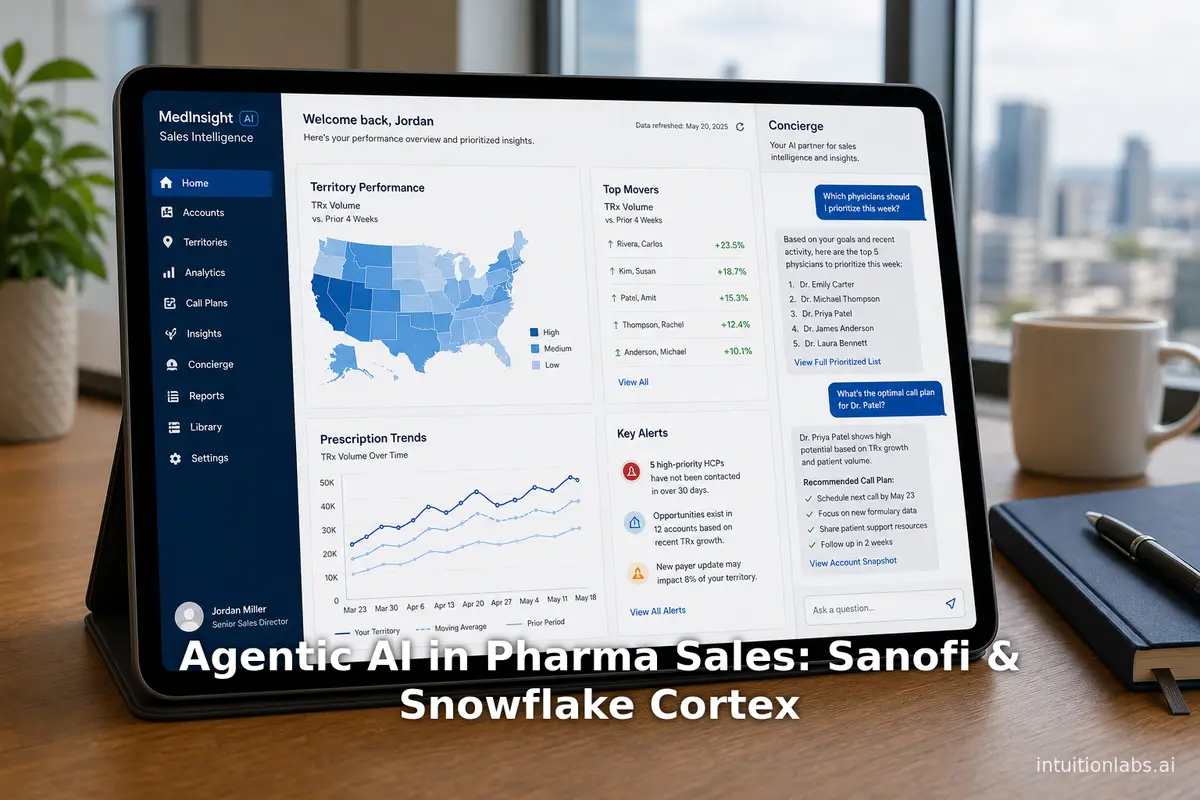
Agentic AI in Pharma Sales: Sanofi & Snowflake Cortex
Analyze Sanofi's Concierge for Field, an agentic AI tool built on Snowflake Cortex and Elementum AI to automate pharma sales prep and update operating models.
Agentic AI in Pharma: Merck & Google Cloud $1B Partnership
Analyze the $1B Merck and Google Cloud partnership. This report explains how agentic AI and Gemini Enterprise apply to pharmaceutical R&D and data workflows.